SameSLTPManager
- Yardımcı programlar
- Sürüm: 1.44
- Etkinleştirmeler: 5

==================================================================
PRODUCT NAME
==================================================================
Same SL TP Manager MT5
==================================================================
SHORT DESCRIPTION
==================================================================
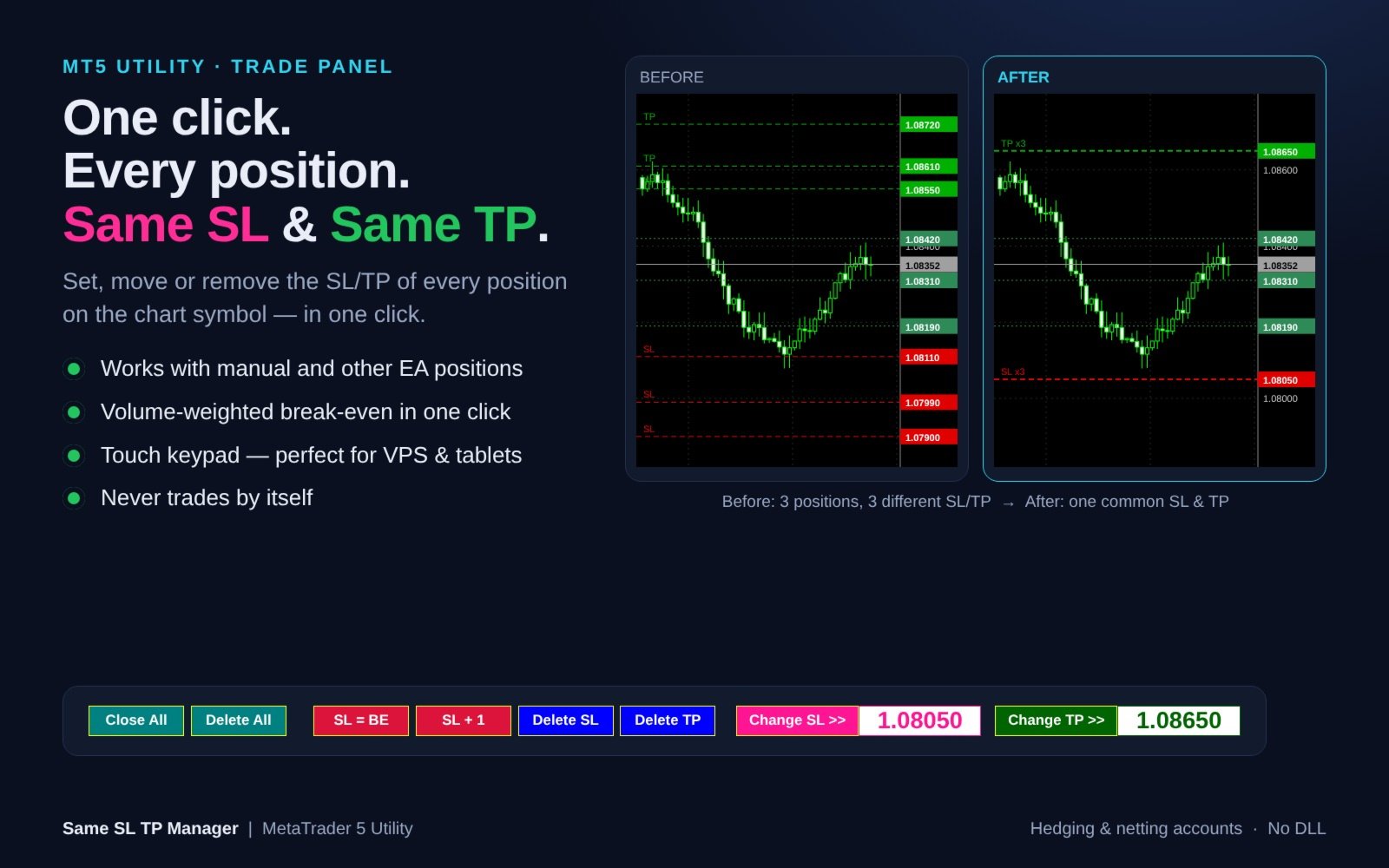
One-click trade panel: set, move or remove a common Stop Loss and Take Profit for ALL positions on the chart symbol. Break-even, SL +1 pip, Close All, Delete All and an on-chart touch keypad. Never trades by itself.
==================================================================
FULL DESCRIPTION
==================================================================
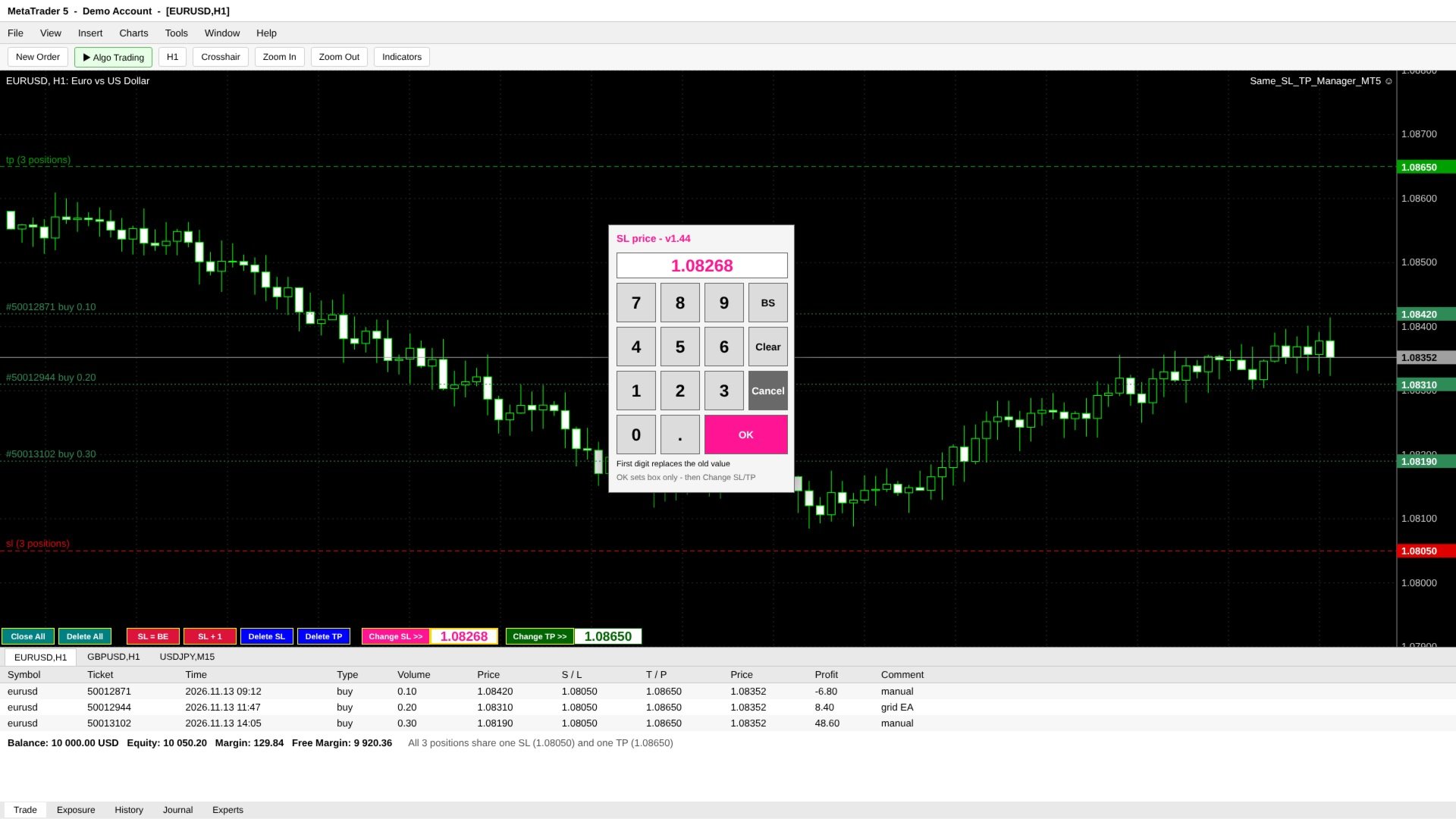
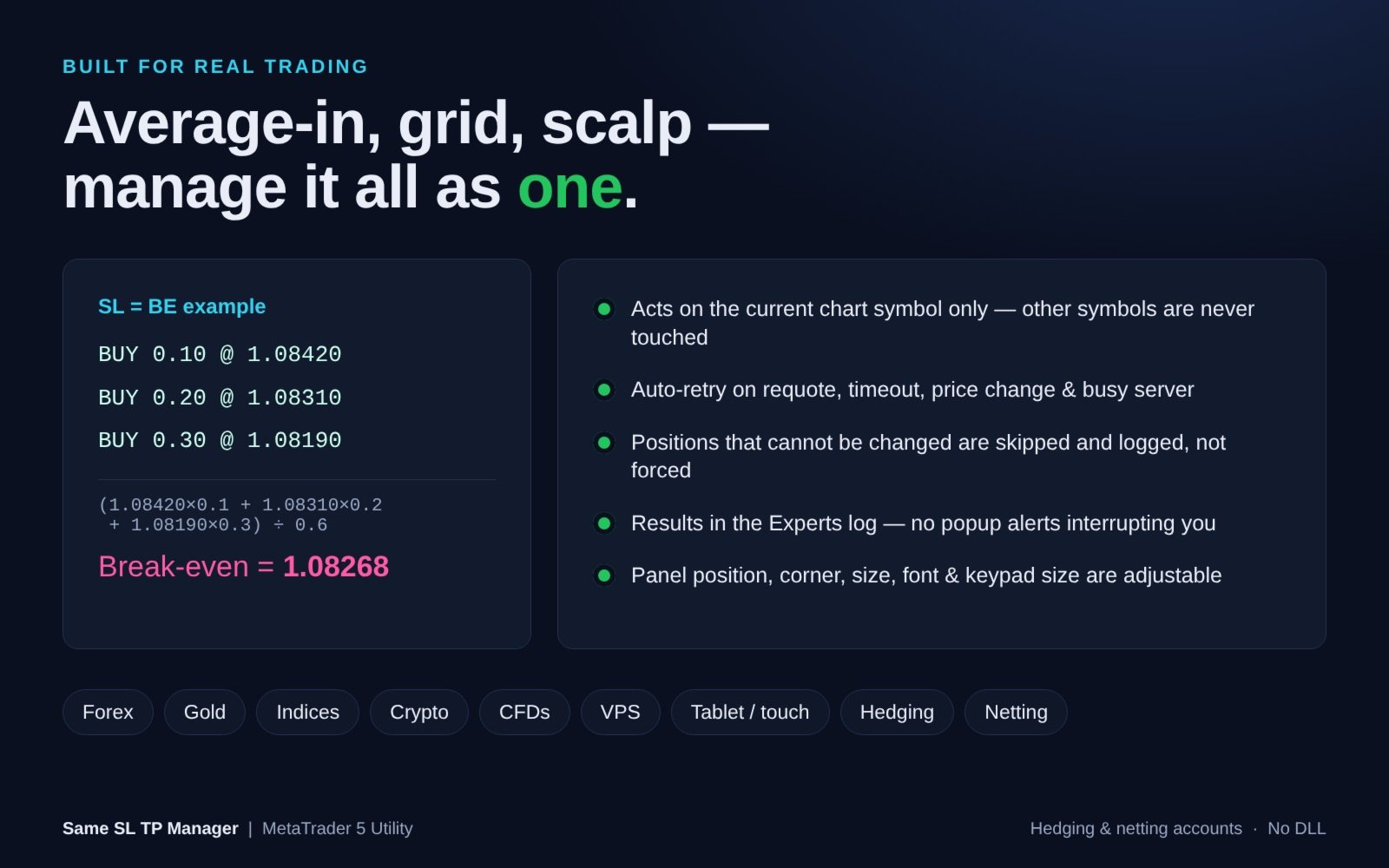
Same SL TP Manager gives every position on your chart ONE common Stop Loss and ONE common Take Profit - in a single click.
When you average in, scale in, run a grid or open several scalps, each position ends up with its own SL and TP. Changing them one by one in the Trade tab is slow and error-prone, especially in a fast market. This utility puts a compact one-row panel on the chart and lets you manage all positions of the current symbol as one.
It works with manual trades and with positions opened by other Expert Advisors. The panel never opens trades and never acts on its own - an order is sent only when you press a button.
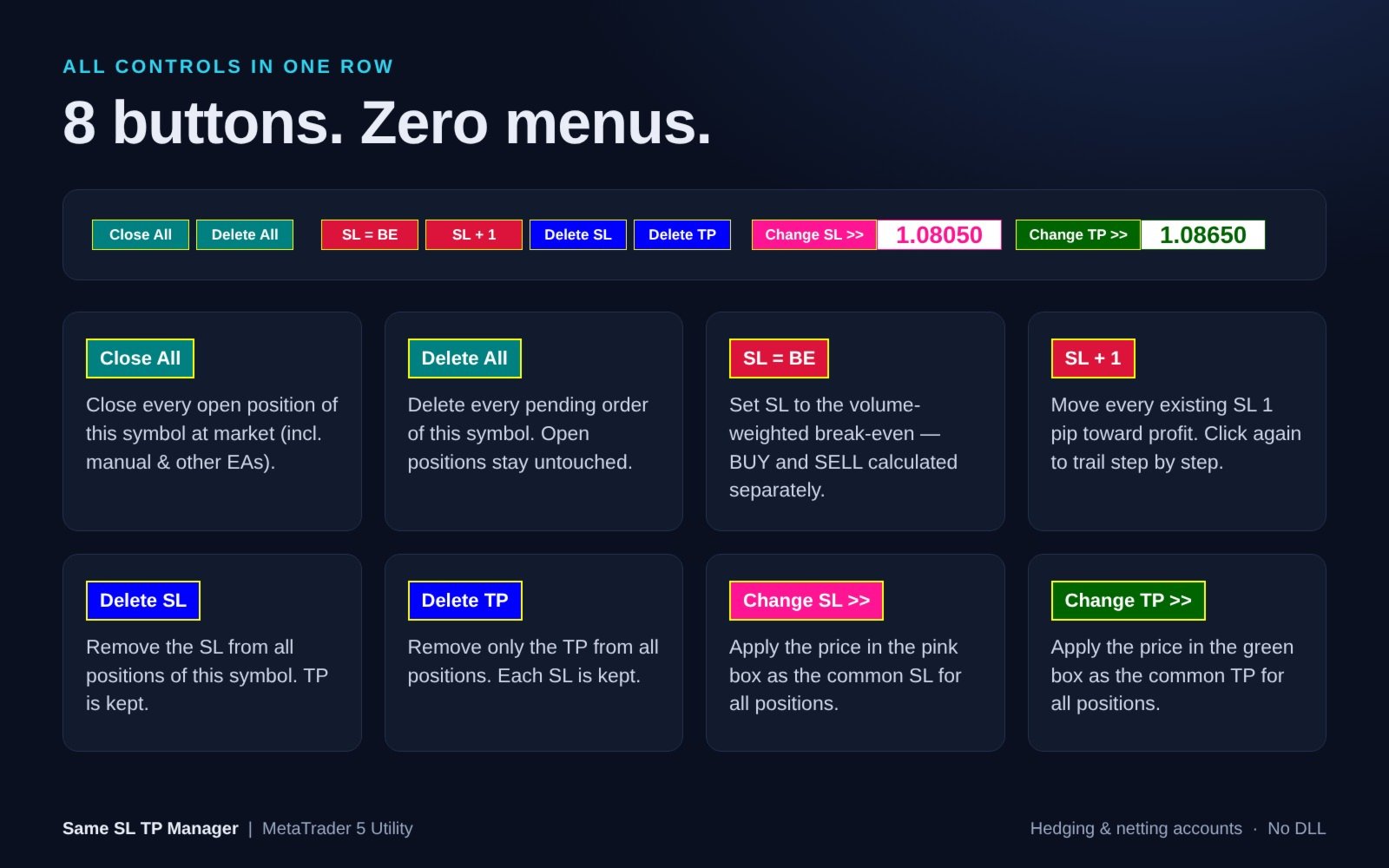
WHAT EACH BUTTON DOES
- Close All - close every open position of the chart symbol at market (manual and other-EA positions included). Pending orders are left in place.
- Delete All - delete every pending order (Limit / Stop / Stop Limit) of the chart symbol. Open positions and their SL/TP stay untouched.
- SL = BE - set the Stop Loss to the volume-weighted break-even price. BUY and SELL positions are calculated separately, so it also works on hedging accounts.
- SL + 1 - move every existing Stop Loss 1 pip toward profit. Press repeatedly to trail step by step.
- Delete SL - remove the Stop Loss from all positions of the symbol. TP is kept.
- Delete TP - remove only the Take Profit from all positions. Each SL is kept.
- Change SL >> - apply the price in the pink box as the common SL for all positions.
- Change TP >> - apply the price in the green box as the common TP for all positions.
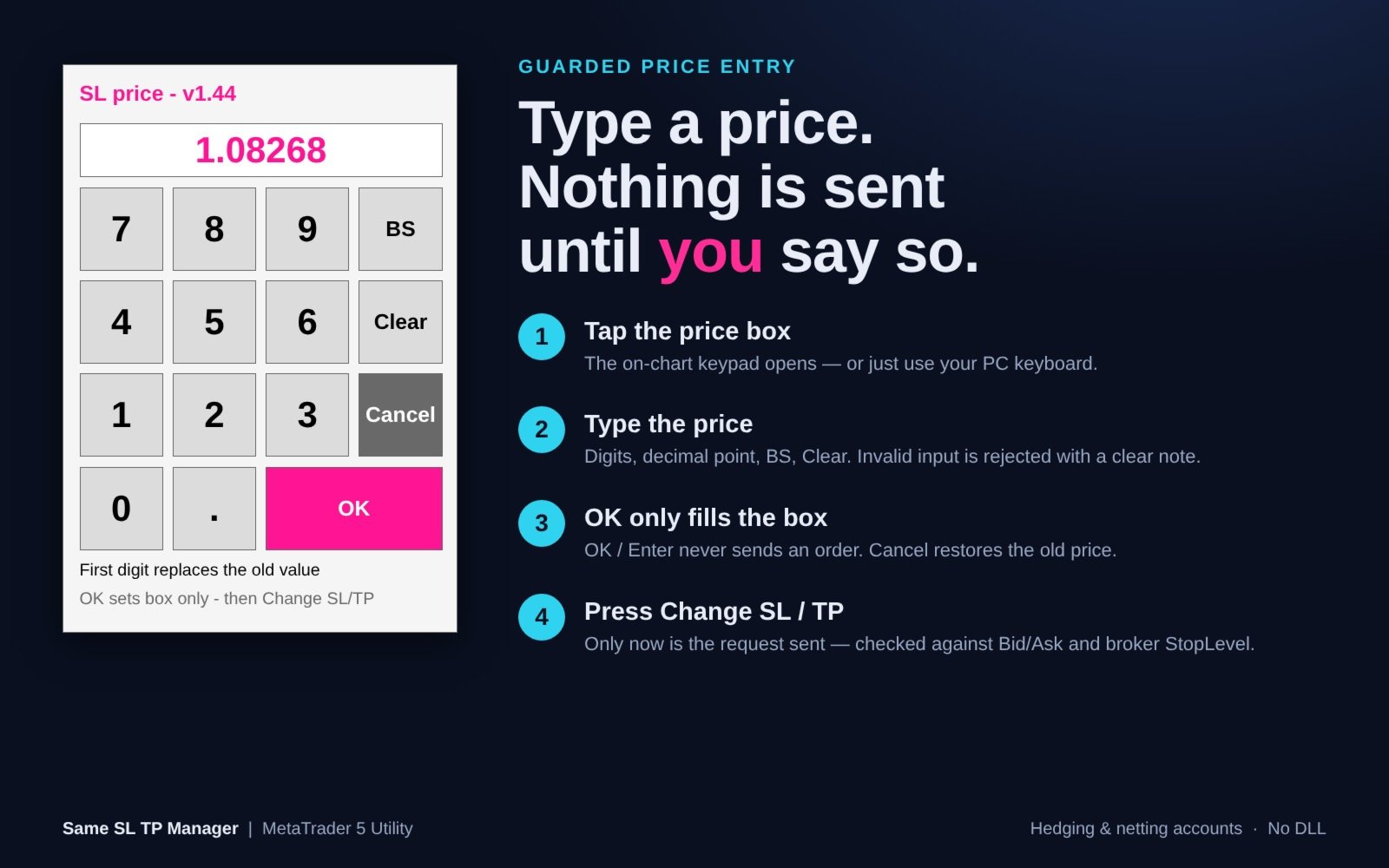
GUARDED PRICE ENTRY WITH TOUCH KEYPAD
1. Tap the pink (SL) or green (TP) price box - an on-chart numeric keypad opens. A PC keyboard works too.
2. Type the price using digits, decimal point, BS and Clear.
3. OK / Enter only fills the box. Nothing is sent. Cancel restores the previous price.
4. Press Change SL >> or Change TP >> - only now is the request sent.
The keypad is ideal for VPS sessions, remote desktop apps and tablets, where typing into chart objects is unreliable. The keypad automatically resizes to fit the chart.
SAFETY AND RELIABILITY
- Acts on the current chart symbol only. Other symbols are never touched.
- Every new SL/TP is checked against the current Bid/Ask and the broker's StopLevel before it is sent.
- Positions that cannot be changed are skipped and logged - they are not forced.
- Automatic retry on requote, timeout, price change, off quotes, too many requests and connection issues.
- Invalid input (letters, two decimal points, 0, too many digits) is rejected with a clear on-screen note.
- Entering 0 never removes a SL/TP - use Delete SL / Delete TP for that.
- Results (targets / changed / skipped / failed) are written to the Experts log. No popup alerts interrupt your trading.
- The panel rebuilds itself automatically if objects are deleted or the timeframe changes.
INPUT PARAMETERS
=== Panel Position ===
- Chart window index (SubWindow) - 0 = main chart window.
- Panel corner (Corner) - 0 = Upper-Left, 1 = Upper-Right, 2 = Lower-Left (default), 3 = Lower-Right.
- Horizontal offset (Move_X) - in pixels.
- Vertical offset (Move_Y) - in pixels.
=== Panel Appearance ===
- Button width (Button_Width) - default 70 px, minimum 40.
- Font name (Font_Type) - default "Arial Bold".
- Font color (Font_Color) - default White.
- Font size (Font_Size) - default 8, minimum 6.
=== Price Input ===
- Show touch keypad (Show_Touch_Keypad) - default true.
- Touch key size (Touch_Key_Size) - default 52 px, auto-fits the chart.
- Input debug log (Input_Debug_Log) - default false.
COMPATIBILITY
- MetaTrader 5, hedging and netting accounts.
- Forex, Gold, Indices, Crypto, CFDs - any symbol your broker offers.
- 1 pip = 10 points on 5- and 3-digit symbols, 1 point otherwise.
- No DLL required.
HOW TO USE
1. Attach Same SL TP Manager to the chart of the symbol you want to manage.
2. Enable "Algo Trading" in the terminal and "Allow Algo Trading" on the Common tab of the EA.
3. Use the buttons. Hover any button to see a tooltip.
Note: In the Strategy Tester, chart buttons cannot be clicked (MetaTrader 5 limitation), so the demo version only displays the panel. All functions work on demo and live accounts.
Note: Close All and Delete All act immediately, without confirmation. They affect ALL positions/orders of the chart symbol, including those opened manually or by other EAs.
If you have questions or suggestions, please send me a private message. Thank you!