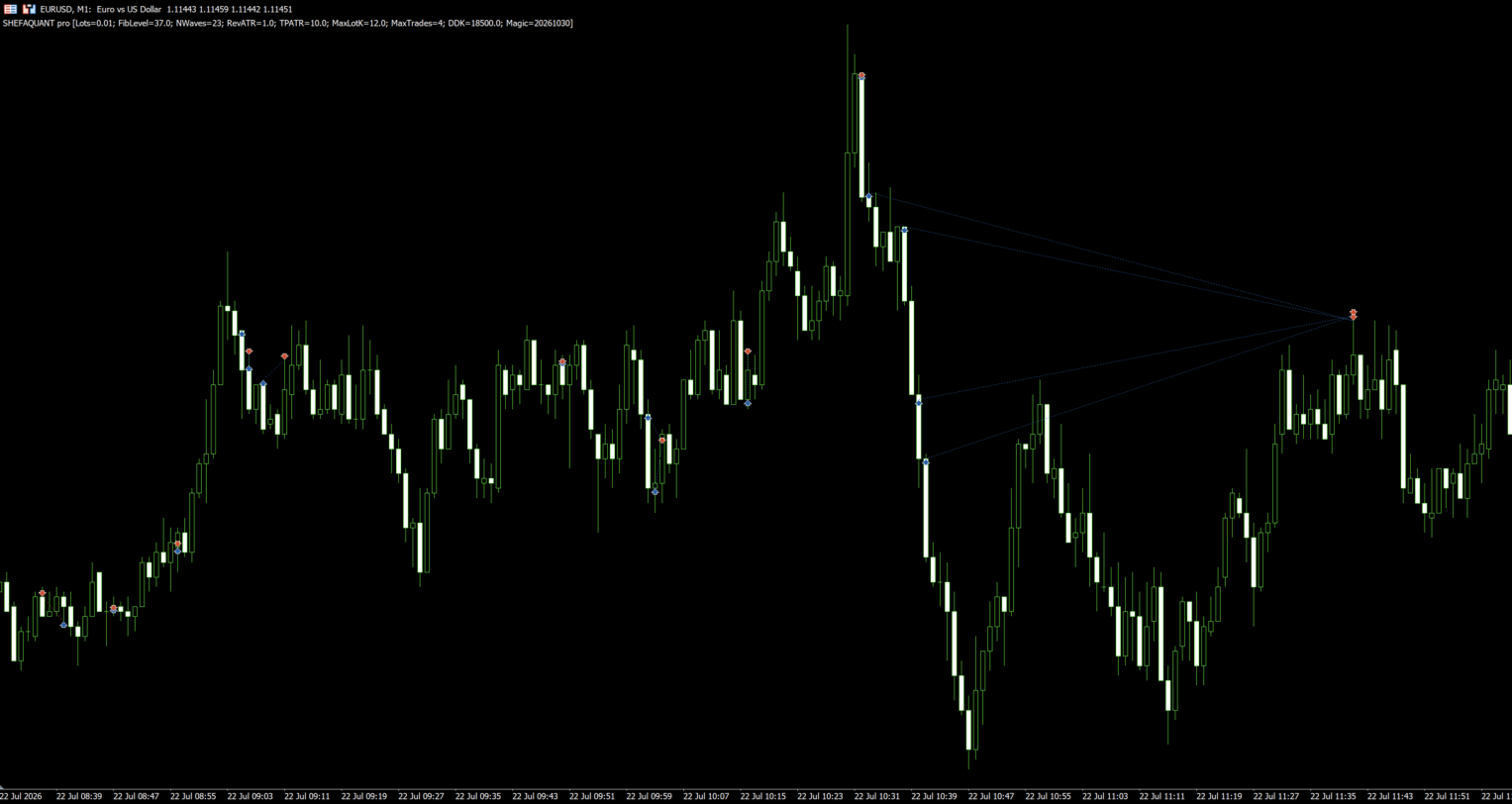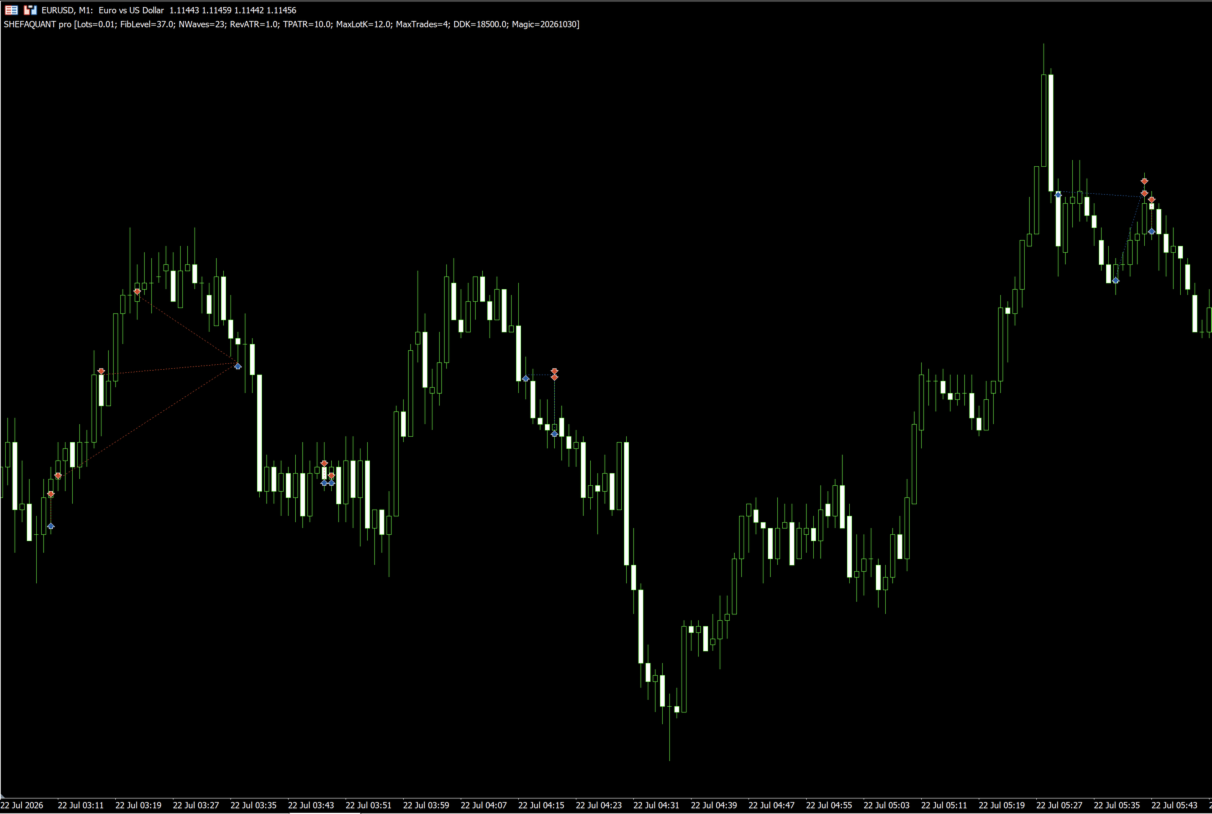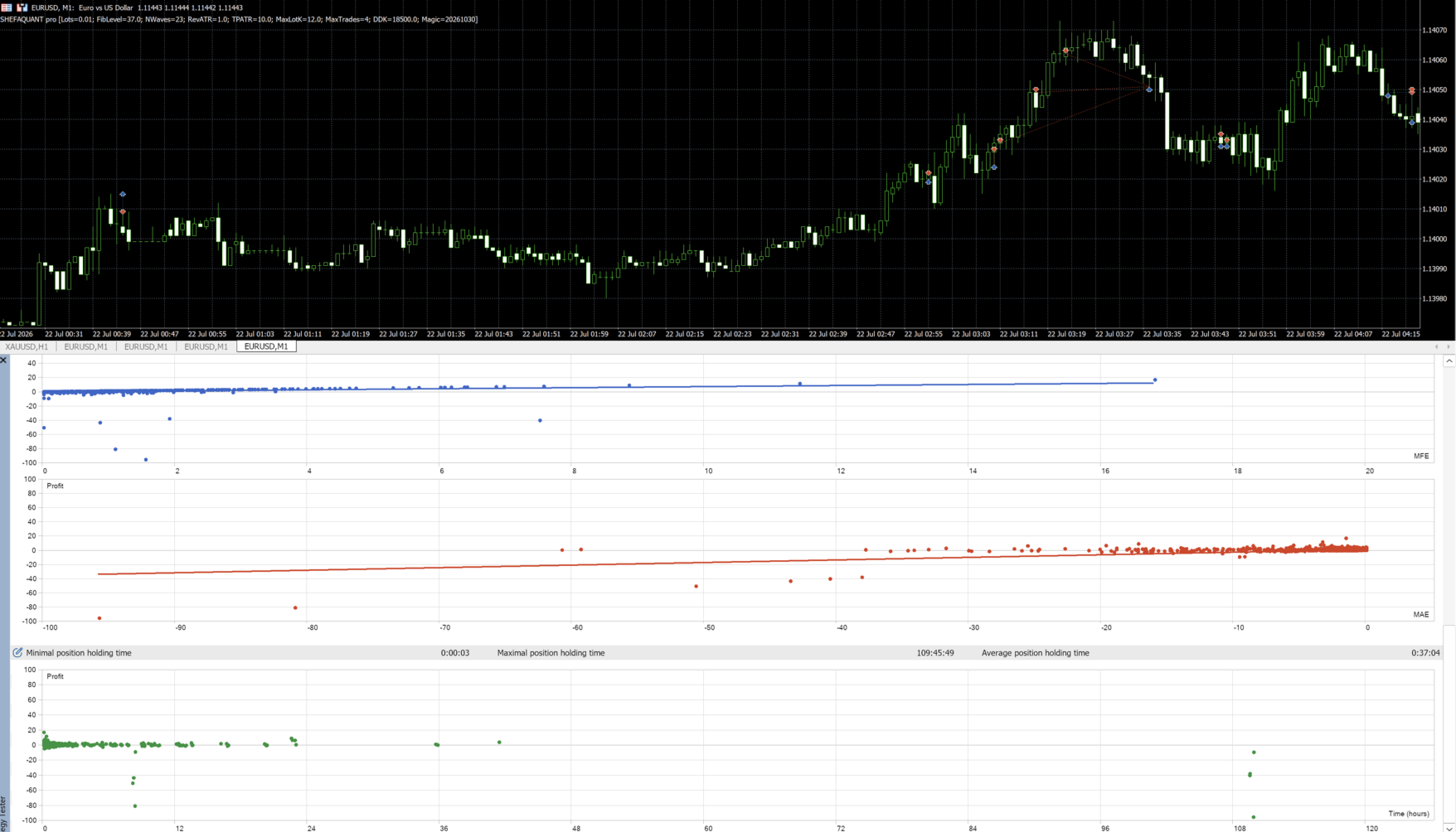
ShefaQuant Pro
- Uzmanlar
- Sürüm: 1.0
- Etkinleştirmeler: 20

Recommended Configuration – Read Before Using the EA
-
Trading platform: MetaTrader 5 (MT5)
-
Trading instrument: EUR/USD (Euro/US Dollar)
-
Recommended timeframe: M1 (1 minute)
-
Recommended account type: ECN
-
Required account mode: Hedging
-
Recommended minimum starting capital: 500 USD
-
EA parameters: Default settings
-
Strategy: Trend following combined with Fibonacci analysis
-
Execution environment: PC or VPS
-
Automated trading: Must be enabled
Important: To use SHEFAQUANT pro according to the recommended configuration, attach the EA to the EUR/USD chart on the M1 timeframe. Use an ECN account that supports hedging mode, starting capital of at least 500 USD, and the EA's default settings. Do not change the parameters if you do not fully understand how they may affect the strategy's operation and account risk.
Starting capital of 500 USD is a recommendation for the initial configuration and is neither a guarantee of profits nor an upper limit for possible losses. Whether this amount is suitable depends, among other things, on leverage, margin requirements, trading costs, market conditions, and execution quality.
General Description
SHEFAQUANT pro is an automated trading system for MetaTrader 5. It combines proprietary market analysis, the evaluation of Fibonacci-based levels, trend identification, volatility-dependent calculations, and systematic position management.
The EA is designed for use on the M1 timeframe (one minute). It analyzes historical price movements, previous market highs, relevant price movements, and historical interactions between the price and Fibonacci-related levels. It then continuously monitors current market conditions to identify potential trading opportunities that meet its internal entry criteria.
SHEFAQUANT pro does not open positions solely because the price reaches a specific level. Instead, the EA combines the analysis of historical levels, trend direction detection, and its own entry logic.
The system is designed to look for trading opportunities in the direction of the prevailing trend identified by its internal algorithm. Fibonacci levels serve as analytical reference points to support trading decisions.
The EA also includes dynamic position management, ATR-based calculations, configurable limits on the number of positions, floating loss thresholds, and a dashboard with trading statistics.
Main Features
1. Trend-Following Logic
SHEFAQUANT pro is designed to identify trading opportunities in the direction of the trend detected by its internal analysis system.
The EA evaluates market movements to determine the prevailing direction and looks for entry opportunities that meet its trading conditions. Trend assessment is combined with the analysis of historical price levels and the evaluation of possible further price movements.
The EA does not treat every touch of a Fibonacci level as an independent trading signal. It takes the broader price context into account and waits until its internal entry criteria are met.
2. Analysis of Historical Fibonacci Levels
Fibonacci analysis uses mathematical ratios to identify possible support, resistance, retracement, and trend continuation areas.
Using its own analytical method, SHEFAQUANT pro evaluates historical market highs, relevant price movements, and previous interactions between the price and Fibonacci-related levels.
These calculations are used to identify areas that may be useful as reference points for analyzing further market movements.
Fibonacci levels are analytical reference points and not guaranteed price targets. There is no guarantee that the market will reach a specific level or react to it.
3. Analysis of Historical Price Reactions
The EA evaluates how the price has behaved in the past near relevant Fibonacci areas.
It takes into account previous highs, interactions with important levels, and subsequent price movements.
The goal is to identify potentially relevant areas and assess whether current conditions resemble historical patterns that could meet the internal trading requirements.
Historical price reactions can provide analytical indications, but they do not guarantee that these reactions will repeat in the future.
4. Detection of Possible Price Pullbacks
After identifying relevant areas, SHEFAQUANT pro monitors the market to detect possible price movements back toward Fibonacci-related levels.
Before making an entry decision, the EA evaluates the current price development and trend direction.
This approach combines the analysis of historical levels with current market conditions rather than relying exclusively on a single Fibonacci level.
5. Trend-Aligned Entries
Before opening a position, the EA evaluates several factors:
-
Potentially relevant Fibonacci areas.
-
Historical price development and previous price reactions.
-
Current market conditions.
-
Direction of the prevailing trend.
-
Internal entry conditions and signal criteria.
The exact entry conditions, calculation methods, and signal confirmation rules depend on the proprietary implementation of the EA.
6. Dynamic Position Management
SHEFAQUANT pro manages positions according to its internal logic and configured limits.
Depending on market conditions, internal rules, the maximum number of positions, and volume restrictions, the EA may open additional positions.
Position management includes internal target calculations and a configurable floating loss threshold.
Multiple simultaneously open positions can increase overall market risk. These mechanisms do not eliminate market risk and do not guarantee a specific execution price or financial result.
7. Volatility-Dependent Calculations
The EA uses the Average True Range (ATR) to incorporate market volatility into its internal calculations.
The RevATR and TPATR parameters influence certain calculations related to the detection of price reversals and the sizing of additional positions.
For the recommended EUR/USD configuration on the M1 timeframe, these parameters should be left at their default values.
8. Dashboard with Trading Statistics
The integrated dashboard displays trading statistics directly on the MetaTrader 5 chart.
It allows trading activity to be monitored and historical performance to be analyzed without requiring a separate monitoring application.
9. Identification of EA Positions
The Magic parameter is used to identify the EA's positions and distinguish them from positions opened by other Expert Advisors or trading strategies.
If you use several EAs or different configurations simultaneously, you should assign different Magic Numbers where necessary.
How the Strategy Works
SHEFAQUANT pro combines the historical analysis of Fibonacci levels, trend identification, and systematic position management.
Phase 1 – Analysis of Historical Market Data
The EA analyzes historical market highs, relevant price movements, and previous interactions between the price and Fibonacci-related levels.
This analysis is used to identify areas that may be helpful in assessing current market conditions.
Phase 2 – Identification of Fibonacci Areas
The system evaluates how the price has behaved in the past near the previously identified levels.
It analyzes historical reactions and subsequent price movements to determine which areas may be relevant to the internal strategy.
The presence of a Fibonacci level alone does not trigger automatic position opening.
Phase 3 – Monitoring Current Market Conditions
The EA monitors price movements on the recommended M1 timeframe and waits for movements that meet its internal criteria.
It evaluates whether the current conditions, in combination with relevant Fibonacci areas, could represent a suitable trading opportunity.
Phase 4 – Identification of Trend Direction
As part of the pre-entry analysis, the EA evaluates the market direction.
It looks for opportunities that align with the trend identified by its internal logic and combines this assessment with Fibonacci-based price analysis.
Phase 5 – Opening Positions
When the required analytical conditions are met, the EA may open a position in the direction of the identified trend.
The exact entry rules and signal confirmation criteria are part of the EA's proprietary implementation.
Phase 6 – Position Management
After opening a position, the EA manages the trade according to its internal rules.
Depending on further market developments, it may open additional positions while observing the configured maximum number of simultaneous positions and volume limits.
Management also uses internal target calculations and a floating loss threshold.
Slippage, price gaps, execution delays, and insufficient margin may cause actual results to differ from the calculated thresholds.
Why Trend Analysis and Fibonacci Are Combined
Fibonacci analysis and trend following focus on different aspects of market behavior.
Fibonacci analysis provides reference levels derived from historical price movements. Trend analysis helps determine the direction in which the EA looks for trading opportunities.
By combining both approaches, SHEFAQUANT pro can evaluate multiple market factors instead of relying exclusively on the presence of a specific price level.
The system takes into account:
-
Historical price structure and previous market highs.
-
Relevant Fibonacci areas and historical price interactions.
-
Historical reactions following price movements near these areas.
-
Current market direction and its alignment with the trend.
-
The occurrence of suitable price movements before entry.
-
Position limits and risk parameters during trade management.
This strategy uses historical price structure and trend direction to identify potentially suitable trading situations. However, market conditions remain uncertain: reactions at Fibonacci levels are not guaranteed, and historical patterns do not have to repeat.
Dashboard with Trading Statistics
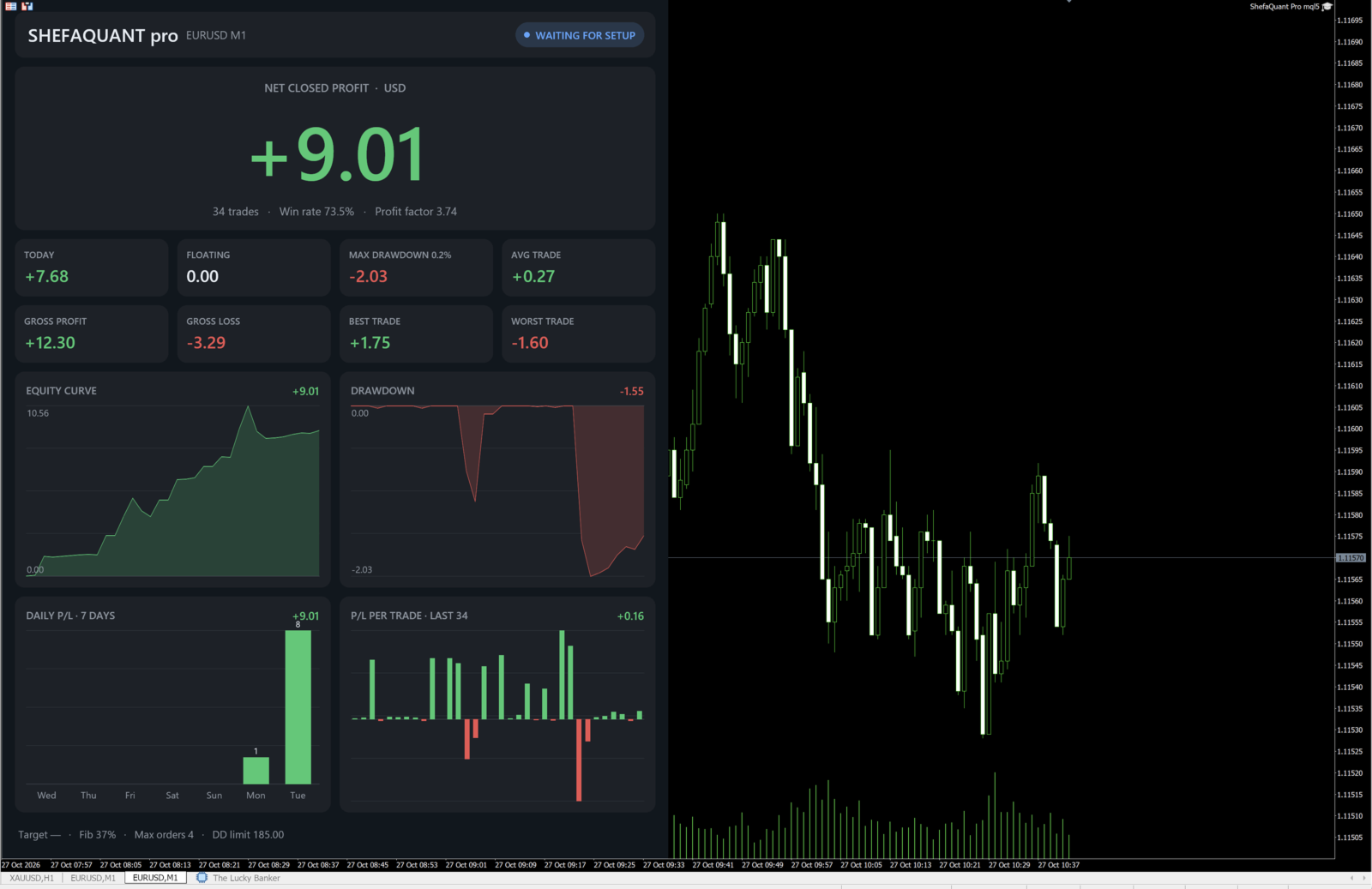
SHEFAQUANT pro features a dashboard on the MetaTrader 5 chart that displays key trading metrics.
The dashboard includes the following information:
-
Net Closed Profit: Cumulative result of closed trades.
-
Win Rate: Percentage of closed trades that ended in profit.
-
Profit Factor: Ratio of gross profit to gross loss.
-
Floating P/L: Current profit or loss of the EA's open positions.
-
Today's Result: Trading result for the current day.
-
Maximum Drawdown: Historical drawdown metric based on recorded closed trades.
-
Average Trade: Average net profit or net loss per closed trade included in the calculation.
-
Gross Profit and Gross Loss: Total amounts of profitable and losing trades.
-
Best and Worst Trade: Highest and lowest results of individual closed trades.
-
Equity Curve: Graphical representation of cumulative profit or loss from closed trades.
-
Drawdown Chart: Progression of declines in the cumulative result relative to previous highs.
-
Daily P/L: Results for each of the last seven calendar days.
-
Recent Trade Results: Results of up to the 50 most recently closed trades included in the calculation.
-
Current Trading Status: Trading direction and current number of positions relative to the configured maximum.
The statistics are calculated according to the dashboard's implementation using the trading history associated with the EA's symbol and Magic Number.
The dashboard is intended to monitor trading activity and analyze historical performance. The displayed statistics do not predict future results and do not guarantee profits.
EA Input Parameters
For the recommended EUR/USD configuration on the M1 timeframe, all parameters should be left at their default values.
The available EA parameters are described below.
1. Lots – Initial Lot Size
Default value: 0.01
Defines the initial trading volume. This parameter is also used in certain calculations involving the floating loss threshold and the maximum volume of additional positions.
Increasing the volume increases financial risk.
2. FibLevel – Target Level (%)
Default value: 37
Defines the percentage used to calculate an internal price target related to the management of the current position series.
This parameter is used for internal target calculations and does not necessarily correspond to a Take Profit order placed with the broker.
3. NWaves – Market Structure Analysis Depth
Default value: 23
Defines the number of price movements taken into account in market structure calculations and average price movement calculations.
Changing this value may affect the internal analysis and the behavior of the EA.
4. RevATR – ATR-Based Reversal Sensitivity
Default value: 1.0
Defines the ATR multiplier used in the internal detection of price reversals.
ATR (Average True Range) measures market volatility. This parameter affects the size of the price movement considered relevant by the internal analysis for detecting a possible reversal.
5. TPATR – ATR-Based Factor for Position Calculations
Default value: 10.0
Defines the ATR multiplier used in certain monetary target calculations related to the sizing of additional positions.
This parameter affects the internal calculations of trading volume. It does not necessarily mean that a separate Take Profit order is placed at a distance equal to ten times the ATR.
6. MaxLotK – Maximum Lot Multiplier for Additional Orders
Default value: 12
Defines the multiplier used to calculate the maximum volume of an additional position relative to the Lots parameter.
For example, with Lots = 0.01 and MaxLotK = 12, the calculated maximum volume for an additional order is 0.12 lots. However, the actual permitted volume also depends on the EA's implementation and the instrument's volume restrictions.
This parameter does not define the combined total volume of all open positions.
7. MaxTrades – Maximum Number of Simultaneous Positions
Default value: 4
Defines the maximum number of simultaneously open positions managed by the EA for the corresponding symbol and Magic Number.
Examples:
-
1 – maximum of one simultaneous position.
-
2 – maximum of two simultaneous positions.
-
4 – maximum of four simultaneous positions.
Once the configured limit is reached, the EA does not open additional positions while the number of open positions remains at this maximum.
8. DDK – Multiplier for the Floating Loss Threshold
Default value: 18500
Defines the multiplier used together with Lots to calculate the floating loss threshold. Once this threshold is reached, the EA initiates the closing process for open positions.
The described calculation formula is:
Lots × DDK
For example, if Lots = 0.01 and DDK = 18500, the calculated threshold is 185 units of the account currency, provided that the EA uses this formula directly and the units used are consistent.
This is an internal loss management threshold and not a guarantee of a maximum loss. The actual result may differ due to slippage, price gaps, execution delays, or insufficient margin.
9. Magic – EA Identification Number
Default value: 20261030
Defines the Magic Number used to identify the EA's trades.
If you use multiple EAs or different configurations simultaneously, assign different Magic Numbers where necessary to distinguish their trading histories.
Installation and Use of SHEFAQUANT pro
Follow the steps below to configure the EA according to the recommended operating conditions.
Step 1 – Install MetaTrader 5
Install and launch MetaTrader 5.
Make sure you are using a version of SHEFAQUANT pro compiled specifically for MT5. An EA compiled for MetaTrader 4 cannot be used directly in MetaTrader 5.
Step 2 – Select an ECN Account with Hedging Support
Use an account with the following characteristics:
-
ECN order execution.
-
Support for hedging mode.
-
Competitive spreads for EUR/USD.
-
A clearly defined fee structure.
Confirm these conditions with your broker. ECN execution and hedging support are different account characteristics.
If the EA needs to hold multiple separate positions in the same instrument simultaneously, check whether the MT5 account uses Hedging mode rather than Netting mode.
Step 3 – Provide at Least 500 USD in Starting Capital
The recommended initial configuration assumes an account balance of at least 500 USD when using the default parameters.
This is a configuration recommendation, not a guarantee that the EA is suitable for every account. It is also not an upper limit for possible losses.
Margin requirements, leverage, spreads, commissions, volatility, and the number of simultaneous positions can significantly affect account risk.
Step 4 – Open the EUR/USD Chart on M1
Select EUR/USD in Market Watch.
Open the chart and set the timeframe to M1 (one minute).
Attach SHEFAQUANT pro to this chart.
If your broker uses a suffix in the instrument name, such as EURUSD.a or EURUSDm, check whether it is the appropriate EUR/USD instrument and whether it is compatible with the EA.
The recommended configuration uses EUR/USD on M1. The EA's behavior may differ with other instruments or timeframes.
Step 5 – Keep the EA's Default Parameters
After attaching the EA to the chart, check that all input parameters match their default values.
For the recommended configuration, do not change the parameters Lots, FibLevel, NWaves, RevATR, TPATR, MaxLotK, MaxTrades, DDK, and Magic.
The recommended configuration assumes EUR/USD, the M1 timeframe, an ECN account with hedging support, and starting capital of at least 500 USD.
Step 6 – Enable Automated Trading
After attaching the EA to the chart:
-
Open the EA's properties.
-
Check that the input parameters match their default values.
-
In the EA's Common tab, enable Allow Algo Trading.
-
Enable the Algo Trading function in MetaTrader 5.
-
Check the Experts and Journal tabs for error messages.
-
Make sure the EA is running correctly.
Both the platform's general settings and the EA's individual settings must allow automated trading.
Step 7 – Run MetaTrader 5 on a PC or VPS
SHEFAQUANT pro can run on a PC or a VPS (Virtual Private Server).
PC: MetaTrader 5 must remain open, connected to the broker, and configured to allow automated trading.
VPS: A suitable VPS allows MT5 to continue running even when your personal computer is switched off. Check that the platform remains connected and the EA is active.
A VPS can improve operational continuity, but it does not guarantee uninterrupted order execution or better trading results.
Step 8 – Test the EA Before Using a Live Account
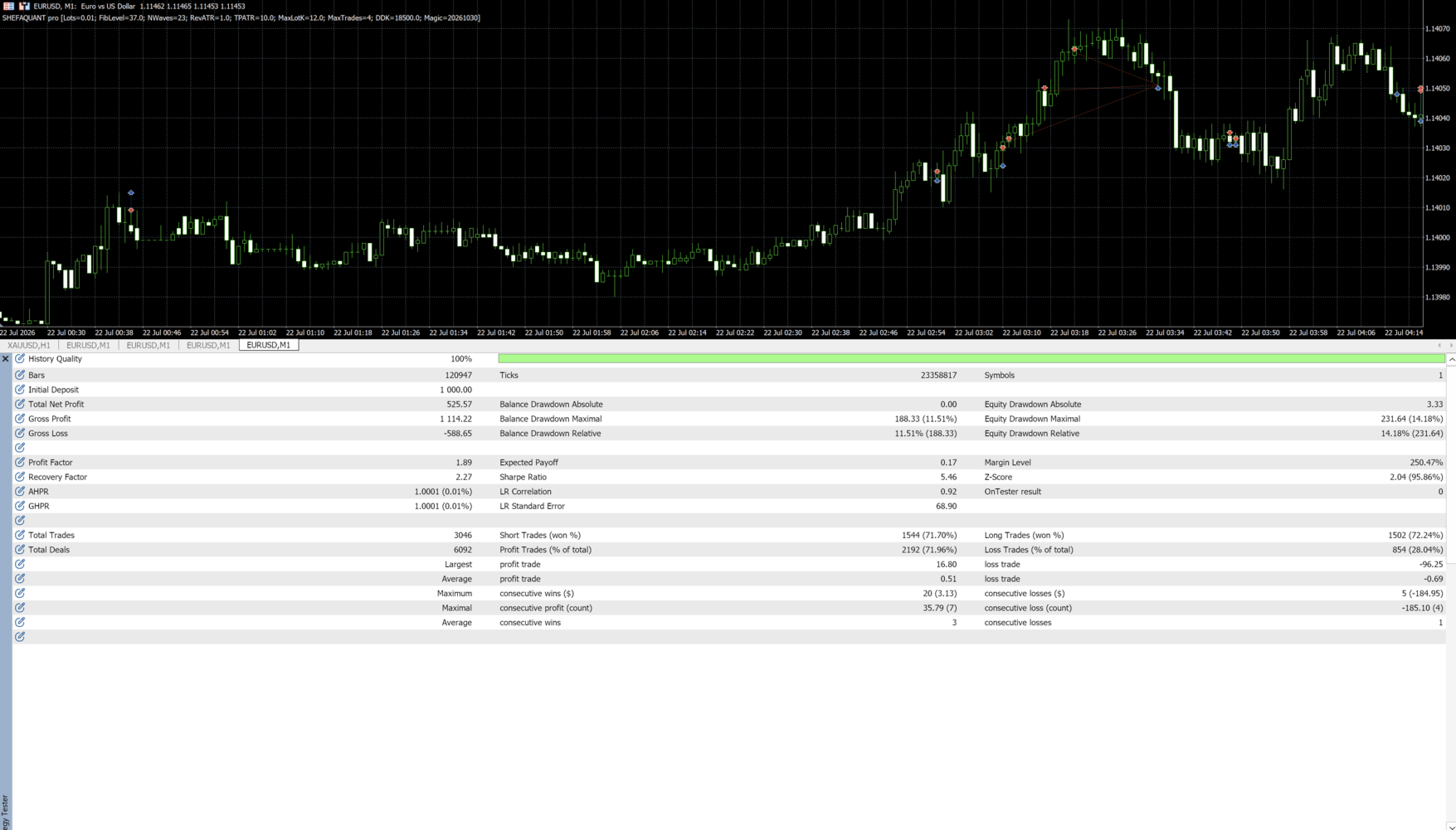
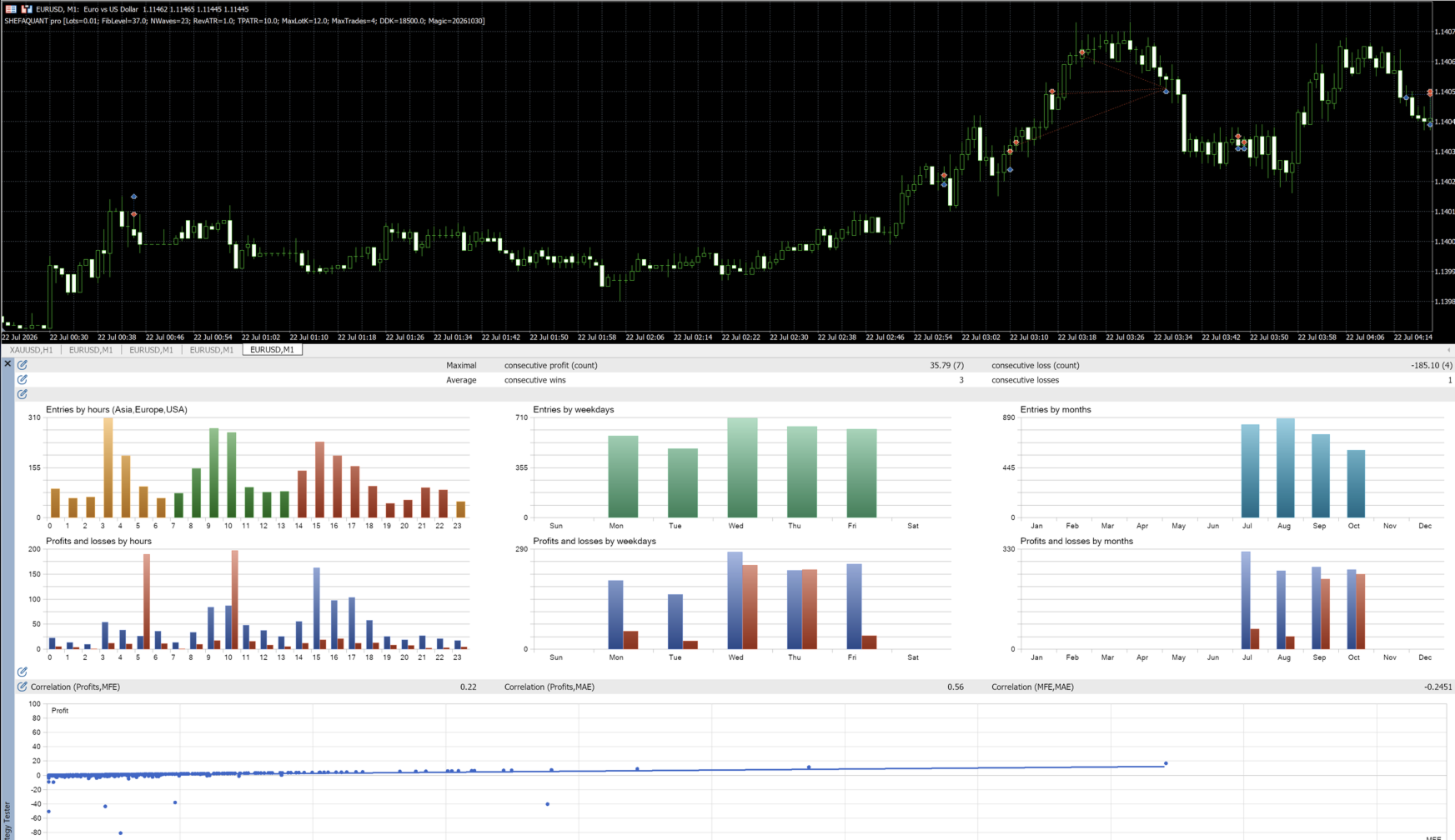
Before using the EA on a live account, it is recommended to test it on a demo account under conditions that are as similar as possible to the intended trading environment.
Where possible, use the same broker conditions, account type, hedging mode, comparable instrument specifications, spreads, commissions, leverage, and comparable available capital.
Regularly check the dashboard, open positions, account margin, and platform logs.
Testing helps you understand how the EA works, but it does not guarantee future results.
Recommended Configuration
| Parameter | Recommended Setting |
|---|---|
| Trading platform | MetaTrader 5 |
| Currency pair | EUR/USD |
| Timeframe | M1 – 1 minute |
| Account type | ECN |
| MT5 account mode | Hedging |
| Recommended minimum starting capital | 500 USD |
| EA parameters | Default settings |
| Strategy | Trend following combined with Fibonacci |
| Automated trading | Enabled |
| Execution environment | PC or VPS |
| Initial testing | Demo account recommended |
Important Risk Warnings
SHEFAQUANT pro is an automated trading system and does not guarantee profits.
Forex trading involves significant risks, especially when leverage is used or multiple positions are held simultaneously.
Consider the following risk factors:
-
Market risk: Trend identification depends on the prevailing market conditions. Historical price reactions do not have to repeat.
-
Multiple-position risk: The EA may open additional positions, thereby increasing overall market risk.
-
Floating loss threshold: The configured threshold does not guarantee a maximum loss. Actual losses may exceed it.
-
Execution risk: Slippage, price gaps, spreads, commissions, execution delays, and insufficient margin may affect results.
-
Account suitability: A balance of 500 USD does not guarantee that the EA is suitable for every broker, leverage level, account currency, or market situation.
-
Parameter sensitivity: Changes to the default settings can significantly alter the EA's behavior and risk level.
-
Operational risk: Connection interruptions, disabled automated trading, or broker restrictions may prevent automatic order execution.
Before activating the EA on a live account, you should understand its trading logic, position management mechanisms, and the risks of leveraged forex trading.