Kingfish Gold
- Uzmanlar
- Sürüm: 1.0
- Etkinleştirmeler: 11

Kingfish Gold EA is an automated trading system for MetaTrader 5, designed for gold trading. It identifies price swings and places Buy Stop or Sell Stop pending orders at calculated entry levels.
No Grid. No Martingale.
The EA does not build a ladder of orders to average into a losing position. It does not increase lot sizes to recover previous losses. Trade size follows your selected fixed-lot or percentage-based sizing settings.
With percentage-based sizing, lot size can change according to account equity and stop-loss distance. This is separate from loss-recovery sizing.
Trading features
-
Swing-based pending-order entries.
-
Stop-loss and take-profit management.
-
Trailing stops.
-
Fixed-lot or equity-based position sizing.
-
Maximum spread control.
-
Daily protection and scheduled closing controls.
The EA checks existing directional exposure and duplicate entry prices before submitting new pending orders. Its strategy uses individual trade signals rather than a grid of recovery orders.
Trading modes
| Mode | Signal timeframe |
|---|---|
| Scalper | M15 |
| Swinger | M15 |
| Positive RR | M30 |
| Prop Scalper | M15 |
| Custom | Current chart timeframe |
Preset modes use their built-in trade parameters. Custom mode allows you to configure take-profit, stop-loss, trailing, pause, and entry-offset settings.
Installation and setup
-
Install Kingfish Gold EA through the MetaTrader 5 Market.
-
Open your broker’s gold chart, such as GOLD or XAUUSD.
-
Attach the EA to the chart.
-
Enable algorithmic trading in the EA settings and turn on Algo Trading.
-
Select your trading mode.
-
Set position sizing and review protection settings.
-
Check the Experts and Journal tabs for messages.
Keep MetaTrader 5 running and connected for signal evaluation and trade management.
Position sizing
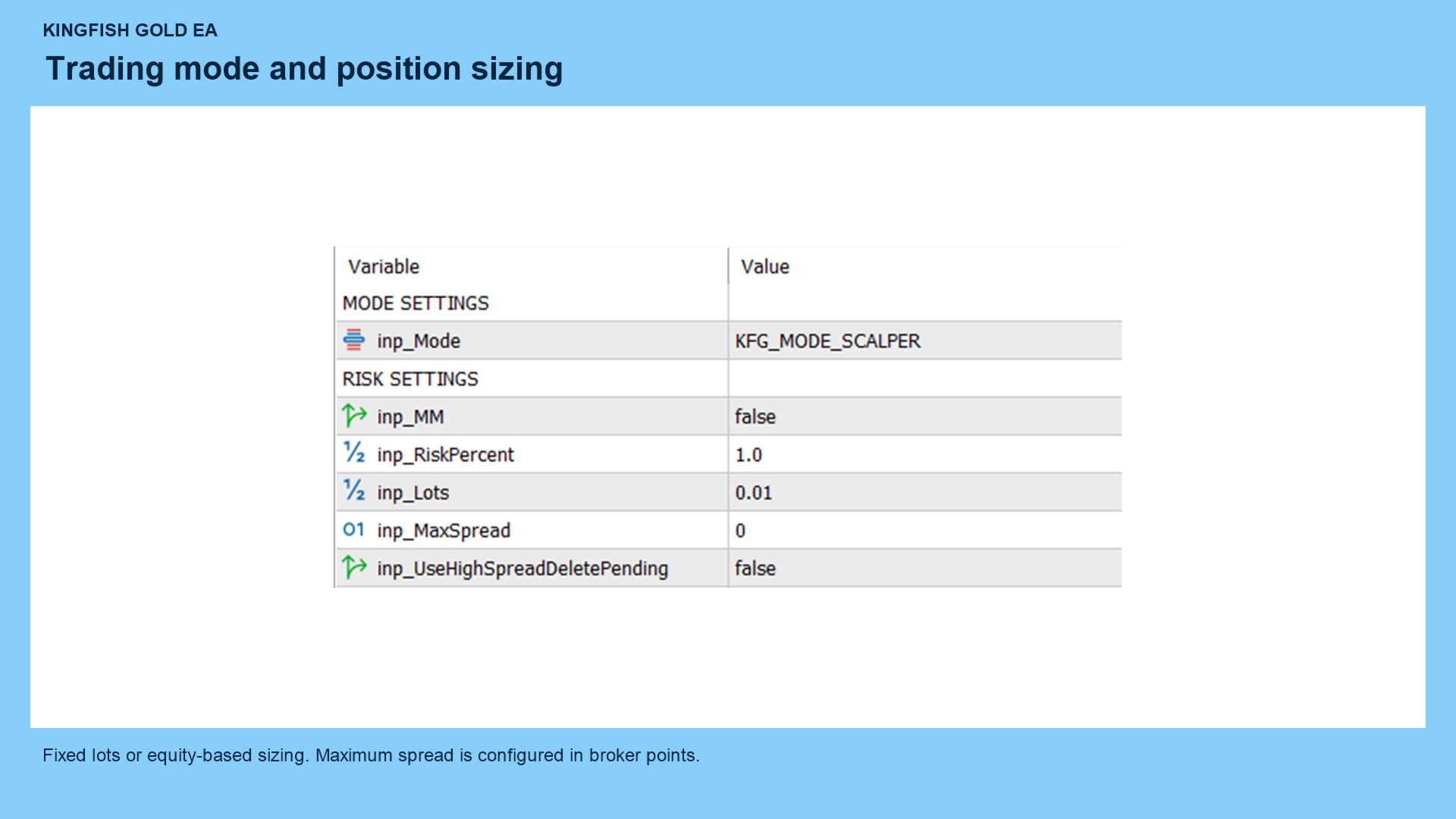
Fixed lots
Set inp_MM=false, then enter your desired trade size in inp_Lots.
The EA uses fixed sizing instead of increasing lots after losses.
Percentage-based sizing
Set inp_MM=true, then configure inp_RiskPercent.
The EA calculates trade size using account equity and the stop-loss distance. Actual losses can differ from the calculation because of gaps, slippage, and execution conditions.
Spread control
Set inp_MaxSpread to your maximum permitted spread in broker points. A value of 0 disables this filter.
Enable inp_UseHighSpreadDeletePending if you want pending orders deleted when the configured spread limit is exceeded.
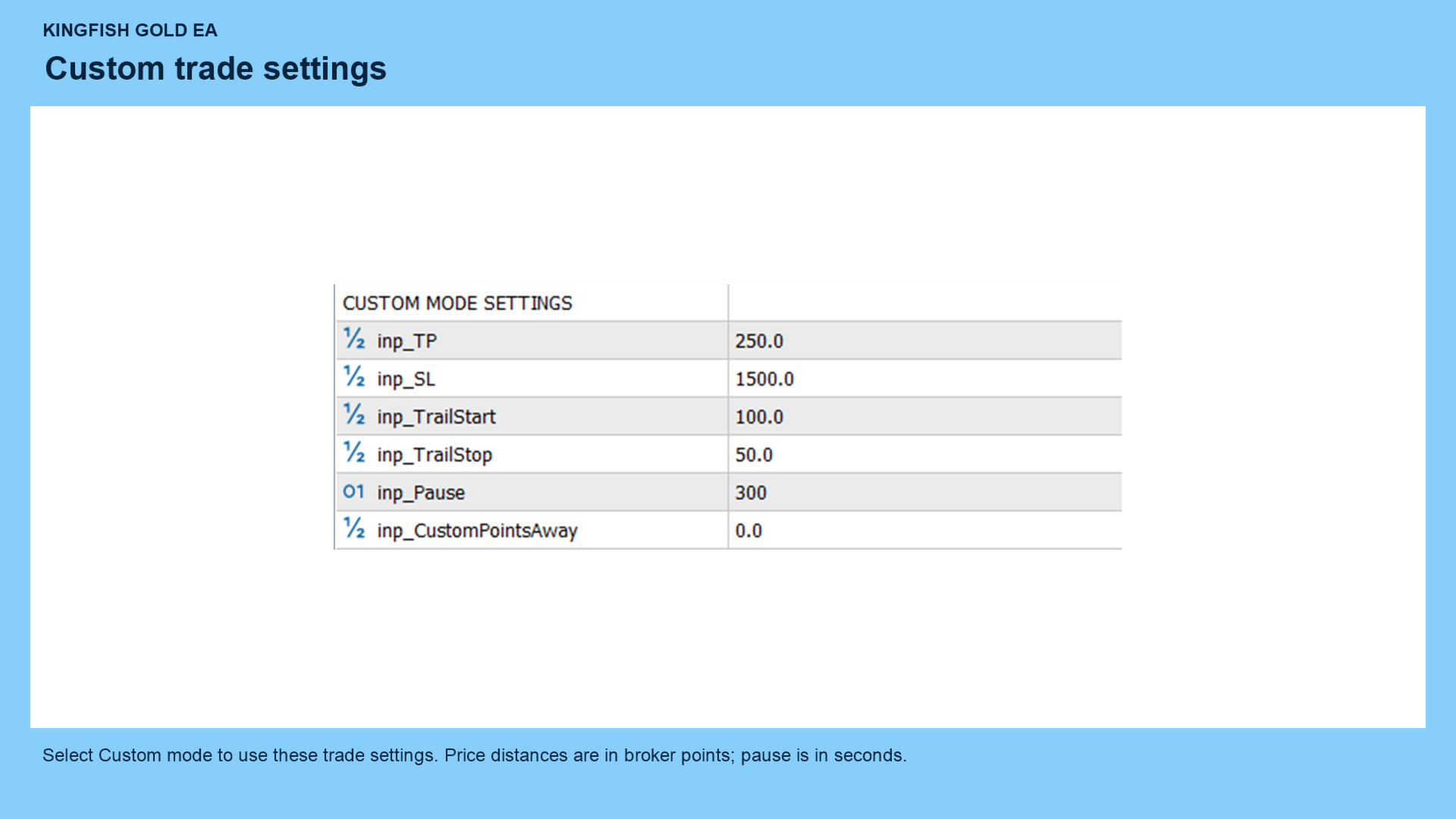
Custom mode settings
Select Custom mode to use:
| Input | Function |
|---|---|
| inp_TP | Take-profit distance |
| inp_SL | Stop-loss distance |
| inp_TrailStart | Profit distance at which trailing begins |
| inp_TrailStop | Trailing-stop distance |
| inp_Pause | Pause setting in seconds |
| inp_CustomPointsAway | Entry-offset setting |
Price distances are in broker points. Check your gold symbol’s specifications before choosing values.
Protection controls
Set inp_UsePropFirmMode=true to activate the individual protection controls you enable.
Available settings include daily money profit targets, daily money loss limits, percentage equity drawdown protection, daily closing and reopening times, and Friday closing protection.
Money thresholds use the account’s deposit currency, despite the USD input names. Daily calculations use account-level information, so other trading activity can affect the thresholds.
When a daily protection threshold is reached, the EA blocks entries and requests deletion of its pending orders and closure of its managed positions. Execution depends on market availability and broker acceptance.
These controls do not guarantee compliance with a proprietary trading firm’s rules.
Trading schedule
All schedule settings use broker server time.
The supplied defaults enable daily closing at 22:15, reopening at 01:15, and Friday closing at 22:15. Review these times and the position-closing switches before starting.
Scheduled actions are evaluated when the EA receives ticks.
Magic number and trade comment
Use inp_MagicNo to identify trades managed by this EA. Assign separate magic numbers to instances that should operate independently.
Use inp_TradeComment to set the comment on new orders.
Changing the magic number can prevent the EA from managing trades opened with the previous number.
Current version limitations
The news-filter inputs do not include an automatic news-data connection. Enabling the filter alone does not provide scheduled news protection.
The chart-panel input is present, but a visual panel is not implemented.
The Day Start Equity reference is captured when the daily baseline initializes. Starting or restarting the EA during the day can change that reference.
Testing and support
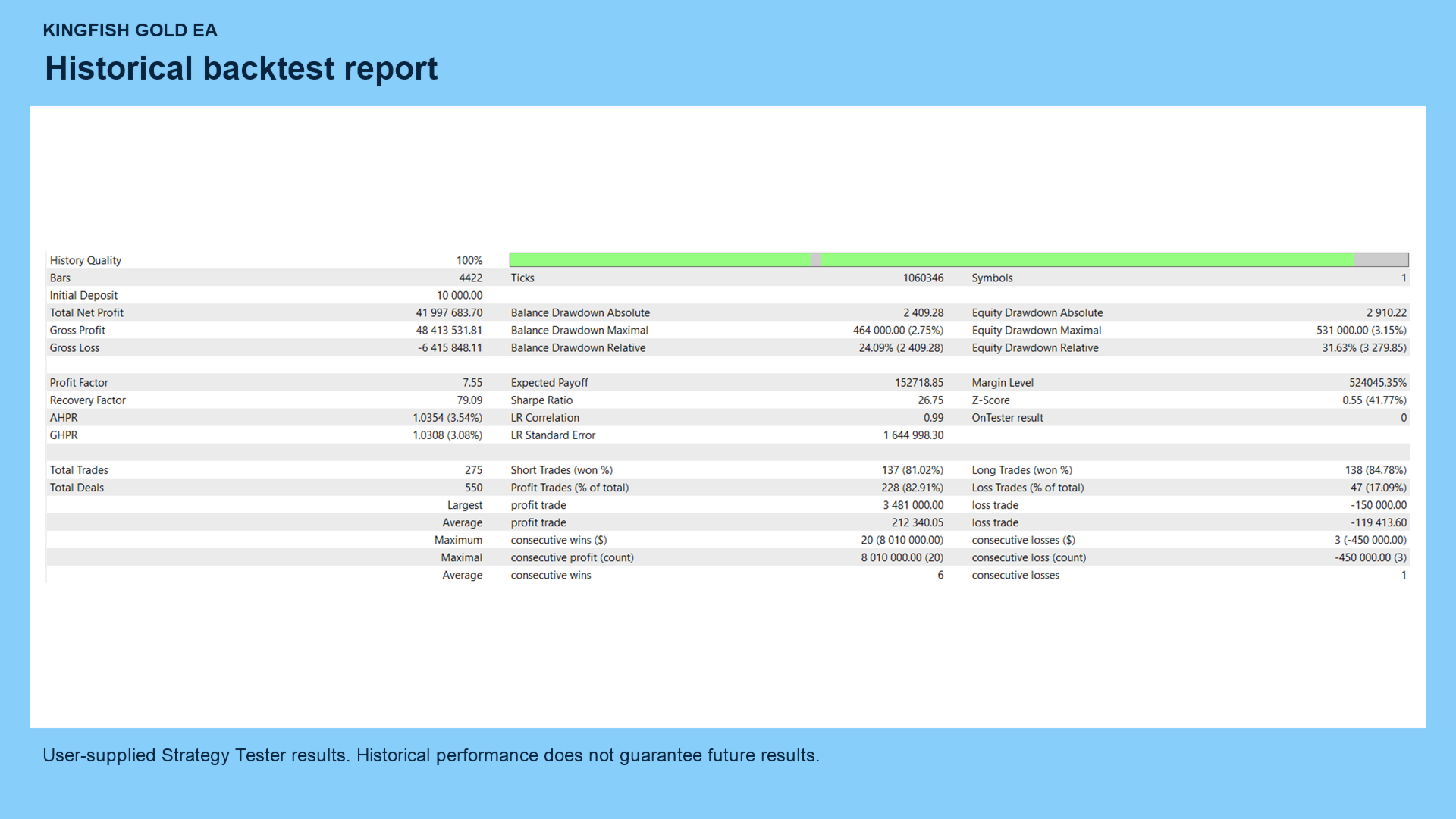
Evaluate the EA in MetaTrader 5’s Strategy Tester using your broker’s gold symbol and specifications before live use.
No grid and no martingale describe the trading method; they do not eliminate trading risk. Trading can result in losses, and historical results do not guarantee future performance.
For support, use the MQL5 product comments or messaging system.