Risk Control Panel
- Yardımcı programlar
- Sürüm: 1.0
- Etkinleştirmeler: 10

Risk Control Panel does not predict the market and does not trade on its own. Before every click, it answers three questions: how much am I risking, how much room is left today, and what happens to this position if the price moves.
Plan the trade on the chart
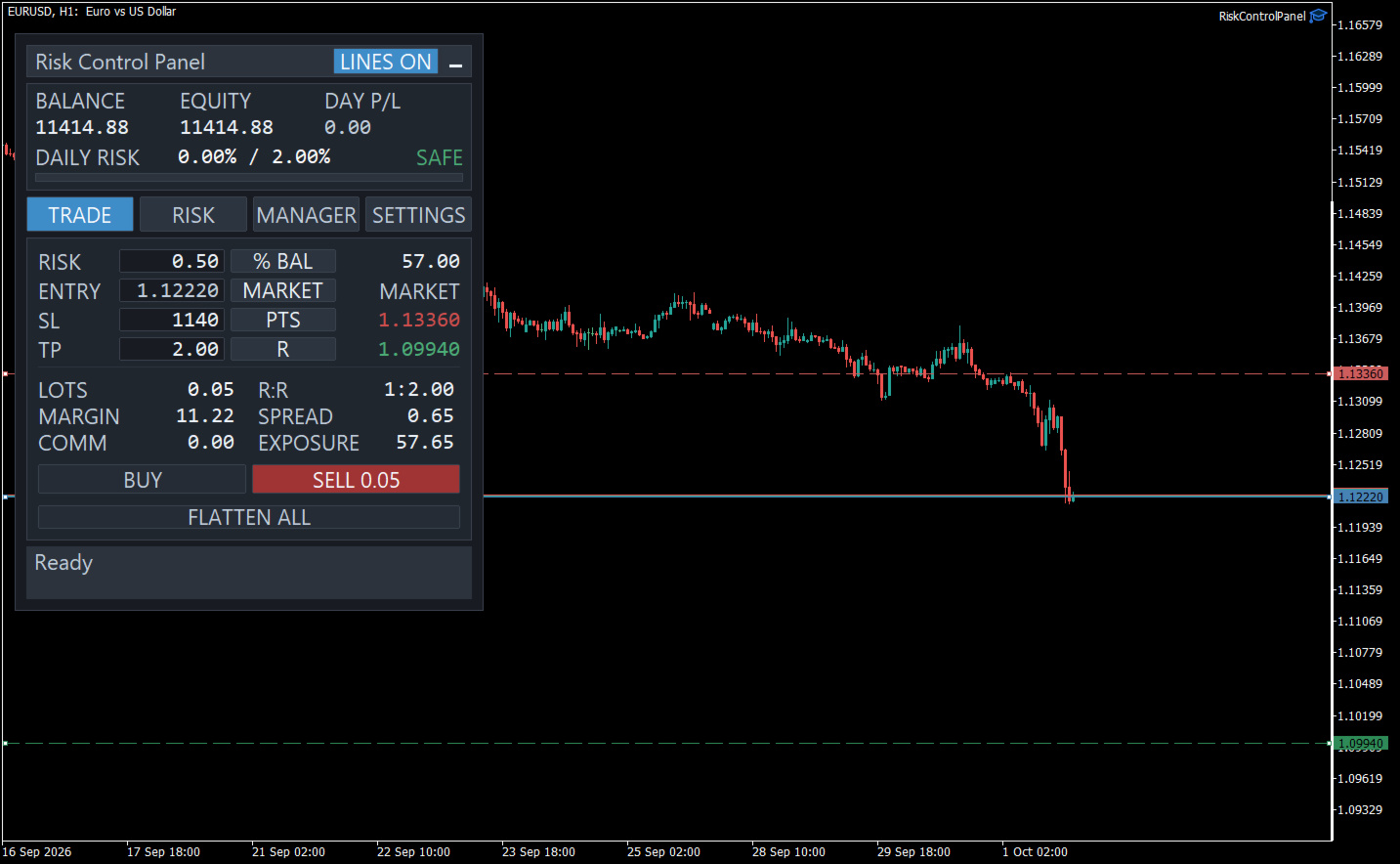
Drag the Entry, Stop Loss and Take Profit lines, or type the distances in points, pips, price or multiples of the risk. The panel calculates the lot from the stop loss, so a trade that is stopped out loses what you chose: a percentage of balance or equity, a fixed amount of money, or a fixed lot.
The lot is always rounded down to the broker’s volume step, never up, so a trade never risks more than you asked. Risk is valued with the terminal’s own profit calculation, which keeps it right on forex, metals, indices, crypto and exchange contracts. Before you send the trade, the panel shows the reward-to-risk ratio, the margin, the spread and commission, and the total exposure.
Two clicks, never one
Market orders, and Buy or Sell Limit and Stop orders at your entry price. Every order needs a second click within a few seconds, so a single click never sends anything. FLATTEN ALL closes every position and deletes every pending order of the panel, after the same confirmation. When the panel refuses a trade, it says why in words.
Daily limits that hold
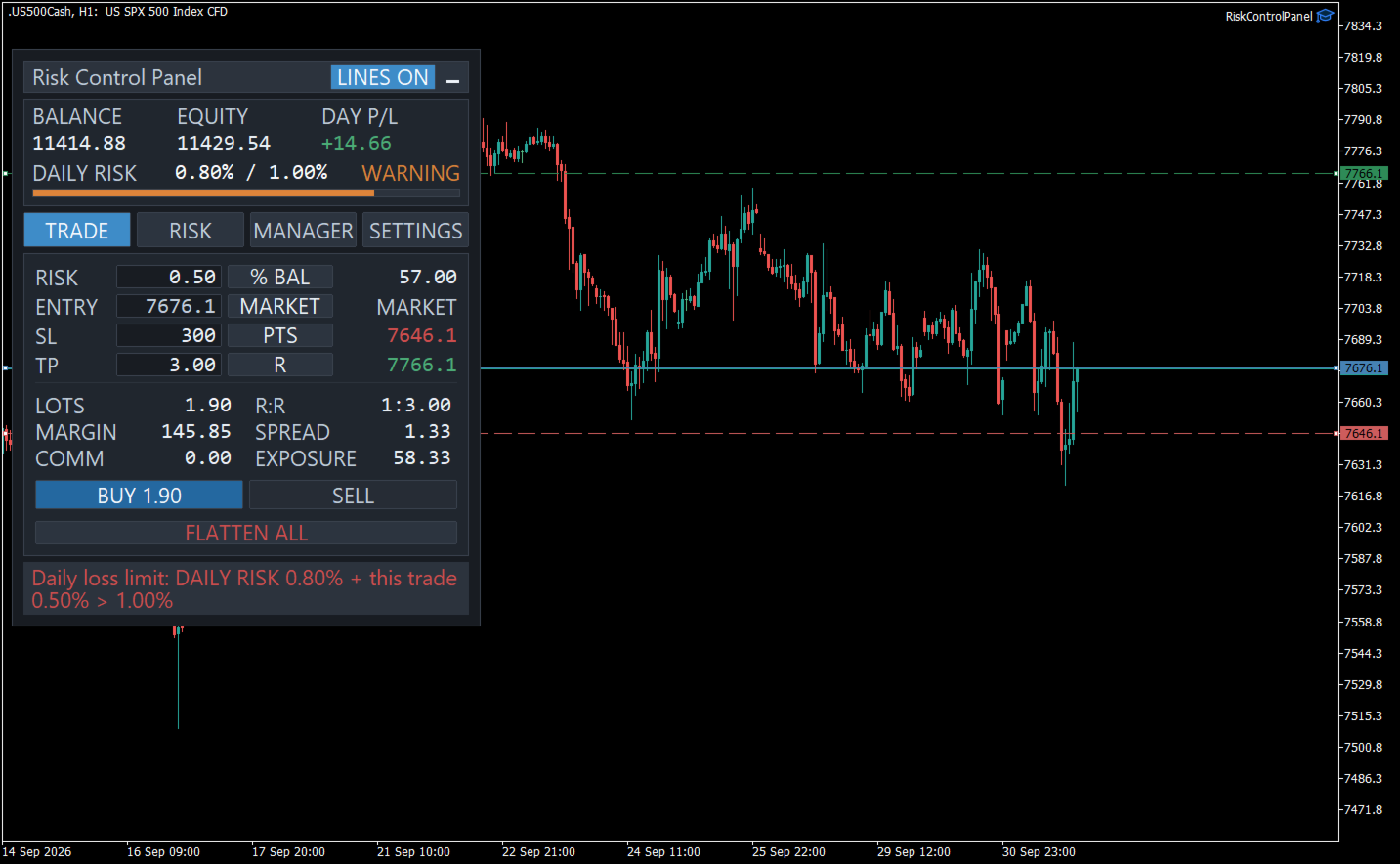
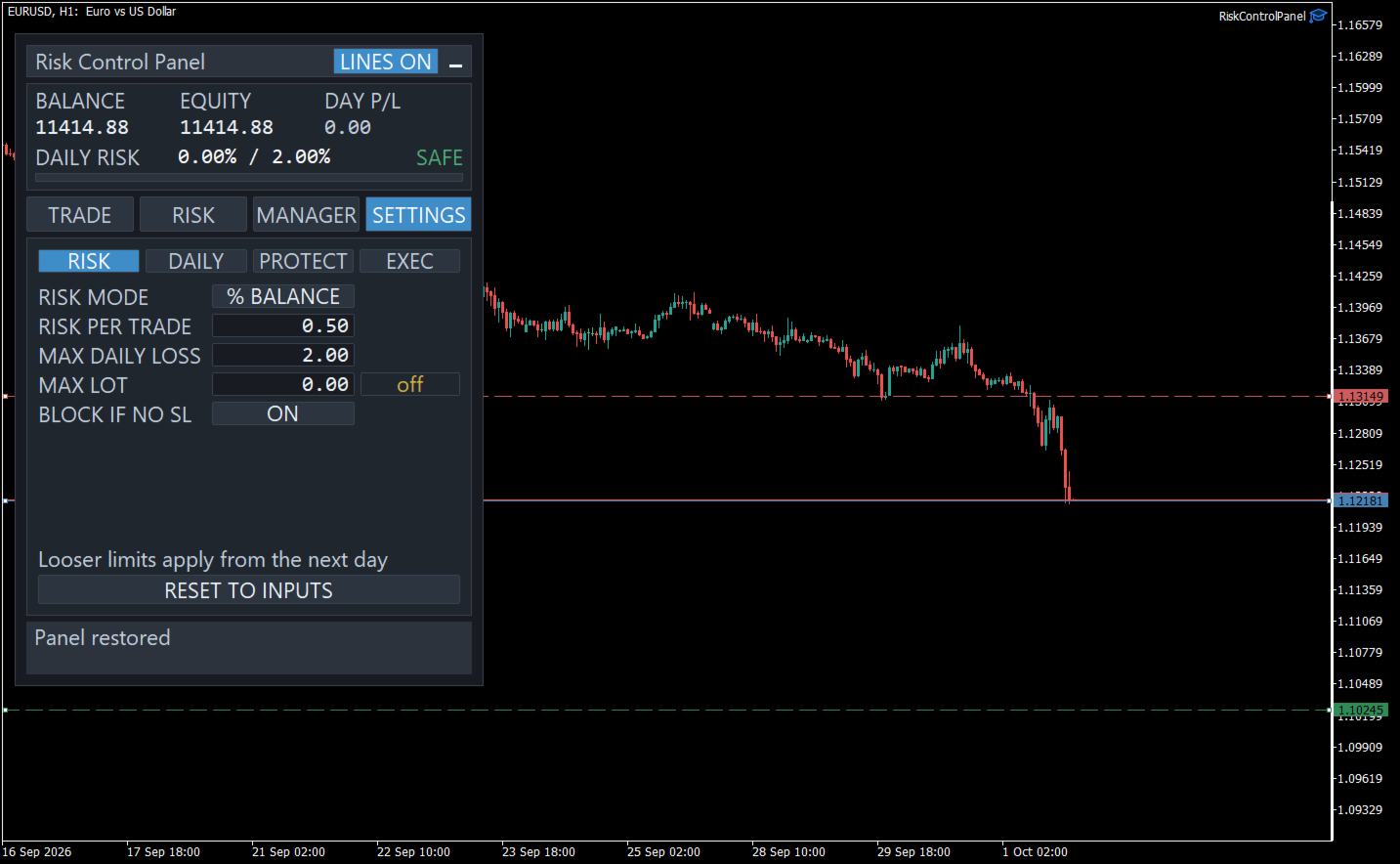
The panel keeps one daily figure, DAILY RISK: today’s closed loss, plus what the open positions and pending orders would lose at their stop losses. It is checked against your maximum daily loss before every trade, and a trade that would exceed it is blocked before it is sent, with the figures that blocked it, for example: “BUY blocked. Daily loss limit: DAILY RISK 1.00% + this trade 0.50% > 1.30%”.
A stop loss moved to break even frees room in the budget; a profitable morning does not add to it. You can also limit the number of trades and of losing trades per day, set a maximum lot, and block new trades while any position has no stop loss.
When the daily loss limit is reached, the trading day locks. You choose what the lock does: block new trades, delete the panel’s pending orders, or close the panel’s positions. The lock survives a restart of the terminal and is released only when the trading day changes. Tightening a limit applies at once; loosening one waits for the next trading day. Risk is counted across the whole account, manual trades and other Expert Advisors included.
Protection that only moves forward
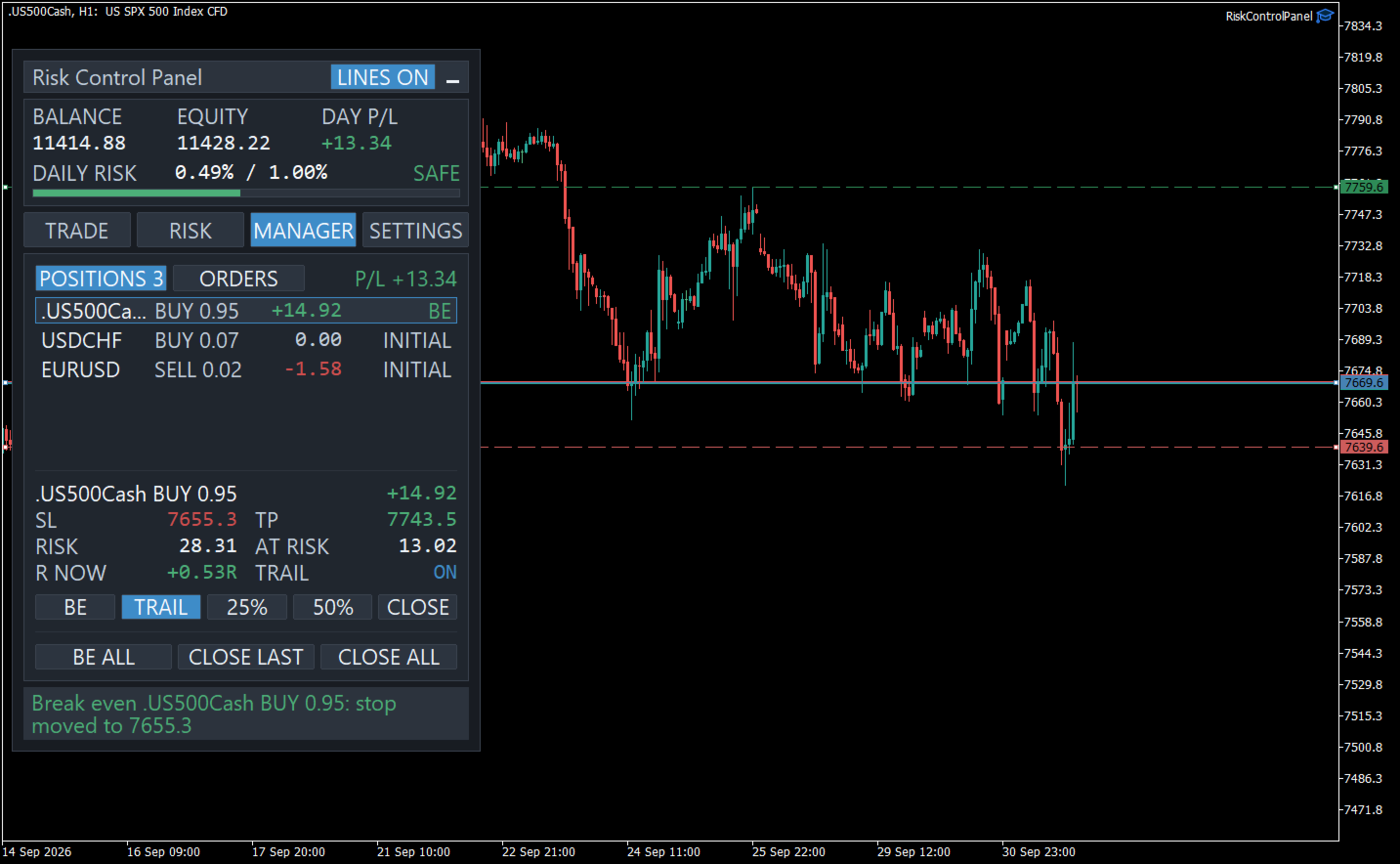
When a position reaches the profit you set, measured in multiples of its initial risk, its stop loss moves to break even: the entry price and a few points more, to cover costs. After that, a trailing stop follows the price at a fixed distance or at a multiple of the Average True Range (ATR), the average size of recent bars. The stop loss never moves backward. You can switch trailing off for one position, or protection off altogether. The original stop loss is saved, so a restart in the middle of a trade does not lose it.
Manage and monitor
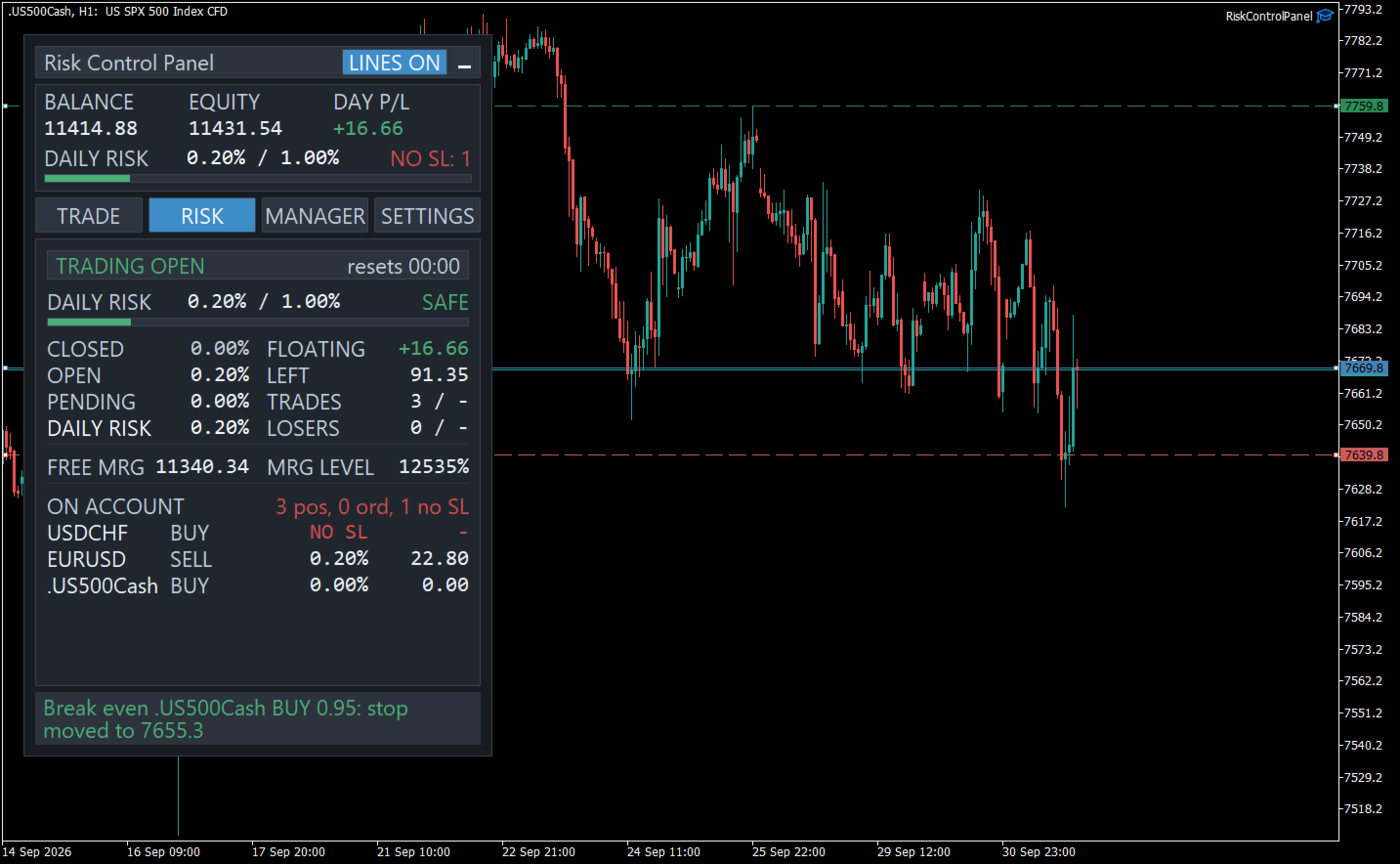
The MANAGER tab lists every position with its risk and its protection state, with buttons for break even, trailing on or off, and closing 25%, 50% or all of it. Pending orders have their own list, with what each would risk, how far the market is from it and when it expires. The RISK tab breaks DAILY RISK into closed, open and pending trades, shows how much room is left, and lists the positions that carry the risk, those without a stop loss first.
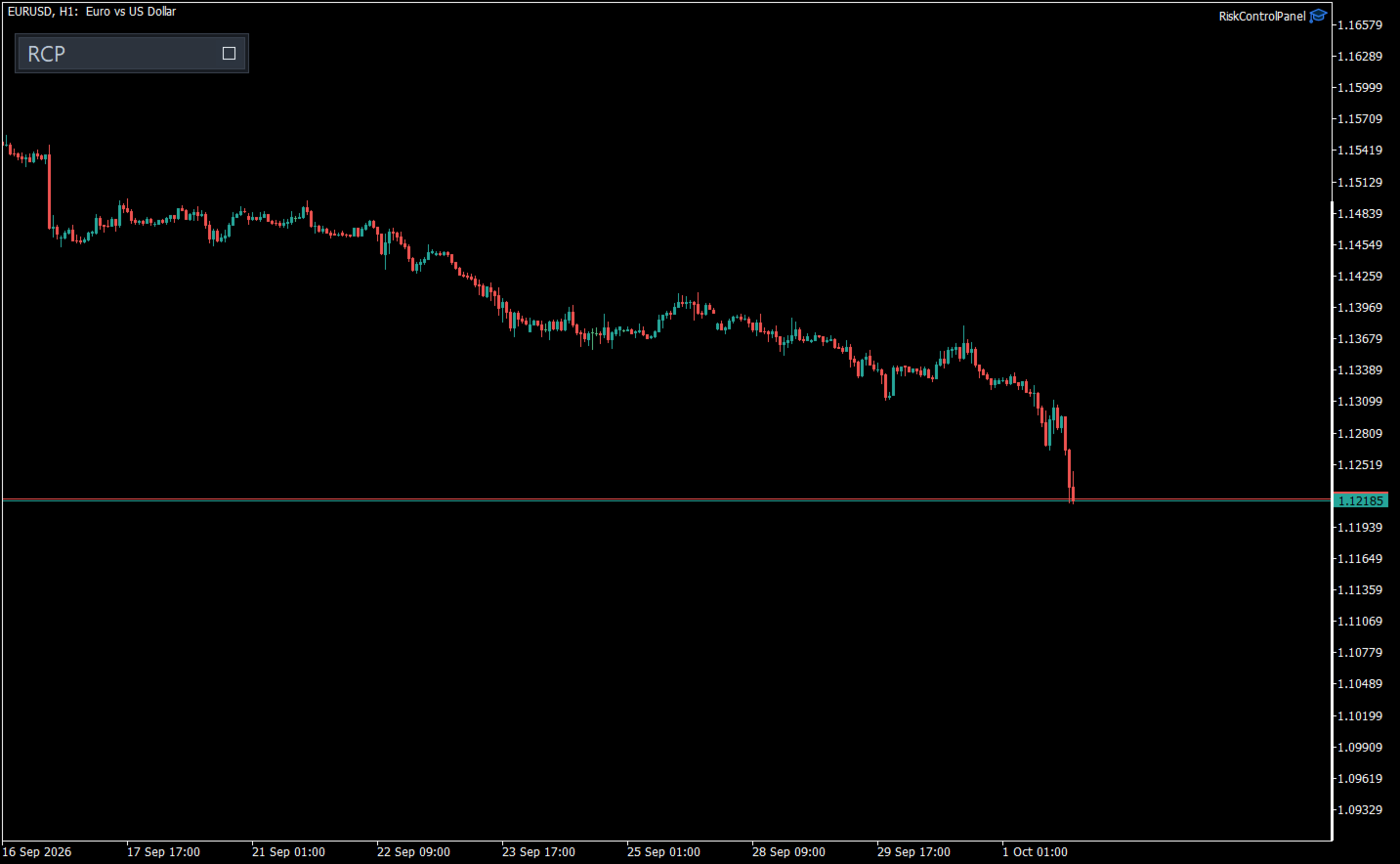
The panel can be minimised to a small strip to read the chart, and keeps protecting while it is. On several charts of one account, the primary chart manages the account and the others plan and trade.
Clean and self-contained
No DLLs and no internet access; everything it saves stays in the terminal’s own files folder. It works on hedging and netting accounts, the interface is in English, and removing it leaves the chart as it was.
How to try it
The free demo runs in the Strategy Tester. MetaTrader does not pass mouse clicks to Expert Advisors in the tester, so there the panel can only be watched: it sizes trades and tracks risk as the test runs, and says on screen that its buttons do not respond. To try it with clicks, rent it for a short period and run it on a demo account.
Risk Control Panel is a tool, not advice. It shows the size, the exposure and the possible loss before you act; the decisions stay yours.