Symbol Compare Overlay
- Göstergeler
- Sürüm: 1.0
- Etkinleştirmeler: 10

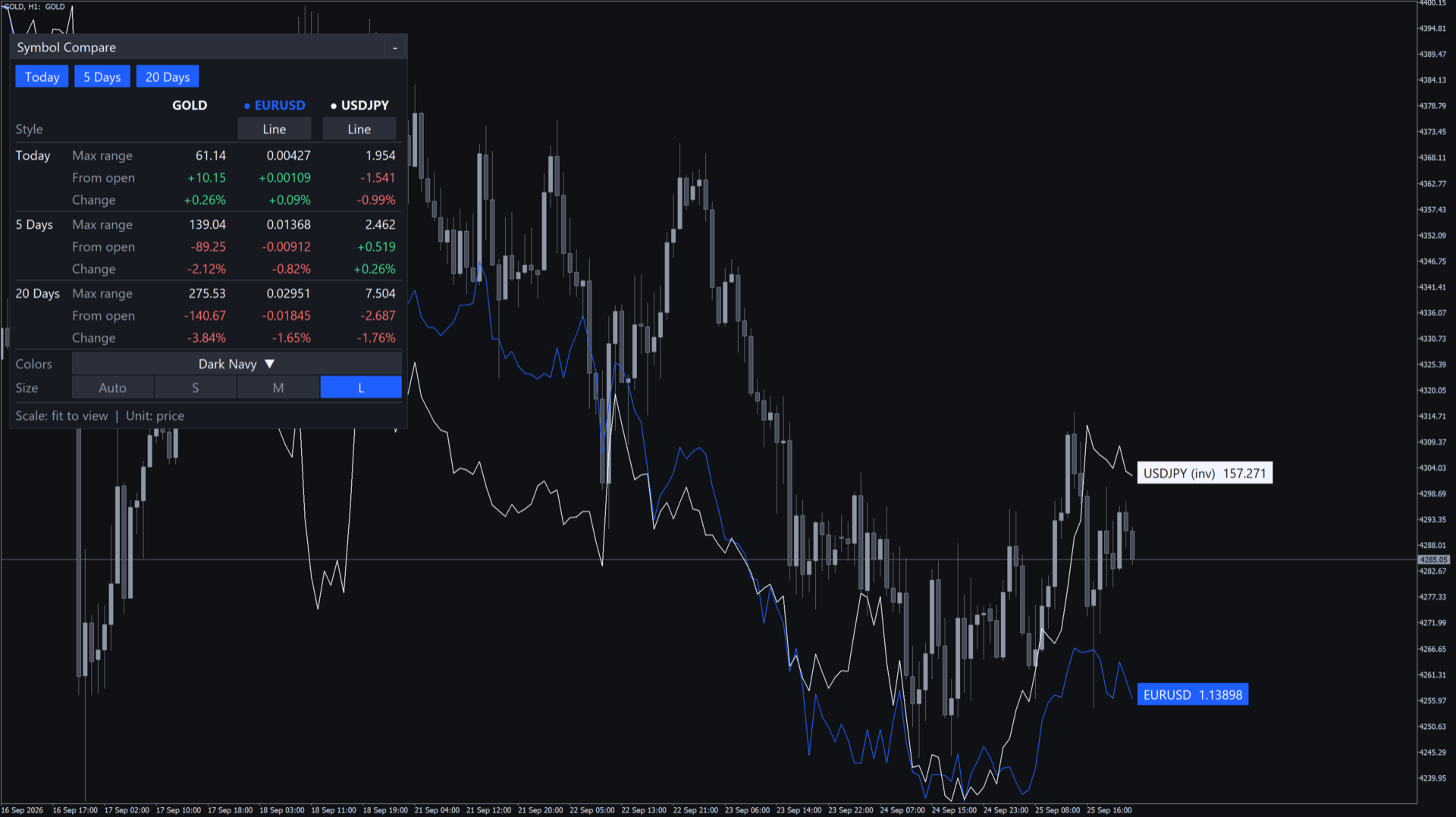
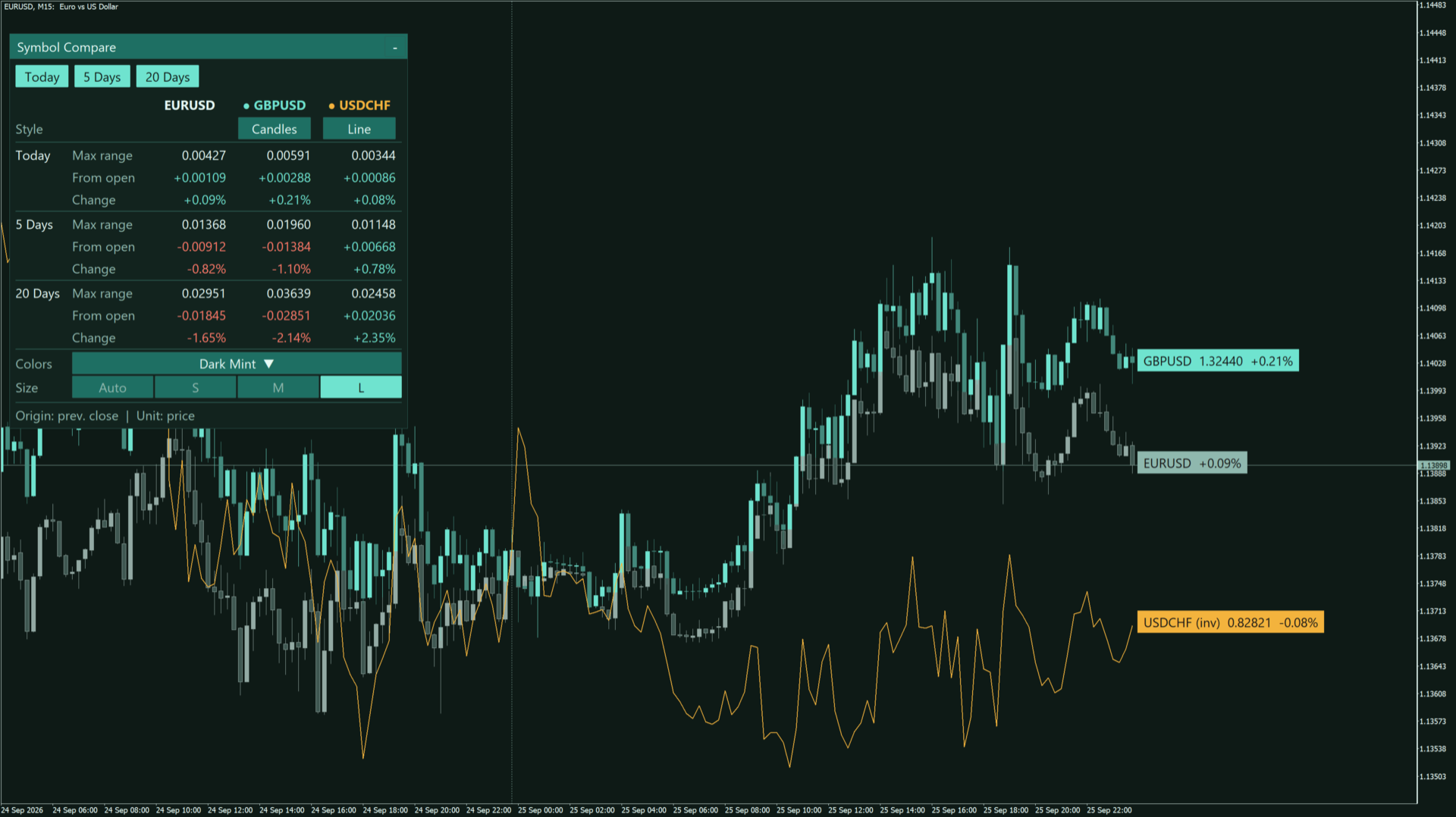
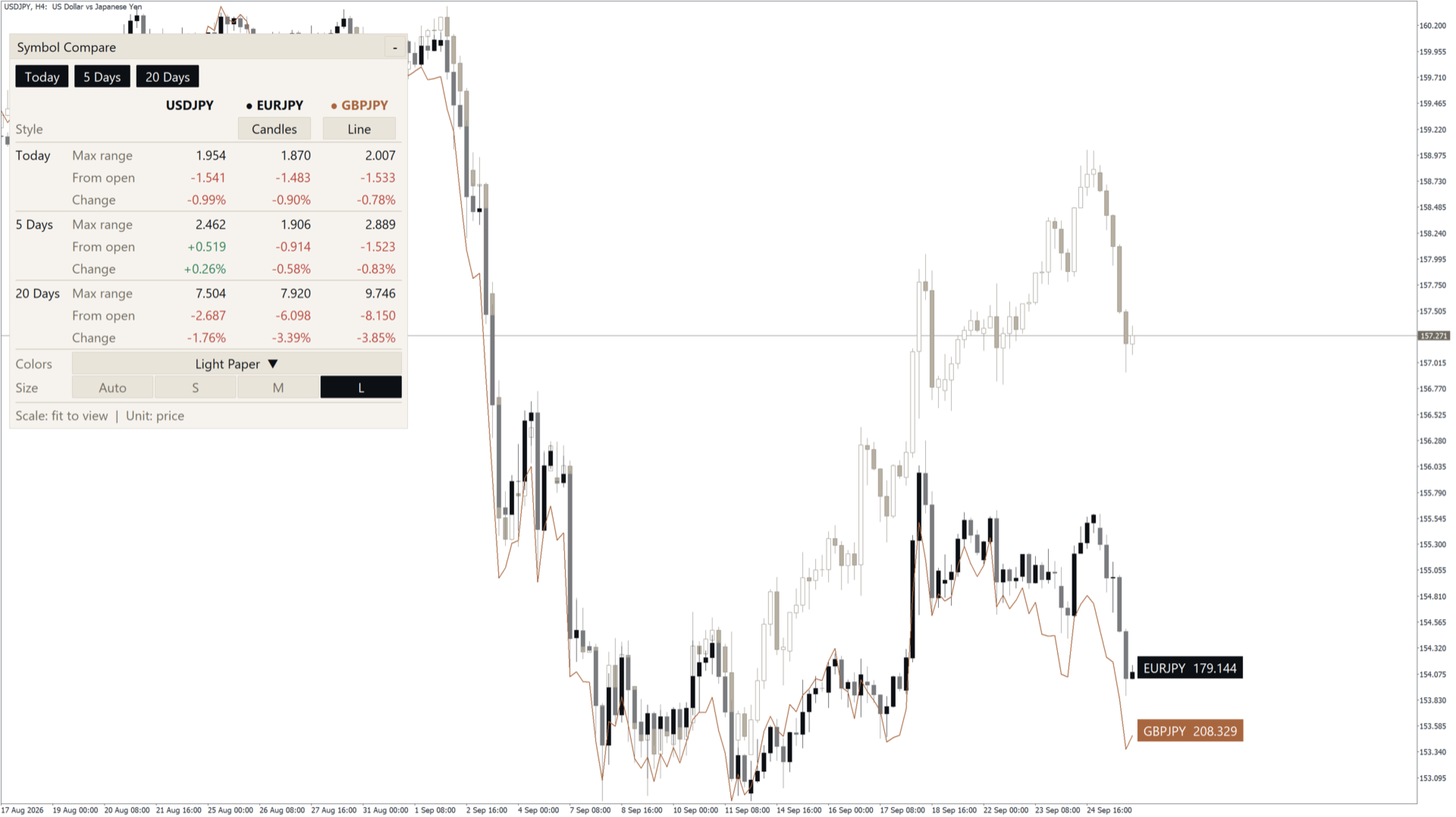
Overlay up to two other symbols on your chart as lines or candles, with a compact mini-window showing range and % change for today and two custom periods.
Symbol Compare Overlay draws up to two other symbols directly on the current chart, so you can see
how gold, indices, currencies or any other instrument move against each other without switching windows.
Main features
- - Up to two compare symbols, each shown as a line or as candles.
- - Two overlay modes:
- - Fit to visible range: each symbol gets its own scale and fills the visible chart area.
- - % change from origin: all symbols start from the same point, so relative strength is easy to read.
- - Origin of % change: previous day close, leftmost visible bar, N bars ago, or a specific date/time.
- - Invert option for any symbol (for example EURUSD becomes 1/EURUSD).
- - Last-price labels at the right edge and an optional vertical line at the origin.
- - Symbol suffix is detected automatically (for example EURUSD.m, EURUSDmicro). A manual suffix can also be set.
Mini-window
- - Shows, for the chart symbol and both compare symbols:
- Max range (high minus low) for the period
- Change from the period's first open (for example 4000.0 -> 4100.0 is shown as +100.0)
- % change
- - Periods: today, last N days and last M days (both set by inputs).
- - Buttons on the mini-window:
- Show or hide each period
- Show or hide each compare symbol on the chart
- Switch each symbol between line and candles
- Choose one of the color presets
- Choose the mini-window size: Auto, S, M, L
- - Drag the title bar to move it; [-] / [+] collapses and expands it. Position and state are remembered per chart,
- also after changing the timeframe.
- - Auto size fits the mini-window to the chart size and adjusts when the chart window is resized.
- S / M / L shrink automatically when the chart is too small.
- - Works on high-DPI screens (125%, 150%, 200% scaling).
- - Language of the mini-window: English or Japanese.
Color presets
- - 4 dark presets: Dark Navy, Dark Mint, Dark Copper, Dark Neon
- - 4 light presets: Light Blue, Light Sage, Light Paper, Light Teal
- - Custom: your own colors for each compare symbol
- - Optionally the chart background and candles also follow the preset. The original chart colors are restored
- when the indicator is removed or when this option is turned off.
Inputs (summary)
- - Compare symbol 1 / 2: symbol (list or custom name), style (line / candles), invert
- - Overlay: scale mode, origin of % change, N bars, date/time, origin line, last-price labels,
- expand price scale to fit overlays, max bars to calculate
- - Colors: color preset, apply preset to chart, line width, custom colors
- - Mini-window: show, period A days, period B days, range unit (price / points / pips / %), initial position,
- size, font, language, reset position
- - Common: symbol suffix
Notes
- - The compare symbols must be available from your broker. If a symbol is not found, it is skipped and a message
- is printed in the Experts log.
- - History for the compare symbols is loaded automatically; on the first run it may take a few seconds.
- - This is an indicator. It does not open, modify or close any trades.