Gold Entry Zone Assistant
- Göstergeler
- Sürüm: 1.0
- Etkinleştirmeler: 5

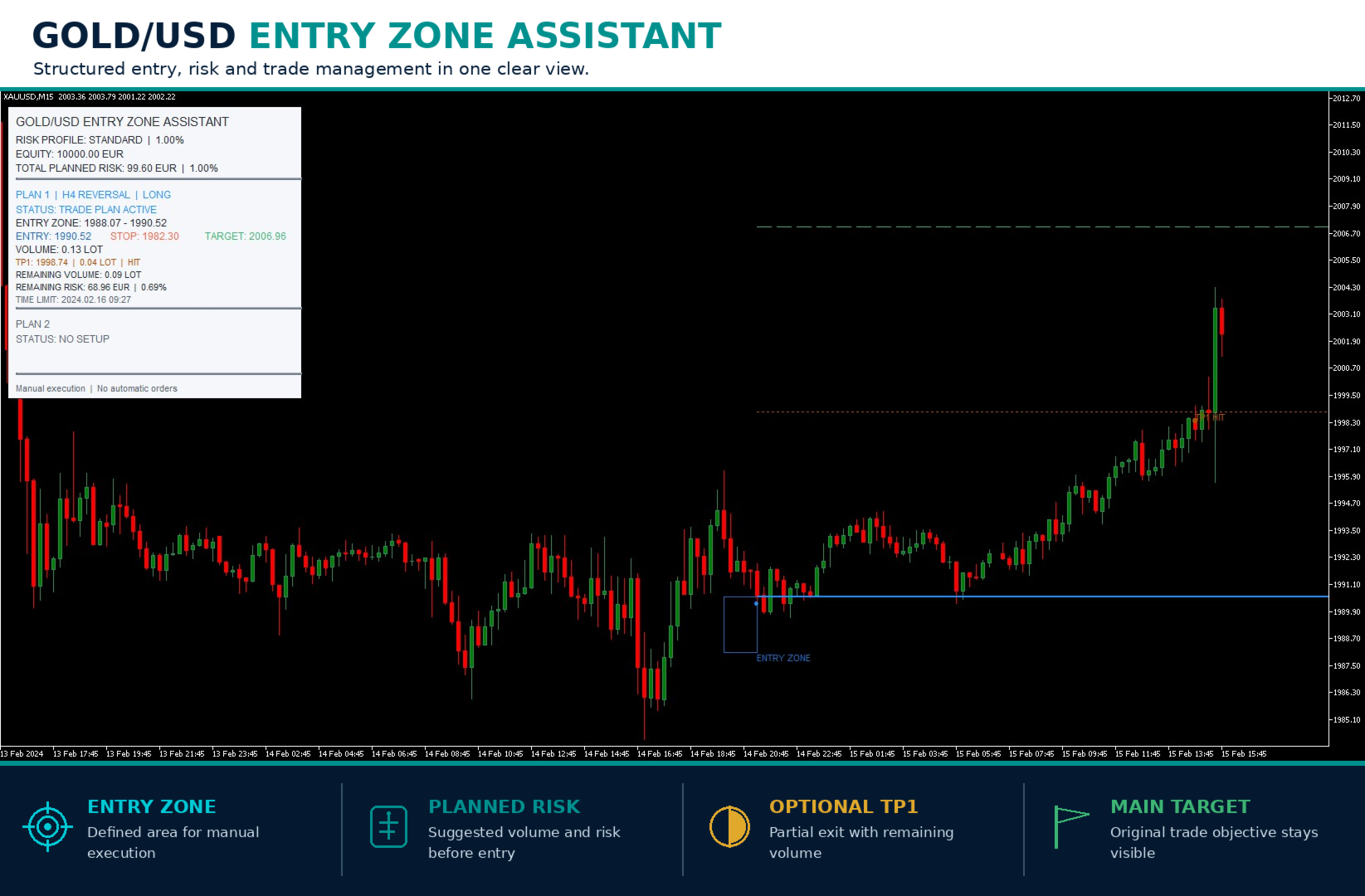
Manual XAUUSD entry and risk-planning indicator for MetaTrader 5. It displays potential entry zones, confirmed entries, stop and target levels, suggested position volume and optional partial-profit guidance in a clean chart interface.
Product description
Gold Entry Zone Assistant is designed for traders who want structured XAUUSD trade plans without automatic order execution.
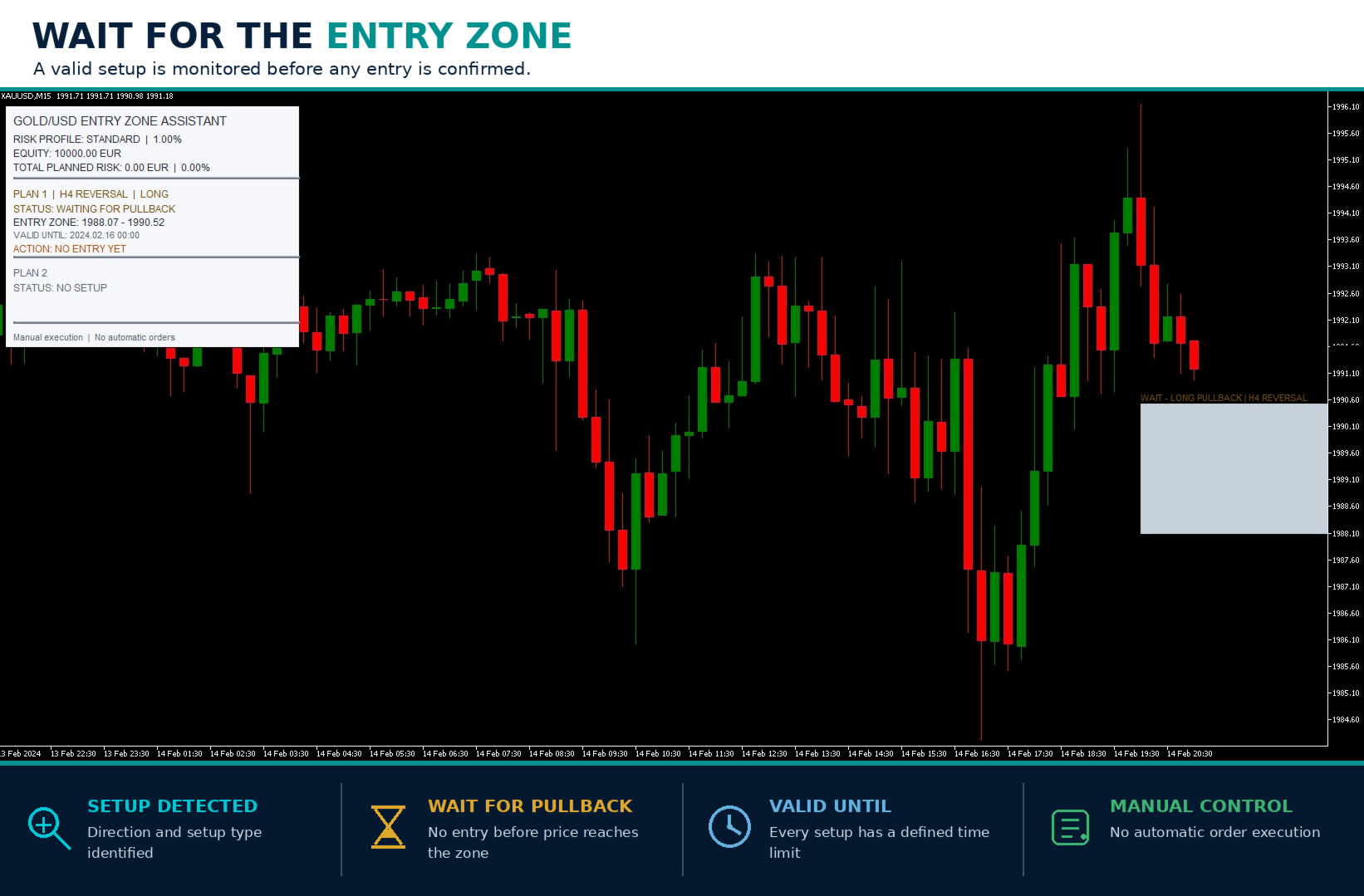
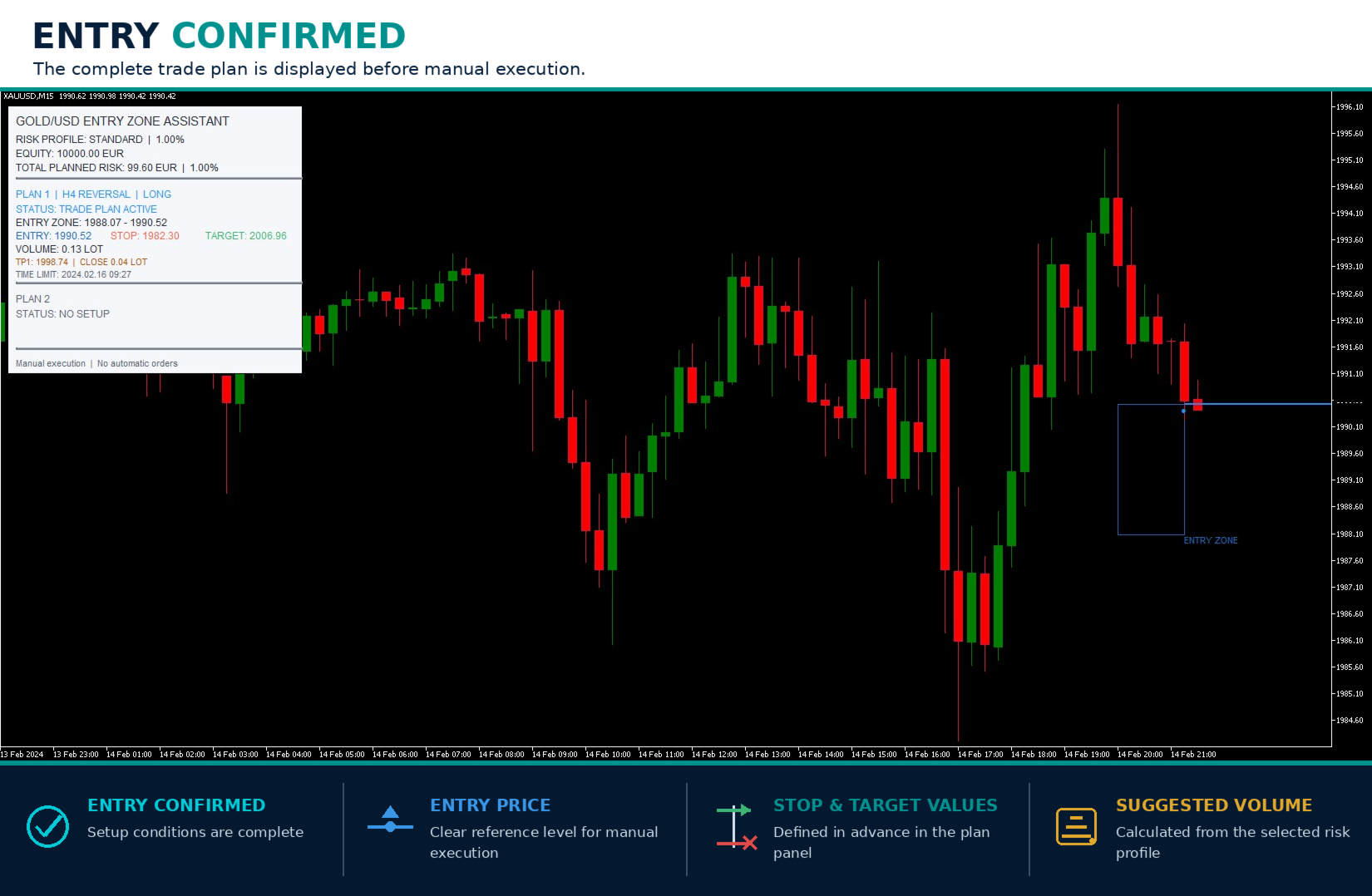
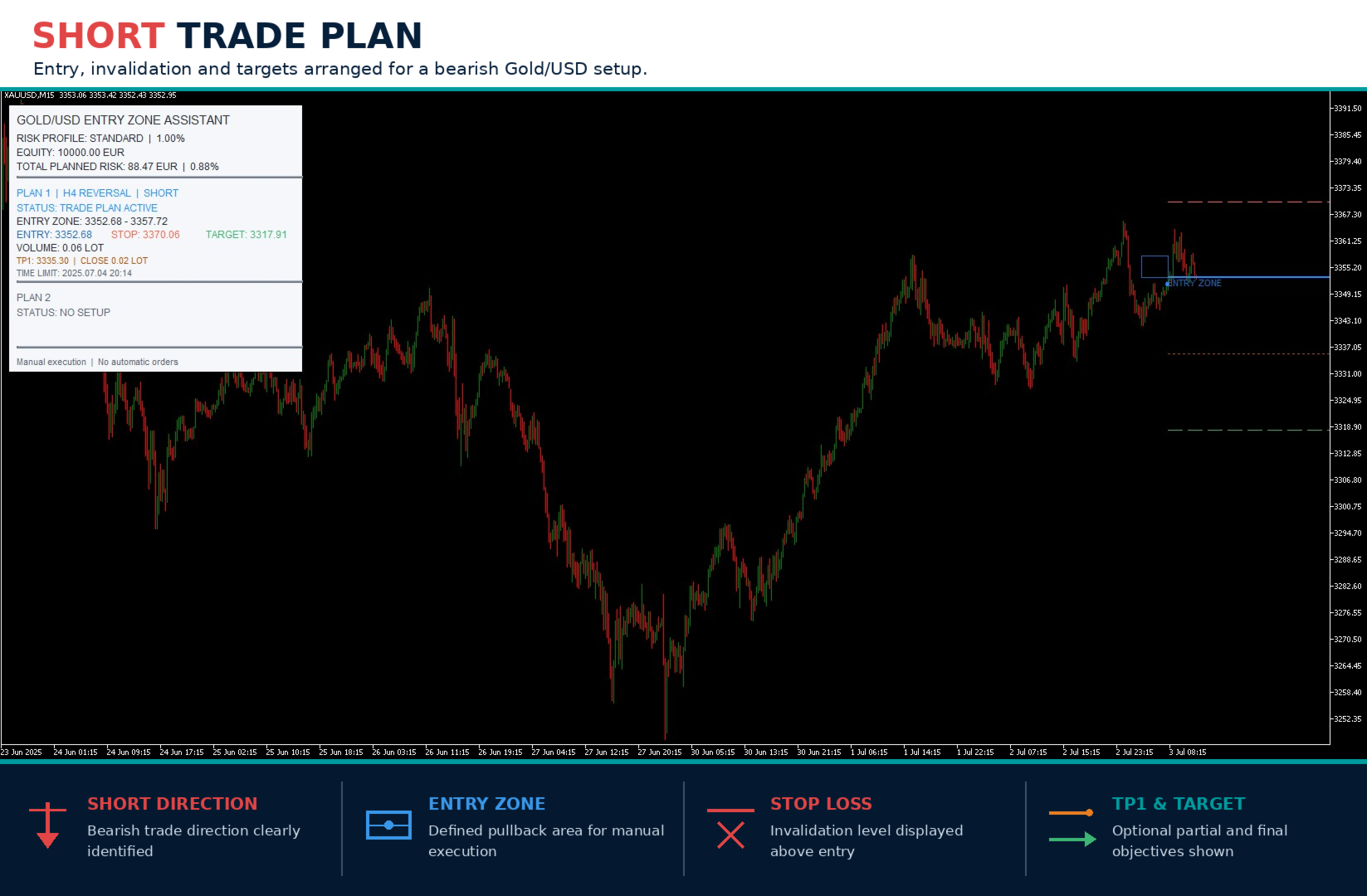
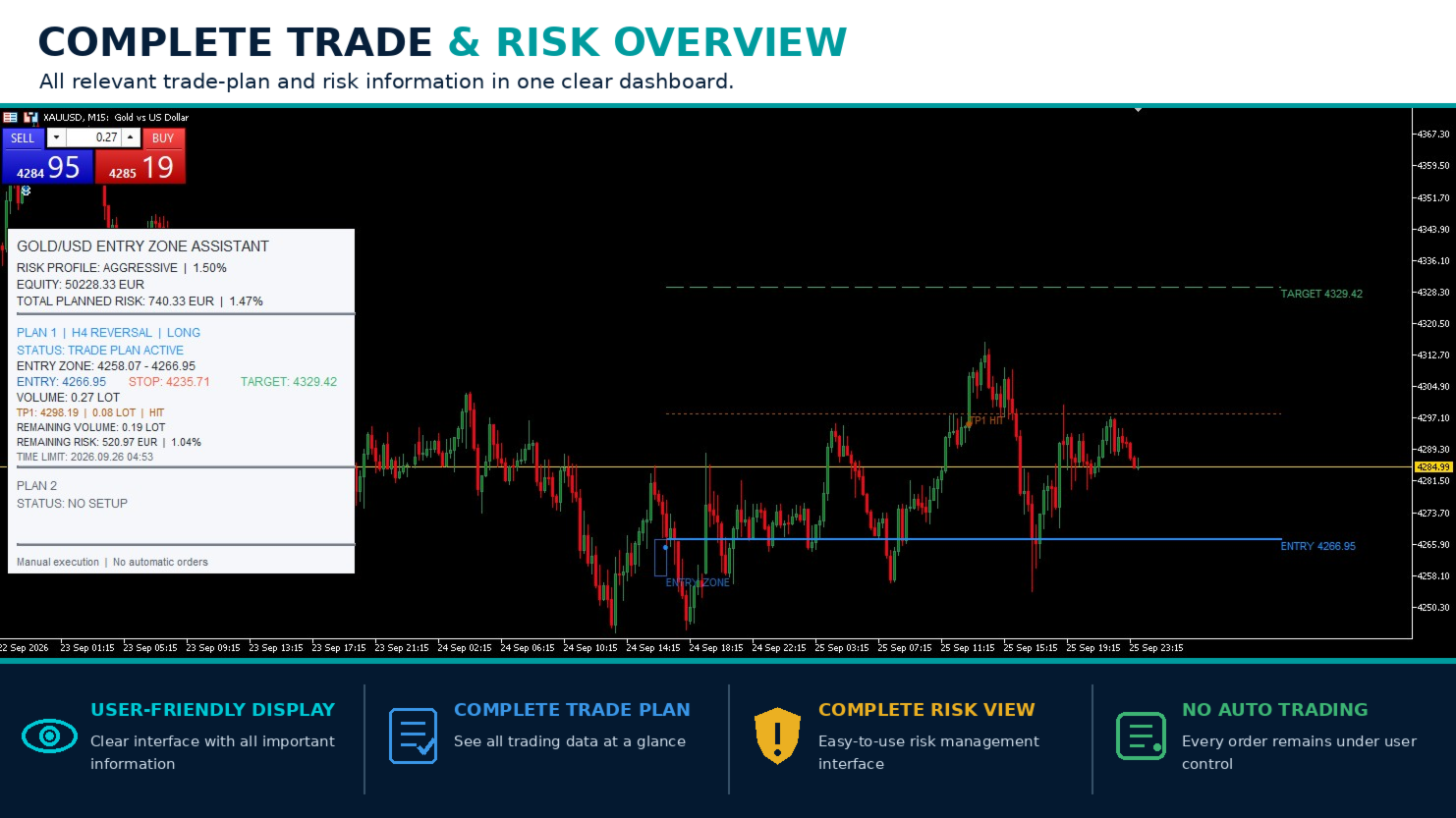
The indicator monitors Gold for selected market situations and separates a developing opportunity from a confirmed entry. A potential setup first appears as an entry zone. If the required conditions are met, the dashboard changes to an active trade plan with:
-
Trade direction
-
Entry zone and confirmed entry price
-
Stop-loss level
-
Main target
-
Risk-adjusted suggested trading volume
-
Time limit for the plan
-
Optional partial take-profit guidance
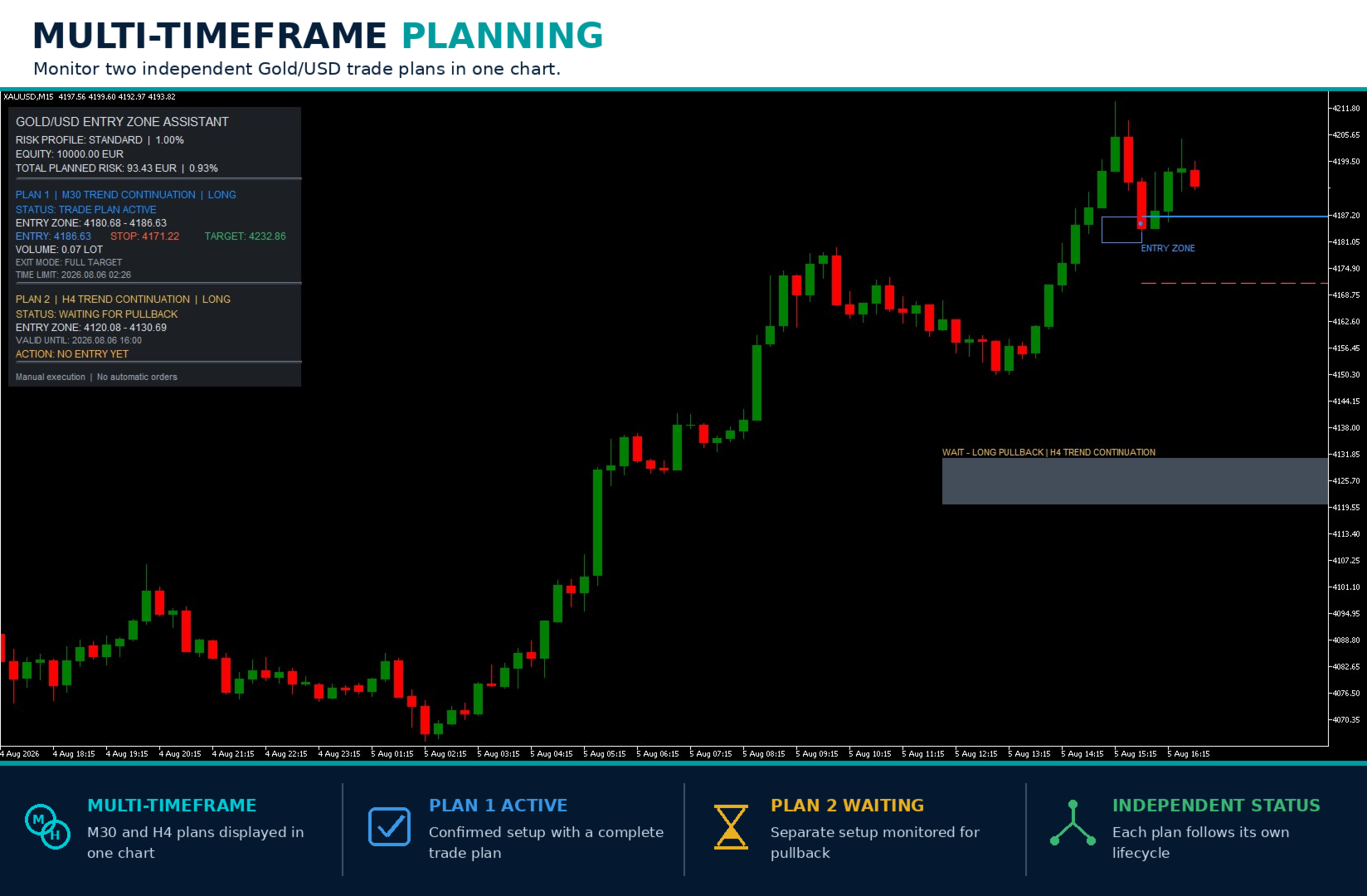
Up to two current plans are displayed separately. Their combined planned risk appears at the top of the dashboard. The indicator does not open, modify or close orders.
Main features
-
Developed specifically for Gold / XAUUSD
-
Clear distinction between a waiting zone and a confirmed entry
-
Long and short trade plans where supported by the underlying setup
-
Entry, stop and target levels directly on the chart
-
Automatic suggested-volume calculation using current account equity and symbol specifications
-
Five predefined risk profiles plus a manual setting
-
Optional 30/70 partial take-profit plan
-
Separate display for up to two current trade plans
-
Current total planned risk shown in account currency and percent
-
Light and dark chart themes
-
Configurable historical display
-
Terminal and mobile push alerts
-
Manual execution only
Non-repainting confirmed signals
Once an entry has been confirmed and displayed, it is not moved to another candle, removed retrospectively or redrawn to improve the historical appearance.
A developing setup is not yet a trading signal. It may remain inactive, expire or be invalidated before an entry is confirmed. The dashboard clearly distinguishes between "WAITING FOR PULLBACK" and "TRADE PLAN ACTIVE".
How to use
-
Attach the indicator to a Gold / XAUUSD chart.
-
Select the preferred risk profile and display settings.
-
When a waiting entry zone appears, no entry has been confirmed yet.
-
If the dashboard changes to "TRADE PLAN ACTIVE", review the displayed entry, stop, target, volume and time limit.
-
Place and manage any order manually with your broker.
Only one indicator instance is required on the selected XAUUSD chart. The chart timeframe can be changed without requiring separate copies of the indicator.
Input parameters
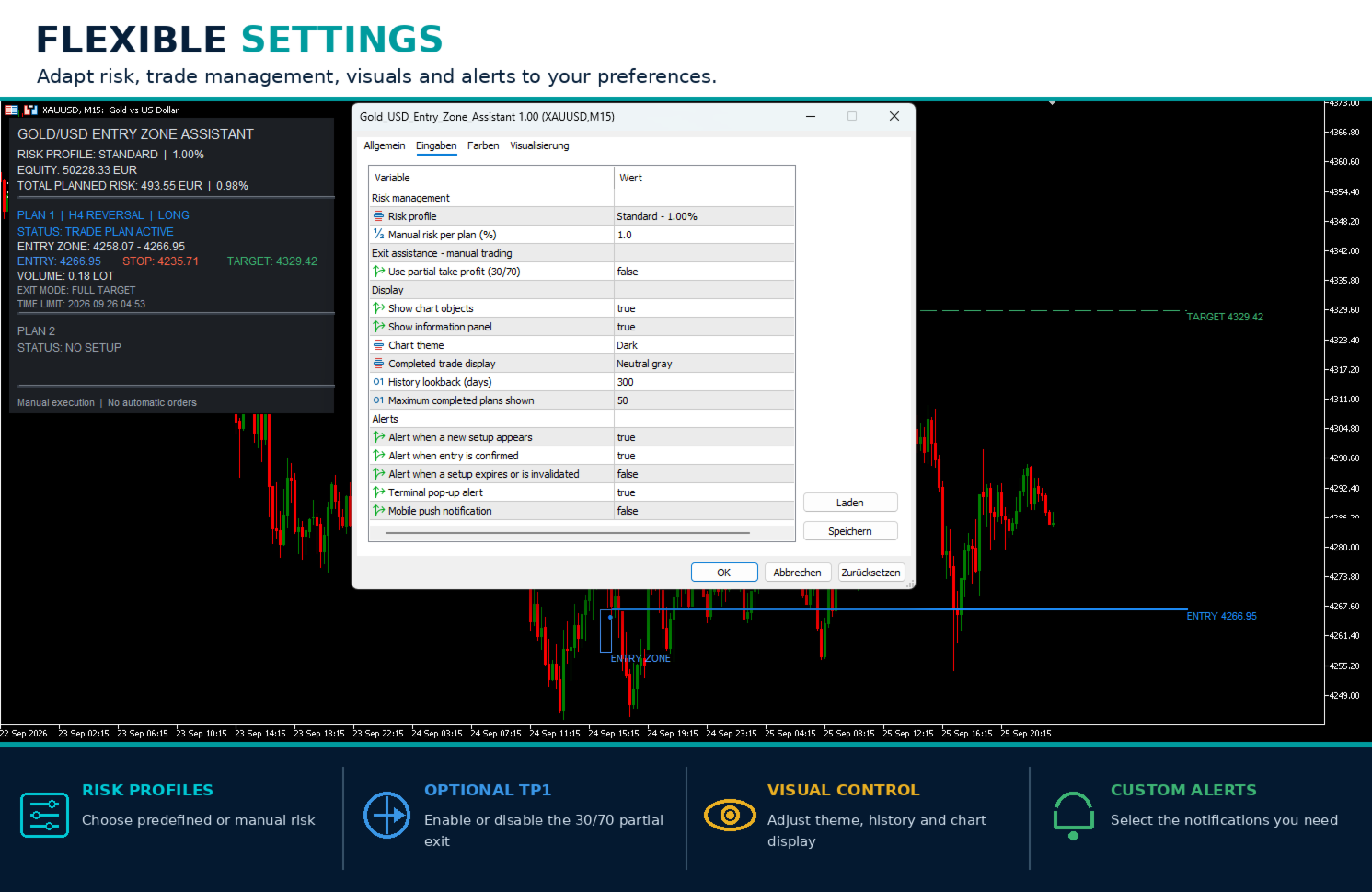
Risk management
Risk profile: Selects Conservative (0.50%), Balanced (0.75%), Standard (1.00%), Aggressive (1.50%), Very Aggressive (2.00%) or Manual risk.
Manual risk per plan (%): Defines the percentage used when the Manual risk profile is selected.
Exit assistance – manual trading
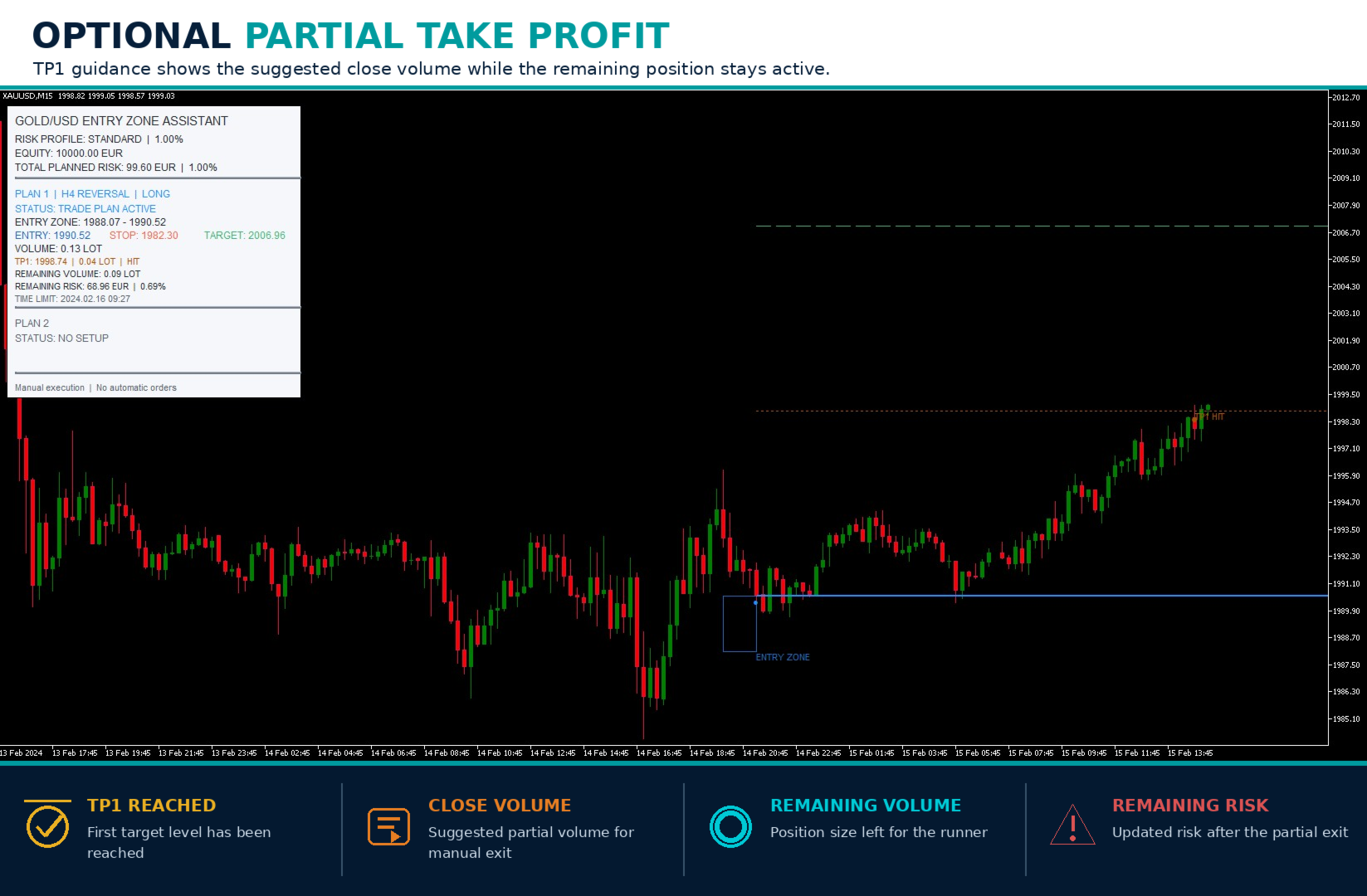
Use partial take profit (30/70): Enables TP1 guidance for 30% of the calculated volume while 70% remains for the main target. After TP1, the panel shows the remaining volume and remaining risk. No position is modified automatically.
Display
Show chart objects: Shows or hides entry zones, trade levels and result markers on the chart.
Show information panel: Shows or hides the dashboard.
Chart theme: Selects the Light or Dark visual theme.
Completed trade display: Controls how completed plans remain visible:
-
Full color
-
Neutral gray
-
Markers only
-
Hidden
History lookback (days): Defines how many past days are reconstructed for chart display.
Maximum completed plans shown: Limits the number of completed historical plans displayed on the chart.
Alerts
Alert when a new setup appears: Notification when a new waiting zone is created.
Alert when entry is confirmed: Notification when a waiting setup becomes an active trade plan.
Alert when a setup expires or is invalidated: Optional notification when a setup ends without a confirmed entry.
Terminal pop-up alert: Enables MetaTrader terminal alerts.
Mobile push notification: Enables MetaTrader push notifications. Push notifications must first be configured in the terminal settings.
Important information
-
This product is an indicator and manual decision-support tool, not an Expert Advisor.
-
It does not place or manage orders.
-
It is designed and calibrated for Gold / XAUUSD. Other symbols are not part of the intended use.
-
Broker price feeds, spreads, contract sizes, minimum volumes and execution conditions can differ. Displayed levels and calculated volumes may therefore vary between brokers.
-
Waiting zones are not confirmed entries and may expire without activation.
-
Trading setups can produce losses, including consecutive losses and extended periods without a signal.
-
Higher risk settings increase both potential gains and potential drawdown. They do not improve signal quality.
-
Calculated volume is rounded down to the broker's permitted volume step. A plan or partial exit may be unavailable if the broker's minimum volume would exceed the selected risk.
-
Always verify the displayed volume and price levels before placing a manual order.
-
Historical examples and Strategy Tester screenshots illustrate product operation only. They do not represent guaranteed or expected future results.
Gold Entry Zone Assistant provides a structured trading plan. The final trading decision and order execution always remain with the user.