SessionVolumeProfile SMC
- Göstergeler
-
Yuxin Lyu
 I build chart and volume tools for MetaTrader 5 — session volume profiles, order-flow style strength visuals, and lightweight manual trading panels.
 - Sürüm: 5.10
- Etkinleştirmeler: 5
Session Volume Profile
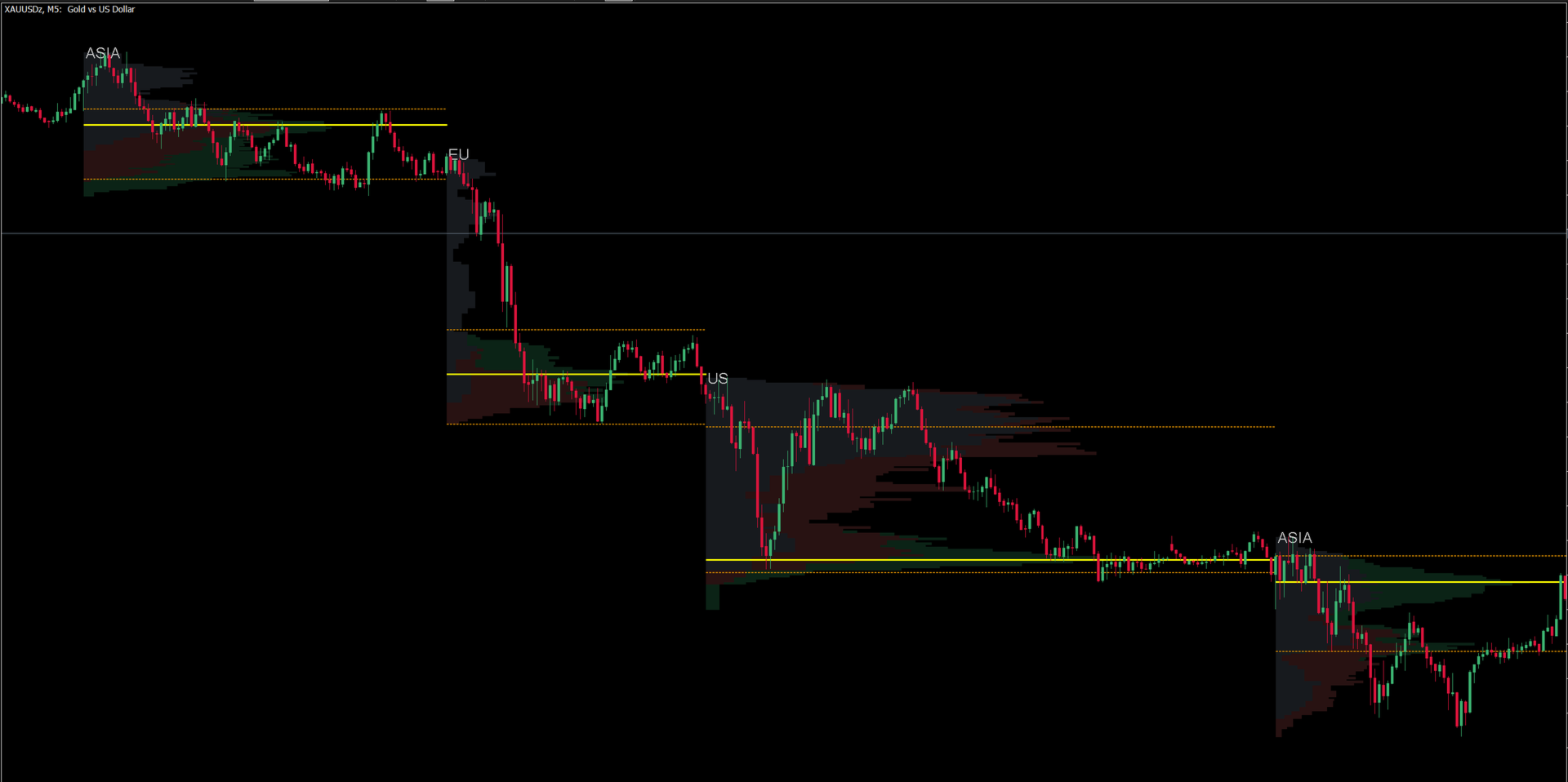
Session Volume Profile (SVP) is a professional trading indicator for MetaTrader 5 that visualizes volume distribution across major trading sessions. It divides each trading session into three time segments and color-codes them, allowing traders to identify institutional vs. retail activity zones at a glance.
Key Features
- Four Trading Sessions — Independently calculates and displays Volume Profiles for Sydney, Asia, Europe, and US sessions. Each session can be individually toggled on or off.
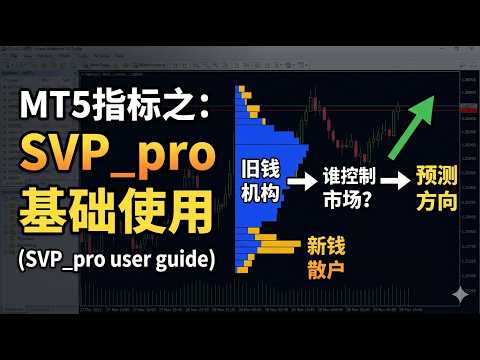
- Three-Segment Color Coding — Each session's Volume Profile is divided into three equal time segments (early, middle, late), each rendered in a distinct color. This helps traders distinguish between early institutional positioning ("old money") and later retail participation ("new money") within the same session.
- Point of Control (POC) — Automatically identifies and highlights the price level with the highest traded volume within each session.
- Value Area (VA) — Calculates and displays the Value Area (default 70%), including Value Area High (VAH) and Value Area Low (VAL), helping traders identify price zones where the majority of trading activity occurred.
- Auto GMT Offset Detection — Automatically detects the broker's server time offset from GMT, ensuring accurate session timing regardless of broker timezone. Manual override is also available.
- Multi-Day Lookback — Supports calculating Volume Profiles for up to 30 historical trading days, providing a comprehensive view of session-based volume patterns over time.
- Customizable Session Hours — All four session start and end times (in GMT) can be fully customized to match seasonal changes or broker-specific configurations.
- Volume Type Selection — Choose between real volume (when available) or tick volume for calculations.
- Adjustable Profile Precision — Control the granularity of the Volume Profile with a configurable precision setting (default 100 levels).
- Transparent Canvas Rendering — Uses MT5 Canvas technology for high-performance, flicker-free rendering with adjustable transparency.
- Session Labels — Displays session name labels (SYD, ASIA, EU, US) directly on the chart for easy identification.
How It Works
The indicator calculates Volume Profiles by analyzing price action and volume during each defined trading session. Within each session, the time range is divided into three equal segments:
- The first third (early session) is colored with the first color, representing the initial price discovery phase.
- The middle third is colored with the second color, representing the session's core trading period.
- The final third is colored with the third color, representing the session's closing phase.
By comparing volume distribution across these three segments, traders can gain insights into how institutional and retail participants are positioned. Heavy volume in the early segment may indicate institutional positioning, while heavy volume in the later segment may suggest retail follow-through.
The POC line marks the single price level with the highest volume, while the Value Area boundaries (VAH/VAL) define the price range containing 70% (configurable) of the session's total volume.
Input Parameters
- Unique ID — Unique identifier for the indicator instance.
- Timeframe — Select the timeframe for volume calculation (default: current chart timeframe).
- Days to Calculate — Number of historical trading days to process (1-30, default: 5).
- Profile Precision — Number of price levels in the Volume Profile (default: 100).
- Value Area Percentage — Percentage of total volume for the Value Area (default: 70%).
- Max Profile Width — Maximum width of the Volume Profile as a percentage of the session time span (default: 70%).
- Applied Volume — Select real volume or tick volume.
Timezone Settings
- Auto GMT Offset — Enable automatic detection of broker GMT offset.
- Manual GMT Offset — Manual GMT offset value (used when auto detection is disabled).
Session GMT Hours
- Sydney Session — Start (default: 21 GMT, previous day) / End (default: 0 GMT). Displayed only on Mondays (weekly open).
- Asia Session — Start (default: 0 GMT) / End (default: 7 GMT).
- Europe Session — Start (default: 7 GMT) / End (default: 12 GMT).
- US Session — Start (default: 12 GMT) / End (default: 21 GMT on Fridays, extends to next day Asia open on weekdays).
Display Options
- Display POC — Show/hide Point of Control line.
- Display VA — Show/hide Value Area (VAH/VAL) lines.
- Display Labels — Show/hide session name labels.
- Display GMT Info — Show/hide broker GMT offset information.
Color Settings
- Color Part 1 — Color for the first third of each session.
- Color Part 2 — Color for the middle third of each session.
- Color Part 3 — Color for the last third of each session.
- Color Sydney — Dedicated color for the Sydney session.
- Profile Transparency — Transparency level of the Volume Profile (0-255, default: 50).
- Color POC — Color of the POC line.
- Color VA — Color of the Value Area lines.
Recommended Usage
- Works on any symbol with available volume data (forex, metals, indices, crypto).
- Recommended for M5 to H1 timeframes for optimal session detail.
- Ideal for traders who use volume analysis to identify key support/resistance zones and institutional activity areas.
- Combine with price action analysis for session-based breakout or reversal strategies.
Notes
- Sydney session is displayed only on Mondays to capture the weekly market open.
- The US session on weekdays extends until the next Asia session open, reflecting 24-hour market continuity.
- Real volume is used when available; tick volume is used as a fallback.