Pips In Dream by Ssc
- Uzmanlar
- Sürüm: 1.402
- Etkinleştirmeler: 5

PIPS IN DREAM by SSC
Professional Market Structure and OTE Trading Expert Advisor for MetaTrader 5
PIPS IN DREAM by SSC is an advanced MetaTrader 5 Expert Advisor designed for traders who use market structure, BOS, CHOCH and Optimal Trade Entry concepts.
The Expert Advisor combines two independent entry modules:
-
BOS/CHOCH Market Structure Module
-
SMC Optimal Trade Entry Module
Each module can analyze the market independently and execute trades when its selected conditions are satisfied.
The EA is designed primarily for Gold/XAUUSD, but it can also be tested on Forex pairs and other instruments supported by MetaTrader 5.
Entry Modules
1. BOS/CHOCH Market Structure Module
The market structure module identifies important swing highs, swing lows and structural price breaks.
It can detect:
-
Break of Structure
-
Change of Character
-
Trend Continuation Break
-
Bias Change
-
Bullish structure signals
-
Bearish structure signals
-
Breakout confirmations
-
Sweep-reversal opportunities
-
Structure-level retests
The trader can select:
-
Structure Timeframe
-
Execution Timeframe
-
Break confirmation by candle body or wick
-
BOS and CHOCH trading
-
BOS-only trading
-
CHOCH-only trading
-
Retest requirement
-
Directional candle confirmation
-
Sweep-reversal entry
-
Candle-close confirmation
The Structure Timeframe and Execution Timeframe can also be set to the same timeframe.
2. SMC Optimal Trade Entry Module
The Optimal Trade Entry module searches for retracement opportunities inside configurable Fibonacci OTE zones.
The default OTE area is based on the retracement between:
-
61.8%
-
78.6%
The module can use separate timeframes for:
-
Trend analysis
-
Impulse detection
-
Trade execution
OTE confirmation can include:
-
Trend alignment
-
Impulse Break of Structure
-
Engulfing candle
-
Pin bar
-
Inside bar
-
Liquidity sweep
-
Market structure shift
-
Fair Value Gap
-
Volume confirmation
The minimum confirmation score can be adjusted from the EA inputs.
Entry Module Selection
The trader can select how the two entry modules should operate.
Available modes include:
-
Structure Module only
-
OTE Module only
-
Either valid module
In Either Module mode, BOS/CHOCH and OTE can generate their own valid signals independently.
Multi-Timeframe Analysis
PIPS IN DREAM by SSC supports multi-timeframe market analysis.
The trader can separately configure:
-
Market Structure Timeframe
-
BOS/CHOCH Execution Timeframe
-
OTE Trend Timeframe
-
OTE Impulse Timeframe
-
OTE Execution Timeframe
The EA can therefore detect the larger market structure on a higher timeframe while searching for trade confirmation on a lower execution timeframe.
Automatic Trade Timeframe Cycle
The EA includes an optional automatic timeframe cycle.
The trader can select three execution timeframes, such as:
-
First trade: M1
-
Second trade: M3
-
Third trade: M5
After the complete trade or basket closes, the EA moves to the next selected timeframe.
After the third timeframe, the cycle starts again from the first timeframe.
This feature can be disabled from the input settings.
Big Breakout Candle Protection
The EA includes a configurable big-candle protection system.
It can prevent entries when the breakout, sweep or retest candle is excessively large.
The filter can check:
-
Maximum candle range based on ATR
-
Maximum candle body based on ATR
-
Maximum candle range in pips
-
Maximum candle body in pips
-
Maximum close distance beyond the structure level
-
Breakout candle size
-
Sweep-reversal candle size
-
Retest and entry candle size
This protection is designed to reduce entries after highly extended or abnormal candles.
Stop Loss and Take Profit
The EA uses ATR-based Stop Loss and Take Profit calculations.
The trader can configure:
-
ATR period
-
Volatility multiplier
-
Stop Loss multiplier
-
TP1 multiplier
-
TP2 multiplier
-
TP3 multiplier
The broker-side Take Profit can be selected from:
-
No broker Take Profit
-
TP1
-
TP2
-
TP3
Optional partial closing can also be enabled at the selected target levels.
Lot Size and Risk Management
Two lot-management methods are available.
Fixed Lot
The trader can select a fixed lot size for each first entry.
Risk Percentage
The EA can calculate the lot size according to:
-
Account equity
-
Selected risk percentage
-
Entry price
-
Stop Loss distance
-
Symbol tick value
-
Broker volume limits
A free-margin check is performed before sending a trade request.
If sufficient margin is unavailable, the trade is skipped instead of forcing an unsafe order request.
Pips Trailing Stop
The Pips Trailing system includes:
-
Trailing activation level
-
Trailing distance
-
Trailing step
The trailing stop starts only after the selected profit distance is reached.
Money Trailing Protection
The Money Trailing system manages positions according to monetary profit.
The trader can configure:
-
Money trailing activation profit
-
Profit-lock amount
-
Money trailing step
This allows trade protection based on account-currency profit instead of only price distance.
Breakeven Protection
The EA includes automatic breakeven management.
The trader can select:
-
Breakeven activation in pips
-
Profit-lock distance in pips
After the activation level is reached, the Stop Loss can be moved beyond the entry price to protect part of the open profit.
Optional Recovery System
PIPS IN DREAM by SSC includes an optional same-direction recovery system.
The recovery system is disabled by default in the commercial version.
When enabled, a recovery trade can open only after the original valid strategy trade moves into the selected loss distance.
Recovery settings include:
-
Recovery distance in pips
-
Recovery lot multiplier
-
Maximum recovery trades
-
Same Stop Loss and Take Profit as the first trade
-
Recovery Stop Loss and Take Profit adjustment
-
Margin protection before every recovery trade
The first trade must always come from a valid BOS/CHOCH or OTE signal.
The recovery system does not create the original market entry.
Combined Basket Management
When multiple same-direction positions are open, the EA can manage them as one combined basket.
Basket management includes:
-
Volume-weighted average entry
-
Combined basket profit
-
Basket breakeven
-
Basket pips trailing
-
Basket money trailing
-
Basket profit lock
-
Complete basket liquidation
-
Basket close retries
-
Orphan-position protection
When a basket-protection condition is triggered, the EA attempts to close all related positions together.
One Trade and Signal Protection
The EA includes protection against unwanted duplicate trades.
Available controls include:
-
Wait until the current trade closes
-
One trade per signal
-
Maximum positions per symbol
-
Long trades ON/OFF
-
Short trades ON/OFF
-
Separate magic number
-
Spread filter
-
Slippage and deviation control
-
Trade-skip reason logging
Trading Schedule
The trader can define the EA trading session.
Available settings include:
-
Trading time ON/OFF
-
Start time
-
End time
-
Optional close at the end of the trading session
The trading schedule uses the broker server time.
Daily Account Protection
Daily account-protection settings include:
-
Daily profit target
-
Daily loss limit
-
Include open floating profit
-
Close positions when the daily limit is reached
-
Stop new entries after the daily limit is reached
The daily protection resets automatically on the next broker trading day.
Chart Visuals
The EA provides visual market information directly on the MetaTrader 5 chart.
Visual features include:
-
Bullish and bearish structure colors
-
BOS/CHOCH lines and labels
-
OTE zones
-
Entry level
-
Stop Loss level
-
TP1 level
-
TP2 level
-
TP3 level
-
Trend-colored candles
-
Buy and sell signal markers
-
Information panel
-
Current entry-module status
-
Open-position information
-
Daily profit information
-
Active timeframe information
Visual objects can be enabled or disabled from the EA inputs.
Recommended Usage
The EA is primarily designed for:
-
Gold/XAUUSD
-
MetaTrader 5
-
Multi-timeframe structure trading
-
BOS and CHOCH trading
-
SMC Optimal Trade Entry analysis
Before using the EA on a live account:
-
Test it in the MetaTrader 5 Strategy Tester
-
Run it on a demo account
-
Verify the broker symbol specifications
-
Check spread and commission conditions
-
Use a conservative lot size
-
Keep recovery disabled until it has been fully tested
-
Optimize the settings for the selected symbol and timeframe
Important Risk Information
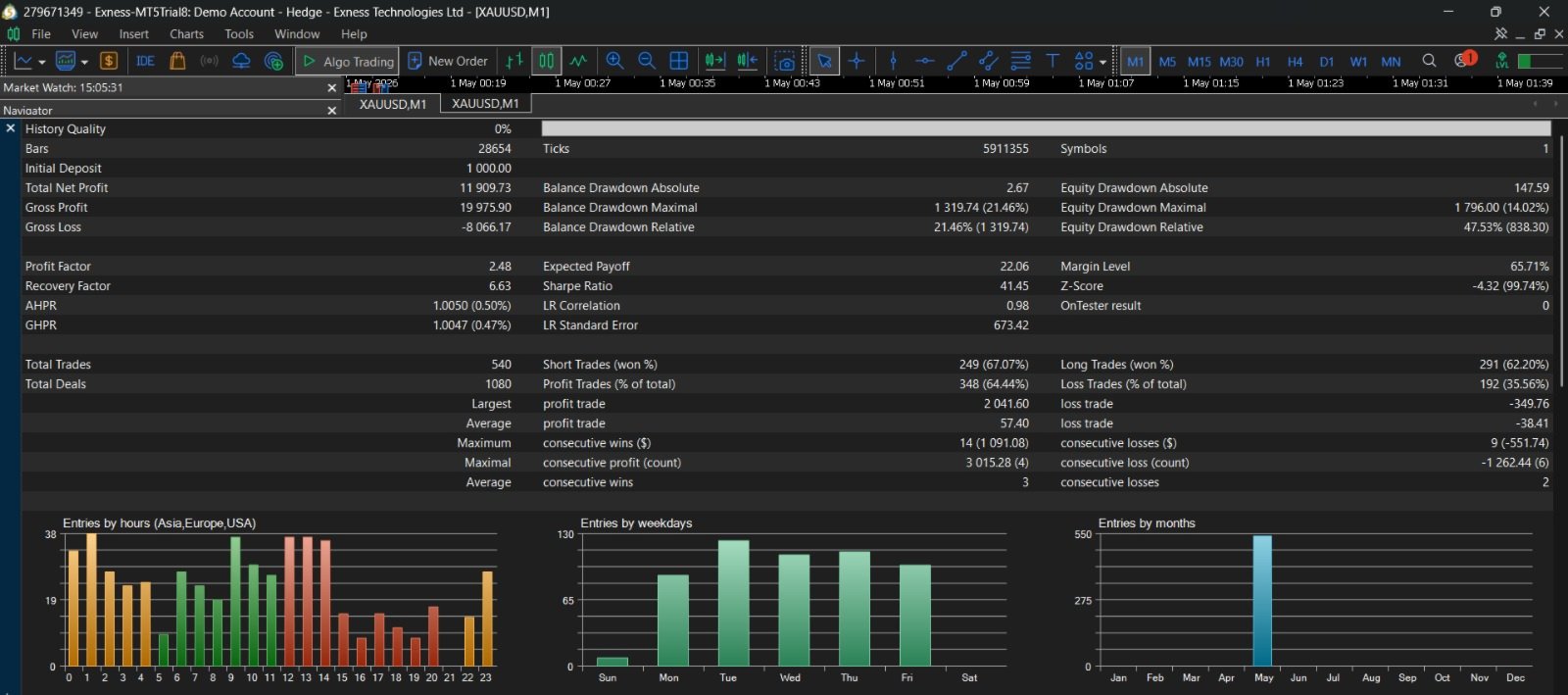
PIPS IN DREAM by SSC is a trading tool and does not guarantee profit.
Trading results may vary because of:
-
Market conditions
-
Broker execution
-
Spread
-
Slippage
-
Commission
-
Symbol specifications
-
Account leverage
-
Selected timeframe
-
User-selected settings
The optional recovery system increases exposure and trading risk. It should be used only after proper testing and with suitable account capital.
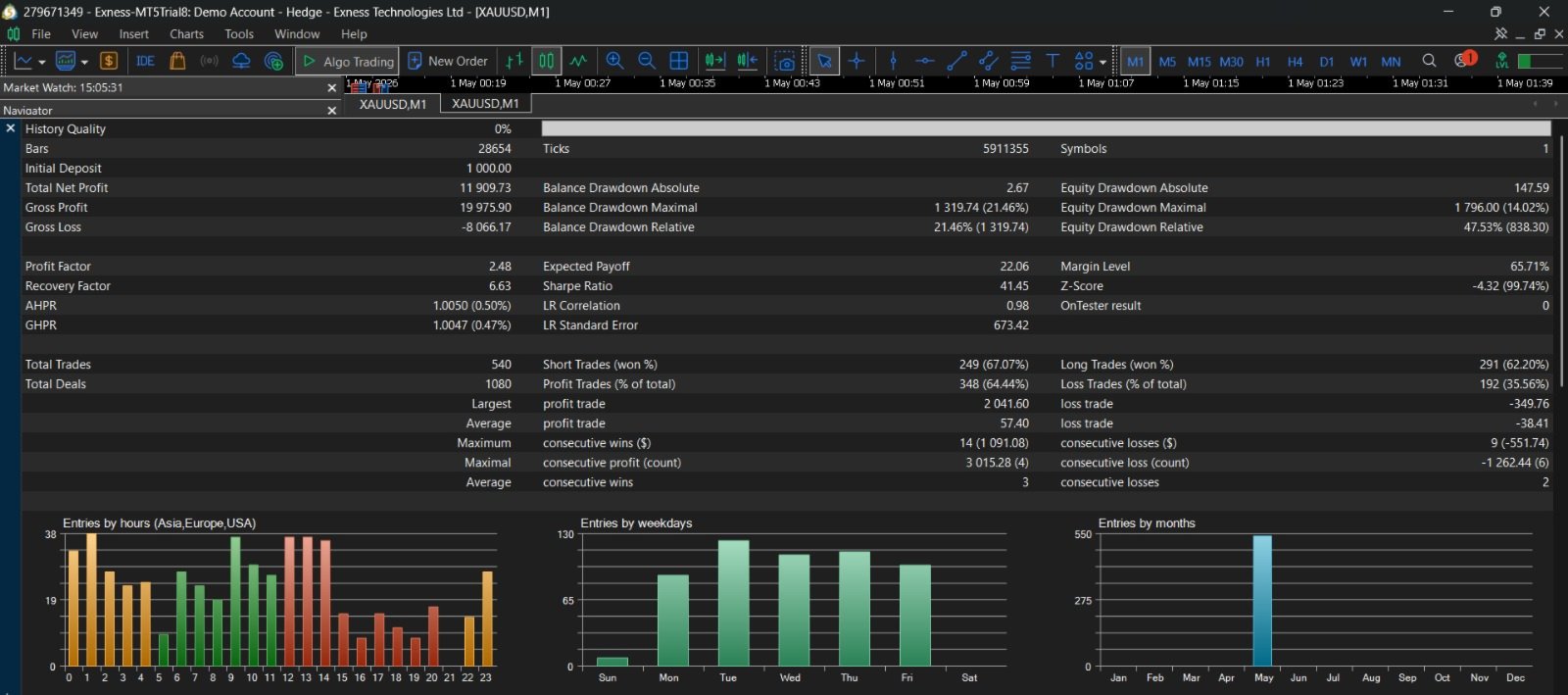
Past backtest or historical performance does not guarantee future results.