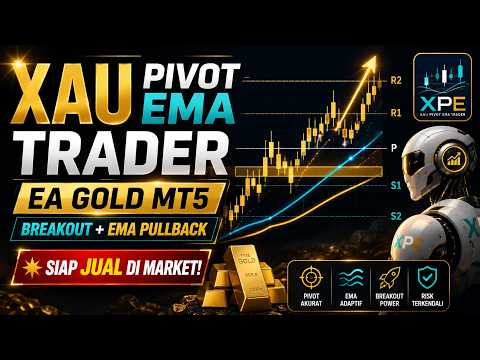
Reversal EMA M15 x M5
- Uzmanlar
- Sürüm: 1.20

Main Strategy
The default strategy uses the following sequence:
- Identify confirmed support and resistance zones on M15.
- Wait for an M15 candle to close beyond an active zone.
- Confirm that the EMA 8 and EMA 14 structure on M5 supports the breakout direction.
- Wait for price to pull back toward EMA14.
- Detect a reversal candle after the EMA14 interaction.
- Wait for the next directional candle to move away from EMA8.
- Open a market position on the following M5 bar after all filters are satisfied.
For a bullish setup, EMA8 must remain above EMA14. For a bearish setup, EMA8 must remain below EMA14.
An optional bounce setup is also included and can be enabled from the EA inputs.
Key Features
- Confirmed M15 pivot-based support and resistance zones
- M5 entry logic
- EMA 8 and EMA 14 confirmation
- Breakout and EMA14 pullback setup
- Optional support and resistance bounce setup
- Closed-candle signal processing
- Fixed lot mode
- Fixed monetary risk mode
- Percentage-based risk mode
- Stop Loss and Take Profit controls
- Trading session filter
- Spread filter
- Maximum open-position control
- BUY and SELL direction controls
- Volume, margin, stop-level, and filling-mode validation
- MT5 Economic Calendar filter
- High-impact news filtering by currency
- Recovery of active trading state after terminal restart or connection interruption
- Pending-order timeout protection
- On-chart support and resistance zones
- Information dashboard and structured Journal messages
- No DLL
- No WebRequest
- No external indicator dependency
Default Configuration
The default configuration is prepared for gold trading:
                                                    Recommended symbol     : XAUUSD or the broker's gold symbol
Chart timeframe        : M5
Support/Resistance TF  : M15
Fast EMA               : 8
Slow EMA               : 14
Bounce setup           : Disabled
Breakout setup         : Enabled
Stop Loss              : 80 pips
Take Profit            : 40 pips
Trading session        : 18:00–23:59 server time
News currency          : USD
News importance        : High impact
News block before      : 10 minutes
News block after       : 10 minutes
The session time follows the broker's trading-server time, not the computer's local time.
Risk Management
The EA supports three volume modes:
- Fixed lot
- Fixed monetary risk
- Percentage risk based on account equity
Before sending an order, the EA checks:
- trading permissions;
- symbol trading mode;
- spread;
- session time;
- existing positions and pending orders;
- minimum and maximum volume;
- volume step;
- available margin;
- Stop Loss and Take Profit direction;
- broker stop and freeze levels;
- supported filling mode;
- order-check result;
- server return code.
A trade is not sent when the calculated volume, margin requirement, or stop distance is invalid.
MT5 Economic Calendar Filter
The EA can use the Economic Calendar built into MetaTrader 5.
By default, new entries are blocked around high-impact USD events. This is particularly relevant for XAUUSD because gold can react strongly to United States economic releases.
The calendar filter affects new entries only. Existing positions remain managed by their Stop Loss and Take Profit.
Historical calendar filtering may not be reproduced identically in Strategy Tester because the native MT5 calendar is primarily designed for live terminal use.
Live Recovery
The EA includes recovery logic intended to reduce differences between continuous backtesting and live operation.
After terminal restart, temporary disconnection, or chart reattachment, the EA can rebuild recent zone and breakout context from closed historical candles. It does not intentionally open trades that should have been executed while the terminal was offline.
For continuous automated operation, MetaTrader 5 must remain open, connected, and authorized for algorithmic trading.
Installation
- Attach the EA to the broker's gold chart.
- Use the M5 chart timeframe.
- Enable Algo Trading in MetaTrader 5.
- Enable automated trading in the EA settings.
- Review the symbol's contract specifications.
- Confirm the broker-server time before enabling the session filter.
- Test the EA on a demo account before using it on a live account.
Important Notes
- Gold symbol names and contract specifications vary between brokers.
- Pip size, tick size, spread, stop level, volume step, and margin requirement may differ.
- Default settings are not guaranteed to suit every broker or market condition.
- Backtest results may differ from live execution because of spread, slippage, latency, price feed, commission, swap, and server conditions.
- The Economic Calendar must be available and synchronized in the terminal for live news filtering.
- The user is responsible for selecting suitable risk settings.
- Historical performance does not guarantee future results.