Blue Rotor Performance Panel
- Göstergeler
-
Yuji Sonoki
 MT5 developer focused on trading tools, risk visualization, and automated strategy systems.
I develop Expert Advisors, indicators, and control panels for MetaTrader 5 with a focus on usability, clear visualization, and risk management. - Sürüm: 1.2
- Etkinleştirmeler: 5
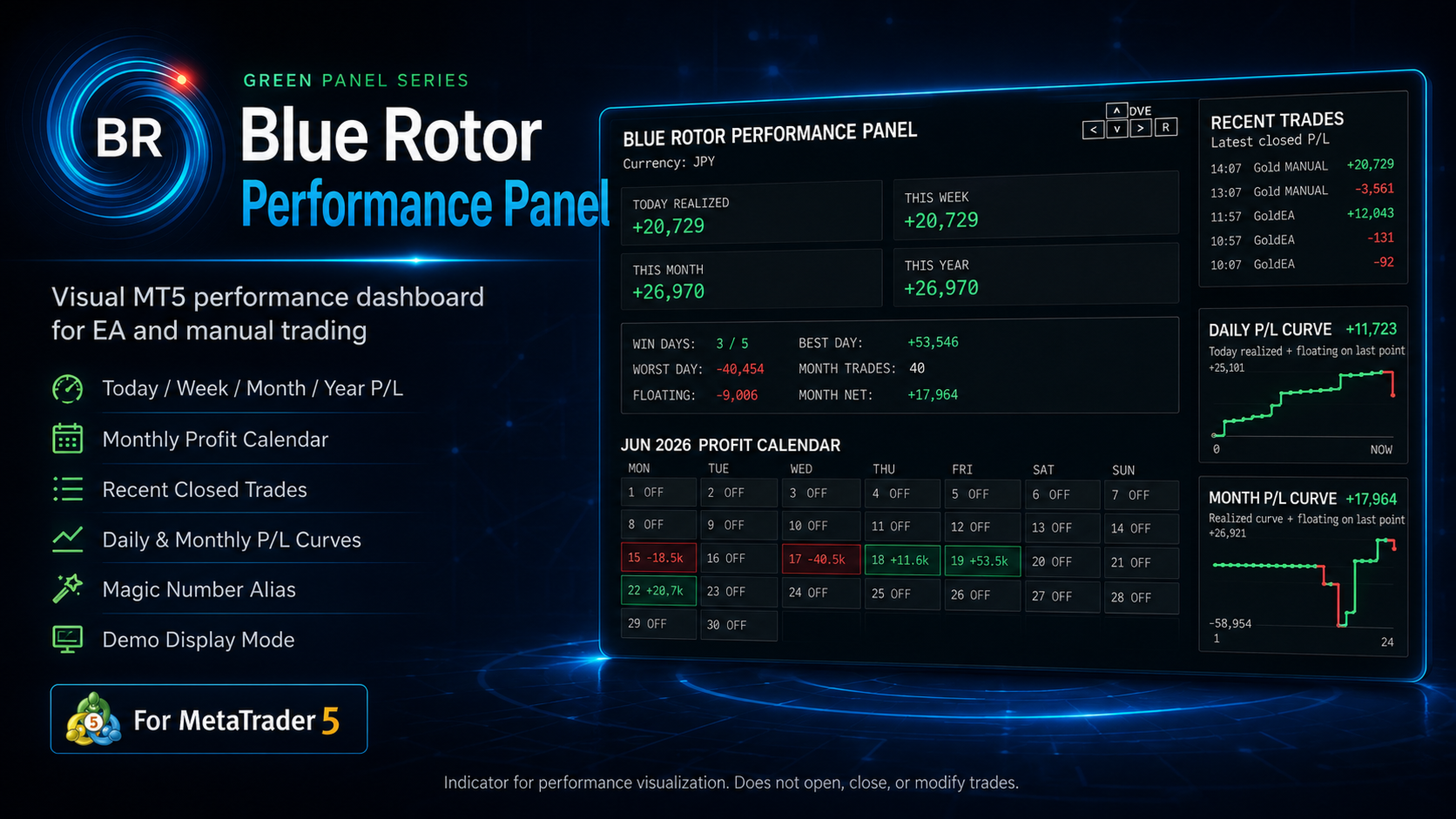
Blue Rotor Performance Panel is a visual performance dashboard indicator for MetaTrader 5.
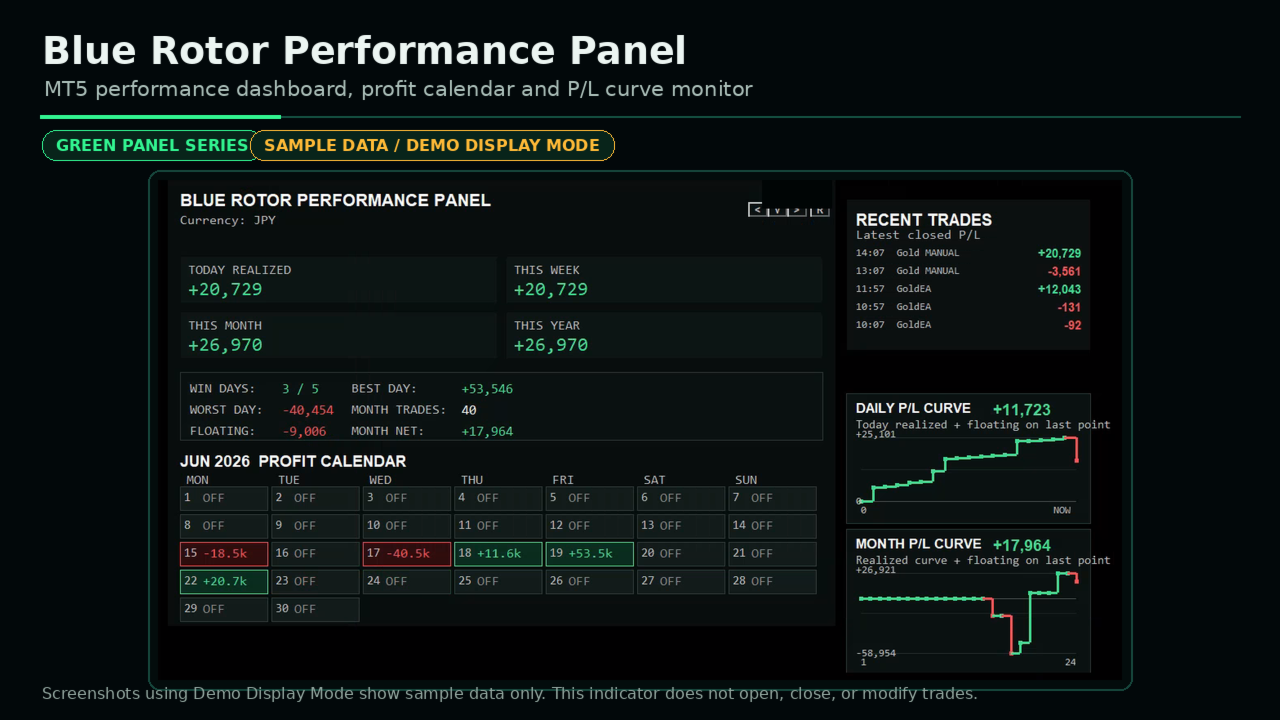
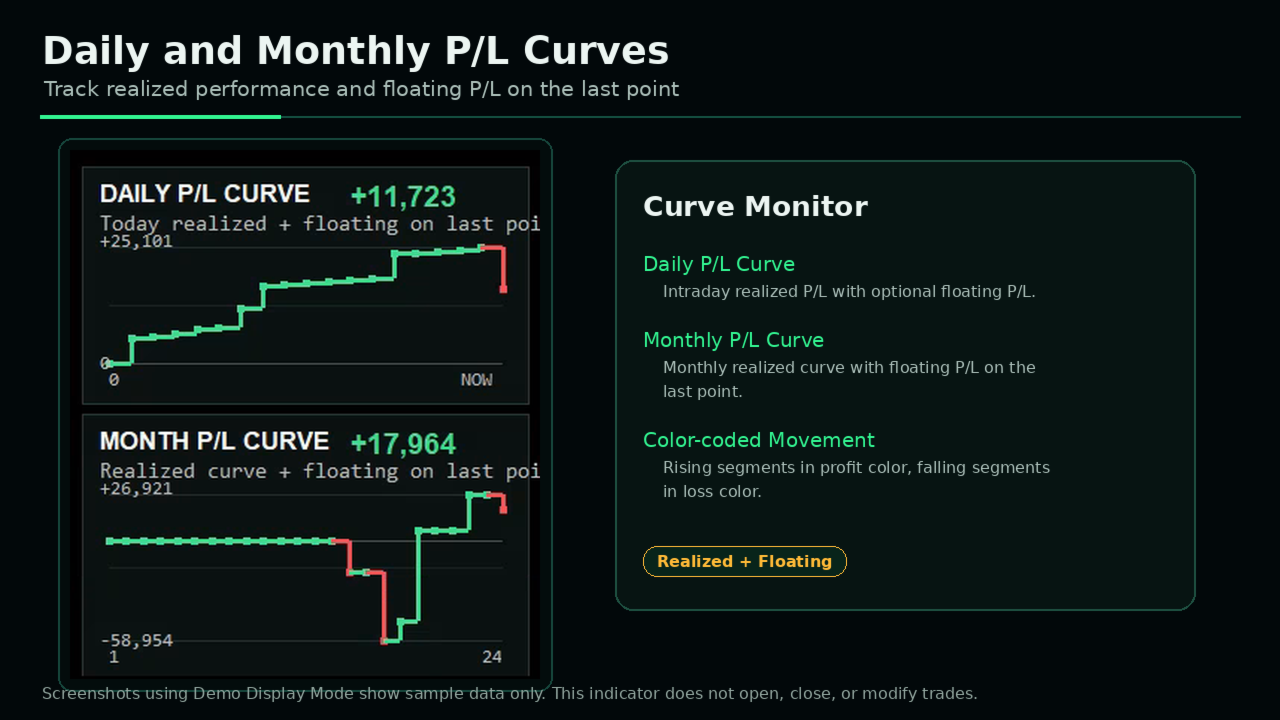
It displays realized profit, floating P/L, monthly profit calendar, recent closed trades, daily P/L curve, and monthly P/L curve directly on the chart.
This tool is designed for EA users, manual traders, signal providers, and developers who want to monitor trading performance visually without exporting reports.
Main Features
-
Today / Week / Month / Year realized P/L
-
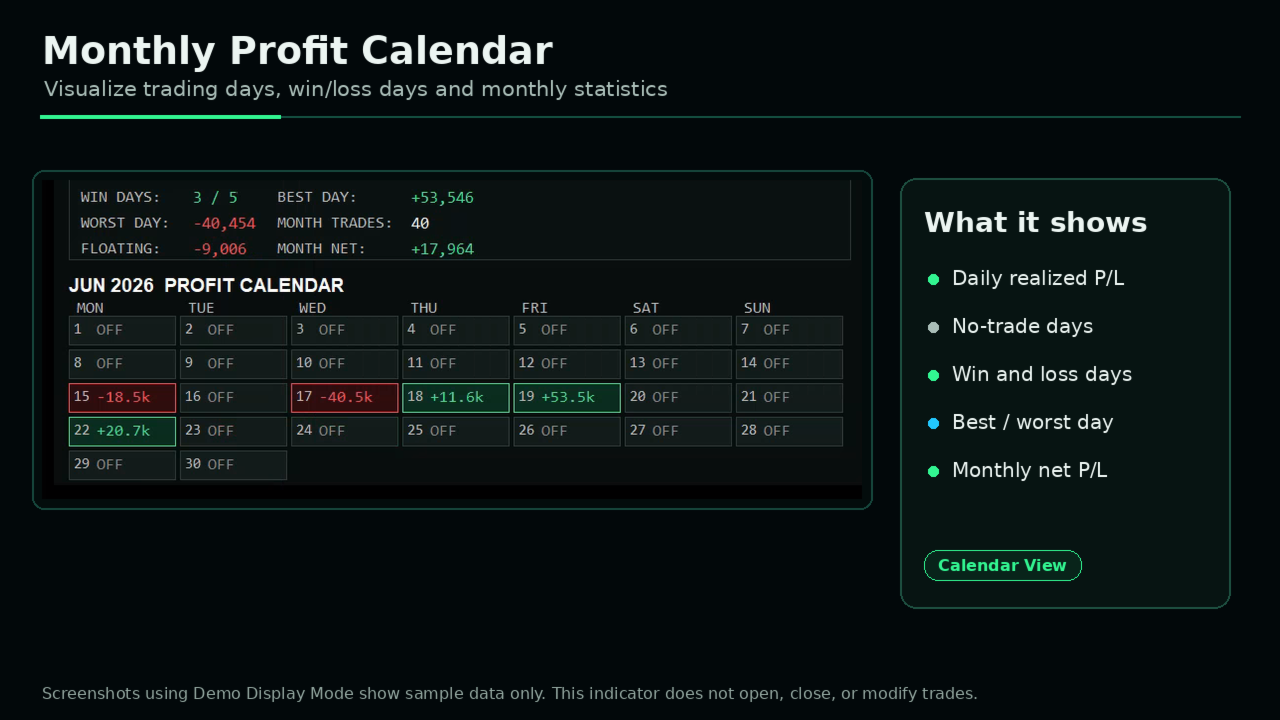
Monthly profit calendar
-
Win days, best day, worst day
-
Monthly trade count
-
Floating P/L display
-
Monthly net P/L display
-
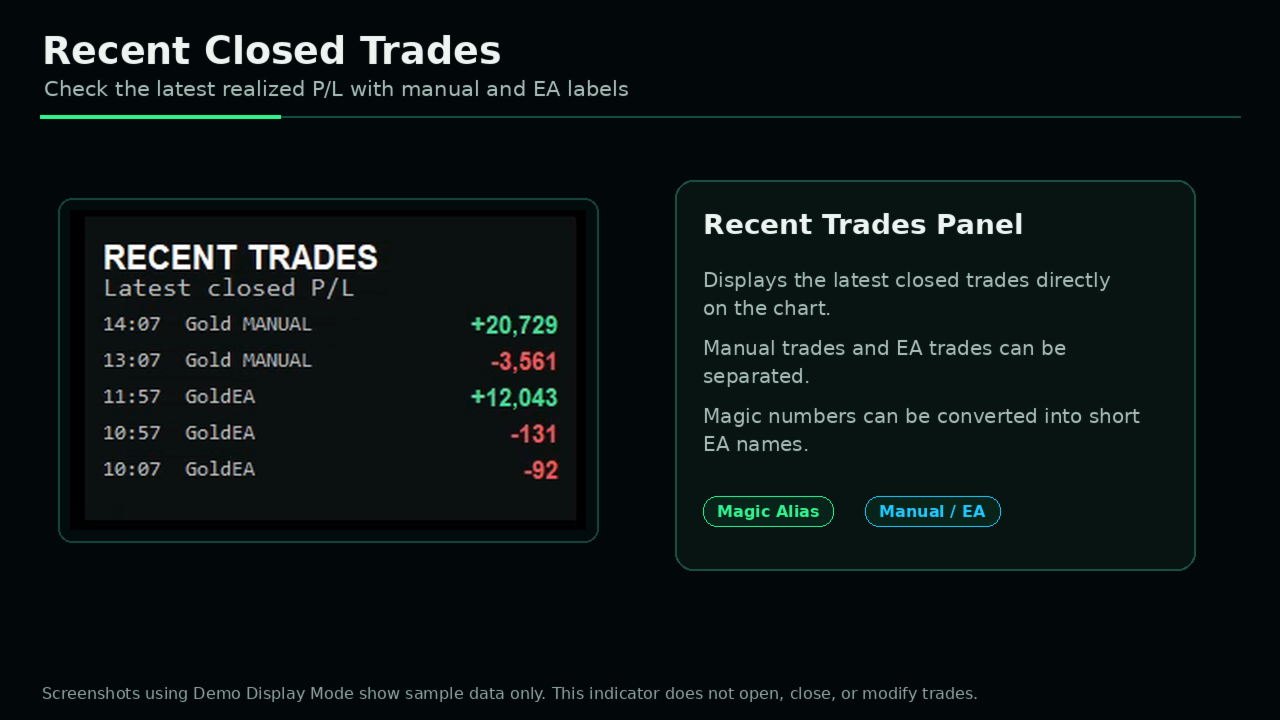
Recent closed trades panel
-
Manual trade and EA trade labeling
-
Magic number to EA name mapping
-
Daily P/L curve
-
Monthly P/L curve
-
Demo Display Mode for Strategy Tester visual mode
-
Screenshot-friendly dark dashboard style
Recommended For
-
Traders running multiple EAs on MetaTrader 5
-
Traders who want to monitor daily and monthly performance visually
-
EA users who want to separate manual trades and automated trades
-
Signal providers who need clean performance screenshots
-
EA developers who need a simple performance monitor
-
Traders who prefer a chart-based dashboard instead of exported reports
Demo Display Mode
Demo Display Mode is included.
It allows the panel to show sample performance data in the Strategy Tester visual mode. This makes it easy to check the layout and display style before purchase.
Screenshots using Demo Display Mode show sample data only. They are not trading results and do not represent actual performance.
Magic Number Alias
You can convert magic numbers into short EA names.
Example:
339 = GoldEA
202606150 = GMMA
202606151 = BRK
This makes recent trades and performance panels easier to read when using multiple EAs.
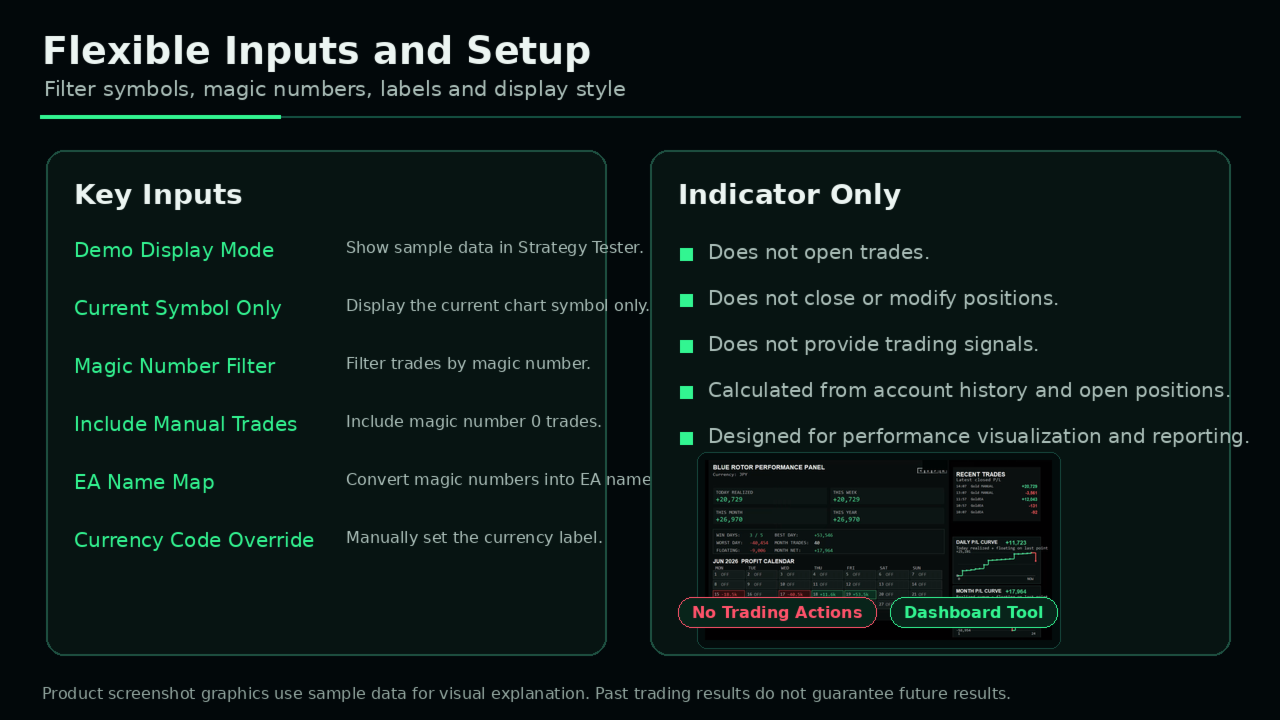
Important Inputs
-
Demo Display Mode: Show sample data for screenshots and Strategy Tester visual mode
-
Current Symbol Only: Display only the current chart symbol
-
Magic Number Filter: Filter trades by magic number
-
Include Manual Trades: Include trades with magic number 0
-
EA Name Map: Convert magic numbers into custom EA names
-
Show Recent Trades Panel: Display latest closed trades
-
Show Daily P/L Curve: Display intraday performance curve
-
Show Monthly P/L Curve: Display monthly performance curve
-
Currency Code Override: Manually set currency label
-
Format Numbers With Commas: Add thousands separators
How to Use
-
Attach the indicator to any MT5 chart.
-
Select whether to display all symbols or only the current symbol.
-
Set Magic Number filter if needed.
-
Add EA aliases in the EA Name Map input.
-
Adjust panel position and display options.
-
Use Demo Display Mode when checking the panel in Strategy Tester.
Important Notes
This product is a visual performance dashboard.
It does not open, close, or modify trades.
It does not provide trading signals or investment advice.
Displayed values are calculated from account history and open positions.
Past trading results do not guarantee future results.
Please test the demo version in the Strategy Tester before purchase.