Smart Nexus PRO
- Uzmanlar
- Sürüm: 3.0
- Güncellendi: 26 Ağustos 2026
- Etkinleştirmeler: 10

Smart Nexus PRO MT5 — Multi-Symbol Automated EA with Trend Scanner
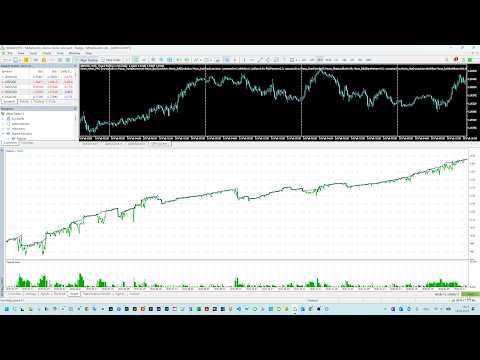
Smart Nexus PRO is a hybrid Expert Advisor that combines proprietary Nexus signals with intelligent position management. It manages both automatically generated trades and manually opened positions — apply the same professional-grade SL/TP, trailing, and break-even logic to your own trades. The system is designed for systematic trading with professional-grade risk management. The EA utilizes dynamic entry levels calculated from recent price action to adapt to changing market volatility. An integrated Trend Scanner identifies trading opportunities across multiple symbols based on directional strength.
Technical Features
- Intelligent Nexus Engine: Uses dynamic entry levels instead of fixed thresholds.
- Trend Scanner: Analyzes symbols to detect bullish or bearish market conditions.
- Multi-Symbol Management: Manage positions across unlimited currency pairs from a single chart.
- Symbol Averaging: Groups same-direction trades per symbol with weighted average entry calculation.
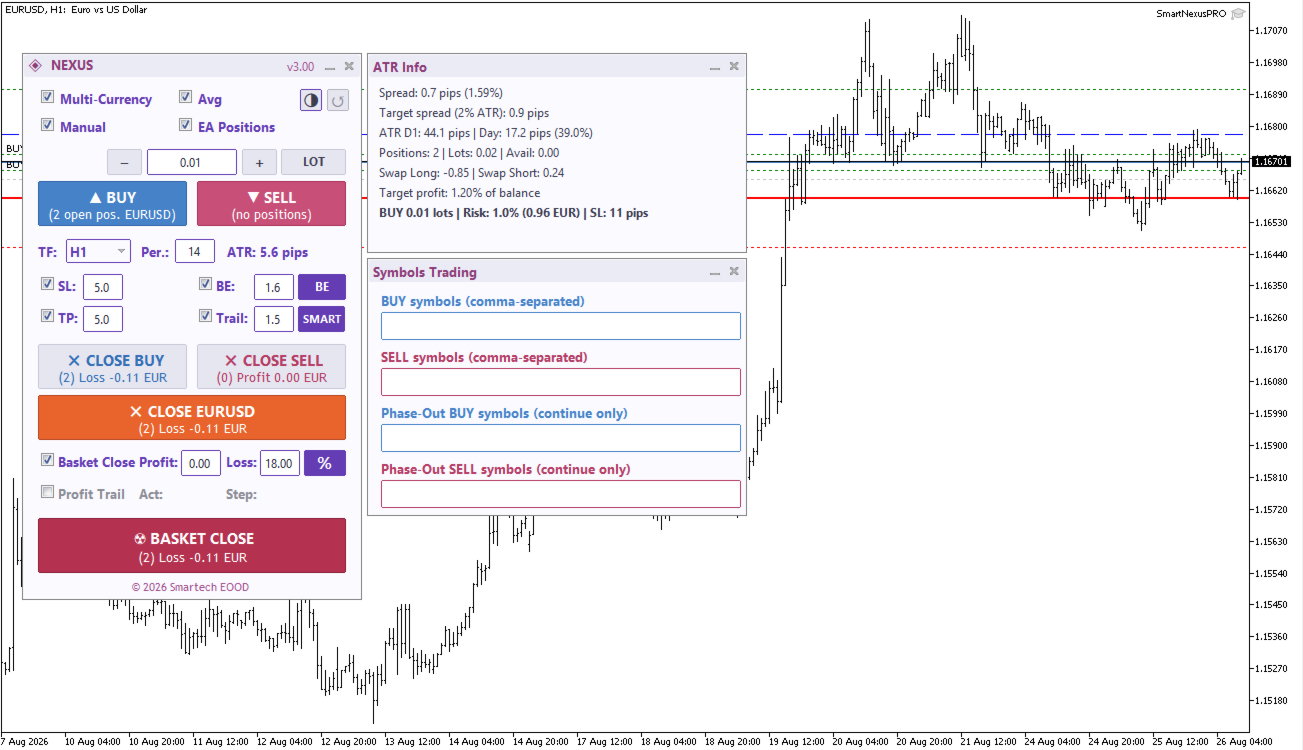
- Interactive Trading Panel: On-chart panel with one-click BUY/SELL buttons, real-time profit display, and quick access to all trading settings.
Risk Management
- Lot Sizing: Options for fixed lot sizes or risk-based calculations (percentage of account balance).
- Volatility-Based Stops: Stop Loss, Take Profit, and Trailing stops are calculated using ATR (Average True Range).
- Smart Trailing: Adaptive trailing stop logic that adjusts based on unrealized profit.
- Basket Management: Global Take Profit and Stop Loss targets based on account currency.
- Emergency Drawdown Protection: Automatically closes all positions when account drawdown exceeds a configurable threshold (default 18%), preventing excessive losses during adverse market conditions.
Input Parameters
| Category | Parameter | Description |
|---|---|---|
| Lot Sizing | Lot Mode | Choice between Fixed Lot and Risk Percent |
| Scanner | Trend Period | Lookback period for trend direction analysis |
| Entry | Dynamic Levels | Enable/Disable price-adaptive entry logic |
| Safety | Max Total Trades | Maximum number of open positions allowed |
| Safety | Emergency Drawdown % | Close all positions when drawdown exceeds this percentage (0=off) |
| ATR | ATR Timeframe | Timeframe for volatility analysis (M5 to D1) |
Safety Features
- Emergency Drawdown Protection (configurable %)
- Margin check before trade execution
- Maximum spread filter (% of ATR)
- Maximum total positions limit
Operational Requirements
- Account Type: Works with both Hedging and Netting accounts. Symbol Averaging is automatically disabled on Netting accounts for compatibility.
- Execution: Designed for 24/5 operation (VPS is recommended).
- Platform: Specifically optimized for MetaTrader 5.
Installation & Support
- Copy the .ex5 file to your MQL5/Experts/ directory.
- Enable "Allow Algo Trading" in MT5 settings.
- Attach the EA to a single chart to begin multi-symbol scanning.
🔥 Launch Price — Limited Time
Smart Nexus PRO is now available at a special introductory price as we build our track record. Price will increase progressively as reviews and live signal history grow. Early buyers lock in the current price for all future updates.
For technical questions or further information, please contact me via my MQL5 Profile.