
FlowAxis
- Uzmanlar
- Sürüm: 1.0
- Etkinleştirmeler: 5

Important – Please Read Before Use
FlowAxis EA is designed to operate in a real-time trading environment only.
The EA will NOT execute trades inside the Strategy Tester.
Due to its reliance on manually drawn trendlines and live price interaction, the Strategy Tester environment cannot replicate the required market conditions.
For proper testing, please run the EA on:
• A Live trading account
• Or a real-time Demo account
This ensures full functionality and accurate performance.
How FlowAxis Works (BUY & SELL Logic)
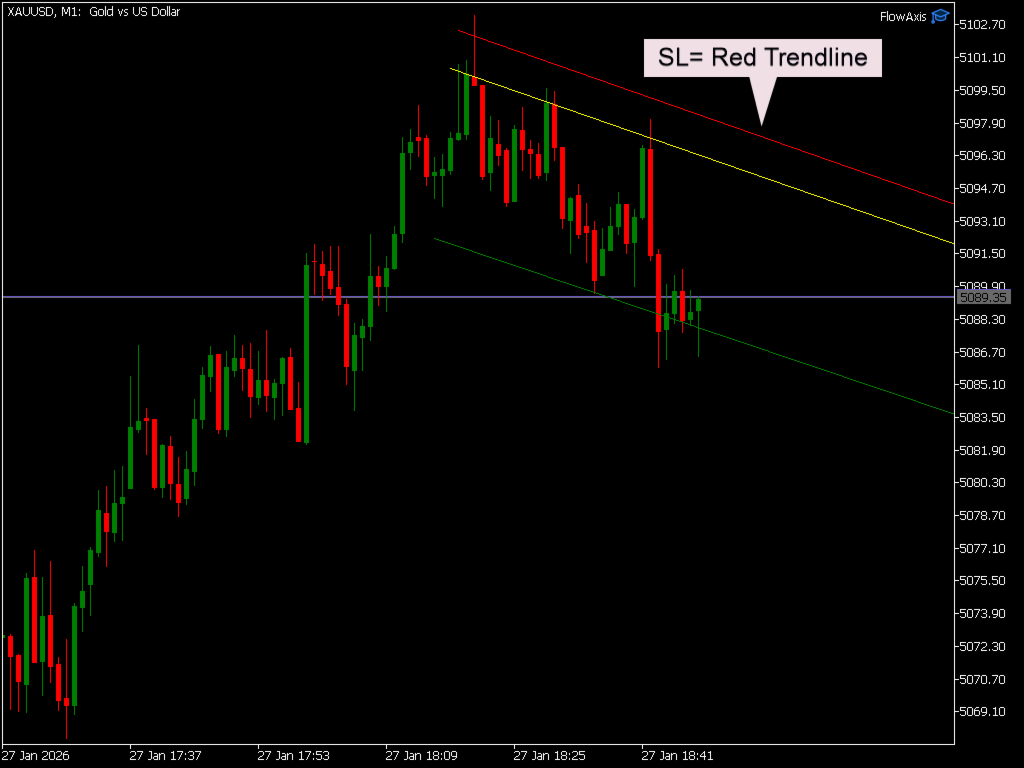
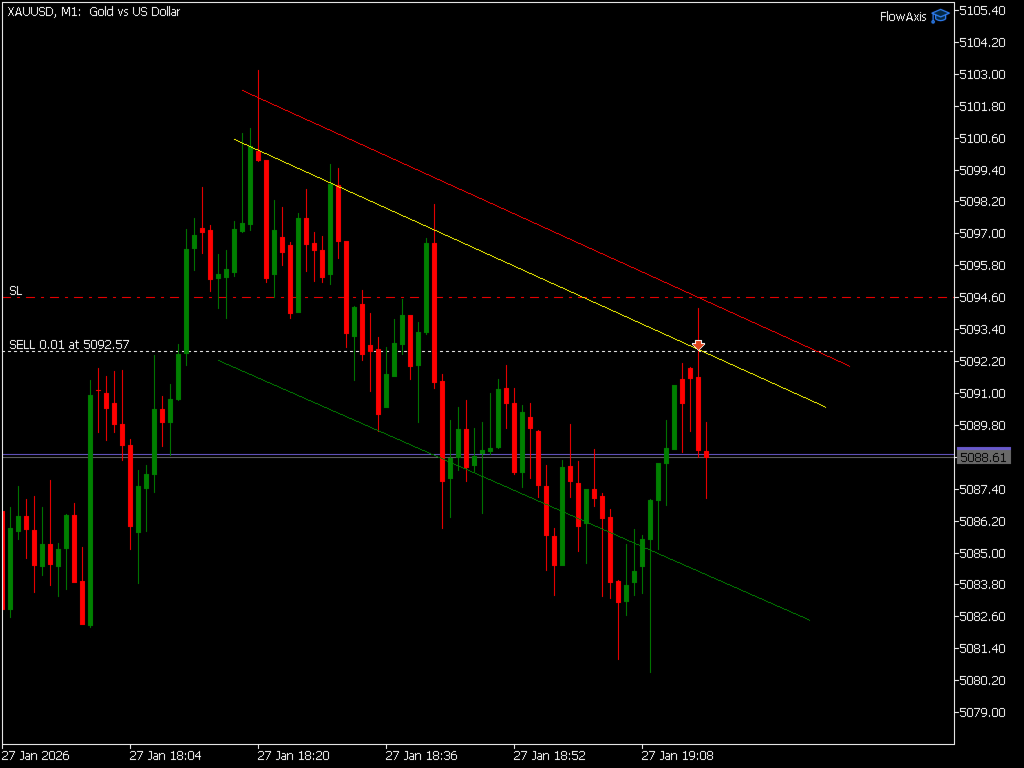
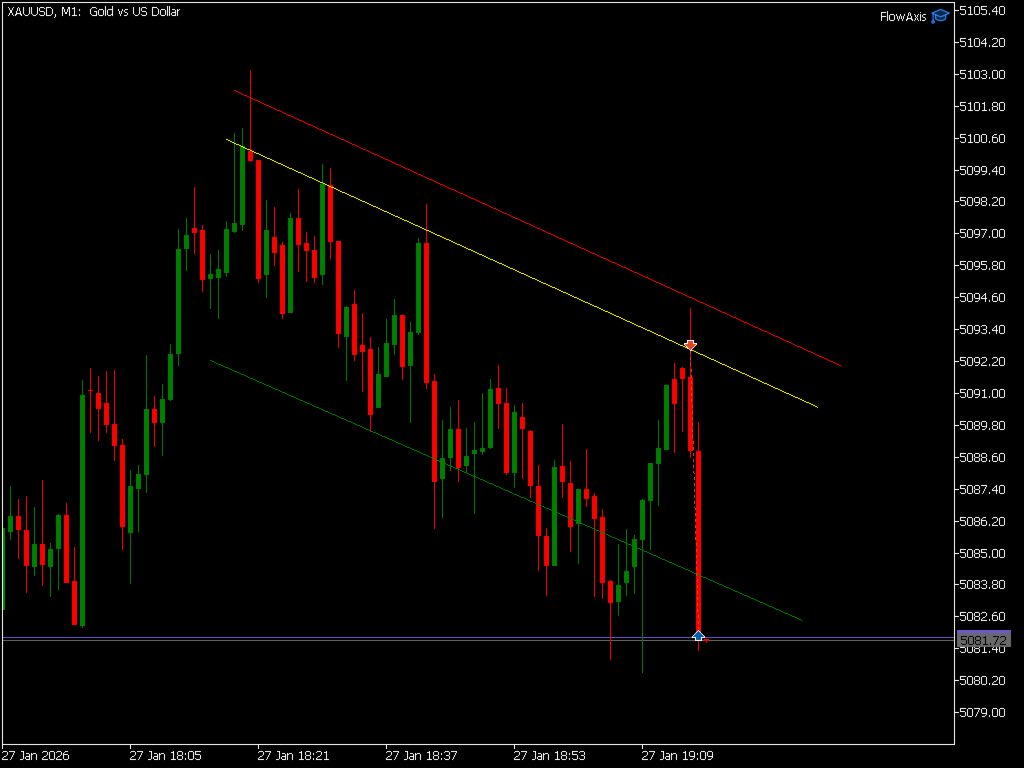
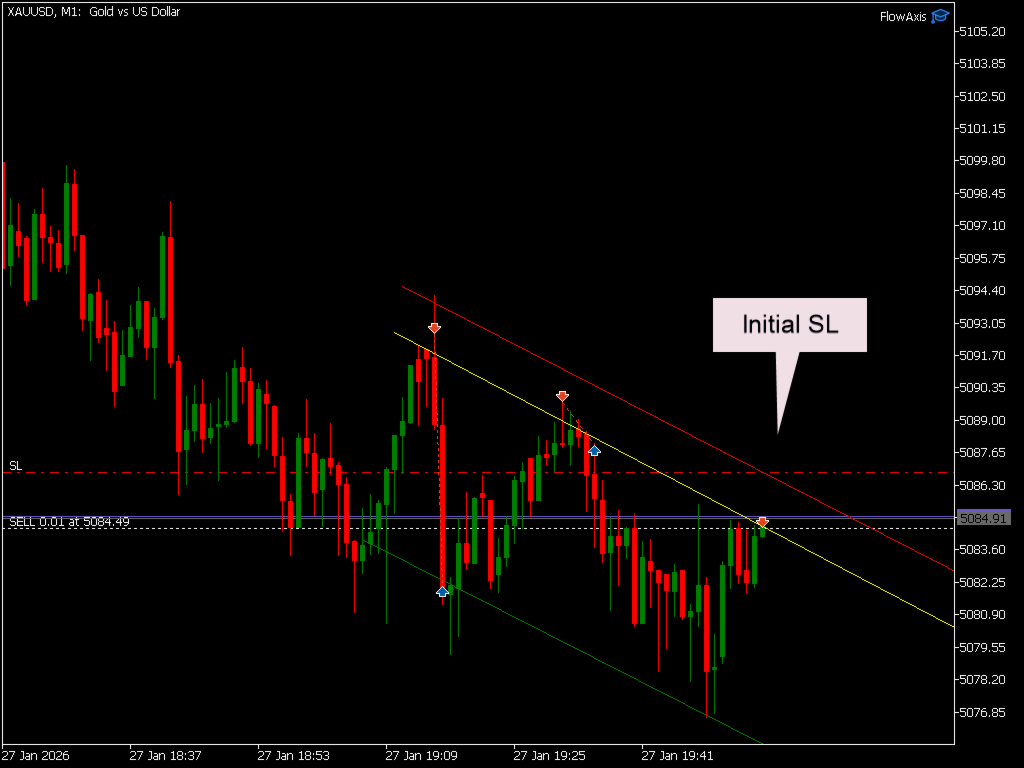
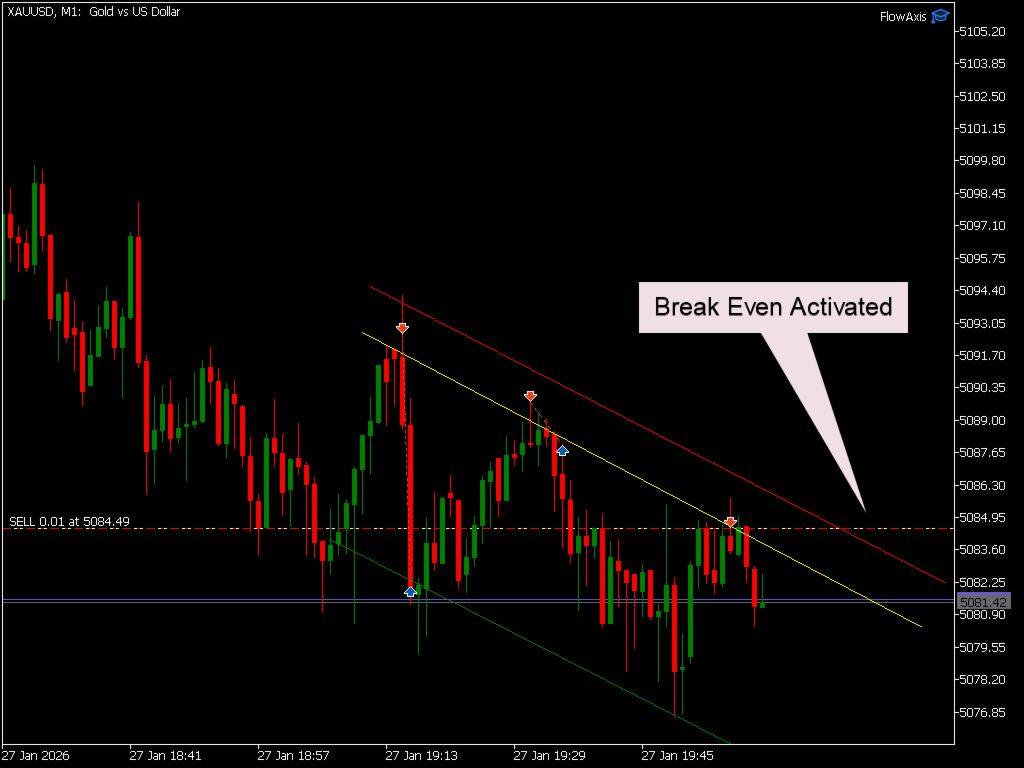
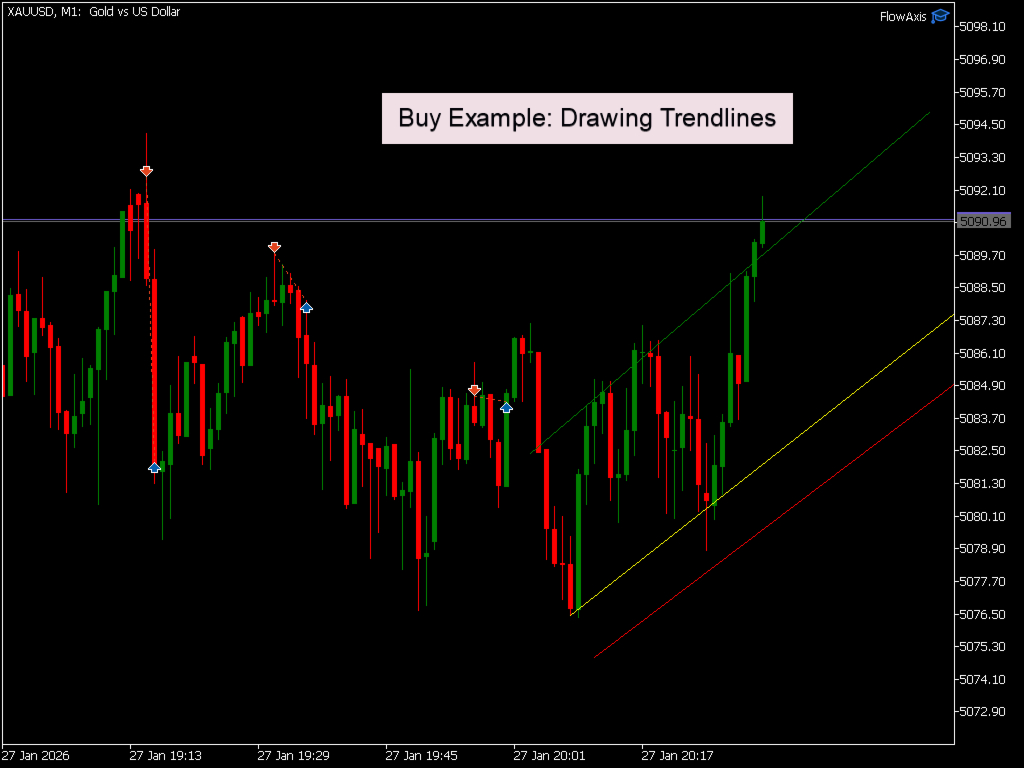
▪︎ When price touches the green trendline, the trade is closed in profit.
Key Concept
All strategic decisions are made by the trader through manual trendline placement, while the EA ensures:
▪︎ Accurate order execution
▪︎ Discipline in trade management
▪︎ Elimination of emotional interference
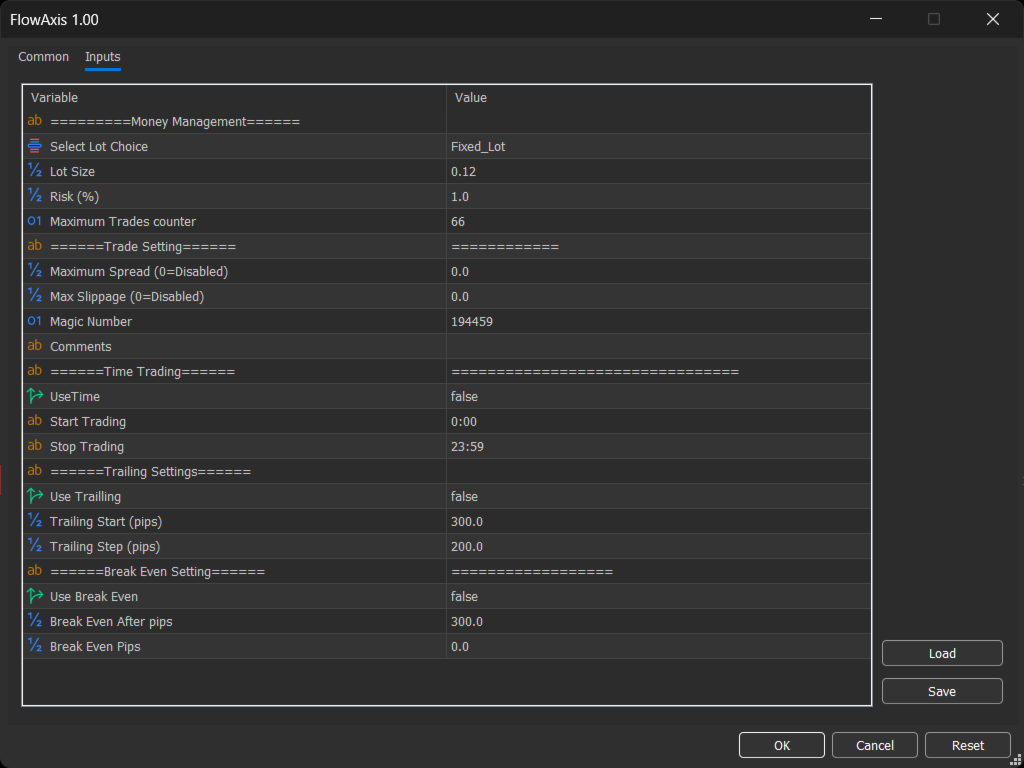
▪︎ Each trade uses the same volume regardless of account balance or trade distance.
Risk-Based Position Sizing (Optional)
Maximum Trades Counter
▪︎Limits the total number of trades the EA can execute.
▪︎Once the specified limit is reached, no new trades will be opened until the value is changed manually.
▪︎Designed to prevent overtrading and provide full control over trading activity.
Magic Number
▪︎ Each trade is assigned a unique Magic Number.
▪︎ Ensures full isolation from manual trades or other Expert Advisors.
▪︎ Allows safe and independent trade management.
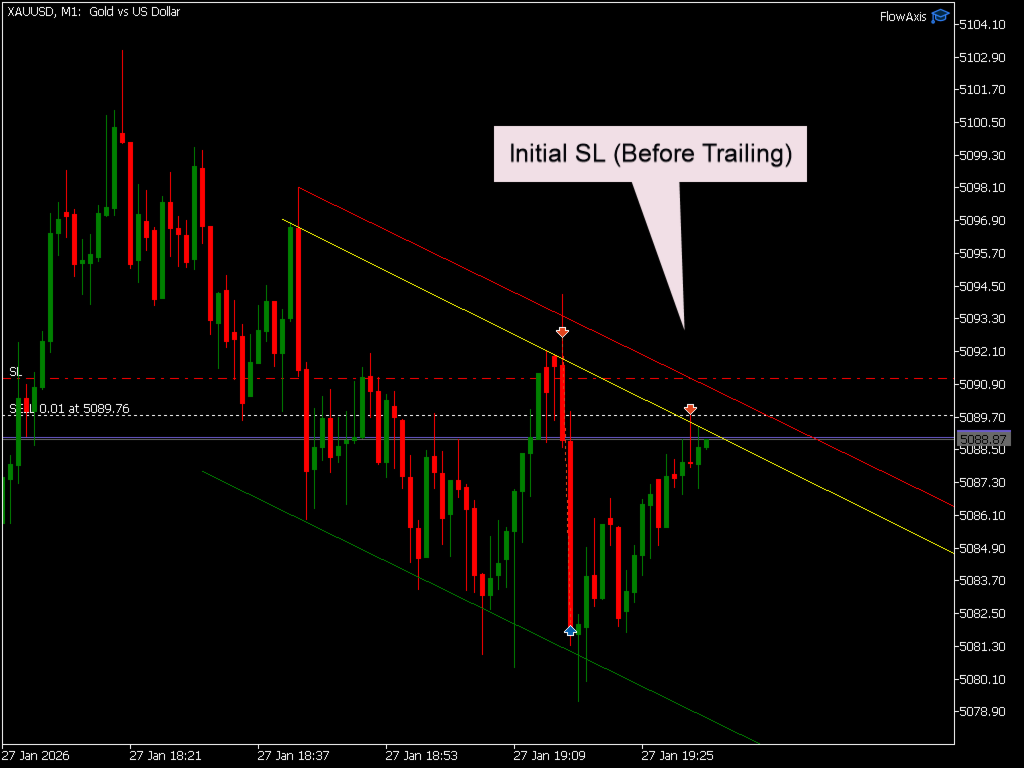
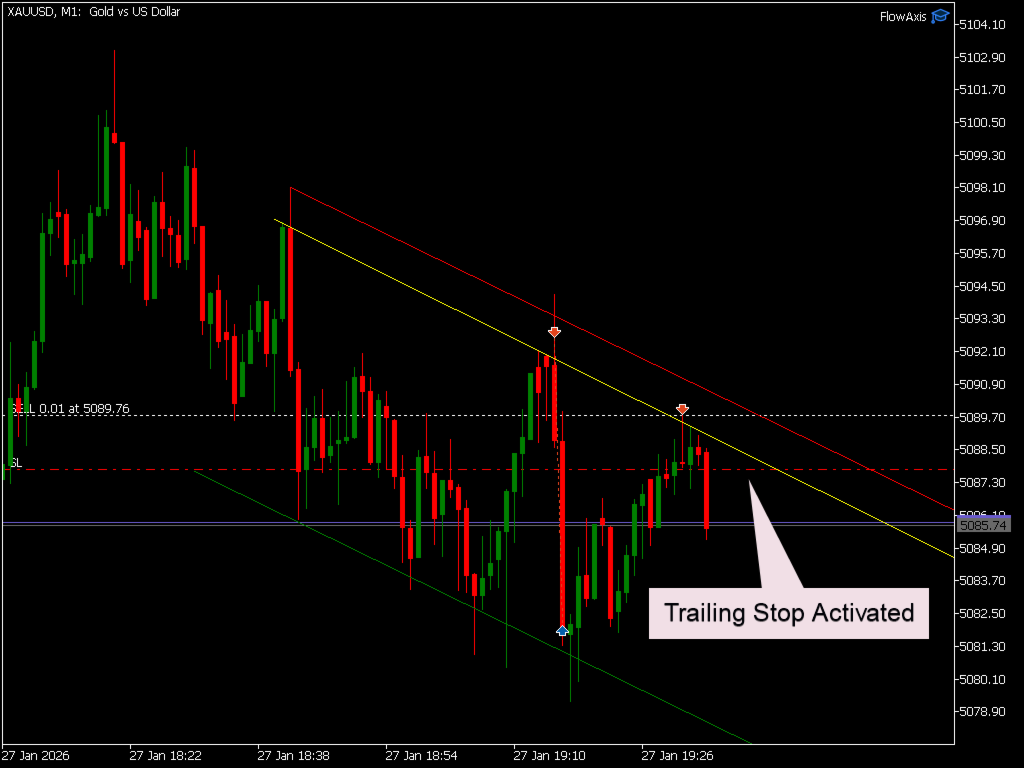
Trailing Stop (Optional)
Important Usage Rules
▪︎ Bid and Ask price lines must not use the same colors as the EA trendlines.
▪︎ The chart must contain only the three required trendlines: yellow (entry), red (stop loss), and green (take profit).
▪︎Additional trendlines or chart objects with other colors are allowed and ignored.
▪︎ Any extra trendlines or objects using yellow, red, or green colors will prevent the EA from operating to avoid signal conflicts.
▪︎ Ensure that Entry, Stop Loss, and Take Profit trendlines are placed correctly before price touches the entry line.
▪︎ If the stop loss or take profit trendline is missing or incorrectly placed, a trade may open and close immediately.
▪︎ Deleting the take profit trendline after a trade is opened will also close the position immediately.
▪︎ After a trade is completed, all existing trendlines must be deleted before drawing new ones for the next trade.
▪︎ Pip calculation may vary between brokers. Always verify your broker’s pip definition to ensure accurate risk management.
▪︎ All trendlines should be locked after drawing. Double-click each trendline to fix it on the chart and prevent accidental movement.





























Works exactly as described entries open precisely at my trendlines