Pending Line Super Order Demo
FREE
Yayınlandı:
19 Ağustos 2015
Mevcut sürüm:
2.0
Uygun bir robot bulamadınız mı?
Freelance üzerinden kendi
robotunuzu sipariş edin
Freelance'e git
Freelance üzerinden kendi
robotunuzu sipariş edin
Bir alım-satım robotu veya gösterge nasıl satın alınır?
Uzman Danışmanınızı
sanal sunucuda çalıştırın
sanal sunucuda çalıştırın
Satın almadan önce göstergeyi/alım-satım robotunu test edin
Mağazada kazanç sağlamak ister misiniz?
Satış için bir ürün nasıl sunulur?

Alım-satım fırsatlarını kaçırıyorsunuz:
- Ücretsiz alım-satım uygulamaları
- İşlem kopyalama için 8.000'den fazla sinyal
- Finansal piyasaları keşfetmek için ekonomik haberler
Kayıt
Giriş yap
Web sitesi politikasını ve kullanım şartlarını kabul edersiniz
Hesabınız yoksa, lütfen kaydolun
""PROMOTION PRICE!!!! 29$"" FROM 59$
26/8/2015 - 31/8/2015 (ONLY 1 WEEK)
https://www.mql5.com/en/market/product/11174
We have new pro version call "Ultimate Panel" All in one features.
- One click trading.
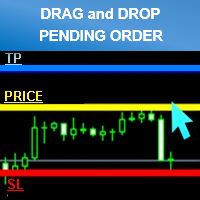
- Drag line to place pending order.
- Hidden stop loss and take profit line.
- Order management.
https://www.mql5.com/en/market/product/11563hi i try to get demo account for cadchf pair but it is not work for show up
i need you fix it pls
thank
hi i try to get demo account for cadchf pair but it is not work for show up
i need you fix it pls
thank
Try already every work perfectly.
Please try to re setup your metatrader.
and make sure you have the right setting.
Best Regard.
I had the same problem.
Also can you place a buy and sell pending order at the same time?
I had the same problem.
Also can you place a buy and sell pending order at the same time?
It can sir.
l checked already.
Can you describe your problem?
Thank you
Best Regard.
"DEMO for testing symbols name "CADCHF" only."
Can't test another as CADCHFm , CADCHFi etc
If you want to test please try another broker that symbol name as general "CADCHF"
Thank you
Best Regard.
- Smaller size clean and better looking
- Added Line Width input parameter
- Money Management mode (formula calculations = (Account Balance/100)*(Risk Percent Setting/100))
*Attention
Please enable “’Use Alt key to drag trade level’” check box. before use (Menu Tools>Options>Charts)
For Avoid lines overlap.
Can I use it with mt4?
Yes you can.