Pending Line Super Order Demo
FREE
Publié:
19 août 2015
Version actuelle:
2.0
Vous ne trouvez aucun robot qui vous convient ?
Commandez le vôtre
dans la section Freelance
Aller à la section Freelance
Commandez le vôtre
dans la section Freelance
Comment acheter un robot de trading ou un indicateur
Exécutez votre EA sur
hébergement virtuel
hébergement virtuel
Test un indicateur/robot de trading avant d'acheter
Vous voulez gagner de l'argent sur Market ?
Comment présenter un produit pour qu'il se vende bien

Vous manquez des opportunités de trading :
- Applications de trading gratuites
- Plus de 8 000 signaux à copier
- Actualités économiques pour explorer les marchés financiers
Inscription
Se connecter
Vous acceptez la politique du site Web et les conditions d'utilisation
Si vous n'avez pas de compte, veuillez vous inscrire
""PROMOTION PRICE!!!! 29$"" FROM 59$
26/8/2015 - 31/8/2015 (ONLY 1 WEEK)
https://www.mql5.com/en/market/product/11174
We have new pro version call "Ultimate Panel" All in one features.
- One click trading.
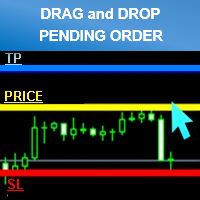
- Drag line to place pending order.
- Hidden stop loss and take profit line.
- Order management.
https://www.mql5.com/en/market/product/11563hi i try to get demo account for cadchf pair but it is not work for show up
i need you fix it pls
thank
hi i try to get demo account for cadchf pair but it is not work for show up
i need you fix it pls
thank
Try already every work perfectly.
Please try to re setup your metatrader.
and make sure you have the right setting.
Best Regard.
I had the same problem.
Also can you place a buy and sell pending order at the same time?
I had the same problem.
Also can you place a buy and sell pending order at the same time?
It can sir.
l checked already.
Can you describe your problem?
Thank you
Best Regard.
"DEMO for testing symbols name "CADCHF" only."
Can't test another as CADCHFm , CADCHFi etc
If you want to test please try another broker that symbol name as general "CADCHF"
Thank you
Best Regard.
- Smaller size clean and better looking
- Added Line Width input parameter
- Money Management mode (formula calculations = (Account Balance/100)*(Risk Percent Setting/100))
*Attention
Please enable “’Use Alt key to drag trade level’” check box. before use (Menu Tools>Options>Charts)
For Avoid lines overlap.
Can I use it with mt4?
Yes you can.