Pending Line Super Order Demo
FREE
Опубликован:
19 августа 2015
Текущая версия:
2.0
Не нашли подходящего робота?
Закажите собственного
на бирже фрилансеров
Перейти на биржу
Закажите собственного
на бирже фрилансеров
Как купить торгового робота или индикатор
Запусти робота на
виртуальном хостинге
виртуальном хостинге
Протестируй индикатор/робота перед покупкой
Хочешь зарабатывать в Маркете?
Как подать продукт, чтобы его покупали

Вы упускаете торговые возможности:
- Бесплатные приложения для трейдинга
- 8 000+ сигналов для копирования
- Экономические новости для анализа финансовых рынков
Регистрация
Вход
Вы принимаете политику сайта и условия использования
Если у вас нет учетной записи, зарегистрируйтесь
""PROMOTION PRICE!!!! 29$"" FROM 59$
26/8/2015 - 31/8/2015 (ONLY 1 WEEK)
https://www.mql5.com/en/market/product/11174
We have new pro version call "Ultimate Panel" All in one features.
- One click trading.
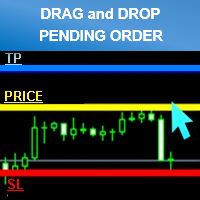
- Drag line to place pending order.
- Hidden stop loss and take profit line.
- Order management.
https://www.mql5.com/en/market/product/11563hi i try to get demo account for cadchf pair but it is not work for show up
i need you fix it pls
thank
hi i try to get demo account for cadchf pair but it is not work for show up
i need you fix it pls
thank
Try already every work perfectly.
Please try to re setup your metatrader.
and make sure you have the right setting.
Best Regard.
I had the same problem.
Also can you place a buy and sell pending order at the same time?
I had the same problem.
Also can you place a buy and sell pending order at the same time?
It can sir.
l checked already.
Can you describe your problem?
Thank you
Best Regard.
"DEMO for testing symbols name "CADCHF" only."
Can't test another as CADCHFm , CADCHFi etc
If you want to test please try another broker that symbol name as general "CADCHF"
Thank you
Best Regard.
- Smaller size clean and better looking
- Added Line Width input parameter
- Money Management mode (formula calculations = (Account Balance/100)*(Risk Percent Setting/100))
*Attention
Please enable “’Use Alt key to drag trade level’” check box. before use (Menu Tools>Options>Charts)
For Avoid lines overlap.
Can I use it with mt4?
Yes you can.