Pending Line Super Order Demo
FREE
Veröffentlicht:
19 August 2015
Aktuelle Version:
2.0
Keinen passenden Roboter gefunden?
Geben Sie Ihren Eigenen in Auftrag
auf Freelance!
Gehen Sie zu Freelance
Geben Sie Ihren Eigenen in Auftrag
auf Freelance!
Wie man einen Roboter oder Indikator kaufen kann
Starte Deinen EA im
Virtual Hosting
Virtual Hosting
Teste einen Indikator/Roboter vor dem Kauf
Möchtest Du Geld im Market verdienen?
Wie man Produkte richtig präsentiert

Sie verpassen Handelsmöglichkeiten:
- Freie Handelsapplikationen
- Über 8.000 Signale zum Kopieren
- Wirtschaftsnachrichten für die Lage an den Finanzmärkte
Registrierung
Einloggen
Sie stimmen der Website-Richtlinie und den Nutzungsbedingungen zu.
Wenn Sie kein Benutzerkonto haben, registrieren Sie sich
""PROMOTION PRICE!!!! 29$"" FROM 59$
26/8/2015 - 31/8/2015 (ONLY 1 WEEK)
https://www.mql5.com/en/market/product/11174
We have new pro version call "Ultimate Panel" All in one features.
- One click trading.
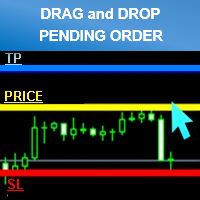
- Drag line to place pending order.
- Hidden stop loss and take profit line.
- Order management.
https://www.mql5.com/en/market/product/11563hi i try to get demo account for cadchf pair but it is not work for show up
i need you fix it pls
thank
hi i try to get demo account for cadchf pair but it is not work for show up
i need you fix it pls
thank
Try already every work perfectly.
Please try to re setup your metatrader.
and make sure you have the right setting.
Best Regard.
I had the same problem.
Also can you place a buy and sell pending order at the same time?
I had the same problem.
Also can you place a buy and sell pending order at the same time?
It can sir.
l checked already.
Can you describe your problem?
Thank you
Best Regard.
"DEMO for testing symbols name "CADCHF" only."
Can't test another as CADCHFm , CADCHFi etc
If you want to test please try another broker that symbol name as general "CADCHF"
Thank you
Best Regard.
- Smaller size clean and better looking
- Added Line Width input parameter
- Money Management mode (formula calculations = (Account Balance/100)*(Risk Percent Setting/100))
*Attention
Please enable “’Use Alt key to drag trade level’” check box. before use (Menu Tools>Options>Charts)
For Avoid lines overlap.
Can I use it with mt4?
Yes you can.