 MetaTrader 5
 Uzmanlar
 Göstergeler
 Kütüphaneler
 Yardımcı programlar
 Widgetlar
 Kurallar
YouTube'dan Mağaza ile ilgili öğretici videoları izleyin
Bir alım-satım robotu veya gösterge nasıl satın alınır?
Uzman Danışmanınızı
sanal sunucuda çalıştırın
sanal sunucuda çalıştırın
Satın almadan önce göstergeyi/alım-satım robotunu test edin
Mağazada kazanç sağlamak ister misiniz?
Satış için bir ürün nasıl sunulur?
MetaTrader 5 için alım-satım yardımcı programları - 45
 Aşağıda MetaTrader 5'te işlem yapmayı kolaylaştıran alım-satım programları bulunmaktadır. Açıklamasını ve amacını okumak için aşağıdaki listeden ürünün üzerine gelin.
Скальпирующий алгоритм полностью автоматической торговли на FORTS для фьючерсов Сбербанка и Газпрома Московской биржи. Рабочий таймфрейм 5 минут. Алгоритм анализирует:
1) Импульсное изменение цены в моменте и на истории сопряженных активов. 2) Глубину рынка на наличие повышенных объемов в стакане. 3) Роботизированные и айсберг заявки в стакане. 4) Потенциальные ценовые и фрактальные уровни. 5) Историю на хорошо отработавшие паттерны прайс экшен. В случае когда алгоритму удалось выбрать подходящ

Definition : Market View is a dashboard (scanner) to view price graphs of all symbols and all timeframes at a glance. The utility is designed user friendly and added a wide range of customization options.
Main features of Market View : Visual settings window on the chart Customizable list of symbols and timeframes Different shapes : Real Candles, Schematic Candles, Arrows Customizable number of candles Changeable size of dashboard (scanner)
Highlight timeframes with gaps on candles Open approp
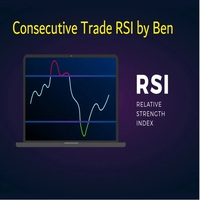
This EA takes trades based on a configured RSI level. At each candle close, it will resume a position if the one closes above the previous one.... The SL and TP are positioned and it is the sum of all the trades initiated that will close the positions: Either in % of capital, or in pips. IMPORTANT :
it is the magic number that allows the EA to properly close positions. so be sure to put different magic numbers on each graph. Important : have a good money management with this type of EA (little
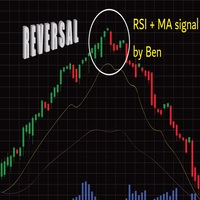
Important : have a good money management with this tpe of EA (little lot size....and avoid margin call)
The EA takes a trade when 2 conditions are met: The achievement of an RSI level, and the break of a moving average of your choice.
When the trade is initiated: the SL is positioned (in pips) the TP1 can be: the kijun, or another moving average, you can configure a value approaching the TP1 (which avoids the price shift of brokers) the partial close is done the SL after TP1 can be configured
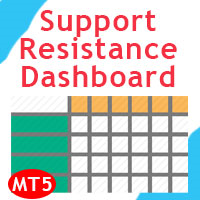
Support and Resistance Dashboard for MT5 is a multi-timeframe and multi-symbol scanner and alert system that finds S/R zones and pivot points for all timeframes and symbols and alerts when price has interaction with them. If you are using support and resistance (or supply and demand) zones in your trading strategy, this dashboard and its alert and filtering system is a big time saver for you. Download demo version (works on M4,M5,M6,M12,H3,H8 timeframes) Full description of scanner parameters
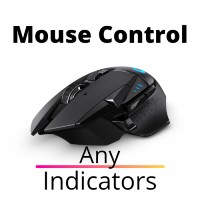
Yardımcı program, fare tekerleğini kaydırarak herhangi bir göstergenin herhangi bir parametresini kontrol eder. Bir gösterge satın aldıysanız veya kiraladıysanız, gösterge arayüzünü bu yardımcı programla değiştirebilirsiniz. Bunun için en az bir tamsayı parametresi olan herhangi bir gösterge uygundur.
Önce nasıl çalıştığını denemek isterseniz, standart terminal teslimatındaki göstergeleri kontrol etmek için ücretsiz Standart Scroller'ı indirin.
Çalışma prensibi Yardımcı program, seçtiğiniz
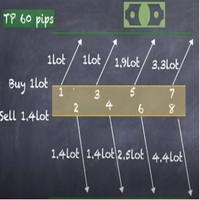
Strategy description can be seen in the attached video( https://www.youtube.com/watch?v=JzN1fEZmc40 ).
This hedging strategy strictly follows what is presented in the video.
The strategy works on any pair of forex, crypto, indices and other derivatives.
Through the settings, you can customize the size of lots, add pairs for operation, and profit and loss points.
The distance between sell and buy orders must be configured according to the number of decimal places of the pairs that will be tra
As you know, the logarithmic chart is essential for any Technical approach. This Expert Advisor create a customize symbol for any symbol you want and it plot logarithmic chart for that. You can easily switch between logarithmic and arithmetic charts. the Expert provide crosshair for last and actual price and you can add your personal LOGO to chart. also you can set individual zoom for each Time Frame. Important: The Expert Advisor doesn't work on Demo version. because Demo version work only on S

The ATRStopLoss Expert Advisor determines where best to put a stop relative to the current price.
How it works ATRStopLoss gets the size of ATR for the selected period ATRStopLoss draws Stop-Loss levels from the current price with the size of the ATR. As the price and the timeframe change, ATRStopLoss also adjusts the Stop-Loss levels. Settings MA_Period - period of the ATR MA_Timeframe - ATR timeframe

The LevelsDetector Expert Advisor identifies the strongest levels on the chart.
How it works LevelsDetector collects data on all the prices of Japanese candlesticks for the selected period LevelsDetector considers the top levels, which often touched the price. As the price and the timeframe change, the LevelsDetector also corrects the levels. Settings candlesCount - Number of candles for the analysis maxLevelsCount - Number of levels to display magic_number - Unique number of the Expert Adviso

SLTPSetter - StopLoss Take Profit Setter HOW DOES IT WORK? Risk and account management is a very critical aspect of trading. Before entering a position, you must be fully aware how much you will be willing to loss both in percentage and value. This is where SLTPSetter gets you covered.
All you need to do is attach the indicator on the chart and PRESS BUY OR SELL automatically, all parameters needed for placing the trades will be provided at the top left corner of the screen. Feel free to adjust

What is this indicator? This indicator plots a customized text object as a note at any point on the chart. To plot the text object, press the hotkey and then click at any point on the chart. You can also add your favorite words and sentences to the template and plot them.
How to stick a note 1. Press the hotkey to enter sticky mode. 2. Click any point to stick. 3. Edit the text of the text object plotted as a note.
About sticky mode
This mode is for plotting a text object as a note. If the ho

What is this indicator?
This indicator controls the visibility of graphic objects on the chart when the hotkey is pressed. If you switch on, the graphic objects will be hidden. If you switch off, the graphic objects will be shown. You can specify the object to control with object type.
List of supported object types - Vertical Line - Horizontal Line - Trendline - Trendl By Angle - Cycle Lines - Arrowed Line - Equidistant Channel - Standard Deviation Channel - Linear Regression Channel - Andrew

What is this indicator? This indicator stamps any customized number at any point on the chart. To stamp any number, press the hotkey (0–9) and then click at any point on the chart. You can also stamp a series of numbers to indicate a chart pattern. (Each number synchronizes modification)
How to stamp any number
1. Press the hotkey (0–9) to enter stamping mode. 2. Click any point to stamp.
How to stamp a double top/bottom pattern 1. Press the hotkey to enter stamping mode. 2. Click any points
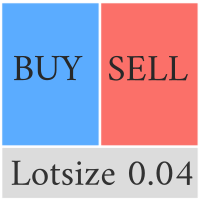
This Pro version of the LotSizePanel let's you set the stoploss with a line. Instantly the ea will calculate the lotsize based on where you drag the line on the chart. Press the "Show Line" button again, and the line dissappears and the ea reverts back to calculating the lot size from an ATR based stoploss again.
I can't see how I would ever trade manually without this panel again.
Remember that autotrading needs to be turned on to place orders with the buttons.

Binance Futures (Vadeli İşlemler) datalarını anlık olarak Metatrader 5 de görebilir ve üzerinde Metatraderın size sağlamış olduğu tüm özelliklerini kullanmanıza imkan sağlar. Binance Vadelide listelenen tüm sembollerin datasına ulaşabilirsiniz. Saat dilimini ayarlamayı unutmayın. Binance saat 00:00 UTC. Kendi ülkenize göre düzeltmeniz gerekiyor. Türkiye için 3 Bedava olan Binance Future Symbol List eklentisini önceden yüklemeniz gerekmekte. https://www.mql5.com/tr/market/product/82891 Yükleme y

What is this indicator? This indicator draws a customized vertical, horizontal, or trend line at any position on the chart. To draw each line, press the hotkey and then click at any point on the chart. Each drawn line is synchronized with other charts by timeframe. (Each chart requires this indicator to be installed)
How to draw a vertical or horizontal line 1. Press the hotkey to enter drawing mode. 2. Move the mouse to any point. 3. Click to draw the line.
How to draw a trendline 1. Press t

What is this indicator? This indicator draws a customized Fibonacci retracement or expansion at any position on the chart. To draw the object, press the hotkey and then click at any point on the chart. Each anchor point magnets to the high or low price of the nearest bar on the chart.
How to draw
1. Press the hotkey to enter drawing mode. 2. Click any point to draw. 3. Drag and drop each anchor point to adjust if needed.
About drawing mode
This mode is for drawing a Fibonacci retracement or

Kullanım Kılavuzu: Çoklu Bağlantılı İşlem Kopyalayıcı (MT4/MT5) Bu sistem, MetaTrader terminalleri arasında işlemlerin otomatik olarak kopyalanmasına olanak tanır ve portföyleri minimum gecikmeyle senkronize etmek için bir iletişim köprüsü görevi görür.
1. Giriş ve Amaç Çoklu Bağlantılı İşlem Kopyalayıcı, ayna hesaplarını yönetmek için tasarlanmış bir altyapı aracıdır. İşlevi, bir Ana hesaptan sinyalleri çıkarmak ve bunları bir Yardımcı hesapta yürütmektir; bu da MT4 ve MT5 arasında alışverişi

you don't have to monitor your trades all the time. save yourself screen time and leave management of your trades to Dynamic Trades Manager. Dynamic Trades Manager is a trading assistant tool. it has automated capabilities to break even, take partial profits, trails stops and to set your risk to reward ratio . it does not take trades on its own but only performs the aforementioned functions when the user has already conducted their analysis and opened a trade. this would save you the time of ha
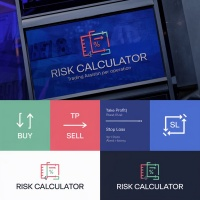
Trading assistant that offers advanced management of your trades with optimization features. It automatically calculates the risk per trade, makes it easy to set up new orders, and offers advanced management tools such as automatic trade closing in 5 different ways. It also has other useful features that will improve your control and decision making. And best of all, you can use it in the strategy tester to perfect your tactics before trading live!
Our trading assistant is a trading tool that
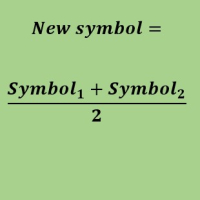
Create a new custom symbol based on average of Multiple arbitrary symbols (for MT5)
An Expert Advisor (EA) used to create custom symbol by averaging multiple input symbols (e.g. EURUSD and GBPUSD) and provide real-time updates. This is an MT4 "offline" chart equivalent which is very simple to use.
You can attach any MT5 compatible indicator or template to this new symbol and perform your technical analysis. You can back-test any EA on this new custom symbol in strategy tester. for example y

It mesures the lot size based on the points measured by clicking with the MIDDLE MOUSE BUTTON then CLICK and DRAG , previous that configure the indicator based on the risk you accept; The risk can be % based on fixed account, actual account size, and fix capital risk; If the INDICATOR DOESN'T WORK propperly try after configuring it CHANGE the TIMEFRAME and GET BACK to the PREVIOUS timeframe, SOMETIMES this FIX IT

Hello, trading with EAs or manual?
We are coming with unique solution of how to protect your hard EARNED profits. Despite the fact you are beginner or experienced user, we all have experienced that trading can turn badly, especially before week / month end. In order to PROTECT your earnings , we are offering Trading Manager that closely overlooks the gains (or protecting the account from extreme losses) and locks the balance if certain profits is reached. HOW TO USE:
1. Please understand that T

Size "Info Trader" bilgi göstergesini sunmaktan mutluluk duyuyoruz.
Kendimiz tüccar olduğumuz için, öncelikle kendi ticaret uygulamalarımızda kullandığımız yazılımlar oluşturuyoruz. Gün içi çoklu döviz ticareti sırasında sürekli olarak "kullanıma hazır" bir bilgi paneline ihtiyacımız vardı.
Muhtemelen fark etmişsinizdir ki, birden fazla enstrümandaki kârı göz önünde bulundurarak hesaba kâr alma kararı vermeniz gerekir. Bunu yapmak için, her ticaretin tüm resmini ayrıntılı olarak görmeniz gere

It is a script that allows you to open all market watch symbols at one go having the current time frame of the opened chart. I have been looking for a script like this for a very long time when I first started trading. Finally figured out how to do it, so no more problem for those who are suffering like me. This is a blessing for me now hopefully for you too. Buy the script, if it does not work as shown full refund. DM me for any problems, this script is only for MT5 . instruction Are : 1 - Keep
This is a break even(BE)/break even-plus(BE+) EA. It moves your stop loss to BE or BE+ based on pre-set percentage of current TP. You can edit the percentage in the input section. This EA sets breakeven for both manually and auto-opened trades. Moving stop-loss to a breakeven or BE+ is popular among traders who wish to safeguard their trades and to let the trades run without incurring a risk of loss. With this EA , you can have your stop-loss orders moved to a breakeven point automati

Binance Spot datalarını anlık olarak Metatrader 5 de görebilir ve üzerinde Metatraderın size sağlamış olduğu tüm özelliklerini kullanmanıza imkan sağlar. Binance Spot listelenen tüm sembollerin datasına ulaşabilirsiniz. Timezone ayarlamayı unutmayın. Binance it's 00:00 UTC. Kendi ülkenize göre düzeltmeniz gerekli Bedava olan Binance Spot Symbol List eklentisini yüklemeniz gerekmekte. https://www.mql5.com/tr/market/product/83507
Yükleme yaptıktan sonra belirttiğiniz tarihten itibaren piyasa göz

Kraken Crypto Exchange Vadeli İşlemler Geçmişi Güncelleme Paneli
Özellikler :
1. Sembol için Kraken API'sinden temin edilebilen ayar ve güncelleme geçmişine dayalı olarak sembol oluşturacaktır. Bu panel Kraken Vadeli İşlem sembollerindeki geçmişi Açık Yüksek Düşük Kapat verileriyle günceller, Ayrıca Geçmiş Güncellemesi tamamlandığında mesajı yazdırır. Lütfen bunun CANLI Veri olmadığını unutmayın.
3. Araçlar > Seçenekler > URL'den Webrequest'e İzin Ver sekmesinde belirtildiği gibi Kraken API

Risk Controller Expert Advisor, hesabınızdaki ticaret danışmanlarınızın toplam riskini kontrol etmenizi sağlayan bir programdır. Bu program ile tüm danışmanlar için hesapta izin verilecek maksimum riski kontrol edebilirsiniz. Örneğin, maksimum düşüşün %30'u riskini belirlersiniz, yani hisse senedi alım satım robotlarınız %30'luk riski aşarsa, Risk Kontrolörü tüm danışman pozisyonlarını kapatacak ve ayrıca tüm açık çizelgeleri kapatarak, danışmanlar daha fazla çalışmaktan. Uzman Danışman, ortala
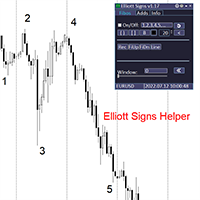
Elliott Signs Helper - A panel for marking Elliott signs and technical analysis. This is not an EA, This is an indicator that You can use to draw signals on the chart.
Wave Analysis:
Allows you to build a wave analysis in a few clicks with the definition of the type and order of waves. - Choice of color, style and font of waves is available. - Marking of impulses, triangles, zigzags, flats, simple and complex combinations is available.
For more information and how to use the indicator, ple
Definition :
Risk Monitor is an expert for Analyzing, monitoring, controlling account risks.
Strategy :
Analyze Each Currency Volume and Direction on Account and Sort Them Find and Suggest Best Three Symbols in Opposite Direction (Hedging Positions) for Controlling Risk. Analyze User-Defined Position and preview effect before placing /Closing
Features of EA :
Graphical Interface Show Risk Graph for each currency Smart Analyze and suggest best hedging positions

Special offer for the next 10 copies
Are you tired of manually navigating through menus and inputting data every time you want to execute a trade or open an order on Meta Trader? Our hotkey tool is here to make your life easier and boost your trading efficiency. Our tool is natively coded for lightning-fast performance and comes loaded with all the features you could possibly want. From pending orders and OCO orders to trailing and multiple buckets, it has everything a scalper could need. And

Bionic Forex - Humans and Robots for profit.
Patience is the key.
The strategies are based on:
- Tendency
- Momentum + High Volatility
- Dawn Scalper + Support Resistence.
Again, patience is the key.
No bot is flawless, sometimes it will work seamlessly, sometimes it simply won't. it's up to you manage its risk and make it a great friend to trade automatically with fantastic strategies.
Best regards,
Good luck.,
Pablo Maruk.

Reward Multiplier is a semi-automatic trade manager based on pyramid trading that opens additional orders with the running profit of your trades to maximize return exponentially without increasing the risk. Unlike other similar EAs, this tool shows potential profit/loss and reward to risk ratio before even entering the first trade! Download Demo here (starting lot is fixed at 0.01) Contact me to get a 7 days trial version of the product with full functionality.
Guide + tips here MT4 version

The AlgoKing Squawk Trendlines script will auto draw trendlines on your chart to use with trendline break and retest strategies. Simply drag the script onto your chart.
Recommendation: Be sure all candle bars that you want to include in the trendline calculation are visible. Draw trend lines using multiple timeframes. Delete all lines that you do not want to use in your strategy. Benefits: Join the AlgoKing Lightning Bolt Expert Advisor support group: https://www.mql5.com/en/messages/02E3BDCF

This Service, export the account Orders/History Orders/Deals/Position on each new change. It save at a common folder with path = <DATE>\\<Server Name>.<Login>.<DATE>.<filetype>.csv Each file type have an header You can use it to receive OMS changes and source SQL Servers outside metatrader with bash scripts or others tools, each time the file change you can read it and get new updates, it works using SharedRead option when opening/flock the file.

Kullanım Kılavuzu: MICROLOTS DERIV (Hacim Yönetim Paneli) MICROLOTS DERIV sistemi, belirli brokerlar tarafından uygulanan hacim sınırlamalarını aşmak için tasarlanmış, özellikle sentetik endeksler veya türev piyasalarında kullanılan gelişmiş bir yürütme aracıdır. Temel amacı, brokerın küçük hacim adımlarına izin vermesi kaydıyla, yatırımcının varlık sözleşmesi tarafından izin verilen minimum hacmin altında pozisyon açmasına olanak tanımaktır.
1. Giriş ve Amaç Birçok piyasada broker minimum bir

Данный советник - это аналог TakeProfit и StopLoss, только невидимый брокеру и остальным участникам рынка. Удобная вещь для скальпирующих стратегий, использующих одинаковый StopLoss и TakeProfit - один раз установил размер предполагаемых убытка и прибыли и далее остается только при соответствующем сигнале открыть позицию, а советник закроет ее сам при достижении установленных уровней.
This EA trails your stops based on percentage of current TP, for both manually and auto-opened trades. You can edit the percentage value in the inputs. Trailing stop is a more flexible variation of a normal exit order. T railing stop is the practice of moving the stop-loss level closer to the current price when the price moves in your favor. Trailing the stop-loss allows traders to limit their losses and safeguard their positive trades. It is a very popular practice. This EA will manage you
TRAILINATOR is a unique Solution to use different Trailing-Stop Variants and change your Tradesetup via Remotecontrol. You configure your Tradesetup for a specified Symbol only once. This setting will be used for all your Positions of the same Symbol. Currently we support these Features: different Trailing-Stops: Standard: works like you use in Metatrader Terminal, starts trailing if your profit is greater than trailing stop Start after points: trailing stop will start after your defined poin
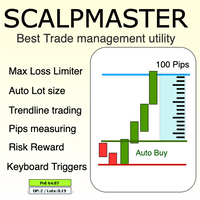
The Scalp Master tool not only provides proper trade management but also helps a trader to build a proper psychology and discipline to gain consistent results in his trading. It offers Max loss Limiter ( Risk per position ) and RPT limiter (Risk per trade), Auto calculates Lot size, CLOSE multiple trades with single click. Buy, Sell, Close with default Trend line and Horizontal line , Pips measuring tool, risk reward measuring tool and many other features. This tool offers to place quick

Description :
A utility to create and save screenshots automatically and send to a chat/group/channel on telegram.
The saved/sent image file will include all objects that exist on the chart and also all indicators are displayed on the chart.
Features: Save screenshot of chart including all objects, indicators, ... Send screenshots to a telegram chat/group/channel
Wide range options to select when create screenshots
Logo and text adding feature
Inputs and How to setup the EA :
Various option

Drawdown Limit EA Prop Firm trading MT5
If you found this EA, it's probably because you want to get a funded account with a prop firm, but you see a rule that most of traders fear : Maximum Daily Drawdown. I've been through this problem myself as I'm a prop firm trader and I've made a bot to solve this rule, and you can get it to solve this problem too.
How does it work ?
When you first setup this EA, you need to input the initial deposit which corresponds to the size of your funded account.
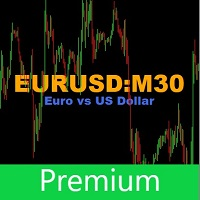
This utility tool shows the ticker symbol, timeframe, and description information as a watermark on the chart. Text resizes automatically according to chart size. It is useful to identify the correct chart when multiple charts are shown on the screen. Premium version supports changing font name and color independently for symbol name and description, and defining screen location for symbol placement. See the demonstration video below!
Symbol Name Inputs: Font Name: Specifies font used. Needs

Close All and Change Take Profit and Stop Loss All Orders. Main Features
Ability to Close All Orders the Symbol you put this EA. Ability to Change Take Profit to All Order. Ability to Change Stop Loss to All Order. Show Order count. Show Average price with info and Horizontal Line. Show lot open.
Show Price diff from average to price now Show broken price with info and Horizontal Line. Easy to use . How to use
Close All (Symbol) PC : you can click on CloseAl

Size Calculator allow you to calculate the size you need for your position giving two parametres: the number of pips risked and the money risked, for example if you want to risk 20 USD on 200 pips, then you will need to input 200 in the case reserved for pips and 20 in the case reserved for risk, the size will appear in left top carner of the chart in your metatrader 4 platform, Size Calculator support the following symbols : EURUSD GBPUSD AUDUSD NZDUSD GOLD WTI EURJPY GBPJPY USDJPY AUDJP
Telegram Utility EA, herhangi bir özel/genel bota bağlantı verir ve aşağıdakileri yapmanıza yardımcı olabilir: Komutla Tüm Siparişleri Anında Kapatın. Komut, özel parolanızla kodlanmıştır ve yalnızca siz bilirsiniz. Telegram botu, tüm siparişlerin ne zaman kapandığını size söyleyecek ve hatta MT5 Terminalinizde çalışan diğer tüm EA'ları Duraklatacaktır. Terminalde çalışan diğer EA'ları tek bir tıklamayla Duraklatın/Sürdürün! Ticaret raporunu pip formu veya para formu ile dışa aktarın. Bot'a vey
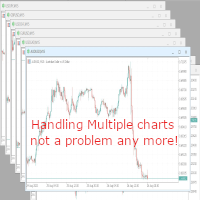
With this script you can open or close multiple charts with just one click. Please follow the instructions below; Set your desired symbols in the market watch window. Open one chart. Attach the script to the chart In the input values just select the time frame of your chart. Set open chart value to true. Click ok. To close the charts follow step 3 and 7. In input values set open chart value to false and close chart value to true
Yahoo Finance verilerine otomatik olarak erişin ve MetaTrader 5'te özel semboller oluşturun. Gösterge veya Uzman Danışmanların aksine, bu hizmetin bir grafikte çalıştırılmasına gerek yoktur. Arka planda çalışır ve brokerınızın sunmadığı piyasa verilerini sürekli olarak günceller. Ana Özellikler: Özel piyasa verileri : VIX, DOLLARINDEX, T-Bond, SP500, NASDAQ100 ve Vanguard Total Stock Market (VTI), SPDR S&P 500 (SPY), iShares MSCI Emerging Markets (EEM), Invesco QQQ Trust (QQQ) gibi birçok ETF'ye

Do not buy before seeing the Danko Trend Color product, as this panel is a way to view a summary of this indicator on various timeframes.
The Danko DTC Panel utility allows you to look at the trend in up to 5 timeframes. When clicking on the timeframe texts, a new window will open with the indicator plotted on the screen so you can see the complete chart. The width of the panel, with the amount of candles you want to see, is customizable, see the images below.
Ao clicar nos textos dos timeframe
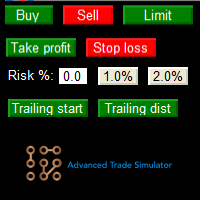
Advanced Trade Simulator for MT5
It is an indicator you can attach to any chart and then buy and sell the given symbol virtually. No actual trading takes place. You can attach it to multiple charts. Then you can buy multiple symbols.
A more detailed description here: https://www.mql5.com/en/blogs/post/750336 Features:
- buy and sell immediately on the given time frame - market , limit and stop orders - generalized OCO, more than 2 orders can cancel each other. - OSO, one sends another.. - bu

Whosa TradePad for MetaTrader 5 Do you trade in MetaTrader 5? Calculating Pips yourself and calculating your risk yourself is a thing of the past with our Tradepad. With this Tradepad you can place your trade in MetaTrader in no time. This Tradepad is fully equipped. Automatically calculates your risk which you can enter in percentages and amount of dollars. Check the video to see all the features! (The video is in Dutch, but you can see the features) This TradePad only works with a new password
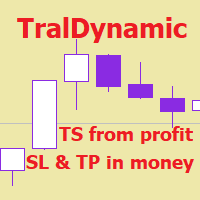
The utility for managing open positions can work with stops (take profit and stop loss) in money, percentages or points. The built-in trailing stop starts working from profit, the size of which can be set in currency or as a percentage. With the help of the built-in trading simulator, you can check how the utility works in the strategy tester. Benefits setting stop loss and take profit in the deposit currency, as a percentage of the account balance or by points; adding stop loss and take profit

Deals printscreen, daha fazla analiz için hesaptaki işlemlerle resimlerin kaydedilmesini otomatikleştirmek için tasarlanmış bir komut dosyasıdır. Panel, geçmişteki işlemlerin aranmasıyla ilgili teknik çalışmaların süresini önemli ölçüde azaltmanıza ve dosyaların bir resim biçiminde kaydedilmesine ve işlemin tüm parametrelerinin görüntülenmesine ve çizilmesine olanak tanır.
Bu komut dosyası hangi görevleri çözer:
İşlem geçmişinizde istediğiniz işlemi aramanıza gerek yoktur: sadece bir dönem
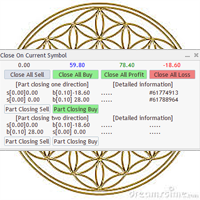
Utility / EA to simplify the exit from the drawdown. Allows you to gradually exit the drawdown correctly, reducing the volume of losing trades. At the same time, profitable trades opened on the same symbol cover losing trades in whole or in part. The volume of partial closing of a losing trade is calculated automatically. Trades opened both in one direction and in the opposite direction are supported. Position Management Closing positions only for purchase, only for sale, only profitable, only

Katana Trading Panel is a tool with many features that help you open and manage your trades more easily. Note: - Click here for Tutorial and Download demo .
- Click here for Katana Trading Panel MT4
- G o to my profile to message me .
- This EA will not work in Tester
The Features: - Line Preview: Show preview on the chart for opening price, take profit and stop loss. It's draggable and contains some valuable information. For market trade and pending trade. - Opening Trade Setting :

Spread Control , MetaTrader 5 için mevcut spread değerini ve spread değişimini doğrudan enstrüman grafiği üzerinde izlemenizi sağlayan kompakt bir indikatördür. Özellikler Gerçek zamanlı mevcut spread Son değerlerin geçmişini gösteren spread değişim grafiği Görüntülenen dönem için LOW / AVG / HIGH hesaplaması Spread durumunun renkli gösterimi: normal seviye; uyarı seviyesi; kritik seviye Mevcut spread değerinin görsel ölçeği Güncel Bid ve Ask değerlerinin gösterimi Piyasa aktivite göstergesi: LI
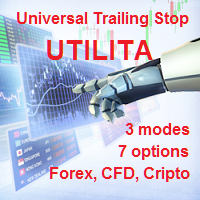
The utility for manual trading to manage open positions.The built-in trailing stop has three modes and seven instruments: by pips, by bar extremes, by fractals, by volumes, by MA, by Parabolic SAR and by ATR. With the help of the built-in trading simulator, you can check how the EA works in the strategy tester. Guide to UTrailingMiniMT5 can be found in the "Comments" section. Benefits 3 trailing stop modes: normal, total and mobile stop loss; 7 options: by points, by bar extremes, by fractals, b
5 EMA Scalping Strategy Multi Symbol Scanner
This EA utility will scan all symbols which are selected in marketwatch and alert when such condition is formed in chart when Candle low is above EMA 5 for Sell alert and Candle high is lower from EMA5 so you can be ready before selling or buying for scalping purpose on 5min chart For more details watch attached video Logic : When a candle closes above 5 EMA in 5 mins chart, Wait for its low to break and Sell when low is broken by wick, Your SL shou
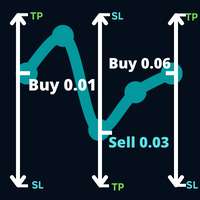
Piyasanın takip etmeyi planladığı ticarete ve ticaret ticaretinizde bekleyen bir ticaret emrini takiben ticaret ticaretinizde meydana gelen bir ticarete ilişkin bir yön açın.
Örnek: 0,01 lot ile 0,03 puanlık bir alım işlemi, 0,01 lot ile 0,01.0930 fiyattan alım, ardından 0,03 puanlık bir satış stop emri kararlaştırılacaktır. 0,06 lot ile 1,0930 fiyattan yeni bir buy stop emri verilir.
parametreler: Hacim -> İlk işlemin hacmi.
Kâr Al -> Birkaç noktada kâr garantisi.
Max Hedge -> Yapılaca
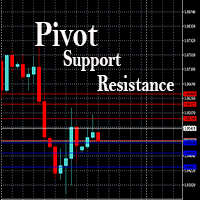
This EA is designed to calculate and draw Pivot Point, Support and Resistance for your selected time frame on the chart.
Works on all currency pair and on any time frames available on MT5.
To make sure the EA works, you need to select the pivot time frame as well as the candle shift that you want to calculate the pivot.
0 = Current candle on chart
1 = Previous 1 candle on the chart

Stack Manager is a MT5 utility that is built to help traders: manage existing stacked trades (multiple trades opened on the same symbol) copy SL / TP levels to newly opened trades update SL / TP levels for all stacked trades, if one SL or TP level is modified calculate and show global SL / TP in currency and points (for all open trades in a stack) SL / TP autocomplete from phone (if left on a VPS, traders can place orders on a phone and SL / TP levels will be copied from the existing trades)
Id
Trailing Stop toolbox MQL5, better and friendly. Trailing Stop tool box using Moving Average, Parabolic SAR, Ichimoku Kijun-sen, trailing stop normal, trailing stop by candle, trailing stop by targets and trailing stop by lowest, highest candle numbers. Manage orders by currency pairs and comments, trailing one or many orders at same time. Mql4 versition: https://www.mql5.com/en/market/product/68181
Workflow: Set your comment, profit, stoploss, lotsize, t imeframes and chose indicator for begi

Senin favori sembollerini izle Çok fonksiyonlu araç: 66+ özellik, bu araç dahil | Sorularınız varsa bana ulaşın | MT4 sürümü Bu araç ayrı bir pencerede açılır: hareket ettirilebilir (her yere sürükle) ve küçültülebilir [v]. Panelde izleme listesini ayarlayabilirsiniz: [edit list] e tıklayarak izleme listesinden sembol ekleyebilir / çıkarabilirsiniz. Hesaplanan değer: son [closed bar] veya mevcut [floating bar] olabilir. Hesaplama için [timeframe] seçin. Değer sıralama için 2 tür vardır

Good money/risk management is more than just position sizing, it's much more. Successful traders analyze your trading activities and keep an eye on your key figures. With the help of AccountMan you can also do this very conveniently, analyze your trading activities for the purpose of professional money / risk management. Evaluate your trades by trade symbol to see if trading is profitable overall with these. Would you like to keep an eye on your individual strategies? e.g. which strategy works b
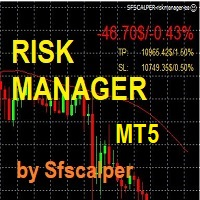
RISK CONTROL MANAGER
Now You can have the same control over risk management as big trading rooms, institutional investors and hedge funds. Managing risk is a fundamental operation for your brokerage. Choose your maximum desired risk exposure in percentage to Your account, set it on the RISK CONTROL MANAGER, the EA will check and make sure that You'll never exceed that. When You ignore the trading risk, and you leave your operations open, that potentially could lead to catastrophic trade expos
Boleta de Operação que funciona para o Mercado B3 feita para Mini Indice e Mini Dollar com Cálculo de Risco e Retorno da Operação. Características e informações: Ao colocar o EA no gráfico inicialmente serão apresentados 1 painel e 3 linhas todos com informações a respeito de operações, saldo e cálculo que facilitam o Trader a ter um operacional mais seguro e menos arriscado. O intuito desta ferramenta é fornecer dados em tempo real para que o Trader (ANTES MESMO DE ABRIR A ORDEM) consiga obter

Trade management is a system that helps you manage your operations, that is, you perform the analysis, and we manage the operations as follows: Automatic Stop Loss once the trade is opened is a short or long with a maximum risk of 1% of the account. Trailing Stop as the price moves in your favor. Risk management is handled in a 2:1 , once the operation reaches a 1:1 move Stop Loss to break even . Once the trade reaches a 2:1 closes half the lot, securing the profit and allowing the operation

Expert Advisor for Automatic Stop Loss and Take profit , calculated by Pips and cover all major pairs . you can activated the EA in your chart then place orders manually and the EA will be place TP and SL automatically for all opened orders , covered Buy market , Sell Market , Buy stop , Sell Stop , Buy limit , Sell limit . it is an easier tool that help you manage your order without effort . 10 Pips = 100 Points Pending orders SL and TP will be placed once order is activated . MT4 Version : ht
MetaTrader Mağazasının neden alım-satım stratejileri ve teknik göstergeler satmak için en iyi platform olduğunu biliyor musunuz? Reklam veya yazılım korumasına gerek yok, ödeme sorunları yok. Her şey MetaTrader Mağazasında sağlanmaktadır.

Alım-satım fırsatlarını kaçırıyorsunuz:
- Ücretsiz alım-satım uygulamaları
- İşlem kopyalama için 8.000'den fazla sinyal
- Finansal piyasaları keşfetmek için ekonomik haberler
Kayıt
Giriş yap
Web sitesi politikasını ve kullanım şartlarını kabul edersiniz
Hesabınız yoksa, lütfen kaydolun