 MetaTrader 5
 Uzmanlar
 Göstergeler
 Kütüphaneler
 Yardımcı programlar
 Widget'lar
 Kurallar
YouTube'dan Mağaza ile ilgili öğretici videoları izleyin
Bir alım-satım robotu veya gösterge nasıl satın alınır?
Uzman Danışmanınızı
sanal sunucuda çalıştırın
sanal sunucuda çalıştırın
Satın almadan önce göstergeyi/alım-satım robotunu test edin
Mağazada kazanç sağlamak ister misiniz?
Satış için bir ürün nasıl sunulur?
MetaTrader 5 için yeni alım-satım yardımcı programları - 27
 Aşağıda MetaTrader 5'te işlem yapmayı kolaylaştıran alım-satım programları bulunmaktadır. Açıklamasını ve amacını okumak için aşağıdaki listeden ürünün üzerine gelin.
The market can do anything. Your prop firm's limits cannot. Prop Firm Guard makes sure you never cross them: it watches your account in real time and closes everything BEFORE your daily-loss or maximum-loss limit is touched, whatever opened the trades: you, an EA, or a copied signal. It never trades a strategy of its own and promises no profit. It does one thing, reliably: keep you on the safe side of the wall.
In short
- Closes every position and blocks new trades BEFORE your daily-loss or m

Helm Trade Manager Helm Trade Manager brings a clean, TradingView-style workflow to MetaTrader 5. Instead of typing prices into order windows, you drag three lines directly on the chart — Entry, Stop Loss and Take Profit — and the panel instantly shows you everything you need to make the decision. What it does Draggable Entry, Stop Loss and Take Profit lines on the chart. Automatic lot sizing based on your risk: choose a percentage of your balance or a fixed money amount, and the panel calculate
FREE

Assistant Trader MT5 Check Pro version with OCO feature and fluid drawings : Assistant Trader Pro MT5 | Buy Trading Utility for MetaTrader 5 Assistant Trader MT5 is a MetaTrader 5 manual trading assistant for fast multi-leg order execution. It is built for traders who need to copy signal levels, split entries into legs, and manage trades with less delay.
Detailed Introduction
Assistant Trader MT5 provides a compact chart dashboard for placing and managing multi-leg trades in MT5. It is intende
FREE

Edge Analyzer — Multi-EA Performance Truth Find out which of your Expert Advisors actually has a statistical edge — and which one is just noise. Reads your real trade history, groups it by EA, and gives you an honest verdict.
Which of your EAs is actually making money? You're running several Expert Advisors. Your account moved this month — but which EA earned it? Which one is quietly bleeding? And that impressive win rate on your favourite bot: is it an edge, or a lucky streak that's about to e
FREE

Bring sniper-like focus to your manual trading. Forest Sniper is a lightweight, razor-precise trading panel for MetaTrader 5 built for active traders who want effortless execution and tight risk control across any currency pair. Whether you scalp, swing, or manage multiple positions, Forest Sniper gives you the essential controls on-screen so you trade faster, cleaner, and with confidence. Key benefits Execute with speed: One-click buy, sell, and position close controls remove friction so you en
FREE

Control Pro v1 — Advanced Manual Risk Manager & Visual Trading Panel Control Pro is a premium, high-speed manual trading assistant and visual utility panel designed for MetaTrader 5. Built specifically for serious price action traders, scalpers, and day traders, this tool eliminates manual lot-size calculations and execution delays. It allows you to manage your risk dynamically using intuitive on-chart visual elements. With Control Pro , you can plan your trades visually before executing them, e

Codex Assistant Pro is a professional on-chart trade panel that turns manual trading into a fast, disciplined, one-click workflow. Place orders with automatic risk-based lot sizing, manage SL/TP by dragging zones directly on the chart, and let the built-in risk guards protect your account. Works on any symbol and timeframe. Netting and hedging accounts supported. 5- and 3-digit brokers are detected automatically. This is a manual trading utility — it does not trade by itself and is not intended

This MT5 chart synchronization and swing excursion analysis tool is designed to help traders study price movement across multiple time frames from a single, coordinated workspace. It synchronizes several MetaTrader 5 chart views using a shared, draggable vertical reference line, allowing the same historical moment to be examined simultaneously across different time-frame charts. When the reference line is moved on one synchronized chart, the tool automatically updates its position on every conne

Smart Multi Entry Risk Manager EA Description Smart Multi Entry Risk Manager EA is a professional MetaTrader 5 Expert Advisor designed to simplify trade management and automate risk control. It automatically applies Stop Loss and Take Profit to manual and pending orders, creates multiple pending orders inside a user-defined price zone, and continuously monitors all positions to maintain consistent risk management. The EA includes a live dashboard that displays account balance, equity, active tra

Semi-Auto Zone Sniper is an advanced, semi-automatic trading utility designed for smart traders who trade based on Supply/Demand zones and pure Price Action. Instead of relying on black-box algorithms, this tool empowers you to be the master of your own strategy. You draw the trading zones based on your market analysis, and the EA will patiently wait like a sniper to execute the trade when the perfect Pin Bar setup forms inside your designated zone. It completely removes the emotional stre

Permanent Crosshair MT5 Tired of MetaTrader 5's clunky, disappearing crosshair? The Permanent Crosshair MT5 completely revamps your charting workflow by bringing a modern, persistent crosshair experience to MT5—similar to modern web-based charting platforms. Unlike other basic or free crosshair indicators that constantly block your mouse cursor and make it impossible to modify your charts, this utility features an intelligent Smart Click-Toggle mechanism. Key Features Always-On Visibility: The c

Bastion is a monitor-and-close-only risk manager for prop-firm traders. It watches your account against your firm's daily-loss and maximum-drawdown limits in real time and force-closes your open positions BEFORE you cross a line. It never opens a trade of its own, so it stays fully within the tools allowed by FTMO, FundedNext, The5ers, FTUK and FXIFY.
Why traders fail challenges A large share of failed evaluations end on a single daily-loss breach: a moment of inattention, a news spike, one tra

TradeHelm is an on-chart trade panel for prop-firm traders. Every action it takes is aware of your firm's rules: entries are sized to your risk AND capped by your firm's remaining daily-loss budget, so a single click can never place a position large enough to breach your day.
The difference Every trade panel sizes positions from a risk percent. TradeHelm shows two numbers - your risk lot and the budget-safe lot that your firm's remaining daily drawdown can actually absorb - and trades the small

Zirk Trading Management Zirk Trading Management is a powerful trade management utility for MetaTrader that helps traders execute trades with consistent risk management. It is designed to simplify position sizing by automatically calculating the correct lot size based on your chosen risk percentage and stop-loss distance. Instead of manually calculating lot sizes, simply set your desired account risk (e.g., 1%), place your stop loss, and the utility instantly determines the appropriate trade volu

SignalGate connects a Telegram channel to MetaTrader 5 and executes its signals - through a prop-firm risk gate.
Inbound It reads signals from one configured chat and places them at market: formats like "BUY XAUUSD SL 2310 TP 2340", "GOLD LONG sl=2310 tp=2350", and multi-target signals (TP1 is used). Aliases such as GOLD, US30, NAS100, OIL and BTC are mapped to your broker's symbols.
The gate Every signal passes your firm's risk check first. Near a drawdown breach or inside a firm news window,

Auto Gold Signals Telegram Bot – French Edition Automatisez entièrement votre canal Telegram de signaux Gold Auto Gold Signals Telegram Bot – French Edition est un Expert Advisor MetaTrader 5 développé pour automatiser entièrement la publication de vos signaux de trading XAUUSD (Gold) sur Telegram. Conçu pour les traders, fournisseurs de signaux, influenceurs Trading et gestionnaires de communautés Telegram, le bot détecte automatiquement les opérations exécutées sur votre compte MetaTrader 5 et

Solarize – Professional Trading Panel for MetaTrader 5 Solarize is a premium trading panel designed for traders who demand speed, precision, and efficiency in every execution. Built with a luxurious Black & Gold interface, Solarize combines an elegant design with practical trading tools, allowing traders to manage positions, pending orders, risk, and account statistics from a single control panel. Whether you're a scalper, intraday trader, or swing trader, Solarize helps simplify your workflow
FREE

## What It Does
2RICH.CAPITAL APP SYNC is a lightweight MetaTrader 5 Expert Advisor that acts as a push client, automatically syncing live positions and closed trade history from a trader's MT5 terminal to their personal journal on the 2RICH Capital website. Rather than requiring manual CSV exports or imports, the EA connects once with a secure API key and connection token, then reports account and trade data to the platform on a recurring interval.
## Core Features
- Multi-user architecture
FREE

Guardian Magic GT - Risk Management Expert Advisor for MetaTrader 5 PROTECT YOUR TRADING CAPITAL WITH INTELLIGENT RISK MANAGEMENT Guardian Magic GT is a professional-grade Expert Advisor designed to safeguard your trading operations by implementing sophisticated risk control mechanisms. Whether you run a single bot or manage multiple automated trading systems simultaneously, Guardian Magic GT provides real-time monitoring and automatic position management to ensure your account stays within your

Aizen Trade Manager Pro Professional Trade Management for Traders Running Multiple Positions Opening a trade is the easy part. Managing it correctly—especially when you have several positions open at the same time—is where consistency is won or lost. Aizen Trade Manager Pro is a professional button-driven trade management panel that runs directly on your MetaTrader 5 chart. It does not generate signals, predict market direction, or execute trading strategies. Instead, it simplifies every repetit

Prop-Firm Risk Guardian watches your MetaTrader 5 account in real time. When any rule you have set is breached, Guardian closes the offending positions and locks new entries. It does not open trades. It does not prevent order placement, because no chart-attached EA can do that. It reacts to a breach within one tick, which is what saves the account.
This is a rules utility for funded-challenge, funded, and personal accounts. All account data stays on your terminal. Optional Telegram alerts use y

Multi Symbol Volatility Alert MT5 is a multi-symbol volatility notification tool for MetaTrader 5.
The product monitors selected symbols at the same time and sends a terminal alert or mobile push notification when price movement exceeds the user-defined pip threshold within the selected time window.
For example, it can be used to receive alerts when USDJPY moves 40 pips within 7 seconds, or when USDSEK or USDNOK moves 200 pips within 7 seconds.
The product does not open, modify, or close tra

Compare two MetaTrader 5 Strategy Tester reports and instantly identify what improved, what degraded, and which trading segments should be kept, reviewed, or removed. Strategy Slice MT5 is a research and backtest analysis utility designed for EA developers, systematic traders, and MQL5 freelancers. The application compares two MT5 HTML Strategy Tester reports: Report A: the original or previous version Report B: the modified or optimized version It then converts both reports into a structured A/

Signalator Local Trade Copier MT5 , Master ve Receiver terminallerini aynı bilgisayar veya VPS üzerinde çalıştırmak için geliştirilmiş hızlı bir yerel trade copier'dır. MT4, MT5 ve cTrader terminalleri arasında her yönde çapraz platform kopyalamayı destekler: MT4 ↔ MT5 ↔ cTrader ve diğer tüm kombinasyonlar. Harici bir bulut relay kullanmadan işlemleri yerel olarak kopyalayın. Master, işlem etkinliğini yerel bir bridge üzerinden yayınlar; her Receiver ise neyin kopyalanacağını, hangi Master hesap

King Trade Copier, aynı bilgisayarda veya VPS'te çalışan iki ya da daha fazla MetaTrader terminalini birbirine bağlar. Bir terminal işlemlerini gönderir, diğerleri onları alır. Tek bir dosya her iki rolü de taşır, bu yüzden dosyayı ekleyip göndericide Mode'u Master, her alıcıda ise Slave olarak ayarlarsınız. Grafikteki bir panel terminalin rolünü, kaç alıcının bağlı olduğunu, hangi hesabın gönderdiğini ve son sinyalin ne kadar eski olduğunu gösterir. Bir işlem kopyalanmadığında, neden panele ya

CandleCloseTimer — mum kapanışına kalan süre üzerinde tam kontrol CandleCloseTimer, mevcut mumun kapanmasına kalan süreyi doğrudan grafik üzerinde gösteren, MetaTrader 5 için geliştirilmiş kompakt bir yardımcı programdır. Zamanlayıcı mevcut fiyatın yakınında yer alır; böylece gerekli bilgi, yatırımcının en sık baktığı yerde, fiyat ölçeğinin yanında her zaman görünür durumda olur. Bu yardımcı program işlem açmaz, alım satım sinyali üretmez ve platformun çalışmasına müdahale etmez. Amacı, seçilen
FREE
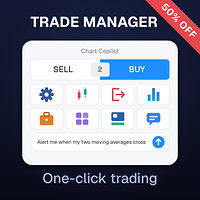
Chart Copilot , yatırımcıların daha hızlı işlem yapmalarına, açık pozisyonlarını yönetmelerine ve her türden uyarıyı doğrudan grafikten ayarlamalarına yardımcı olmak için tasarlanmış bir işlem asistanıdır. Tüm bu özelliklere grafik panelin yanı sıra konuşma tabanlı bir chatbot aracılığıyla da erişilebilir. Ek Materyal ve Talimatlar: Deneme sürümü - Kurulum talimatları Chatbot
Chart Copilot, büyük bir dil modeli çalıştıran özel bir sunucuyla birlikte gelir; bu, kendi API anahtarınızı oluşturmanı

MQT Lot Size Calculator, seçtiğiniz risk için tam lot büyüklüğünü hesaplar — öz sermayenin yüzdesi ya da sabit bir tutar — grafikteki üç sürüklenebilir çizgiyle: Giriş, Stop Loss ve Take Profit. Ücretsiz, hafif ve yalnızca hesaplama amaçlıdır: asla işlem açmaz, değiştirmez veya kapatmaz. Nasıl çalışır (mantık özeti): Yön, Stop Loss'un konumundan çıkarılır (girişin altında = alış, üstünde = satış). Risk tutarı = öz sermaye x risk yüzdesi (ya da sabit tutarınız). Lot başına zarar = Stop Loss mesaf
FREE

SAB Advance Assistant, MetaTrader 5 icin manuel bir islem yonetim panelidir. Her islemi grafik uzerinde gorsel olarak kurun, riskinizi tam olarak kontrol edin ve entegre motorun kismi kar alimlarini, break-even ve trailing'i yonetmesine izin verin - hepsi tek, temiz ve yeniden boyutlandirilabilir bir panelden.
Tablolar olmadan hassasiyet isteyen iradi ve ICT/SMC traderlar icin tasarlanmistir.
TEMEL OZELLIKLER - Suruklenebilir Entry, Stop Loss, TP1-TP5 ve Final TP cizgileri, canli etiketlerle

MQT Prop Guard DD, prop firm hesaplarını günlük zarar limitinin ve toplam düşüşün (drawdown) aşılmasına karşı korur. Öz sermayenizi her saniye izler ve challenge'ınızın günlük limitine ulaşılmadan önce her şeyi kapatır, ardından bir sonraki günlük sıfırlamaya kadar işlemi kilitler. FTMO, The5ers veya FundedNext gibi prop firm'lerin kurallarıyla uyumludur (firmanızın kesin sıfırlama saatini ve limitlerini her zaman doğrulayın). Nasıl çalışır (mantık özeti): Ayarlanan sıfırlama saatinde (sunucu sa
FREE

Daha hızlı işlem yapın. Riski daha akıllıca yönetin. Güvenle işlem gerçekleştirin. Lansman kampanyası! Satılan her 10 kopya için fiyat artacak. Son fiyat: 100$. Benzer işlem yöneticilerinin fiyatı 100 ABD doları! Kullanım Kılavuzu - Demo hesabı için uygulamanın deneme sürümü Trading Terminal Pro, hassasiyet, hız ve tam kontrolü tek bir yerde isteyen yatırımcılar için tasarlanmış, MetaTrader 5 için gelişmiş bir işlem yönetim panelidir. Birden fazla pencere ve manuel hesaplamalarla uğraşmak yeri

Daily Loss Limit and Equity Drawdown Protection for MT5 - Risk Manager for Prop Firm and Funded Accounts It enforces your daily loss limit, weekly loss limit and equity drawdown brake on every position, however it was opened. Account Guardian is a protection utility - it does not trade by itself
and it does not promise any profit. It watches your entire account and
steps in when your risk rules are broken, no matter whether the positions
were opened manually, from the mobile app, or by anothe

Prop Firm Challenge Rule Enforcer for MT5 - Pass Your Challenge and Keep Your Funded Account The automated daily loss and drawdown rule enforcer for FTMO, FundedNext, Funding Pips, The5ers and any prop firm. The number one reason traders fail prop firm challenges is not a bad strategy – it is one bad day. One oversized loss, one revenge trade, one news spike, and weeks of disciplined work are gone. Challenge Guardian is an automated rule enforcer for MetaTrader 5. It watches your account in rea

MD Trade Manager - Expert Advisor for MetaTrader 5
Description: Risk in % or Fixed Cash — the mode toggle Draggable Entry/SL/TP Lines — core visual planning workflow Auto-Follow Live Price — risk staying accurate as market moves Risk:Reward Auto-Sync — TP repositioning with SL drag Automatic Breakeven — SL auto-lock at trigger % Live Trade Duration Tracking — the one you flagged as important, calling out the exact hold-time display and its prop-firm use case specifically. Minimize & Drag Anywher

Short summary (teaser) A modern, multi-language one-click trading panel for MetaTrader 5 with editable stop loss/take profit, trailing stop, breakeven automation, pending orders, and a built-in timeframe switcher. Full description Modern Trade Panel is an on-chart control panel for manual and semi-automated trading in MetaTrader 5. It removes the need to open the standard order window for routine actions — placing trades, adjusting stop levels, managing pending orders, and switching timeframes c

Analyze Less. Understand More. Trade with Greater Confidence. BMAE (Best Market Analyser Edge) is a semi-automated trading assistant designed to help beginner, intermediate, and experienced traders analyze the markets more efficiently, identify high-probability trading opportunities, and gradually build their trading independence. Less hesitation. More structure. More confidence in every trading decision. Trading Shouldn't Be This Complicated... At first, everything seems simple. You open a char

Smart UI Pro — Intelligent Manual Trading Assistant
Smart UI Pro is an intelligent trading assistant designed for ALL traders — beginners and professionals alike. Every essential function is packed into ONE single control panel: modern, beautiful, easy to use and highly efficient.
KEY FEATURES
Beautiful & Easy Dashboard Modern interface with customizable color themes Real‑time info: Bid / Ask, Balance, Equity, Spread, Local Time
Multi‑Timeframe Signals Trend analysis across M1, M5, M1

QCML Assistant MT5 Your Trading. Our Assistant. Your Edge. Looking for a tool that completely transforms your experience on MetaTrader 5? QCML Assistant is the all-in-one solution built by traders, for traders. Just one tool installed on your chart, and you get access to an ultra-complete, ultra-fast, and ultra-simple trading platform. No more hours wasted setting up your workspace. No more complicated trade entries. With QCML Assistant, everything becomes simple, smooth, and efficient right fro

This product will attach as an expert advisor on a chart and it will close all trades when a master profit or master loss is reached. This way you can protect your account from losing more than a certain percentage per day or more than a x($0.0) amount of money per day. It also works with profits if a certain amount of profit is reached it will close all trades in the basket of trades that way you can secure a certain amount of profit if you are unsure it will reach your tp. This can work with a

Copier Master RAlabs (receiver) and Copier Provider RAlabs (signal source) — a system for local copying of trades between MetaTrader terminals on a single PC/VPS. It consists of two products: Provider (signal source) and Master (receiver/copier with a control panel). Provider is installed on the donor account (the account whose trades are being copied) — it publishes the trades.
Master is installed on the recipient account — it reads the donors and opens copies; it hosts the entire copy setting

BridgeX Mirror instantly streams your MT5 trades directly to TradingView . Get live pop-up alerts for opens, closes, and pending orders. Includes a premium analytics dashboard with Win Rate, Profit Factor, and PnL tracking. You execute trades on MetaTrader 5 manually or by EAs, but you analyze charts on TradingView. Constantly switching screens to see if your MT5 EA or manual trades have opened is inefficient and slows down your workflow. Download the extension from chrome web stor 3 Days - Fre

Most Gold robots chase price, trading breakouts mid-journey or when the move is exhausted. GoldSeekIQ does the exact opposite. It is a precision pullback engine that waits for institutional liquidity to be swept, then places pending orders at optimal retracement levels. The result? Straight out of the gate, your Risk-to-Reward ratio is structurally higher than most systems on the market. This isn't another blind set-and-forget robot. It's a precision tool that shows its work - and puts you in t

"Risk Copilot" is a s imple and powerful tool to manage risk (in % or $), calculate position size, define target based on Risk-Reward and send orders to market automatically.
Input Parameters:
PositionType = Buy ou Sell // Position Type Risk = 0.3 // Risk (%) RiskMoney = 0.0 // Risk ($) RiskReward = 1.0 // Risk/Reward OrderSplit = 1 // Order split (only for HEDGE accounts) SLLineColor = clrGreen // Line Color (SL) SLLineWidth = 1// Line Width (SL) SLLineStyle = STYLE_SOLID // Line Style (SL) T
FREE

Shved Position Pips Label is a professional utility indicator for MetaTrader 5 that displays the real-time floating profit or loss of all your active positions directly on the chart. No more switching to the "Trade" tab at the bottom of the terminal — all crucial information about your running trades is positioned right in front of your eyes next to the current price line! Key Advantages: Smooth Price-Anchored Alignment: The labels are anchored to the last bar and smoothly slide vertically f
FREE

Trend direction of up to 10 timeframes of your choice, in one panel — non-repainting, with configurable sync alerts. 100% free. TrendSync MTF Dashboard shows you the trend direction of up to 10 timeframes of your choice — from M1 to MN1 — in a single clean panel on your chart, so you always know whether the timeframes agree before you take a trade. Trading against the higher timeframe is one of the most common (and most expensive) mistakes in manual trading. This dashboard makes multi-timeframe
FREE

Key Features Smart Profit/Loss Management Set your target profit in your deposit currency (USD, EUR, etc.) Define maximum acceptable loss to protect your capital Automatic calculation includes floating profit, swap, and commission Flexible Position Filtering Symbol Filter: Close only trades on the current chart symbol or all symbols Magic Number Filter: 0 = Close only manual trades (no magic number) -1 = Close all trades regardless of magic number Custom number = Close only trades with speci
FREE

Script Universal Counter is a utility script for the MetaTrader 5 terminal designed to instantly count the number of bars (candlesticks) within a specified historical range. Key Features: Timeframe Selection: Supports all 21 standard MT5 timeframes (from M1 to MN1) via a drop-down menu. Precise Dates: Allows you to set the exact start and end time of the calculation period. Convenient Output: Automatically displays the total bar count in a pop-up window (Alert) and duplicates detailed informatio
FREE

Prop Risk Manager Visual for MT5 Trading with a Prop Firm? Protect your account and bypass strict Expert Advisor restrictions with this 100% compliant risk management tool. This is NOT an auto-trading bot. It is a powerful on-chart visual assistant that calculates your exact lot size based on your initial account balance and displays a dynamic Visual Stop Loss line when you enter a trade. 100% Prop Firm Compliant: It does not open, modify, or close trades. Your broker only sees manual execu

Risk Manager Custom Version for MetaTrader 5
Risk Manager is a professional risk-control utility for MT5. It does not open trades by itself and does not generate trading signals. The tool is designed to monitor already opened positions and help the trader control risk, position size, stop loss, take profit, and trading restrictions.
Main features:
Individual Max Lot for selected symbols — set a separate maximum lot for up to 5 instruments. For example: EURUSD = 1.2 lot, XAGUSD = 0.1 lot. All

MQT AutoClose Expert closes your orders automatically once they reach the profit target you set — in real pips (with a separate target for gold) or in account money. Open your trades as you always do; the EA watches every position on every symbol and locks the profit in for you. It never opens trades. How it works (logic summary): Every tick and every 500 ms it scans all open market orders. Pending orders are never touched. Pips mode: profit distance is computed from prices — Bid for buys, Ask f

Algo Trader Assistant is a lightweight, professional trade management panel for manual traders who want full control over their positions without leaving the chart. This is NOT an automated trading robot — it does not open trades on its own. It manages the positions you open yourself, removing manual routine and emotional decisions from the process. KEY FEATURES Position Protection - Auto Stop Loss / Take Profit — automatically applies missing SL/TP to new positions based on your risk settings -

AURA Backtester Forex Simulator is a state-of-the-art manual trading simulator designed to help you master price action, test new strategies, and build trading discipline without risking real money. Unlike traditional automated backtesters, AURA transforms your standard MetaTrader chart into a fully interactive simulation environment. Practice trading historical data exactly as if you were trading the live, breathing market. Whether you are a beginner trying to understand market structure or a p
FREE

You think you're diversified. Your correlations say otherwise. MetaTrader shows you every position you hold. The margin, the floating P/L, the lot size, all of it. What it doesn't show you is whether your trades are secretly the same bet. And that's usually what takes the account down. Say you open five trades, 1% risk on each. Feels like 5% at stake. Spread out, sensible. But three of them are long the same dollar move under different tickers, so when one bad print hits, all three drop together

Scalper Pad PRO — One-Click Trade Management Panel for MetaTrader 5 ScalperPad PRO is a trade execution and management panel for MetaTrader 5. It is designed for active manual traders who need to open, adjust, and close trades quickly without using the standard MT5 order dialogs. The panel does not generate trade signals and does not run automated strategies. All trade entries are initiated manually by the user. Platform: MetaTrader 5 (build 2755 or l

Fundamental Bias Dashboard for MetaTrader 5 Overview MacroEdge Pro is a comprehensive fundamental analysis panel that surfaces macro data, institutional positioning, and session timing in a single clean dashboard — directly on your chart. Designed for discretionary traders who need economic context without switching between tabs, terminals, or external tools. Rather than displaying raw numbers, MacroEdge Pro interprets them: beats vs misses, consecutive streaks, COT trend direction, kill zone ti
FREE

Margin Tick Ratio — margin efficiency analysis for all broker's instruments
Margin Tick Ratio is a script for MetaTrader 5 that runs through your broker's tools in one run and answers a practical question: how much "tick" profit do you get for each unit of collateral, and how expensive is the entry spread.
The script does not trade. It collects data, ranks tools by efficiency, and generates a user-friendly report in a terminal, CSV, and interactive HTML file.
Who is this product for
• T
FREE

CloseByTime Utility is a MetaTrader 5 service utility designed to automatically close open positions and delete pending orders at a specified time. It helps traders schedule the end of trading activity in advance, for example at the end of the day, before news releases, or before market close. The utility uses broker server time, supports weekday filtering, and can work with all symbols or only with a selected list of instruments. Features Automatically closes open positions at a specified time.

CopyIQ mirrors your trades between MetaTrader 5 terminals running on the same Windows PC - one source account feeding as many receiver accounts as you need. Everything happens locally on the one machine: no VPS, no DLLs, and no internet link between terminals to lag or break. A trade on your source account reaches every receiver in milliseconds. CopyIQ was built by studying where other local copiers let traders down - copies that arrive late, lot sizes that ignore the receiving account, symbols

Professional MT5 manual trading panel with BUY/SELL controls, Close tools, Break Even, trailing stop, basket management, risk-based lot calculation and live multi-currency account preview.
MT5 Manual Trading Panel Pro is a professional manual trading panel for MetaTrader 5. It is designed for traders who want faster trade execution, cleaner position control and easier risk management directly from the chart.
This is not an automatic signal robot. The panel does not try to predict the market. I

A2 Trade Manager Finale EA is an EA that made for you that like SCALPING, HEDGING, or LONG TIME TRADING. Features : TRADING INFORMATION Total Equity information Running Total Profit / Loss information Margin Level information Running Profit / Loss each trade BUY and SELL (if Hedging) Total Lots information Current timeframe remaining Daily Profit / Loss information All time Profit / Loss information Local Currency conversion
TRADE MANAGER BUTTON Order Sell / Buy Breakevent (For multi layer pos

EA Follower Version any Follow Copy Account (Acc. Number) need a open MT Terminal, download multiple times Step1: Open Master MT5 Terminal = install master- Version (on any Symbol just one Time) Step2: Open Follower MT5 Terminal = install follower- Version (on any Symbol just one Time) Step3: all Trades from any Symbol or any Robot are copy now to follow- Terminal immediately for simple copy set on Chart and Start no optimization. This Robot is a Trade Copier for MT5 that auto
FREE

Neuron Replay — Bar Replay & Paper‑Trading Trainer Neuron Replay turns any MetaTrader 5 chart into a TradingView‑style market replay and risk‑free practice simulator . Rewind any symbol to any point in its history, then step through it bar‑by‑bar — or auto‑play it — and practice your entries, exits and trade management on a fully interactive on‑chart panel. Every trade is 100% simulated (paper / "ghost" trading): the tool never sends a single real order to your account, so you can train your str

One Click Trade Manager for MT5 Trade Faster and Manage Your Positions with a Single Click Take full control of your trades with an intuitive one-click trading panel for MetaTrader 5. Whether you're entering new positions or managing multiple open trades, this EA helps you execute actions instantly without navigating multiple windows. No more manually closing orders one by one. Main Features Close All Positions Instantly close every open position on the current account. Close Profitable Pos

EA Master Version any Follow Copy Account (Acc. Number) need a open MT Terminal, download multiple times Step1: Open Master MT5 Terminal = install master- Version (on any Symbol just one Time) Step2: Open Follower MT5 Terminal = install follower- Version (on any Symbol just one Time) Step3: all Trades from any Symbol or any Robot are copy now to follow- Terminal immediately for simple copy set on Chart and Start no optimization. This Robot is a Trade Copier for MT5 that automa
FREE

A2 Trade Manager Finale EA is an EA that made for you that like SCALPING, HEDGING, or LONG TIME TRADING. FREE FOR DEMO ACCOUNT ONLY!!!!
Features : TRADING INFORMATION Total Equity information Running Total Profit / Loss information Margin Level information Running Profit / Loss each trade BUY and SELL (if Hedging) Total Lots information Current timeframe remaining Daily Profit / Loss information All time Profit / Loss information Local Currency conversion
TRADE MANAGER BUTTON Order Sell / Buy
FREE

[Win Panel] Simple Entry and Close Positions Introducing WinPanel , an order management tool designed to enhance and simplify your trading experience. WinPanel features a clean and intuitive interface, allowing you to close orders instantly with ease. It supports flexible position management, enabling you to close losing positions, profitable positions, or all open positions with a single click. In addition, WinPanel displays the total number of open positions, current profit, and the overall p
FREE

THIS IS DEMO VERSION AND ONLY WORKS ON
* GOLD
* EURUSD
* NASDAQ
FULL VERSION : BUY HERE
----------------------
Trading Dashboard by Ash_TheTrader The all-in-one scalper's control panel for MetaTrader 5 Stop switching between the New Order window, a calculator, and your own willpower. Trading Dashboard puts every decision a scalper makes — size, risk, entries, exits, and discipline — into one draggable, collapsible, fully editable panel that lives right on your chart. Built for traders
FREE

One Click Chart Snap captures screenshots of your chart across all selected timeframes with a single button click — or fully automatically on a timer. Perfect for traders who journal their trades, do multi-timeframe analysis, share setups with a community, or want a visual record of the market at a specific moment. How it works At tach the utility to any chart and a button appears in the top-right corner. One click cycles the chart through every timeframe you enabled (M1 to MN1), captures each
FREE

Stop journaling your trades by hand. Let them journal themselves. Every serious trader knows the truth: the traders who review their trades outperform the ones who don't. And almost nobody actually does it — because manually logging every entry, exit, SL, TP, and P&L into a spreadsheet is tedious enough that it quietly dies after week two. War Room Journal kills that excuse. This is the official connector between your MetaTrader terminal and the War Room trading journal on Telegram (by @Ash_TheT
FREE

MAGIC PROTECTOR — Advanced Equity Protection EA Magic Protector is a utility built for traders who want better control over daily, weekly, or monthly risk exposure. The EA continuously monitors trading performance based on your selected protection period and helps prevent further losses or overtrading once your defined limits are reached. It can work with either the entire account or only trades belonging to a specific Magic Number, making it suitable for traders running multiple Expert Ad
FREE
MetaTrader Mağazası, alım-satım robotları ve teknik göstergelerin benzersiz bir deposudur.
Yatırımcılara sunduğumuz benzersiz hizmetler hakkında daha fazla bilgi edinmek için MQL5.community - Kullanıcı Notunu okuyun: alım-satım sinyallerini kopyalama, freelancer'lar tarafından geliştirilen özel uygulamalar, Ödeme Sistemi aracılığıyla otomatik ödemeler ve MQL5 Bulut Ağı.

Alım-satım fırsatlarını kaçırıyorsunuz:
- Ücretsiz alım-satım uygulamaları
- İşlem kopyalama için 8.000'den fazla sinyal
- Finansal piyasaları keşfetmek için ekonomik haberler
Kayıt
Giriş yap
Web sitesi politikasını ve kullanım şartlarını kabul edersiniz
Hesabınız yoksa, lütfen kaydolun