Multi Market Scanner Mt4

Stop checking charts one by one to discover which markets deserve your attention.

Multi Market Scanner monitors multiple symbols and timeframes from a single panel, compares their technical conditions, and organizes the results by signal, score, alignment, and freshness. This helps you focus your analysis on the most relevant instruments without wasting time reviewing markets with no clear conditions.

It is a market analysis and decision-support tool. It does not open, modify, or close trades: the trader always remains in control.

A Complete Market Overview from One Chart

Multi Market Scanner can analyze up to 200 symbols across nine timeframes:

  • M1
  • M5
  • M15
  • M30
  • H1
  • H4
  • D1
  • W1
  • MN1

You can choose which timeframes to analyze and select your symbol universe from:

  • All symbols in Market Watch.
  • A custom list.
  • Favorite instruments only.

The scanner uses an internal scheduler that does not depend on ticks from the chart where it is attached. This allows it to monitor different instruments from one panel even when the current chart symbol has limited activity.

Explainable Technical Scoring

Each symbol and timeframe receives a score based on four areas of analysis:

Trend

Evaluates the relationship between a fast and slow EMA, the distance between them normalized by ATR, and the slope of the fast average.

Momentum

Combines the RSI position with the MACD histogram.

Market Structure

Evaluates relevant highs and lows, the current position within the recent range, and confirmed breakouts.

Directional Strength

Uses ADX to measure trend strength and DI+/DI- to determine direction.

Periods, weights, and thresholds can be configured directly from the panel. Factor weights are automatically normalized to produce a consistent score.

Results are classified into seven states:

  • Strong Sell
  • Sell
  • Watch Sell
  • Neutral
  • Watch Buy
  • Buy
  • Strong Buy

The score is not a black box. The Detail view shows the contribution of each factor and the technical conditions behind the result.

Multi-Timeframe Analysis and Alignment

Multi Market Scanner combines the selected timeframes to calculate an Overall signal for each instrument.

You can use:

  • Equal weight for every selected timeframe.
  • Custom weights for individual timeframes.

The Alignment metric shows how many timeframes agree with the direction of the Overall signal. This helps distinguish an isolated condition from one supported across several time horizons.

Confirmed Signals or Live Analysis

Choose the mode that best matches your workflow:

Confirmed

Uses only the latest closed candle. This is the default mode and avoids basing the analysis on a candle that can still change.

Live

Uses the current forming candle to provide a more immediate reading. The panel clearly identifies these results as provisional.

Real Signal Age

Multi Market Scanner calculates the age of each signal and classifies it as:

  • New
  • Fresh
  • Active
  • Old

The Fresh and Active limits are configurable. You can display all signals, only New and Fresh signals, or only newly detected signals.

Four Complementary Views

Scanner

The main table allows you to compare instruments from one screen.

Depending on the available space, it can display:

  • Symbol and description.
  • Current bid price.
  • Change from the previous daily close.
  • Score for each timeframe.
  • Overall signal.
  • Overall score.
  • Multi-timeframe alignment.
  • Signal age.
  • Compact trend based on the latest 30 closes.
  • Quick actions.

From each row, you can mark a symbol as a favorite, mute its alerts, open its chart, or access the detailed analysis.

Heatmap

The Heatmap arranges symbols in rows and timeframes in columns.

The color and intensity of each cell help identify bullish, bearish, or neutral concentrations quickly. Selecting a cell opens the corresponding symbol and timeframe in the Detail view.

Detail

The Detail view brings together the information required to understand each result:

  • Price and daily change.
  • Overall signal and score.
  • Timeframe alignment.
  • Volatility regime.
  • Spread/ATR ratio.
  • Signal age.
  • RSI.
  • ADX.
  • DI+ and DI-.
  • ATR.
  • Position within the recent range.
  • Candlestick chart with tick volume.
  • Individual signals by timeframe.
  • Trend, momentum, structure, and DMI/ADX contributions.
  • Explanations of the main technical factors.

You can also open or activate the instrument’s chart directly in the selected timeframe.

Recent Signals

This view maintains a record of confirmed signal changes detected by the scanner.

Each event displays:

  • Time of detection.
  • Symbol.
  • Timeframe.
  • New signal.
  • Score.

Filters to Focus on What Matters

Multi Market Scanner allows you to filter results by:

  • Buy or Sell direction.
  • Strong signals only.
  • Minimum score.
  • Minimum alignment.
  • New or Fresh signals.
  • Favorites only.
  • Market category.
  • Volatility regime.
  • Spread quality.
  • Text contained in the symbol name.

Available market categories include:

  • Forex
  • Metals
  • Index
  • Commodities
  • Crypto
  • Stocks
  • Other

Categories are determined from the information and symbol names provided by the broker.

Sorting and Top Setups

The table can be sorted by:

  • Symbol.
  • Score.
  • Signal type.
  • Alignment.
  • Signal age.
  • Daily change.
  • Spread.
  • Score on a specific timeframe.

The Top Setups button prioritizes configurations by score, alignment, and freshness, providing a quick starting point for identifying instruments that deserve further review.

Volatility and Spread Quality

The product classifies each instrument’s volatility as:

  • Low
  • Normal
  • High
  • Extreme

The classification uses ATR on the reference timeframe and compares it with the instrument’s own historical behavior.

The scanner also calculates the Spread/ATR ratio to evaluate the current spread within the context of market volatility.

This check can operate in three modes:

  • Ignore: do not apply spread checks.
  • Warn: display a warning when the spread exceeds the configured threshold.
  • Filter: hide the symbol and block its alerts while the spread is considered unfavorable.

The Spread/ATR threshold is configurable.

Alerts Based on Meaningful Changes

Alerts are generated when a relevant transition occurs, not simply because a signal remains active.

Available events include:

  • New Buy signal.
  • New Sell signal.
  • Entry into Strong Buy.
  • Entry into Strong Sell.
  • Minimum score threshold crossed.
  • Multi-timeframe alignment level reached.
  • Direction changed from bullish to bearish or vice versa.
  • New Watch condition detected.

Alerts can be restricted by:

  • Minimum score.
  • Minimum alignment.
  • Confirmed results only.
  • New or Fresh signals only.
  • Active hours.
  • Cooldown by symbol, timeframe, and event type.
  • Spread quality.

Alerts can also be muted individually for any symbol.

Available notification channels:

  • Terminal popup.
  • Sound.
  • Push notification.
  • Email.

Push notifications and email require prior configuration in the platform.

Custom Lists and Broker Symbol Compatibility

Not every broker uses the same instrument names. Some add prefixes or suffixes to symbols such as EURUSD, XAUUSD, or BTCUSD.

Multi Market Scanner includes a symbol resolver that attempts to identify the corresponding broker symbol automatically.

If several matches are found or an instrument cannot be located, the panel displays the issue clearly so that you can enter the exact symbol name.

It also reports:

  • Symbols not found.
  • Ambiguous matches.
  • Selection failures.
  • Closed markets.
  • Stale data.
  • History still loading.
  • Insufficient historical data.

Complete On-Panel Configuration

Preferences are organized into eight sections:

  • Scan
  • Scoring
  • Timeframes
  • Signals
  • Filters
  • Alerts
  • Display
  • Performance

Changes are applied immediately and saved automatically. Normal configuration can be managed directly from the panel without repeatedly opening the standard input parameters window.

Included Presets

The product includes four initial configurations:

  • Default
  • Trend
  • Swing
  • Intraday

Each preset adjusts the scoring weights and selected timeframes. All values remain visible and can be customized afterward.

Adjustable Performance

You can adapt the scanner’s workload to your computer:

  • Fast
  • Normal
  • Low CPU
  • Custom

Custom mode allows you to define the update interval and the maximum number of symbol/timeframe combinations processed during each cycle.

Adaptive Interface

Multi Market Scanner includes:

  • Dark theme.
  • Light theme.
  • Configurable interface scaling.
  • Layout that adapts to the chart size.
  • Minimized mode.
  • Explanatory tooltips.
  • Restoration of the last active view.
  • Persistent filters, sorting, favorites, and custom lists.
  • Interface in English, Spanish, Italian, and French.

When the product is minimized or removed, the chart restores its previous visual settings.

Suggested Workflow

  1. Select Market Watch, a custom list, or your favorites.
  2. Activate the timeframes you want to analyze.
  3. Use filters or Top Setups to narrow the results.
  4. Review the Overall score, alignment, and signal age.
  5. Open the Detail view to understand the factors behind the result.
  6. Access the instrument’s chart to perform your own analysis.
  7. Configure alerts if you want the scanner to continue monitoring the market.

Who Is It Designed For?

Multi Market Scanner can be especially useful for:

  • Manual traders who want to reduce the time spent searching for opportunities.
  • Traders who monitor many symbols.
  • Forex, metals, indices, commodities, crypto, or stock traders.
  • Users who combine several timeframes.
  • Intraday traders who need to detect recent signals.
  • Swing traders looking for confirmation across higher timeframes.
  • Users who prefer visible and configurable rule-based analysis.
  • Traders who want selective alerts without keeping many charts open.

Main Features

✓ Analysis of up to 200 symbols
✓ Nine timeframes from M1 to MN1
✓ Market Watch, custom lists, and favorites
✓ Support for broker symbol prefixes and suffixes
✓ Trend, momentum, structure, and DMI/ADX scoring
✓ Configurable weights and thresholds
✓ Multi-timeframe Overall Score
✓ Timeframe alignment measurement
✓ Confirmed and Live modes
✓ New, Fresh, Active, and Old classifications
✓ Volatility regimes
✓ Spread/ATR quality control
✓ Advanced filters
✓ Multiple sorting criteria
✓ Top Setups prioritization
✓ Scanner, Heatmap, Detail, and Recent Signals views
✓ Candlestick chart with tick volume
✓ Explanation of the factors behind each score
✓ Popup, sound, push, and email alerts
✓ Active hours, cooldown, and per-symbol muting
✓ Default, Trend, Swing, and Intraday presets
✓ Fast, Normal, Low CPU, and Custom performance modes
✓ Quick access to the selected instrument’s chart
✓ Dark and light themes
✓ Four interface languages
✓ Automatic configuration saving

Important

Multi Market Scanner is a market analysis and decision-support tool. It does not execute trades, manage positions, or guarantee financial results.

Its purpose is to transform a scattered manual review process into a centralized workflow: analyze, compare, filter, explain, alert, and open the appropriate chart from one interface.

Spend less time checking markets without context and more time studying the instruments that match your criteria.


Рекомендуем также
С легкостью возьмите под контроль свою торговую рутину с революционным менеджером времени сделок. Этот мощный инструмент автоматизирует выполнение ордеров в назначенное время, изменяя ваш подход к торговле. Создавайте персонализированные списки задач для различных торговых действий, от покупки до выставления ордеров, без ручного вмешательства. Руководство по установке и вводу данных Trades Time Manager Если вы хотите получать уведомления о работе советника, добавьте наш URL в терминал MT4/MT5 (с
Gann Box MT4
Frederic Jacques Collomb
5 (1)
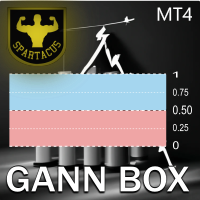
aИндикатор Gann Box — это мощный и многофункциональный инструмент, разработанный для помощи трейдерам в выявлении и использовании ключевых уровней на рынке. Этот индикатор позволяет нарисовать на графике прямоугольник, который автоматически разделяется на несколько зон со стратегическими уровнями 0, 0.25, 0.50, 0.75, 1 . Когда цена касается одного из этих уровней, срабатывают предупреждения, что является ценным помощником в принятии торговых решений. Вы мгновенно видите, как развивается рынок п
MT4 to Telegram Signal Sender Automation is a  specialized MetaTrader 4 utility designed to parse custom indicator signals and automatically publish structured Binary Options trading signals to your Telegram channel or group. It also tracks open signals to automatically report the trade outcome (Win/Loss) along with Martingale step progression. Key Features: Binary Options Format: Sends clean signals formatted with Direction (Call/Put), Timeframe, Entry Time, Market Price, and UTC Timezone. Auto
DoIt EA Monitor - Multi EA Performance Dashboard for MT5 Your account can be profitable while one EA quietly drags down the portfolio. MetaTrader history shows the combined result, but it does not clearly show which strategy deserves more capital and which one needs attention. DoIt EA Monitor runs on one chart and separates live and historical performance by magic number, EA and symbol. It is completely read-only. It never opens, closes or modifies a trade. KNOW WHICH EA IS EARNING ITS PLACE Aut
FREE
Hidden Gap by MMD Hidden Gap by MMD is a unique indicator that detects hidden gaps between three consecutive candles. This observation isn't my own, but in the MMD methodology, it has its application alongside other original indicators. You can apply this indicator to the chart multiple times and set the interval from which you want to see the hidden gaps. You can show or hide these gaps as needed. For example, you can view the chart at an M5 interval and see hidden gaps from an M15 chart, etc.
DailyHighLow
Komi Eyram F Kahoho
5 (1)
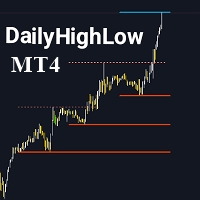
Пожалуйста, не забудьте оценить индикатор, чтобы помочь мне повысить его видимость. Индикатор DailyHighLow для MetaTrader 4 (MT4) — это мощный инструмент для отслеживания ежедневных ценовых движений. Разработанный для трейдеров, которым необходима чёткая и полезная информация о максимумах и минимумах на рынке, этот индикатор автоматически чертит линии тренда на основе самых высоких и самых низких цен за настраиваемый период. Основные особенности: Персонализация линий тренда: Настройте цвета, сти
FREE
KFX Dashboard EA
Peter Kariuki Thande
** Automatically Adds to your existing trades that you open ** KFX Dashboard EA monitors Price Action using Candle Direction + Moving Average on Multiple currency pairs (selected by you) and on Multiple Timeframes (selected by you). The dashboard also reveals Currency Strength of pairs based on your Moving Average selection. KFX Dashboard EA option to set Stop Loss(SL) and Take Profit(TP) based on your selected Timeframe and ATR / Points settings. Trailing stop by ATR / Points also available (s
FX28 Trader
Tsvetan Tsvetanov
5 (1)
Представляем вам FX28 Trader Dashboard – ваш идеальный менеджер сделок. Разблокируйте полный потенциал вашего торгового опыта с FX28 Trader Dashboard, всесторонним и интуитивно понятным менеджером сделок, разработанным для поднятия вашего опыта торговли на новый уровень. Будь вы опытным трейдером или только начинаете свой финансовый путь, этот мощный инструмент создан для оптимизации ваших торговых операций и улучшения вашего процесса принятия решений. Основные характеристики: Пользовательский
Online Accounts Manager MT4
Kyra Nickaline Watson-gordon
5 (1)
OneClick Online Account Manager is a powerful utility that helps you to manage all your accounts from a centralized panel. It is suitable for all single account traders and specially for multiple accounts traders. The utility help you to : Monitor status of all accounts on a private web page. Some information such as account connection status, account profit, DD, Balance, Equity, Margin Level, Number of positions and orders, Daily and Weekly profit/loss and also overall summation of all these p
Trade History Exporter automatically exports trade history to a CSV (comma separated values) file. Trade History Exporter: - automatically exports trade history every time a trade is closed - allows you to manually force an export by using the "W" key on your keyboard - can use Order Comments as Magic Numbers - useful for instance when using a Trade Copier - calculates the Net Profit per trade
Heaven Assistant: Упрощение управления MT4 Упростите управление платформой MetaTrader 4 (MT4) с помощью Heaven Assistant . Этот советник (EA) является надежным инструментом, позволяющим контролировать и настраивать ваше торговое окружение эффективно и удобно. Основные характеристики: Открытие нескольких пар: Быстрый доступ к большинству валютных пар, как основных, так и второстепенных, плюс экзотические пары. Возможность открытия индексов, металлов и криптовалют одним кликом. Изменение шаблона:
KFX Trade Manager
Joe Christopher Ramirez
Introducing the "KFX Trade Manager" expert advisor for MetaTrader 4 (MT4), a comprehensive solution for advanced trade management and risk control. This powerful tool is designed to enhance your trading experience by automating various aspects of order handling, profit optimization, and alert notifications. With the "KFX Trade Manager," you can take your trading to the next level and streamline your operations for improved efficiency and better risk management. Key Features: Trade Management Set
EuroPulse Day Levels — EMA Trend + Previous Day High/Low EA (Swap-Free) PRODUCT OVERVIEW EuroPulse Day Levels is a premium automated trading solution designed for MetaTrader 4, specialized for the EURUSD currency pair. The EA implements a simplified yet powerful trend-following strategy: • EMA 20/50 crossover for trend direction • Previous day high/low levels for confirmation • ATR-based stop loss and take profit • Daily loss protection • Swap-Free mode for Islamic accounts WHY
Based on my original trading strategy, it appears that this EA is programmed to use technical analysis to identify an inside candle pattern in the current candle and wait for a breakout in either direction. If the price breaks out higher, the EA will place a buy order, and if it breaks out lower, the EA will place a sell order. The take profit and stop loss levels are set at 50 pips each. Additionally, using a martingale strategy, which involves increasing the lot size after a losing trade, ca
FREE
Одна диаграмма. Полный контроль. Перестаньте тратить время на управление объектами, цветами и настройками для каждой диаграммы отдельно.       Chart Sync Manager   , вы можете       синхронизируйте, копируйте и управляйте всеми вашими графиками MetaTrader       мгновенно — с помощью всего одной панели и нескольких сочетаний клавиш. Нарисуйте один раз и обновляйте везде. Открывайте и закрывайте диаграммы одним щелчком. Поддерживайте чистоту рабочего пространства с помощью       Управление объекта
закрыть все прибыльные ордера В наборе представлены скрипты разного назначения, облегчающие работу в терминале  MetaTrader 4 . Если необходимо, то по некоторым скриптам представлен скрин. Перед работой на реальном счёте проверяйте (на демо счёте), отвечает ли нужный скрипт Вашим задачам (для примера, есть скрипт по одновременному открытию пяти ордеров, по умолчанию лот задан 10; дабы у вас случайно не открылись пять позиций суммарным объёмом 50 лотов - будьте внимательны))) Пользуйтесь на добро
TradeWise EA is a compact yet powerful tool loaded with robust features. It offers a 30-trades compounding challenge , Risk-Management, Performance Tracking, Break-Even Calculation, Automated SR Zones, Trailing Stop-loss by ATR or PIPS, Automatic Risk-to Reward Ratio based on Stop-loss, Easy Order Adjustments, Calculates Total Stop Loss and Take Profit, Automatic buy and sell orders on manually placed SR Zones, and more. These features are designed to cater to both scalpers and long-term traders
Plug & Play portfolio - series of high-quality EURUSD H1 strategies for maximized success. The 4th out of 8 strategies  portfolio set.  Each EA works well as a standalone, works even better as portfolio. Triple tested  - backtest,   robustness tests , portfolio correlation. Uses a well-known   CCI indicator   combined with an   ADX indicator. Why to buy Fully automatic EA with really easy set-up. Only risk amount to be set and you are good to go. Developed using genetic algorithms on 'in sampl
RSI Dashboard позволяет быстро проанализировать одновременно несколько валютных пар на перекупленность / перепроданность . Количество отображаемых символов равно 30, а название каждого символа можно редактировать в параметрах. Таким образом, можно анализировать не только предустановленные валютные пары, но и другие, товары, акции, индексы, валютные пары с префиксами и суффиксами и т.д. Анализатор может отправлять алерты через терминал MetaTrader, push- уведомления на мобильные устройства, а такж
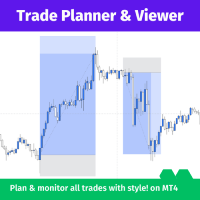
Trade Planner and Viewer - мощный и универсальный инструмент MetaTrader, который помогает планировать и эффективно отслеживать ваши сделки. Он предлагает ряд функций, делающих его неотъемлемым инструментом для любого трейдера, включая: Анализ рисков: Trade Planner and Viewer вычисляет коэффициент риска каждой сделки, позволяя вам оценить потенциальные риски и вознаграждения перед открытием позиции. Отслеживание сделок: Инструмент предоставляет удобный интерфейс для отображения выполненных сде
Market Monitor
Rodrigo Rethka Goncalves
Market Monitor – Smart Asset Performance Dashboard for MT4 Turn your MetaTrader 4 into a professional trading intelligence center! Market Monitor is a powerful monitoring tool that displays, in real time, the most relevant performance metrics of each symbol being traded — helping you make faster, smarter, and more strategic decisions. What Does This Indicator Do? Market Monitor scans all open and historical orders, consolidates the data by symbol, and displays everything in visual pa
The Asian Session - it is a Secure Automated Software for trade Forex market and indices. This system detects the ranges between the end of the American session and the beginning of the Asian session, operating in favor of the break, thinking that this break prior to the start of the session occurs because within the Asian session there will be an impulse in favor of the break. breaking off. To adapt to the different schedules of the different brokers, you have to set the closing time of the Am
Equity Pulse MT4 Real-time equity, drawdown, and portfolio performance tracking in one clean trading panel. Equity Pulse MT4 is a practical account-monitoring indicator for MetaTrader 4. It helps traders see exactly where they stand across today, yesterday, recent days, the current week, month, and year. Instead of checking account history manually or relying only on the terminal’s floating profit number, Equity Pulse gives you a clear performance snapshot directly on the chart. It is designed
What is it? Think about it, you can send all the orders/positions info to your telegram channel or group to create your community or VIP signals on telegram. Position info means this EA forward all of your new positions open details (Open price, Open time, Position Type, position Symbol and volume), positions changes ( SL or TP modifying or pending price changes) and position close (Close price, profit or loss, position duration time) and also EA Send NEWS alert (Economic calendar event) on you
Эта утилита отправит вам подробное уведомление на ваш мобильный телефон и оповещение на терминал MT4, как только на графике появится свечной паттерн, который вы хотите увидеть. Уведомление содержит символ, свечной паттерн и таймфрейм, на котором сформировался паттерн. Вам необходимо связать Metatrader 4 Mobile с вашим терминалом Windows. Вот как это сделать здесь . https://www.metatrader4.com/ru/trading-platform/help/setup/settings_notifications Список свечных паттернов, которые можно обнаруж
Trading Mood Analyzer
AL MOOSAWI ABDULLAH JAFFER BAQER
Trading Mood Analyzer – Your Key to Mindful Trading The Trading Mood Analyzer is an innovative trading tool designed to help you assess and manage your emotional state before diving into any trade. Priced at just $50, this utility offers a thorough emotional evaluation to ensure that you approach each trade with a clear, focused, and calm mindset. The Logic Behind the Trading Mood Analyzer: This tool guides you through a simple yet insightful questionnaire that evaluates your emotional well-bei
Killer EurUsd
Ignacio Agustin Mene Franco
Killer EurUSD v2.0 The "Killer EurUSD" EA is an automated trading system developed specifically for trading the EUR/USD currency pair on the MetaTrader 4 platform. This Expert Advisor incorporates a strategy based on exponential moving averages (EMAs) with risk management. Technical Features: Technical Indicators: Uses two main EMAs (10 and 200 periods) for trend identification. Capital Management: Fixed lot system with martingale multiplier (2.0x). Risk Control: Configurable distance betwee
(Multiple Close All) for MT4 a lightweight and efficient utility designed to help traders close their open positions and pending orders directly from the chart. It provides a clean panel with interactive buttons, allowing quick closing of opened trades and deleting the Pending Orders with one click. Key Features: Close all   BUY ,   SELL , or   ALL   positions with one click. MultipleCloseBy opposite trades. Close only   profitable trades   or only   losing trades . Close trades filtere
FREE
This EA is based on the relationship between the three currencies, interaction, and thus hedging, I now find the most ideal pair of currencies is the default parameter of the three pairs of currencies, On the parameters Parameter setting is very simple, "Huoli" is profitable n USD. Users can determine the number of orders according to the funds of the account.
Советник открывает сделки по графическим стрелкам индикатора. Если стрелки индикатора не имеют привязки к буферам, то можно протестировать такой индикатор с помощь данного советника. Указываете в параметрах коды стрелок и советник будет вести торговлю по ним. Коды стрелки можно узнать открыв свойства стрелки. По умолчанию установлены следующие значения: 225; //Код стрелки вверх 226; //Код стрелки вниз В советнике предусмотрены SL TP трал и перевод в безубыток. Лот рассчитывается как процент от
С этим продуктом покупают
Добро пожаловать в Trade Manager EA — лучший инструмент для управления рисками, предназначенный для упрощения, точности и эффективности торговли. Это не просто инструмент для размещения ордеров; это комплексное решение для удобного планирования торгов, управления позициями и усиленного контроля над рисками. Независимо от того, начинающий вы трейдер, опытный специалист или скальпер, нуждающийся в быстром исполнении, Trade Manager EA адаптируется к вашим потребностям и работает с любыми активами:
Trade Indicator Assistant is a powerful MT4 utility designed to turn indicators into automated trading systems. Its main feature is the ability to automatically detect an indicator’s   BUY and SELL signal buffers , without requiring you to know the buffer numbers, search through indicator settings, or modify the indicator source code. Bonus Indicator: After purchasing Trade Indicator Assistant, contact me to receive Trade Signal Pro completely free as a bonus indicator. [Download Demo Version]
Local Trade Copier EA MT4
Juvenille Emperor Limited
4.96 (112)
Local Trade Copier EA MT4 — это быстрый и гибкий копировщик сделок для копирования и управления сделками между несколькими счетами MetaTrader 4 на одном компьютере с Windows или Windows VPS. Он сочетает локальную синхронизацию сделок с настройками на стороне Receiver для управления размером лота, рисками, фильтрацией сделок, сопоставлением символов, управлением сделками и защитой счета. Настройте терминалы Transmitter и Receiver примерно за 1 минуту и копируйте ручные сделки или сделки, открыты
Telegram to MT4 Multi-Channel Copier   автоматически копирует торговые сигналы из ваших Telegram-каналов прямо в MetaTrader 4. Без ботов, без браузерных расширений, без ручного копирования. Сигнал приходит в Telegram — и советник открывает сделку в вашем терминале за считанные секунды. А перед тем как копировать канал, встроенный бэктестер покажет, что этот канал сделал бы на вашем счёте. Продукт состоит из двух компонентов: приложения для Windows, которое слушает ваши Telegram-каналы, и этого с
Trade Assistant MT4
Evgeniy Kravchenko
4.43 (197)
Помогает рассчитать риск на сделку, простая установка нового ордера с помощью линий, управление ордерами с функциями частичного закрытия, 7 типов трейлинг-стопа и другие полезные функции. Дополнительные материалы и инструкции Инструкция по установке   -   Инструкция к приложению   -   Пробная версия приложения для демо счета Функция Линии   - отображает на графике линию открытия, стоп-лосс, тейк-профит. С помощью этой функции легко установить новый ордер и увидеть его дополнительные характери
Exp COPYLOT CLIENT for MT4
Vladislav Andruschenko
4.69 (65)
Профессиональный копировщик сделок для MetaTrader 4 Быстрый, профессиональный и надежный копировщик сделок для MetaTrader 4 . COPYLOT позволяет копировать сделки Forex между терминалами MetaTrader 4 и MetaTrader 5 , обеспечивая гибкую синхронизацию для разных типов счетов и сценариев торговли. Версия COPYLOT MT4 поддерживает: MetaTrader 4 → MetaTrader 4 MetaTrader 5 Hedge → MetaTrader 4 MetaTrader 5 Netting → MetaTrader 4   Версия MT5 Полное описание + DEMO + PDF Как купить Как установить Как по
MT4 к Telegram Signal Provider - это простой в использовании и полностью настраиваемый инструмент, который позволяет отправлять сигналы в Telegram, превращая ваш аккаунт в поставщика сигналов. Формат сообщений полностью настраиваем! Однако для простого использования вы также можете выбрать предопределенный шаблон и включать или отключать определенные части сообщения. [ Демо ]  [ Руководство ] [ Версия для MT5 ] [ Версия для Discord ] [ Телеграм-канал ]  New: [ Telegram To MT5 ] Настройка Шаг за
Take a Break
Eric Emmrich
5 (31)
Take a Break pauses your Expert Advisors when trading is a bad idea: before news, after a daily loss, outside your trading hours, or when a rule you wrote yourself says so. When the pause is over, your EAs simply continue. Account protection for all your EAs in one tool: news filter, drawdown and equity protection, time filter and custom rules. One EA on one chart protects the whole account, the free indicator gives every chart its own rules on top. Free demo | What is new in 26.09 | Support Ass
VirtualTradePad mt4 Extra
Vladislav Andruschenko
4.85 (61)
Торговая Панель для торговли в 1 клик.  Работа с позициями и ордерами!  Торговля с  чарта  (график) или с  клавиатуры . С помощью нашей торговой панели Вы можете торговать   в один клик с графика   и совершать торговые операции в   30   раз быстрее стандартного управления в MetaTrader.  Автоматические расчеты параметров и функции, которые облегчают жизнь трейдеру и помогают трейдеру вести свою торговую деятельность в разы быстрее и удобнее. Графические подсказки и полная информация по торговым с
Smart Copy Local MT4
Kyra Nickaline Watson-gordon
5 (7)
Smart Copy is an Easy-to-Use EA that supports Multi Copying Metatrader4 and Metatrader5 and Local/Remote Copying. (Remote Version is coming soon) Free version is available on Smart Copy Local Free MT4 Specifications :     Real Time, Multi Terminal - Multi Account - MT4/MT5 trade copying     Copy from netting to hedge and hedge to netting is supported.     Fast and instant copy     All settings are input visually.     Easy modifying symbol names, prefix, suffix     Enable/Disable copying s
Want automatically to put the pending order, take profit and stop loss? This EA will do it on your behalf! The Fibo Heart EA strategy will place limit order after the ‘check point’ breakout. The position will be triggered when the price make a successful retest. If not, the pending order will automatically deleted after price hit certain level. You also have option to enable market order (instant execution) and custom take profit in the inputs setting. This EA must be attached with Fibo Heart In
Скачать рабочую пробную версию Copy Cat More (Копи Кэт Мор) — копировщик сделок (Trade Copier) MT4 — это не просто локальный копировщик сделок; это полноценная система управления рисками и исполнения (risk management and execution framework), созданная для современных торговых задач. От челленджей проп-фирм (prop firm) до управления личным портфелем — он адаптируется к любой ситуации благодаря сочетанию надёжного исполнения, защиты капитала, гибкой настройки и продвинутой обработки сделок. Ко
TradePanel MT4
Alfiya Fazylova
4.84 (95)
Trade Panel — это многофункциональный торговый помощник. Приложение содержит более 50 торговых функций для ручной торговли и позволяет автоматизировать большинство торговых операций. Инструкция к приложению + видео-инструкции: https://www.mql5.com/ru/blogs/post/771695 Пробная версия приложения для демо-счета: https://www.mql5.com/ru/blogs/post/750864 Как установить приложение: https://www.mql5.com/ru/blogs/post/750096 Как тестировать приложение в визуальном режиме: https://www.mql5.com/ru/blogs/
King Trade Copier MT4
Mohammed Maher Al-sayed Mohammed Ahmed Saleh
5 (1)
King Trade Copier соединяет терминалы MetaTrader, запущенные на одном компьютере или VPS. Сделки, открытые на одном счёте, появляются на остальных. Файл содержит обе роли, поэтому одна и та же загрузка становится отправителем или получателем в зависимости от значения, которое вы зададите параметру Mode. На каждом графике панель показывает, отправляет этот терминал сигналы или принимает их, называет счёт на другой стороне, считает получателей, которые ответили, и показывает возраст последнего си
Это программа в виде советника, которая устанавливается на график MetaTrader 4. Затем, используя API с сайта Bittrex и Binance, он загружает историю альткоинов (altcoin). После выбора названия пары советник автоматически загружает всю историю по всем таймфреймам (Daily,H12,H4,H2,H1,M30,M15,M5,M3,M1), поэтому нет необходимости устанавливать несколько копий советника на разные графики. Вы можете выбрать одну пару Bittrex и 4 пары Binance при запуске одной копии советника и создать до 15 таймфреймо
Копир->Удобное и быстрое взаимодействие с интерфейсом, пользователи могут использовать его сразу       ->>>> Рекомендуется использовать на компьютерах Windows или VPS Windows Функции: Разнообразные и персонализированные настройки копирования сделок: 1. Различные режимы лота могут быть установлены для различных источников сигналов. 2. Различные источники сигналов могут быть установлены для прямого и обратного копирования сделок. 3. Сигналы могут быть установлены с комментариями. 4. Следует ли ка
News Filter EA: Advanced Algo Trading Assistant News Filter EA is an advanced algo trading assistant designed to enhance your trading experience. By using the   News Filter EA , you can integrate a Forex economic news filter into your existing expert advisor, even if you do not have access to its source code. In addition to the news filter, you can also specify   trading days   and   hours   for your expert. The News Filter EA also includes   risk management   and   equity protection   features
EA Local Trade Copier Pro MT4: Ультимативный дубликатор сделок без DLL Вы устали от сложных копировщиков сделок, которые требуют небезопасных внешних DLL, приводят к сбоям в работе терминала или сбивают с толку отдельными файлами «Master» и «Client»? Оцените новое поколение копирования сделок с EA Local Trade Copier Pro MT4. Созданная для максимальной стабильности, молниеносного исполнения и невероятной простоты, эта утилита позволяет беспрепятственно копировать сделки между несколькими терминал
X2 Copy MT4
Liubov' Shkandrii
Быстрый. Точный. Инновационный. Технологичный. Откройте для себя мгновенное копирование сделок с революционным X2 Copy MT4. Всего за 10 секунд простой установки вы получите мощный инструмент для синхронизации сделок между терминалами MetaTrader на одном компьютере или Windows VPS с беспрецедентной скоростью. Управляете несколькими счетами, следуете сигналам или масштабируете свою стратегию — X2 Copy MT4 адаптируется к вашему рабочему процессу с непревзойдённой точностью и контролем. Работайте бы
Multi Copy
Kaijun Wang
5 (1)
Копир->Удобное и быстрое взаимодействие с интерфейсом, пользователи могут использовать его сразу       ->>>> Рекомендуется использовать на компьютерах Windows или VPS Windows Основные функции: Нормальная скорость взаимодействия при копировании сделок составляет менее 0,5 с. Автоматически определять источники сигнала и отображать список учетных записей источников сигнала Автоматически сопоставлять символы, 95% наиболее часто используемых торговых символов на разных платформах (особые случаи, таки
Trade Dashboard MT4
Fatemeh Ameri
4.96 (54)
Trade Dashboard simplifies how you open, manage, and control your trades, with built-in lot size calculation. It allows you to execute trades, manage risk, and control positions directly on the chart, with tools such as partial close, breakeven, and trailing stop. Designed to reduce manual work and help you stay focused on your trading decisions. A demo version is available for testing. Detailed explanations of features are provided within the MQL5 platform. Installation instructions are include
Риск менеджер Риск менеджер - упростит отслеживание просадки и оповестит при критическом достижении указанного риска, а также закроет ордера при достижении критического (указанного) уровня риска. При превышении указанной просадки, можно выбрать два варианта событий Все ордера закрываются и фиксируется убыток. Терминал также полностью закрывается Вместо фиксирования убытка открывается противоположный ордер - и происходит локирование. Ни один ордер не закрывается. Логику раскрытия локов можно п
The product will copy all telegram signal to MT4   ( which you are member  ) , also it can work as remote copier.  Easy to set up, copy order instant, can work with almost signal formats, image signal, s upport to translate other language to English Work with all type of channel or group, even channel have "Restrict Saving Content", work with  multi channel, multi MT5 Work as remote copier: with signal have ticket number, it will copy exactly via ticket number. Support to backtest signal. How to
Trade Manager MT4 DaneTrades
Levi Dane Benjamin
4.09 (11)
Trade Manager, который поможет вам быстро входить и выходить из сделок, автоматически рассчитывая риск. Включает функции, которые помогут предотвратить чрезмерную торговлю, торговлю из мести и эмоциональную торговлю. Сделками можно управлять автоматически, а показатели эффективности счета можно визуализировать в виде графика. Эти функции делают эту панель идеальной для всех трейдеров, занимающихся ручной торговлей, и помогают улучшить платформу MetaTrader 4. Многоязычная поддержка. Версия MT5  |
Fast Trade MT4
Alexey Valeev
4.8 (5)
Данная торговая панель разрабатывалась для быстрой и комфортной работы на финансовых рынках. Оснащена необходимыми функциями для ручной и полуавтоматической торговли. Благодаря наличию функций трейлинга ордеров, трейлинг-стопу и автоматическому закрытию по средствам, профиту, времени, Вы можете автоматизировать свою торговую систему. Вам останется лишь открыть позицию и задать параметры сопровождения, всё остальное советник сделает за вас. Если Вы хотите ограничить свои убытки, задайте автоматич
PZ Trade Pad Pro MT4
PZ TRADING SLU
3.67 (3)
Это визуальная торговая панель, которая помогает вам легко размещать сделки и управлять ими, избегая человеческих ошибок и повышая вашу торговую активность. Он сочетает в себе простой в использовании визуальный интерфейс с надежным подходом к управлению рисками и положением [ Руководство по установке | Руководство по обновлению | Устранение неполадок | FAQ | Все продукты ] Удивительно простой в использовании Торгуйте легко с графика Торгуйте с точным управлением рисками, без проблем Сохранение
Unlimited Trade Copier Pro - это мощный инструмент для удаленного копирования сделок между несколькими счетами MetaTrader 4/MetaTrader 5, расположенными удаленно друг от друга, по сети интернет. Это идеальное решение для провайдеров сигналов, которые хотят поделиться своей торговлей с другими трейдерами по всему миру. Один поставщик может копировать сделки на неограниченное количество счетов-получателей, а один получатель также может копировать сделки неограниченного количества провайдеров. Пост
Bar Replay MT4
Hoang The Manh
3.43 (7)
Don't purchase before testing the Demo version first. DEMO version:   https://www.mql5.com/en/market/product/76917 __________________________________________________ This EA  - Tool allow you replay bar in Meta Trader 4 for back test. This Tool can back test in multi timeframe in only one chart. This Tool is very useful for Price action trader. It can work with Indicators, some indicators cannot works. So please download Demo to test before purchase.  Demo Version We do not accept refund in any
Strategy Builder offers an incredible amount of functionality. It combines a trade panel with configurable automation (covert indicators into an EA), real-time statistics (profit & draw down) plus automatic optimization of SL, TP/exit, trading hours, indicator inputs. Multiple indicators can be combined into an single alert/trade signal and can include custom indicators, even if just have ex4 file or purchased from Market. The system is easily configured via a CONFIG button and associated pop-up
Профессиональная панель для ручной торговли: весь цикл сделки в одном окне на графике, от точного входа до защиты счёта. Рассчитывайте объём строго под заданный риск, стройте сделку линиями прямо на графике с помощью RR Tool, открывайте рыночные и отложенные ордера, сетки и OCO. Сопровождение позиции панель берёт на себя: частичное закрытие до пяти уровней, шесть типов трейлинг-стопа, безубыток и Virtual SL/TP. Дневные, недельные и месячные лимиты защищают депозит и срабатывают автоматически при
Другие продукты этого автора
Trading Account Analytics Understand the Real Performance of Your MetaTrader 4 Account Trading Account Analytics transforms your account history into a visual dashboard covering performance, risk, trading costs, funding, and capital evolution. It analyzes closed trades and open positions directly on the chart. It operates exclusively in read-only mode: it never opens, modifies, or closes trades . A Complete View of Your Account The final balance does not always explain how a result was achieved.
Account Risk Guardian A strategy may control every individual trade and still lose control of the account’s total risk. Account Risk Guardian monitors all activity across your account, compares its current state with your predefined limits, and executes the configured response whenever a rule is breached. It does not open trades or generate signals. It works as an independent protection layer that helps you control drawdown, losses, exposure, margin, and trading discipline from a single panel. A
Copy trades between MT4 and MT5 with full control over volume, risk, and execution Managing the same trading activity across multiple terminals should not require you to repeat every opening, reduction, closure, or protection change manually. LocalTradeCopier connects MetaTrader terminals installed on the same computer and supports trade copying in every direction: MetaTrader 4 → MetaTrader 4 MetaTrader 4 → MetaTrader 5 MetaTrader 5 → MetaTrader 4 MetaTrader 5 → MetaTrader 5 Any terminal can ope
Plan, execute, and manage your trades from a single panel Calculating lot size, checking risk, setting Stop Loss and Take Profit levels, and managing multiple positions through MetaTrader’s standard windows takes time and can lead to manual errors. Trade Manager brings the entire process into one visual panel on the chart. It helps you prepare each trade, understand its real impact before execution, place orders, and manage exposure using manual tools and automated rules. You decide when to buy
Understand the Real Performance of Your MetaTrader Account Trading Account Analytics transforms your account history into a visual dashboard covering performance, risk, trading costs, funding, and capital evolution. It analyzes closed trades and open positions directly on the chart. It operates exclusively in read-only mode: it never opens, modifies, or closes trades . A Complete View of Your Account The final balance does not always explain how a result was achieved. Deposits may be mistaken fo
Account Risk Guardian A strategy may control every individual trade and still lose control of the account’s total risk. Account Risk Guardian monitors all activity across your account, compares its current state with your predefined limits, and executes the configured response whenever a rule is breached. It does not open trades or generate signals. It works as an independent protection layer that helps you control drawdown, losses, exposure, margin, and trading discipline from a single panel. A
Copy trades between MT4 and MT5 with full control over volume, risk, and execution Managing the same trading activity across multiple terminals should not require you to repeat every opening, reduction, closure, or protection change manually. LocalTradeCopier connects MetaTrader terminals installed on the same computer and supports trade copying in every direction: MetaTrader 4 → MetaTrader 4 MetaTrader 4 → MetaTrader 5 MetaTrader 5 → MetaTrader 4 MetaTrader 5 → MetaTrader 5 Any terminal can ope
Plan, execute, and manage your trades from a single panel Calculating lot size, checking risk, setting Stop Loss and Take Profit levels, and managing multiple positions through MetaTrader’s standard windows takes time and can lead to manual errors. Trade Manager brings the entire process into one visual panel on the chart. It helps you prepare each trade, understand its real impact before execution, place orders, and manage exposure using manual tools and automated rules. You decide when to buy
Stop checking charts one by one to discover which markets deserve your attention. Multi Market Scanner monitors multiple symbols and timeframes from a single panel, compares their technical conditions, and organizes the results by signal, score, alignment, and freshness. This helps you focus your analysis on the most relevant instruments without wasting time reviewing markets with no clear conditions. It is a market analysis and decision-support tool. It does not open, modify, or close trades: t
Фильтр:
Нет отзывов
Ответ на отзыв