UTS Megatron V2
- Утилиты
- Версия: 1.1
- Активации: 5

🚀 UTS Megatron V2 — The All-In-One, Multi-System Trading Machine
UTS Megatron V2 is not just an Expert Advisor; it is a complete, institutional-grade trading terminal built directly into your MT5 chart. It combines advanced signal generation, multi-timeframe trend filtering, complex position management (including Martingale and Step lots), and a revolutionary Manual Trading Mode that turns the EA into your personal trading assistant.
Whether you want a fully automated hands-free EA or a semi-automated system where you pull the trigger, Megatron V2 adapts to your exact trading style.
⚠️ IMPORTANT: Required Indicator for S&R Mode
This EA features a highly advanced Support & Resistance (S&R) trading system. To use the S&R modes (S&R, S&R + RSI, or S&R + MACD), you must have the "UTS S&R Alert" indicator installed in your MT5 Indicators folder.
-
How to get it: The indicator is available for FREE on our MQL5 Market profile. Simply download it, install it, and the Megatron V2 EA will automatically connect to it.
-
(Note: If you only wish to use the RSI or MACD trading systems, the indicator is not required, as those use built-in MT5 data).
🧠 Multiple Trading Systems (Build Your Own Strategy)
Megatron V2 allows you to mix and match different signal engines. You are not stuck with just one strategy:
-
S&R Zones: Trades based on high-probability Support and Resistance zones (Verified, Proven, Untested, or Turncoat). (Requires the free UTS S&R Alert indicator).
-
RSI: Trade Crossovers or Levels (oversold/overbought).
-
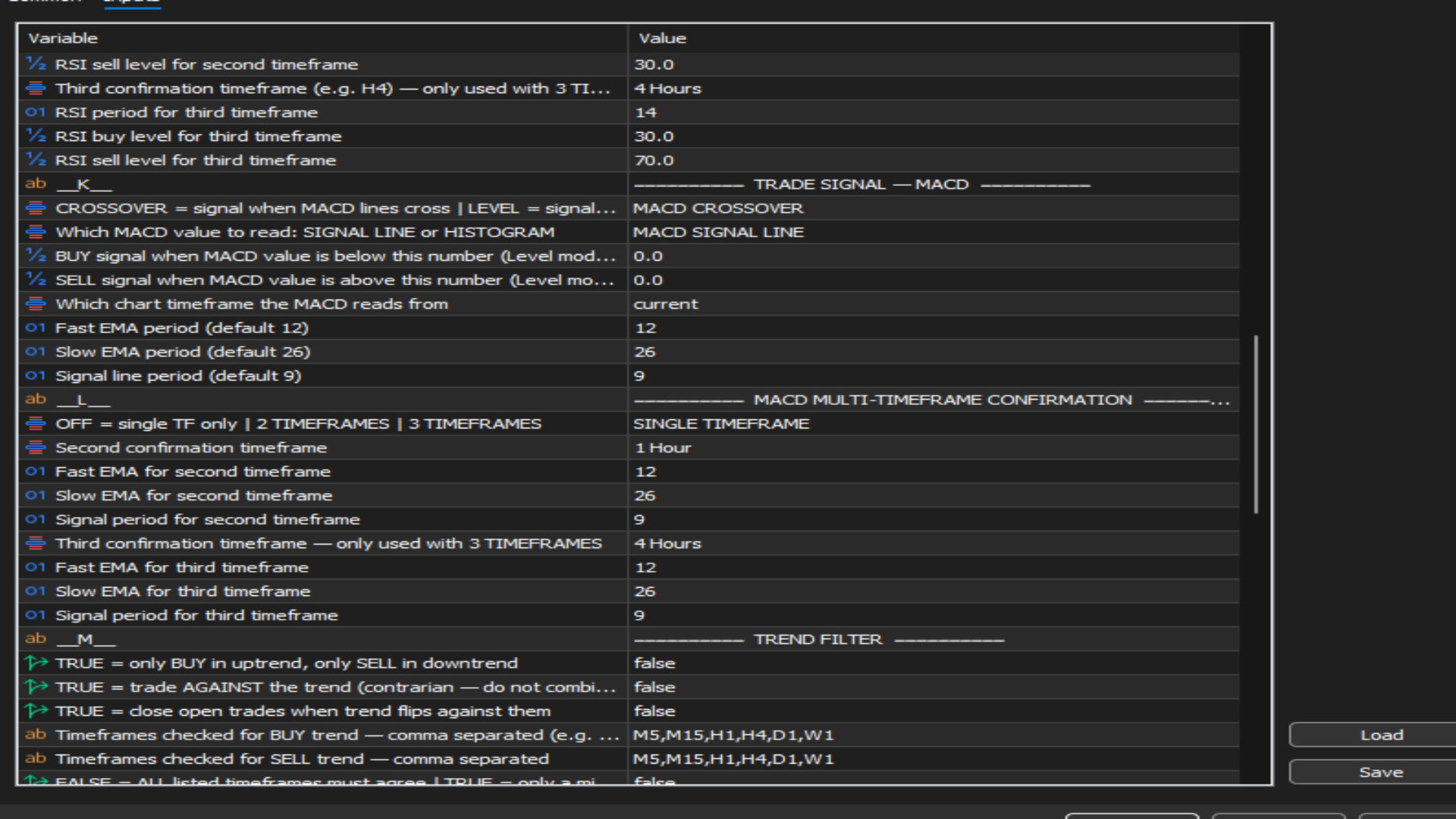
MACD: Trade Crossovers or Levels using the Signal Line or Histogram.
-
Combos: Combine them! Trade only when RSI + S&R agree, or MACD + RSI agree, for the highest probability setups.
Multi-Timeframe (MTF) Power: You can run RSI and MACD on up to 3 different timeframes simultaneously. For example, the EA will only buy if the M15 RSI is oversold, AND the H1 RSI is also oversold.
🤖 Automated Trend Filter
Protect your account from trading against the major trend. The EA features a custom MA Trend Filter.
-
You can define up to 6 timeframes (e.g., M5, M15, H1, H4, D1, W1).
-
It uses a Fast and Slow MA to determine the trend.
-
You can set it to "Strict" (all timeframes must agree) or "Partial" (e.g., at least 3 out of 5 timeframes must agree).
🖐️ Revolutionary Manual Trading Mode (Semi-Auto)
Turn off "Allow Algo Trading" and Megatron V2 transforms into an advanced manual assistant.
-
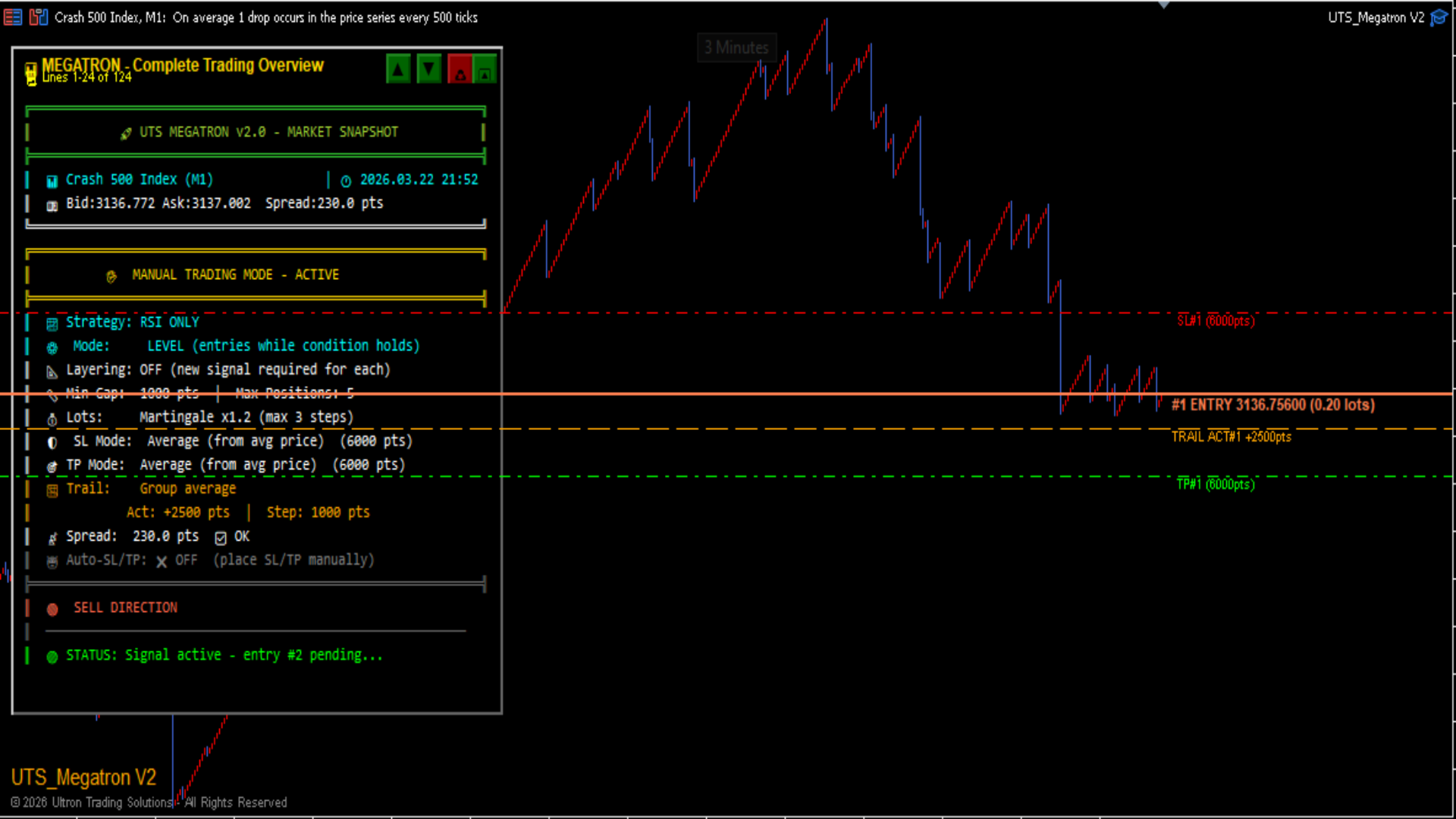
Visual Entry Lines: The EA will draw an Entry Line, Stop Loss, and Take Profit on the chart.
-
You Open the Trade: You wait for the price to hit the entry line, and you manually open the trade on your platform.
-
The EA Manages It: Once you open the trade, the EA takes over. It will automatically apply your SL/TP, manage the trailing stop, and calculate lot sizes for you.
-
Basket Averaging: If you decide to layer into a manual trade, the EA instantly recalculates the Average Entry Price and moves your SL/TP accordingly (Average or Unified modes).
💼 Advanced Trade & Money Management
-
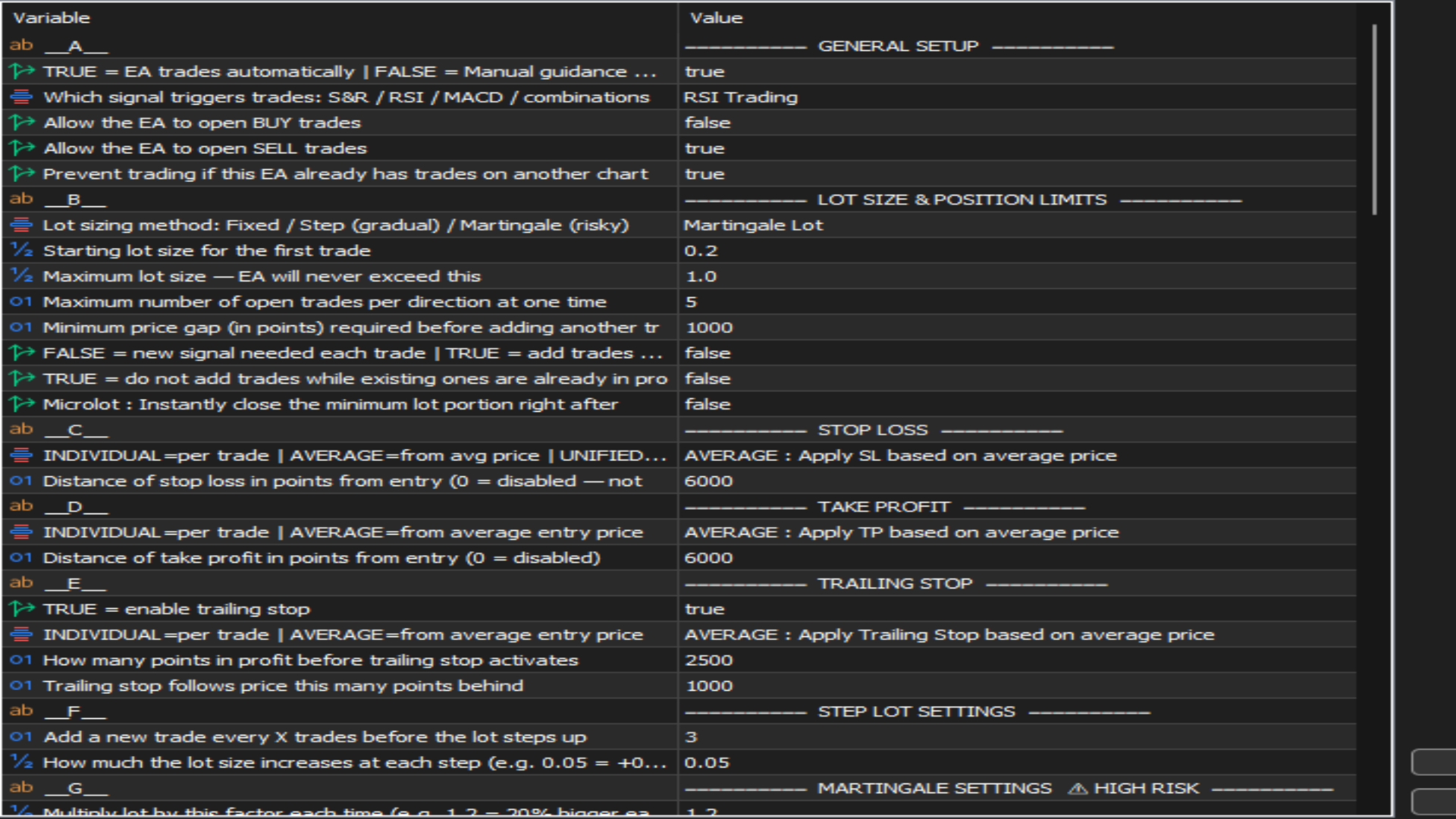
Lot Modes: Choose between Fixed Lot, Step Lot (increases every X trades), or Martingale (increases by a multiplier).
-
Layered Entries: The EA can add new positions to a winning or losing trend, provided the price has moved a minimum distance (e.g., 500 points) from the last entry.
-
Pause Protection: If the EA opens a set number of trades (e.g., 2 trades), it will pause for a set duration (e.g., 60 minutes) to prevent over-exposure.
-
Daily Limits: Set a maximum daily profit or loss (in Dollars or Percentage). If hit, the EA closes all trades and shuts down for the day.
📊 The Megatron Dashboard (On-Chart Panel)
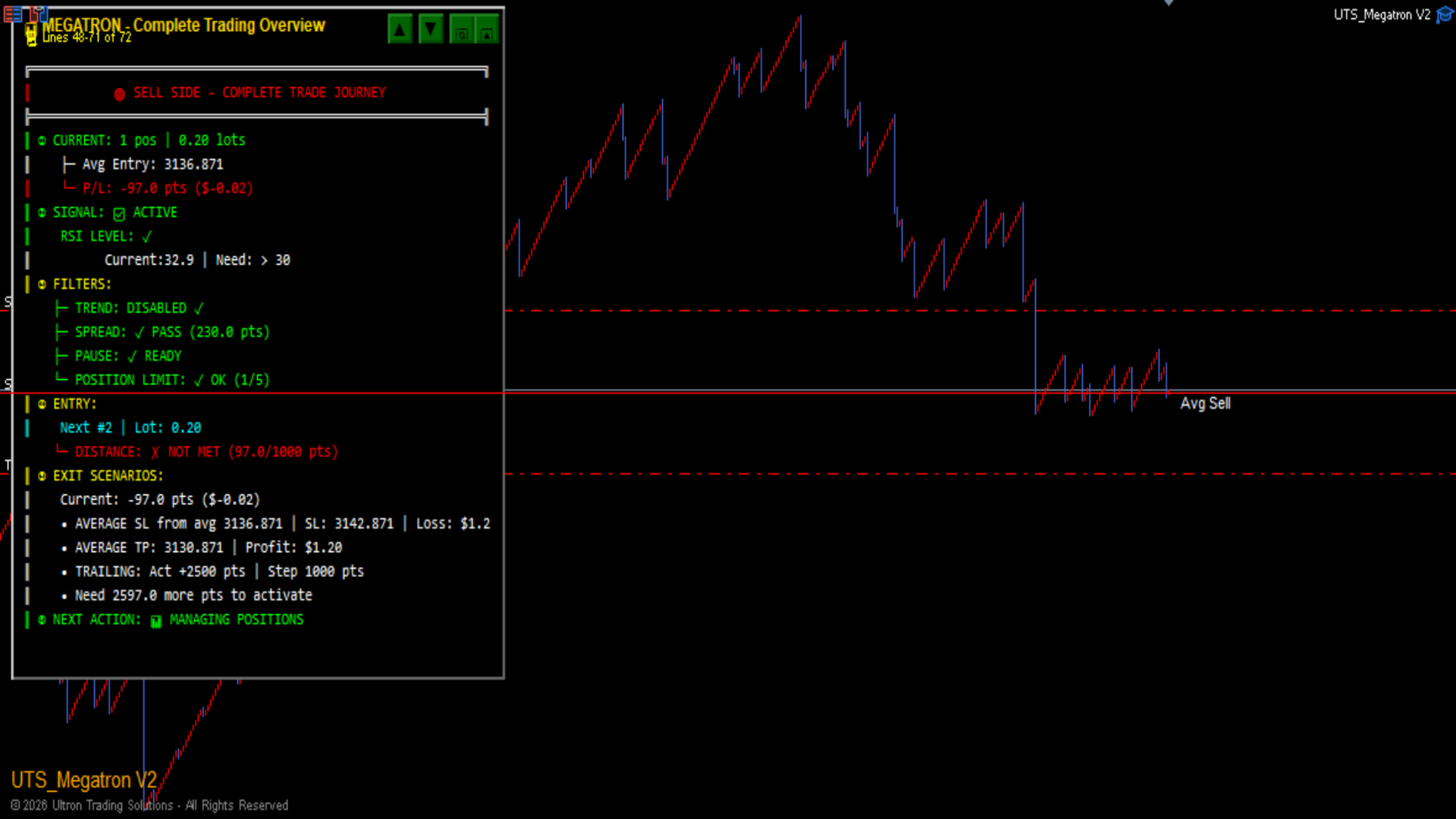
You never have to guess what the EA is thinking. The dashboard is a beautifully designed, scrollable interface that shows you:
-
Complete Trade Journey: Step-by-step confirmation of what the EA is waiting for (Signal, Trend Filter, Spread, Pause, Distance).
-
Conflict Detection: The panel actively warns you if you have conflicting settings (e.g., trying to use MTF with Crossover mode, or a Stop Loss that is too tight for the broker).
-
Live Positions: Shows your average entry, exact P/L in points and dollars, and where the trailing stop is currently sitting.
-
Exact Status: Is the EA waiting for RSI? Waiting for Trend? Paused? The dashboard tells you exactly what the blocker is.
⚡ Key Features at a Glance
-
Works on Any Market: Forex, Indices, Metals, Crypto, and Synthetic Spike Markets.
-
Visual Dashboard: Fully interactive, scrollable panel to track every decision.
-
Micro-Lot Feature: Splits your initial trade by closing the minimum lot (e.g., 0.01) immediately to bank a quick profit.
-
Smart Trailing: Individual trailing (per position) or Advanced trailing (based on the average price of the basket).
-
Mobile Ready: Compatible with MT5 on PC, iOS, and Android.
⚙️ Recommended Usage
-
Timeframes: M5 to H4 (The dashboard allows for multi-timeframe signals, so the chart timeframe is less critical).
-
Symbols: XAUUSD, EURUSD, Boom/Crash, Volatility Indices.
-
Account: Works on Standard, ECN, Demo, and Live accounts.
⚠️ Risk Disclaimer
Trading financial markets involves significant risk. While UTS Megatron V2 is designed to assist you in managing risk and automating trading, it does not guarantee profits. Martingale and Step Lot systems can quickly deplete an account if not managed properly. Past performance is not indicative of future results. Please ensure you use strict risk management and always trade with capital you can afford to lose. Ultron Trading Solutions is not liable for any trading losses incurred.
📞 Support
For setup guides, recommended settings, or general support, please contact Ultron Trading Solutions:
Stop guessing. Trade with the full picture. Download UTS Megatron V2 today.