• Informações
4 anos
experiência
4
produtos
681
versão demo
78
trabalhos
0
sinais
0
assinantes
Hello, Your are most welcomed to my page.


I'll be glad to design and implement your Experts or Indicators.

- I am available 24/7 to respond to my customers.
- I fix any errors in my programming now and for ever,I very much respect to my credit.
- Putting your name in the Expert "About" window takes extra charges.


If you want to order an expert or indicators you should know that:

I know how to design a dashboard.
I know well-known strategies.
and many other things...
< ================= >

I am ready to accept related job proposals.

< ================= >

Ordering Freelance Job

< ================= >
Job Posting: https://www.mql5.com/en/job/new?prefered=ameri2000

< ================= >
Check out my products:

Trade Dashboard MT4: https://www.mql5.com/en/market/product/74392
Trade Dashboard MT5: https://www.mql5.com/en/market/product/80097

< ================= >
Telegram Contact: https://t.me/AmeriEAs
Fatemeh Ameri
Fatemeh Ameri
New Update Includes:

• Auto Even for Partial Close Distance
Automatically divides the TP distance evenly between your Partial TP levels.
(Example: 1 level = center of TP, 2 levels = placed at 33% intervals.)

• Auto Even for Partial Close Lot
Automatically distributes lot sizes evenly across all Partial Close levels.

• 8 Partial TP Levels Added
You can now set up to eight Take Profit stages for advanced scaling out.

• 8 Partial SL Levels Added
Up to eight Stop Loss stages for detailed risk-management setups.

• Load Settings Button (Options Tab)
Load your previously saved configuration for the selected tab only
(Partial Close / Breakeven / Trail).
Allows fast switching between different strategies.

• Apply Options Button (Options Tab)
Apply your new settings directly to:
– All positions,
– Only positions of the current chart symbol, or
– A single selected position.
Fatemeh Ameri
Fatemeh Ameri
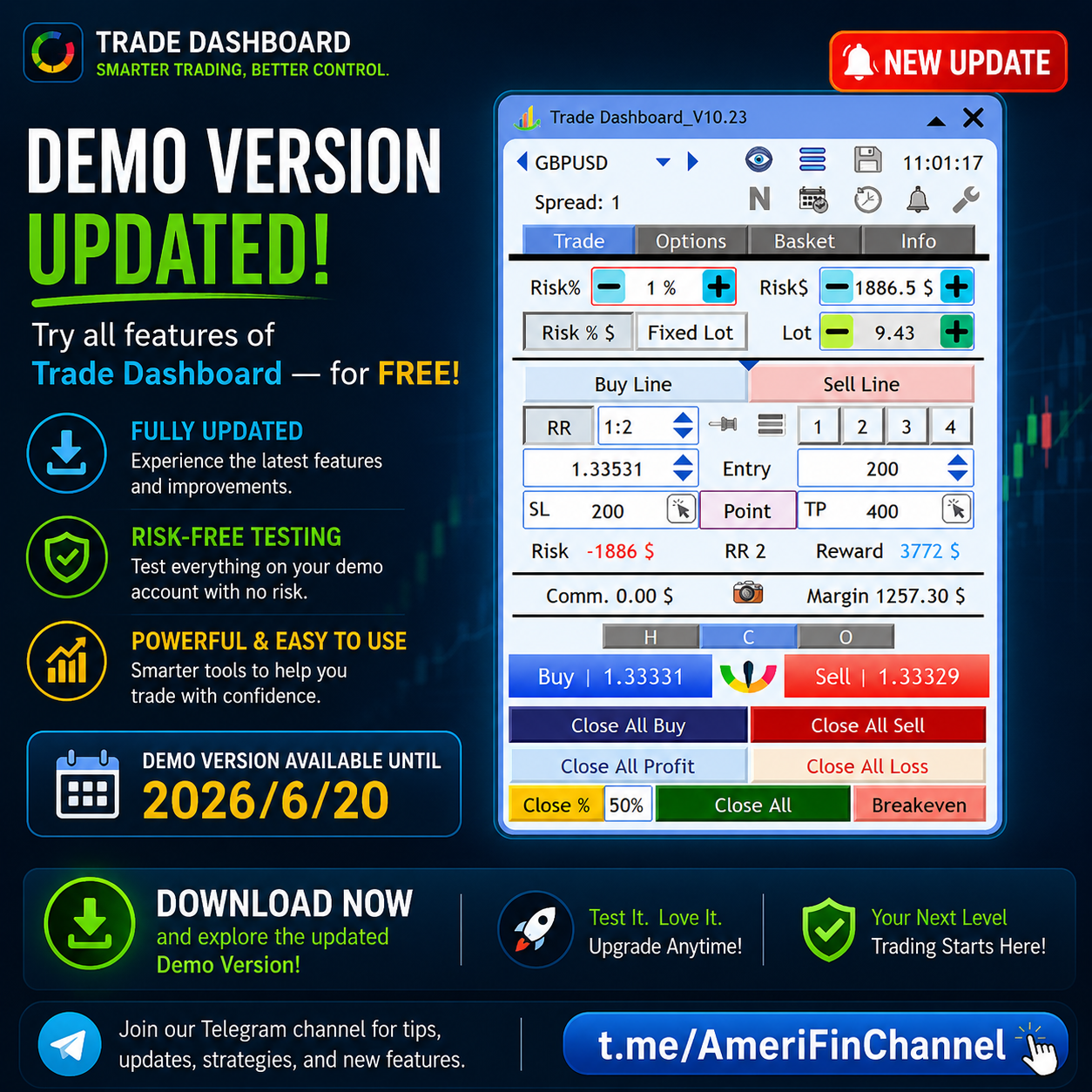
For those who want to try Trade Dashboard on demo accounts, It is available here: https://www.mql5.com/en/blogs/post/756310
Fatemeh Ameri
Fatemeh Ameri
📢 Trade Dashboard – Major Update Released!

A brand-new version is ready! 🚀
This update brings full customization to your Trade Dashboard — now you have total control over the appearance and information of your trading tools.

✨ What’s New:

🎯 Trade Lines (Entry / TP / SL):

Set custom information text

Choose your own colors

Select your preferred line style (solid, dotted, dashed, etc.)

📊 Information Boxes:

Choose what info to display (Entry, TP, SL, Profit, etc.)

Customize box color, text color, and style

💼 Handles Customization:

Set color and style for Buy / Sell / Basket handles

⚖️ Breakeven Lines:

Customize color and style of Buy / Sell breakeven lines

This update gives you the freedom to make your Trade Dashboard look and feel exactly the way you want — stylish, clean, and fully personalized!

🔄 Update now and enjoy the most flexible version yet of Trade Dashboard!
Fatemeh Ameri
Fatemeh Ameri
📢 Trade Dashboard – New Update Released!

The new update is now available! 🚀
We’ve added a powerful new feature that lets users set Buy/Sell trading lines directly on the chart — giving you even more control and flexibility in how you manage your trades.

🎯 New Feature: Customizable Buy/Sell Trading Lines
Now you can choose between 4 display modes:
1️⃣ Normal – shows both box and text
2️⃣ Only Text – displays text without the box
3️⃣ Hide Box – hides the box, keeps the line
4️⃣ Hide Box and Line – keeps it clean and minimal

This update makes it easier to personalize your chart exactly the way you like while keeping everything clear and functional.

Update your Trade Dashboard now and enjoy a smoother, more flexible trading experience!
Fatemeh Ameri
Fatemeh Ameri
We’ve added a new handle to move pending orders directly from the information box!
Now you can easily drag your pending orders up or down without manually adjusting price levels — making order management smoother, faster, and more intuitive than ever.

✅ New Feature: Drag handle on info box for pending orders
⚙️ Benefit: Quick and precise repositioning of pending trades
💡 Tip: Just click and drag the handle to instantly adjust your order price!

Update your Trade Dashboard now and enjoy a more seamless trading experience.
Fatemeh Ameri
Fatemeh Ameri
🎉 New in Trade Dashboard:


Completely Redesigned Save Window: The save/load interface has been fully revamped for a smoother and more intuitive experience.

Save as Default for Each Symbol: Now you can save your preferred settings individually for every trading symbol—no more reapplying your favorite layout each time!


Update now to enjoy a faster, smarter workflow! 🚀
Fatemeh Ameri
Fatemeh Ameri
🚀 Trade Dashboard Update – New Features Added!

We’re excited to announce a new update to Trade Dashboard with several powerful features designed to make your trading experience even smoother:

🎨 Customizable Information Box Colors

Now you can set and change the colors of information boxes to match your chart style.

🛡 Virtual SL and TP Settings

Configure Virtual Stop Loss and Virtual Take Profit separately for more flexible risk management.

📝 Trade Comments

Add a custom comment for each trade to keep your positions well-organized.

📊 Spread / ATR Toggle

By clicking on Spread, you can now switch the display to ATR (Average True Range) instantly.
Fatemeh Ameri
Fatemeh Ameri
Trade Dashboard demo version is updated, you can try it for free: https://www.mql5.com/en/blogs/post/756310
Fatemeh Ameri
Fatemeh Ameri
1️⃣ New Tab: Basket > Close
Control and automate your basket closures with powerful new options:

✅ Close all trades based on:

Daily Profit/Loss

Total Profit/Loss

Equity

🔔 Receive a notification after closing all trades.

🗑️ Option to delete pending orders after closing all.

❌ Ability to close trades on other charts after hitting close condition.

🛑 Option to stop trading for the rest of the day once basket closes.
Diego Catalina
[Excluído] 2025.07.25
[Excluído]
Fatemeh Ameri
Fatemeh Ameri
Redesigned and more flexible basket management tools:

🎨 Redecorated UI for a cleaner experience.

📉 Ability to close a percentage of the basket from the Up or Down side.

🧹 Quickly remove all SL/TP levels from basket trades.

🛠️ Use the Buy / Sell / Basket Handle to:

Set up Stop Loss / Take Profit for Buy, Sell, or the entire basket with ease.
Fatemeh Ameri
Fatemeh Ameri
Trade Dashboard new features are updated:
1-To press Buy/Sell button, mouse must be on the button and "click and release"
2-Screenshot Button now working correctly.
3-Spread and time working correctly again.
4-Market session indicator is updated to reflect summer time.
5-'PCloseLines1.mqh' (87,12)' array out of range bug is debugged.
6-OrderSendAsync function is replaced to make EA faster at trade execution times.

Plz update your product!
Fatemeh Ameri
Fatemeh Ameri
🆕 New Update Highlights
🔧 Performance Improvements
Faster Load for Minimize Bar
The minimize bar now loads significantly faster, improving overall UI responsiveness.

💾 Saved Settings & Defaults
Minimize Bar Mode Persistence
The state of the minimize bar (minimized or expanded) can now be saved, including as the default mode for future sessions.

Basket Tab Preferences Saved
User preferences for showing Ticket or Symbol in both the Basket > Positions and Basket < Orders tabs are now retained.

📊 Risk Management Enhancements
Flexible Risk Input
Users can now define risk either by percentage or by fixed money amount:

If Risk $ is edited, the system uses money-based risk.

To revert to percentage-based risk, the user simply modifies the Risk % field.

Visual Risk Indicator
The input box used for risk calculation is now marked with a red border, making it easily identifiable.
Fatemeh Ameri
Fatemeh Ameri
🚀 Trade Dashboard – New Update Released!
We're thrilled to share the latest update to your favorite trading tool. It brings better performance, smarter controls, and easier trade management. Here's what's new 👇
________________________________________
⚡️ Performance
• MT5 version runs faster and smoother than ever before.
________________________________________
📦 Info Boxes – Redesigned
• Size and shape updated for a cleaner look.
• New Buttons: “Close” and “Breakeven” added.
• Tap on any info box to visually edit SL/TP.
• You can now open multiple SL/TP panels for multiple trades.
• Buy boxes now appear above open price;
Sell boxes appear below — for better clarity.


🎯 Breakeven Enhancements
• New look for Buy/Sell Breakeven boxes.
• Close Button: Closes all buy/sell positions in one tap.
• Breakeven Button: Moves SL to breakeven price for the entire buy/sell basket.


________________________________________
🔄 Quick Revert
• New “Revert” button on the modification panel restores the original setting after changes.

________________________________________
⚙️ Breakeven & Trail Stop – Upgraded
• Activation buttons redesigned for better UX.
• Breakeven Modes now selectable via dropdown (combo box).
• Trail Stop Modes also selectable via dropdown.


________________________________________
✅ Update Now to Enjoy All the New Features!
Thanks for being a valued user. We're committed to making your trading smarter, faster, and more efficient!
Fatemeh Ameri
Fatemeh Ameri
Hello guys, Trade Dashboard is now only 50$ for a few number of sales.
Wongyungwu
Wongyungwu 2025.03.03
trade with the best ea ever, watch live trading on youtube here, its the best ea, https://www.youtube.com/watch?v=wDQSnyivEJs
Fatemeh Ameri
Fatemeh Ameri
Today is the last day of 2024, the last day of offering Trade Dashboard at 65$
Fatemeh Ameri
Fatemeh Ameri
We are thrilled to announce that our product Trade Dashboard now supports 14 languages! 🌍

You can now use our dashboard in:

English
German
French
Spanish
Portuguese
Italian
Russian
Chinese
Japanese
Korean
Turkish
Persian
Arabic
Vietnamese
Indonesian
Experience seamless trading in your preferred language. Check it out now on our MQL5 page!

Feel free to customize it as needed. If you need any more help, just let me know!
Van Lap
Van Lap 2025.03.10
cho tôi xin bộ phông chữ
Fatemeh Ameri
Fatemeh Ameri
Demo version of Trade Dashboard has just been updated, you can download and use it in any demo account freely.
https://www.mql5.com/en/blogs/post/756310
Fatemeh Ameri
Trade Dashboard Instructional Videos Trade dashboard is a manual trade manager to ease things for manual traders, it automates some of trading aspects, such as lot size calculation, partial closing of a trade, breakeven, trail stop loss and pending orders, you can set timer for different trade ta...
Fatemeh Ameri
Fatemeh Ameri
The ability to set the offset or lock profit amount when pressing "Breakeven" button has been added to the product. Enjoy
Fatemeh Ameri
Fatemeh Ameri
For those who are intrested, the ability to place grid of pending orders has been added to the product. Enjoy.