• Informazioni
4 anni
esperienza
4
prodotti
787
versioni demo
78
lavori
0
segnali
0
iscritti
Welcome to my page 👋

I’m a professional MQL developer and trading tools specialist focused on building high-performance, professional-grade solutions for serious traders.

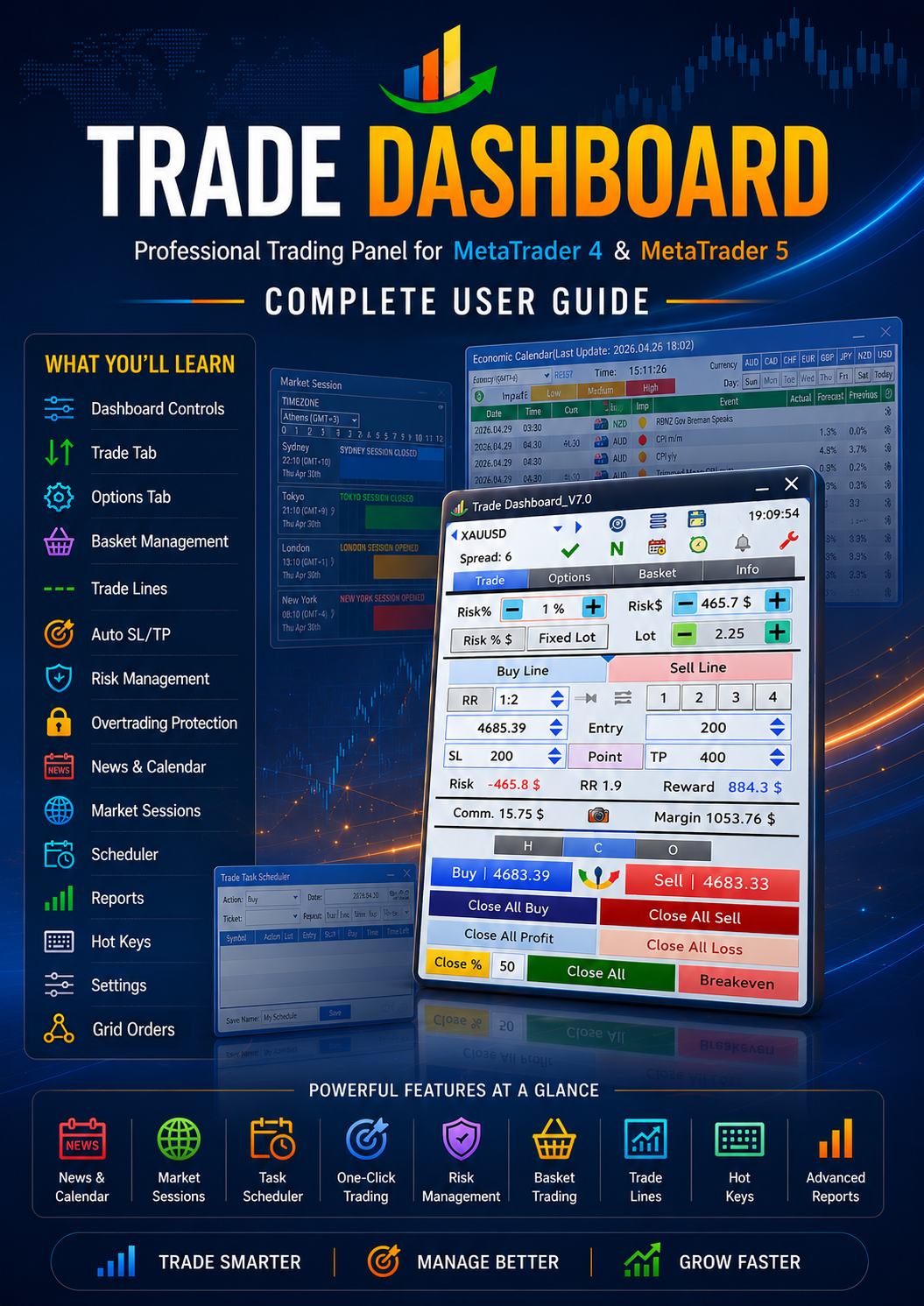
🔹 Creator of Trade Dashboard (MT4 & MT5) — a powerful all-in-one trading panel used by traders worldwide.
🔹 Specialized in advanced trading utilities, execution tools, and risk-management systems.
🔹 Strong background in trading logic, strategy implementation, and UI-optimized dashboards.

🧠 Expertise Includes

Professional trading panels & dashboards

Expert Advisors (EAs)

Trade management systems

Strategy automation

Performance optimization

Advanced UI systems for MT4/MT5

📌 My Products

Trade Dashboard MT4
https://www.mql5.com/en/market/product/74392

Trade Dashboard MT5
https://www.mql5.com/en/market/product/80097

📩 Contact:
Telegram → https://t.me/AmeriEAs
Fatemeh Ameri
Fatemeh Ameri
📢 New Update Released – Trade Button Mode Added! 🚀

💡 Did you know…?

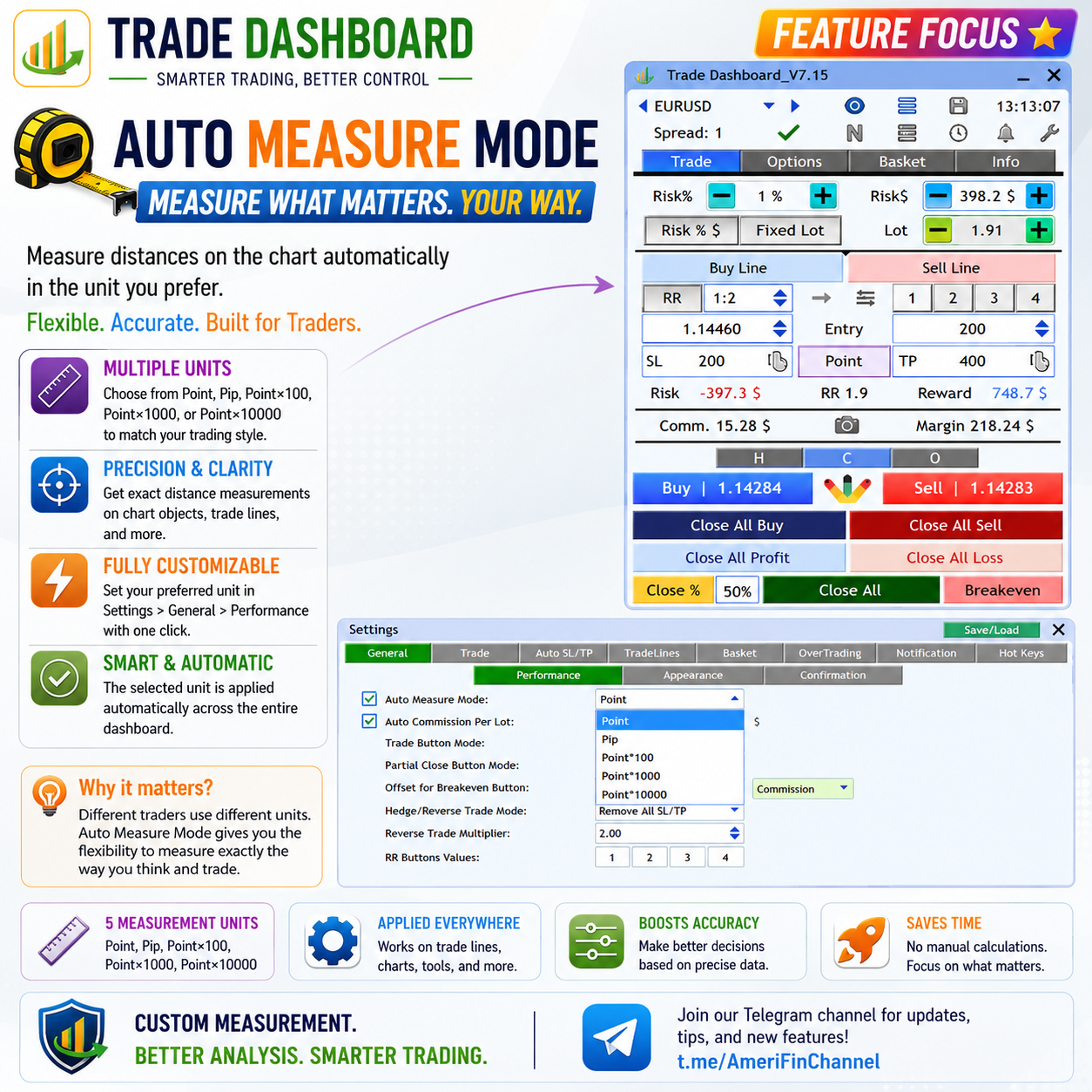
You can now choose which trading buttons are displayed in Trade Dashboard.

Go to:
⚙️ Settings > General > Performance > Trade Button Mode

Available modes:

Buy & Sell
Only Buy
Only Sell
🎯 Why this is useful

✔ Cleaner interface
✔ Faster execution
✔ Better focus on your strategy
✔ Helps avoid accidental opposite trades

For example, if your strategy only takes Buy trades, you can display only the Buy button and simplify your trading panel.

Update now and customize the panel based on your trading style 👌

For more tips and updates:
👉 https://t.me/AmeriFinChannel
Fatemeh Ameri
Fatemeh Ameri
📢 New Update Released – Smarter Trading Panel Control! 🚀

💡 Did you know…?

You can now switch between different trading button panels instantly using 3 small buttons above Buy/Sell:

🔘 H → Hedge & Reverse buttons
🔘 C → Close buttons
🔘 O → Order buttons (open/delete pending orders)

🎯 Why this is powerful

✔ Focus only on what you need
✔ Faster execution
✔ Cleaner interface

✨ Extra flexibility
You can turn OFF all three buttons → trading panel disappears → cleaner UI
You can save your preferred mode (H / C / O or none) so it loads exactly how you like every time

Update now and try it 👌

For more tips and upcoming features:
👉 https://t.me/AmeriFinChannel
Fatemeh Ameri
Fatemeh Ameri
We’re improving Trade Dashboard UI 👇
The current design uses a gauge-shaped button between Buy/Sell to switch between order types (market, pending, hedge, reverse).

We’re considering simplifying it with normal buttons.Your feedback matters 🙏
Which one do you prefer?

join our telegram channel and check your prefered option: https://t.me/AmeriFinChannel
Fatemeh Ameri
Fatemeh Ameri
📢 Demo Version Updated 🚀
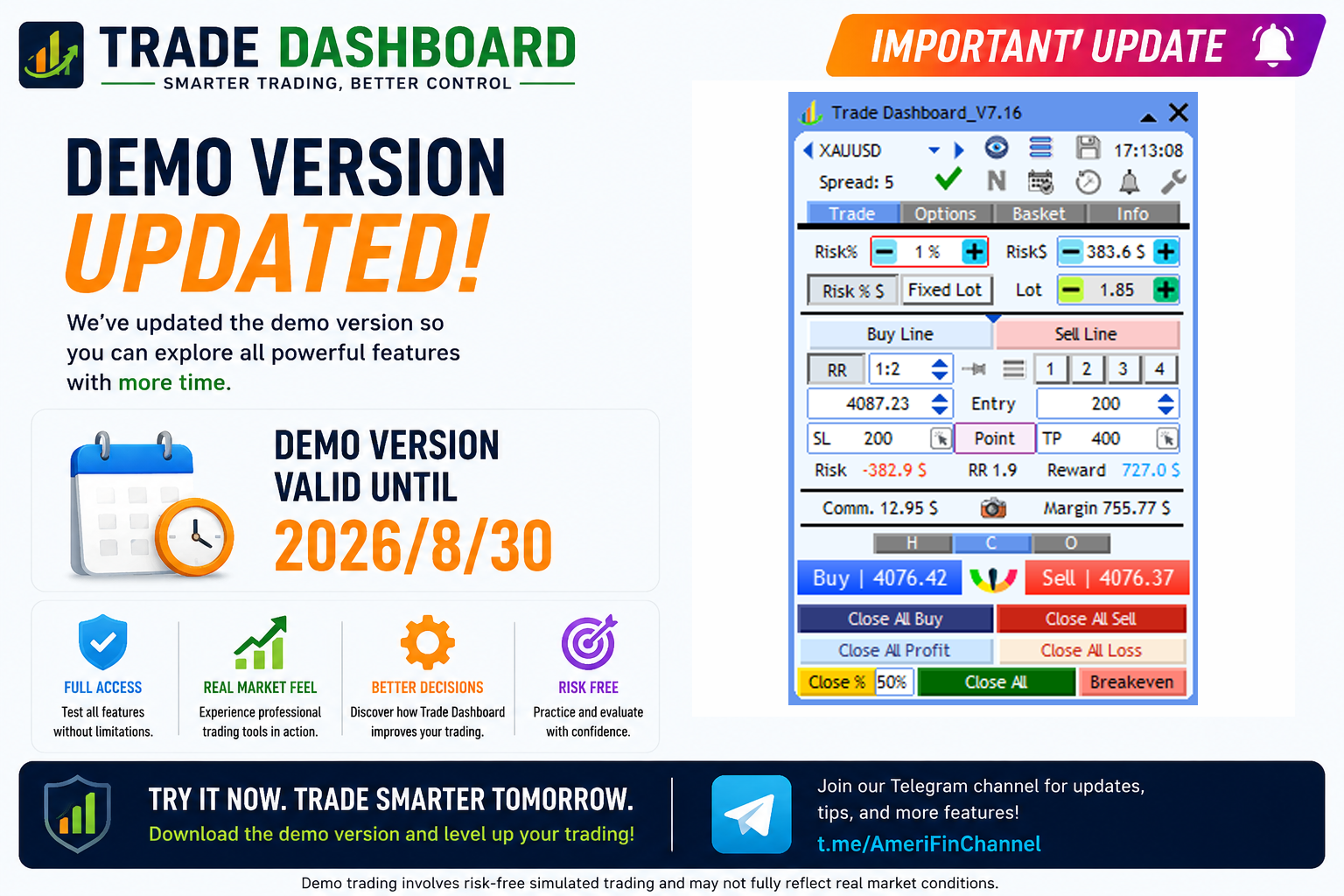
The Trade Dashboard demo version has been updated and is now available until
🗓 2026.05.15

You can download and use the demo on any demo account with no functional limitations before purchasing the full version.
Try all features and explore the full power of Trade Dashboard risk-free 👌

🆓 Download Demo:
👉 https://www.mql5.com/en/blogs/post/756310

For updates and tips:
👉 https://t.me/AmeriFinChannel
Fatemeh Ameri
Fatemeh Ameri
💡 Did you know…? (Spread Multiplier for SL/TP)

You can add a multiple of the current spread to your Stop Loss and Take Profit automatically.

🔹 Why use it?
Sometimes you want to offset SL/TP by the spread (or even 2× spread) to get more accurate levels.

⚙️ How to set it

Go to: Settings > Trade > Spread & SL/TP
✔ Enable “Add Spread Multiplier”
✔ Set your desired multiplier (e.g., 1×, 2×)

🔄 What it does
Adds (Spread × Multiplier) to your SL/TP distance
Automatically recalculates lot size based on the new SL size

This helps you account for spread in your strategy and keeps your risk calculation precise.

For more tips and feature guides:
👉 https://t.me/AmeriFinChannel
Fatemeh Ameri
Fatemeh Ameri
💡 Did you know…? (Close Other Charts)

You can set Trade Dashboard to automatically close all other charts when specific conditions are met.

🔹 When can it trigger?
When total profit/loss of the current basket reaches a target
When today’s total profit/loss hits a limit
When equity becomes greater than X or less than Y
🎯 Why is this powerful?

Closing other charts will stop all EAs running on them.
This helps you enforce strict rules—especially for prop firm accounts with equity or drawdown limits.

Since Trade Dashboard can also manage trades from other EAs, this feature gives you full control over your entire account behavior.

⚙️ How to set it

Go to: Basket > Close All
✔ Define your conditions
✔ Enable “Close Other Charts”

This is a smart way to protect your account and stay disciplined automatically.

For more tips and feature guides:
👉 https://t.me/AmeriFinChannel
Fatemeh Ameri
Fatemeh Ameri
💡 Did you know…? (Basket Breakeven Visualization)

Trade Dashboard lets you see and manage the breakeven price of your Buy/Sell basket directly on the chart.

🔹 What is Basket Breakeven?
It’s the price where the total profit of all Buy or Sell trades becomes zero.

👁️ Visual Advantage

You can clearly see exactly at what price your basket turns breakeven, helping you make smarter decisions in real time.

📊 Breakeven Info Box Includes:
Total lot size of the basket
Current total profit
Close button → close the entire basket
BE button → instantly move the basket to breakeven

This feature gives you full control over multi-trade positions and helps you manage baskets with precision.

For more tips and feature guides:
👉 https://t.me/AmeriFinChannel
Fatemeh Ameri
Fatemeh Ameri
🚀 NEW UPDATE

Based on user feedback, we’ve made an important improvement to your trading workflow.

In the second minimizer bar (shown when the Trade Dashboard is minimized):

🔁 The "Delete All" button has been replaced with "Breakeven"

This means:

✔ Faster access to breakeven functionality
✔ Better risk protection with fewer clicks
✔ More practical control during active trades

The minimizer bar is designed for speed — and this change makes it even more aligned with real trading needs.

💡 Why this change?

Most traders rarely use Delete All in fast execution moments, but Breakeven is critical for protecting trades in real time.

So we prioritized what actually improves your performance.
Fatemeh Ameri
Fatemeh Ameri
📢 New Update Released – New Theme & UI Improvement! 🚀

A new version of Trade Dashboard is now available — make sure to update your product to access the latest changes.

💡 What’s New?

🎨 New Theme Added – “Icy”
A fresh light gray / near-white theme for traders who prefer a clean and minimal chart appearance.

🔄 Minimized Bar Improvement

The “Delete All” button has been replaced with “Breakeven” in the second minimized bar
Gives faster access to one of the most frequently used actions

Update now and enjoy the new look and improved workflow 👌

For tips and updates:
👉 https://t.me/AmeriFinChannel
Fatemeh Ameri
Fatemeh Ameri
📢 New Update Released – Improved Minimized Mode! 🚀

A new version of Trade Dashboard is now available — make sure to update your product to access the latest improvements.

💡 What’s New?

When you minimize the panel, a second bar is now displayed for faster access to key actions.

🔹 New Trading Bar includes:

Buy
Sell
Close All
Close %
Delete All

🔹 Existing Bar still includes:

Symbol selector
Time display
Buy line & Sell line tools
⚙️ Customization & Flexibility
You can enable/disable the new bar from:
Settings > General > Appearance
You can move both bars freely on the chart
The second bar remembers its position — when you minimize/maximize again, it will appear exactly where you placed it

This update makes trading faster in minimized mode while keeping your layout fully customizable.

Update now and enjoy a smoother workflow 👌

For tips and updates:
👉 https://t.me/AmeriFinChannel
Fatemeh Ameri
Fatemeh Ameri
📢 New Update Released – Hedge & Reverse Control Enhanced! 🚀

💡 Did you know…?

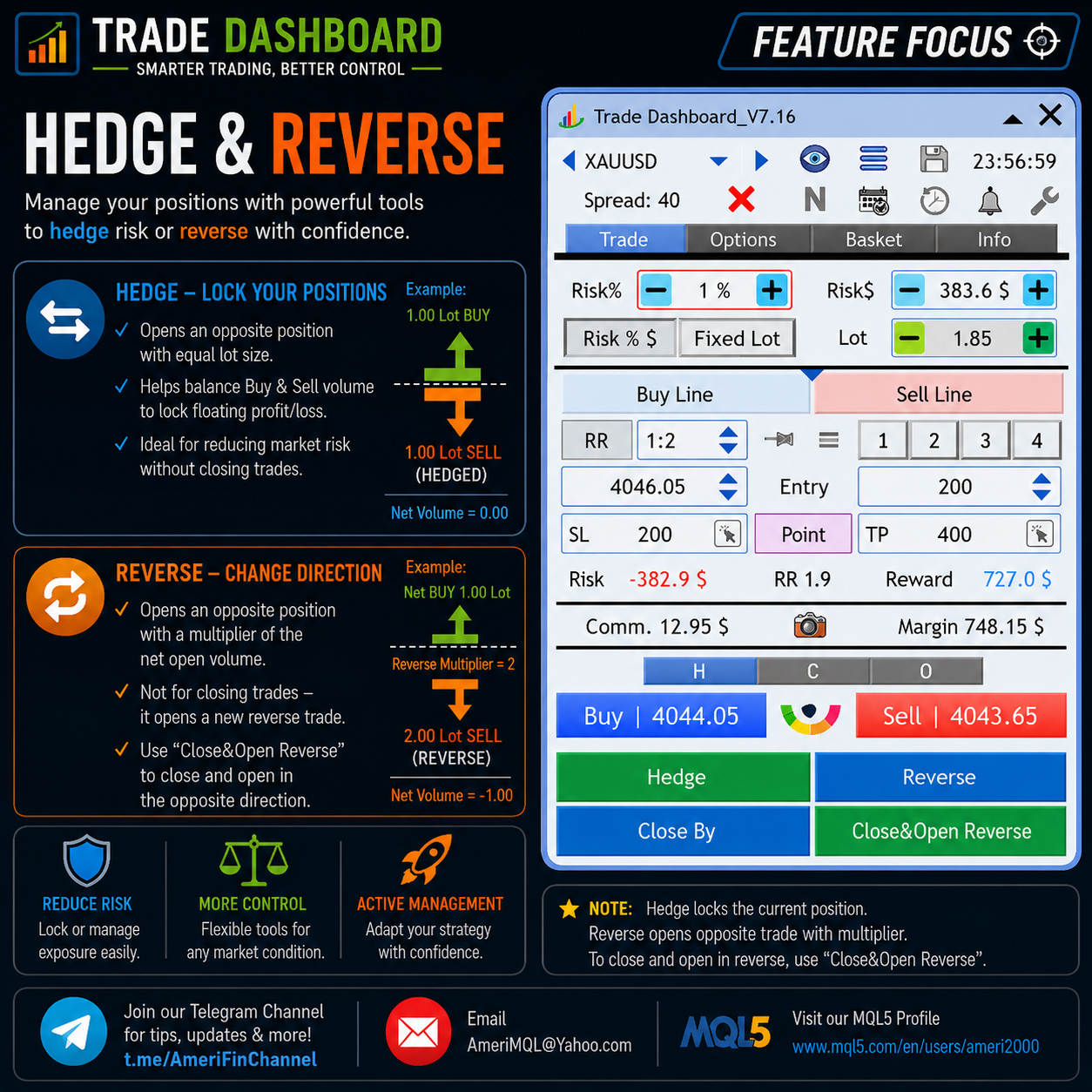
Trade Dashboard now gives you more control over Hedge and Reverse trades with 3 flexible options.

🔹 Reminder
Hedge Trade → opens a trade opposite to your current total lot size
Reverse Trade → opens a trade opposite to total lot × reverse multiplier
🔹 New Options

You can now choose how SL/TP behaves for Hedge/Reverse trades:

1️⃣ With SL/TP
→ Uses Trade Dashboard’s SL/TP settings

2️⃣ Without SL/TP
→ Opens the trade with no SL/TP

3️⃣ Remove All SL/TP
→ When Hedge/Reverse is taken, all SL/TP from all trades are removed

📌 Why?
If your opposite position equals your current total lot size, your profit is locked, so SL/TP is no longer needed.

This gives you full flexibility to apply different hedging strategies depending on your trading style.

Update now and take advantage of this powerful control 👌

For tips and feature guides:
👉 https://t.me/AmeriFinChannel
Fatemeh Ameri
Fatemeh Ameri
📢 New Update Released – Smarter Symbol Switching! 🚀

A new feature has been added to make your workflow faster and more flexible:

💡 Did you know…?

You can now enable “Load Symbol Default on Symbol Change”.

🔹 When this option is checked and you change the chart symbol:

Trade Dashboard checks for a saved Symbol Default setting for that symbol
If found → it loads automatically
If not → nothing changes
🎯 Why this is useful

You can now have different setups for each symbol (e.g., EURUSD, XAUUSD, BTCUSD), and switch between them instantly just by changing the chart symbol.

No need to manually load settings every time — everything becomes automatic and seamless.

Update now and enjoy a smarter, faster trading experience 👌

For more tips and updates:
👉 https://t.me/AmeriFinChannel
Fatemeh Ameri
Fatemeh Ameri
📢 Limited Time Offer – Price Reduced! 💰

Good news! 🎉
The Trade Dashboard (MT5) price is now reduced from $60 to $50.

⏳ This is a limited-time offer, so don’t miss the chance to get it at a lower price.

Upgrade your trading with powerful tools at a better price 🚀
Trade Dashboard MT4
https://www.mql5.com/en/market/product/74392

Trade Dashboard MT5
https://www.mql5.com/en/market/product/80097

For updates and tips:
👉 https://t.me/AmeriFinChannel
Fatemeh Ameri
Fatemeh Ameri
💡 Did you know…?

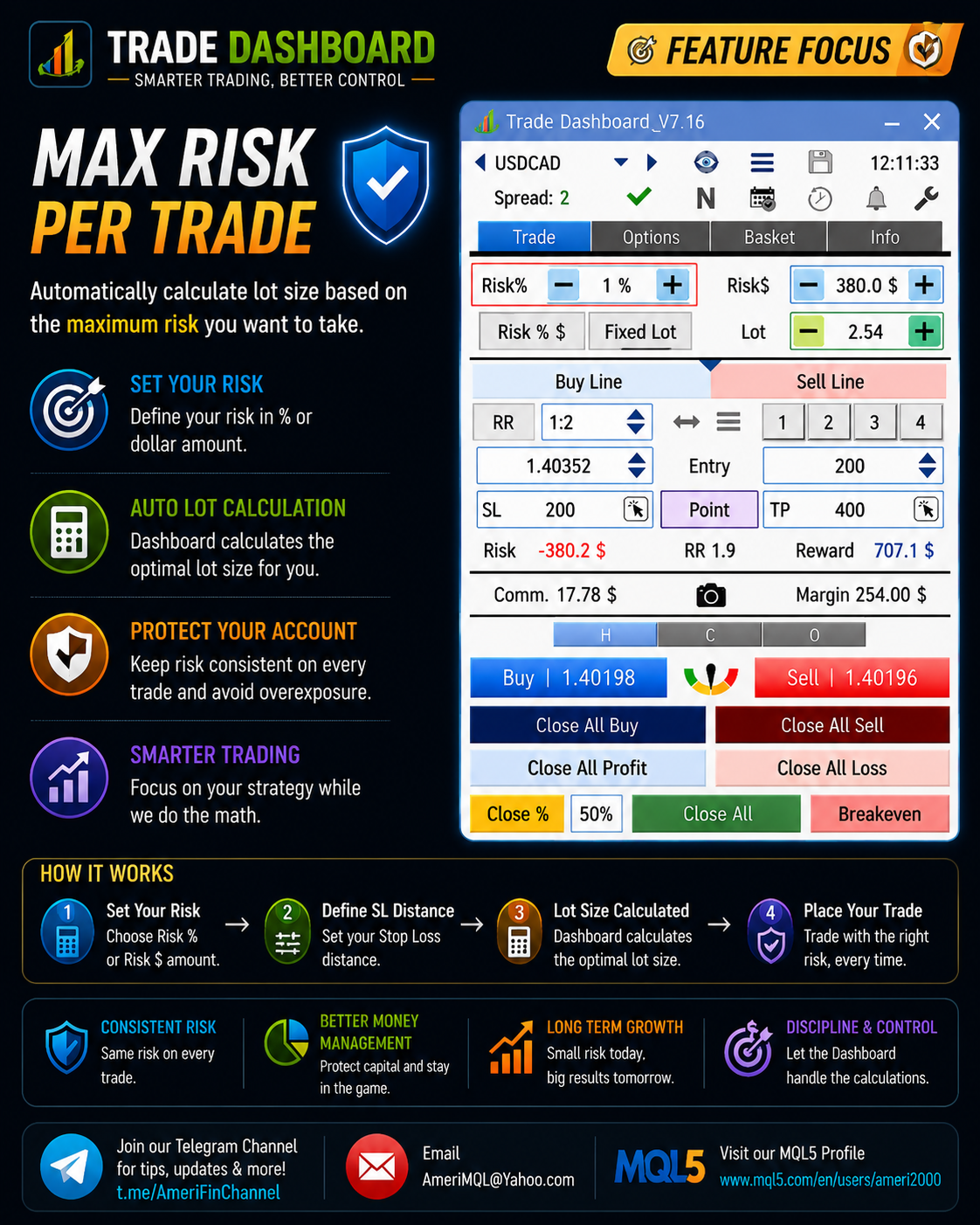
Trade Dashboard gives you powerful controls to limit your risk per trade and stay within strict rules—especially useful for prop firm trading.

🔹 You can limit risk based on:

Balance %
Fixed dollar amount

🔹 You can also limit trades based on required margin:

% of free margin
Fixed dollar amount

🔹 And even set a maximum lot size per trade

⚙️ How to set it:
Go to Settings > Trade > Risk & LotSize and configure your limits.

These controls help you avoid oversized positions, stay disciplined, and protect your account from accidental risk.

For more tips and feature guides:
👉 https://t.me/AmeriFinChannel
Fatemeh Ameri
Fatemeh Ameri
📢 New Update Released + Limited Time Offer! 🚀

A new update of Trade Dashboard is now available — make sure to update your product to access the latest improvements.

🔥 Hotkeys System Upgraded

The Hotkeys tab has been significantly improved:

🔹 Added color indicators for better visibility
🔹 Added support for more hotkey actions

🆕 New hotkeys added:

Update SL
Update TP
Remove SL
Remove TP

This makes managing trades via keyboard faster, clearer, and more powerful than ever.

💰 Limited Time Price Reduction

To celebrate this update, the MT5 version price is reduced from $60 → $50

⏳ Limited offer (10 days only) — don’t miss it!

Update now and take advantage of both the new features and the discounted price 👌

For updates and tips:
👉 https://t.me/AmeriFinChannel
Fatemeh Ameri
Fatemeh Ameri
💡 Did you know…?

Trade Dashboard gives you powerful options to close all trades automatically based on your trading goals.

🔹 You can close all trades based on:

Total profit/loss of current trades
Total today’s profit/loss (very useful for prop firm rules)
Equity level (also ideal for prop firm limits)
⚙️ Smart actions after closing

You can also define what happens after all trades are closed:

✔ Close all trades
✔ Delete all pending orders
✔ Stop trading for the rest of the day (prevents overtrading or revenge trading)
✔ Close other charts (which stops other EAs running on those charts)

Since Trade Dashboard can also take control of trades opened by other EAs, it can manage and close them as part of this process as well.

This gives you full control over your account risk, discipline, and automation.

For more tips and feature guides:
👉 https://t.me/AmeriFinChannel
Fatemeh Ameri
Fatemeh Ameri
💡 Did you know…?

Trade Dashboard can take control of manual trades opened from MetaTrader desktop, mobile phone, tablet, or other devices.

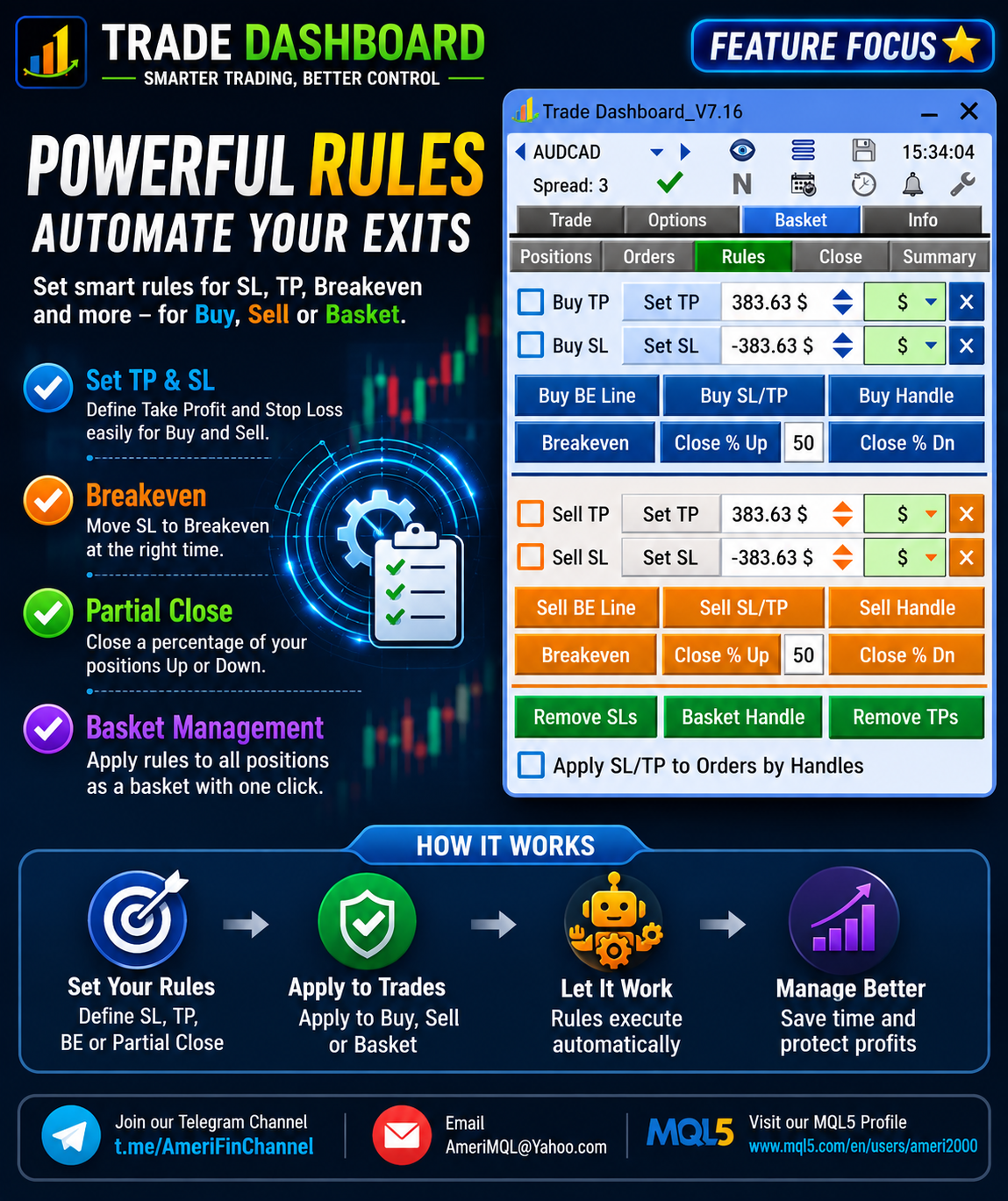
Once manual trades are detected, Trade Dashboard can manage them automatically and apply advanced features such as:

🔹 Partial Close
🔹 Breakeven
🔹 Trailing Stop Loss
🔹 Close all trades at a target profit/loss
🔹 Close all trades at a specific equity value
🔹 And other basket management functions

⚙️ How to enable it

Go to: Settings > Basket
✔ Enable “Manage Manual Trades”

You can also choose to automatically set SL or TP for manual trades.

🔹 Extra smart option:
Set SL/TP only if the trade has no SL/TP already, so existing broker levels remain untouched.

This means you can open trades anywhere, and let Trade Dashboard handle the professional management for you.

For more tips and feature guides:
👉 https://t.me/AmeriFinChannel
Fatemeh Ameri
Fatemeh Ameri
🌍 **Update Announcement!**

In the latest version, **Market Sessions** have been updated to correctly reflect **summer time zones (DST)** ☀️🕒

✅ Session times are now aligned with daylight saving changes
✅ More accurate session tracking for your trading decisions
✅ No need for manual adjustments

Stay in sync with the markets and trade with confidence 📊🚀
Fatemeh Ameri
Fatemeh Ameri
💡 **Did You Know?**

You can **limit the maximum risk per trade** and protect your account from overexposure!

⚙️ To enable:
Go to **Settings → Trade**

✔️ Check **"Max Allowed Risk Per Trade"**
💲 Choose how to define your limit:

* By **percentage (%)**
* Or fixed **amount ($)**

🎯 This feature ensures you never exceed your predefined risk, helping you stay disciplined and consistent in your trading.

Control your risk, control your results 📊🚀
Fatemeh Ameri
Fatemeh Ameri
🚀 **New Feature Announcement!**

Ever hit the **maximum lot size limit** on a symbol? Not anymore.

💡 Now you can automatically execute **larger positions than the symbol’s max lot size**!

⚙️ How it works:
Go to **Settings → Trades → Risk & Lot Size**
✔️ Enable **"Take Multiple Trades if Lotsize >> MaxLot"**

📌 What happens next?
If your desired lot size exceeds the symbol’s maximum, the system will **split it into multiple trades automatically**.

🔍 Example:

* Max lot size for BTCUSD = **10 lots**
* Your desired lot size = **25 lots**

✅ The system will execute:

* 2 trades of **10 lots**
* 1 trade of **5 lots**

🎯 Result: You get your full position size without manual calculation or multiple clicks.

Trade smarter, not harder 💪