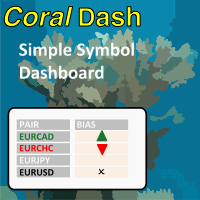
CoralDash
FREE
Publicado:
4 fevereiro 2022
Versão atual:
1.0
Não encontrou o robô certo? Encomende um para você
no serviço Freelance.
Ir para o Freelance
no serviço Freelance.
Como comprar um robô de negociação ou indicador?
Execute seu EA na
hospedagem virtual
hospedagem virtual
Teste indicadores/robôs de negociação antes de comprá-los
Quer ganhar dinheiro no Mercado?
Como apresentar um produto para o consumidor final?

Você está perdendo oportunidades de negociação:
- Aplicativos de negociação gratuitos
- 8 000+ sinais para cópia
- Notícias econômicas para análise dos mercados financeiros
Registro
Login
Você concorda com a política do site e com os termos de uso
Se você não tem uma conta, por favor registre-se
purpose of timer in timing modes or timer settings?
purpose of timer in timing modes or timer settings?
Hi, thanks for writing. When you have "Follow Exposure Rules" turned on then CoralDash will be monitoring your open trades and setting the symbol colors depending on your current exposure. The timing settings control how frequently CoralDash is looking for updates. If you set it to "Chart timeframe" then it will update exposure only once on every new bar for the current chart timeframe. If you've got it on a chart with a higher timeframe like an H1, that might not be often enough to be useful. So you can instead set it to "timer" mode and set the number of seconds between updates, and it will use that time rather than new bars for updating. You could also set it to "Every tick" and it will update on every tick, but that of course could have a negative impact on performance, especially on slower systems.