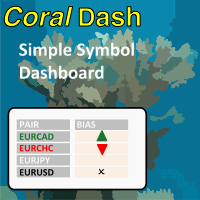
CoralDash
FREE
Publié:
4 février 2022
Version actuelle:
1.0
Vous ne trouvez aucun robot qui vous convient ?
Commandez le vôtre
dans la section Freelance
Aller à la section Freelance
Commandez le vôtre
dans la section Freelance
Comment acheter un robot de trading ou un indicateur
Exécutez votre EA sur
hébergement virtuel
hébergement virtuel
Test un indicateur/robot de trading avant d'acheter
Vous voulez gagner de l'argent sur Market ?
Comment présenter un produit pour qu'il se vende bien

Vous manquez des opportunités de trading :
- Applications de trading gratuites
- Plus de 8 000 signaux à copier
- Actualités économiques pour explorer les marchés financiers
Inscription
Se connecter
Vous acceptez la politique du site Web et les conditions d'utilisation
Si vous n'avez pas de compte, veuillez vous inscrire
purpose of timer in timing modes or timer settings?
purpose of timer in timing modes or timer settings?
Hi, thanks for writing. When you have "Follow Exposure Rules" turned on then CoralDash will be monitoring your open trades and setting the symbol colors depending on your current exposure. The timing settings control how frequently CoralDash is looking for updates. If you set it to "Chart timeframe" then it will update exposure only once on every new bar for the current chart timeframe. If you've got it on a chart with a higher timeframe like an H1, that might not be often enough to be useful. So you can instead set it to "timer" mode and set the number of seconds between updates, and it will use that time rather than new bars for updating. You could also set it to "Every tick" and it will update on every tick, but that of course could have a negative impact on performance, especially on slower systems.