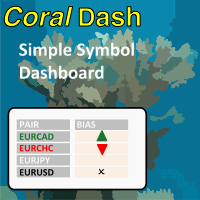
CoralDash
FREE
Published:
4 February 2022
Current version:
1.0
Didn't find a suitable robot?
Order your own one
on Freelance
Go to Freelance
Order your own one
on Freelance
How to buy а trading robot or an indicator
Run your EA on
virtual hosting
virtual hosting
Test аn indicator/trading robot before buying
Want to earn in the Market?
How to present a product for a sell-through

You are missing trading opportunities:
- Free trading apps
- Over 8,000 signals for copying
- Economic news for exploring financial markets
Registration
Log in
You agree to website policy and terms of use
If you do not have an account, please register
purpose of timer in timing modes or timer settings?
purpose of timer in timing modes or timer settings?
Hi, thanks for writing. When you have "Follow Exposure Rules" turned on then CoralDash will be monitoring your open trades and setting the symbol colors depending on your current exposure. The timing settings control how frequently CoralDash is looking for updates. If you set it to "Chart timeframe" then it will update exposure only once on every new bar for the current chart timeframe. If you've got it on a chart with a higher timeframe like an H1, that might not be often enough to be useful. So you can instead set it to "timer" mode and set the number of seconds between updates, and it will use that time rather than new bars for updating. You could also set it to "Every tick" and it will update on every tick, but that of course could have a negative impact on performance, especially on slower systems.