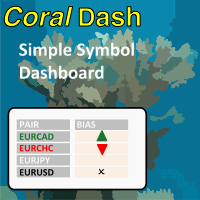
CoralDash
FREE
Yayınlandı:
4 Şubat 2022
Mevcut sürüm:
1.0
Uygun bir robot bulamadınız mı?
Freelance üzerinden kendi
robotunuzu sipariş edin
Freelance'e git
Freelance üzerinden kendi
robotunuzu sipariş edin
Bir alım-satım robotu veya gösterge nasıl satın alınır?
Uzman Danışmanınızı
sanal sunucuda çalıştırın
sanal sunucuda çalıştırın
Satın almadan önce göstergeyi/alım-satım robotunu test edin
Mağazada kazanç sağlamak ister misiniz?
Satış için bir ürün nasıl sunulur?

Alım-satım fırsatlarını kaçırıyorsunuz:
- Ücretsiz alım-satım uygulamaları
- İşlem kopyalama için 8.000'den fazla sinyal
- Finansal piyasaları keşfetmek için ekonomik haberler
Kayıt
Giriş yap
Web sitesi politikasını ve kullanım şartlarını kabul edersiniz
Hesabınız yoksa, lütfen kaydolun
purpose of timer in timing modes or timer settings?
purpose of timer in timing modes or timer settings?
Hi, thanks for writing. When you have "Follow Exposure Rules" turned on then CoralDash will be monitoring your open trades and setting the symbol colors depending on your current exposure. The timing settings control how frequently CoralDash is looking for updates. If you set it to "Chart timeframe" then it will update exposure only once on every new bar for the current chart timeframe. If you've got it on a chart with a higher timeframe like an H1, that might not be often enough to be useful. So you can instead set it to "timer" mode and set the number of seconds between updates, and it will use that time rather than new bars for updating. You could also set it to "Every tick" and it will update on every tick, but that of course could have a negative impact on performance, especially on slower systems.