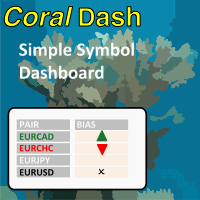
CoralDash
FREE
Veröffentlicht:
4 Februar 2022
Aktuelle Version:
1.0
Keinen passenden Roboter gefunden?
Geben Sie Ihren Eigenen in Auftrag
auf Freelance!
Gehen Sie zu Freelance
Geben Sie Ihren Eigenen in Auftrag
auf Freelance!
Wie man einen Roboter oder Indikator kaufen kann
Starte Deinen EA im
Virtual Hosting
Virtual Hosting
Teste einen Indikator/Roboter vor dem Kauf
Möchtest Du Geld im Market verdienen?
Wie man Produkte richtig präsentiert

Sie verpassen Handelsmöglichkeiten:
- Freie Handelsapplikationen
- Über 8.000 Signale zum Kopieren
- Wirtschaftsnachrichten für die Lage an den Finanzmärkte
Registrierung
Einloggen
Sie stimmen der Website-Richtlinie und den Nutzungsbedingungen zu.
Wenn Sie kein Benutzerkonto haben, registrieren Sie sich
purpose of timer in timing modes or timer settings?
purpose of timer in timing modes or timer settings?
Hi, thanks for writing. When you have "Follow Exposure Rules" turned on then CoralDash will be monitoring your open trades and setting the symbol colors depending on your current exposure. The timing settings control how frequently CoralDash is looking for updates. If you set it to "Chart timeframe" then it will update exposure only once on every new bar for the current chart timeframe. If you've got it on a chart with a higher timeframe like an H1, that might not be often enough to be useful. So you can instead set it to "timer" mode and set the number of seconds between updates, and it will use that time rather than new bars for updating. You could also set it to "Every tick" and it will update on every tick, but that of course could have a negative impact on performance, especially on slower systems.