Intraday breakout
- Experts
- Versão: 2.1
- Ativações: 5

Intraday Breakout EA for MT5
is an automated intraday momentum Expert Advisor inspired by published research on volatility “noise area” breakouts. It is not affiliated with the authors. For each time of day, the EA measures how far price typically moves from the session open over recent sessions and builds upper and lower bands from that. It trades when price breaks out of them, using stop orders so it only enters if the move continues.
How it works
- The bands adapt to each time of day and widen or narrow with recent volatility.
- It can trade long, short or both.
- The EA refreshes its orders on every new bar and removes stale ones.
- It holds one position at a time per symbol. No grid, no martingale, no averaging down.
- Take profit and stop loss are attached to each order, and an optional trailing stop is available.
- An optional trading window limits when new orders are placed, and can also close positions and orders outside the window.
Recommended setup
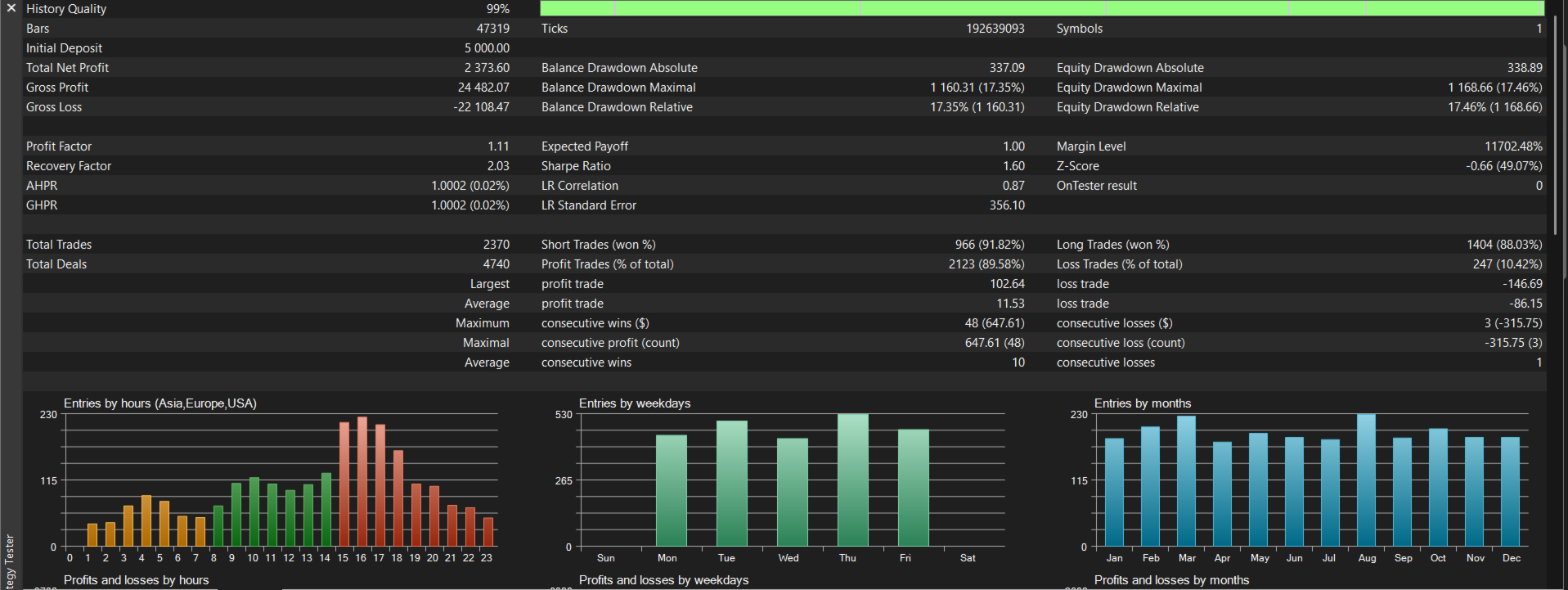
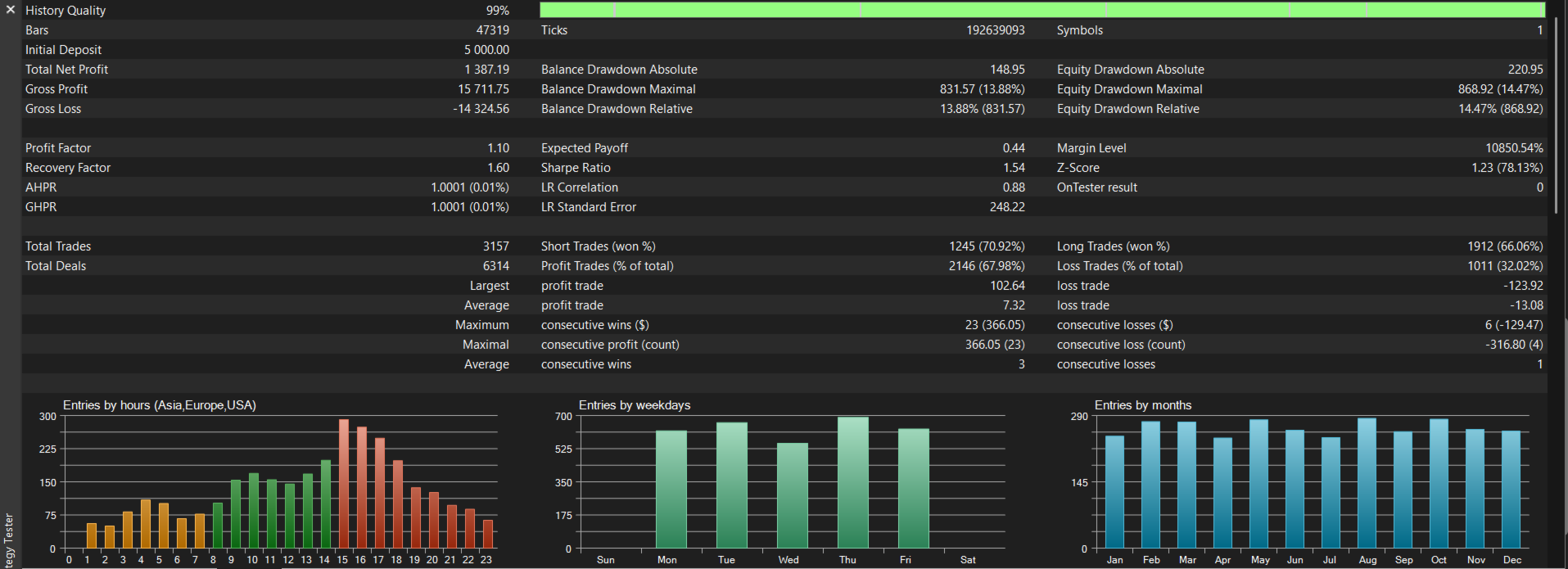
- Symbols: XAUUSD
- Timeframe: M30
- Account: Pepper stone razor. Low spreads are recommended, and a VPS is advised.
- On attach the EA preloads history to build the bands, so make sure the chart has enough history loaded.
Key settings
- Lookback Days / Volatility Multiplier: how many past sessions set the band width, and how wide the bands are. A larger multiplier gives fewer, stronger signals.
- Breakout Bars: the recent range used for entries.
- Allow Long / Allow Short: enable one or both directions.
- Take Profit / Stop Loss (ticks): important. Tick size differs by symbol and broker, so check your symbol’s tick size and adjust. Set 0 to turn one off.
- Trailing Stop: optional. Sets when it starts, how far behind price it trails, and the minimum step.
- Risk Mode: fixed lots, or % of balance risked at the stop loss. Percent mode requires a stop loss above 0, and trades are skipped if the calculated size is below the broker’s minimum lot.
- Time Filter (broker server time): restricts entries to a window. Set the hours to your broker’s server time.
- Session day-boundary shift (hours): aligns the trading “day” to your broker’s server clock.
- Magic Number / Max Slippage / Comment: standard trade identification and execution settings.
Getting started
- Attach to a chart of the recommended symbol and timeframe, and enable algo trading.
- Check the symbol’s tick size and adjust the SL/TP ticks.
- Set the time window and shift for your broker’s server time.
- Test on a demo account first.
Important notes
- Results vary by broker because of spreads, execution and server time. Strategy Tester results can differ from live trading, so use “Every tick based on real ticks” when testing.
- Trading carries a high risk of loss. Past performance does not guarantee future results. Never trade money you can’t afford to lose.
Support: message me on MQL5. I reply within 24h.