Zones Detector
- Indicadores
-
Ziad Ahmed Abdelfattah Ghazi Gadallah
 experienced trader who loves techs. and software i love using tech. in everything so im here to enjoy doing that again and again to make life easier
 - Versão: 1.0
- Ativações: 5
Product name
Zones Detector— Support & Resistance Reaction Zones
Short description
Automatic supply/demand zones built the way traders mark them by hand: swing pivots that produced a real ATR-sized reaction, clustered into thin bands. Multi-reaction zones, higher-timeframe confluence, previous-day levels, break detection and retest arrows. Chart-only, no trading.
Why Zones Detector!
USING THIS INDICATOR YOU DONT NEED TO WATCH THE CHART FOR A LONG PEROID OF TIME TO CATCH A TRADE.
ITS MADE FOR SNIPER ENTRIES SO YOU DONT RISK MORE MONEY PER TRADE.
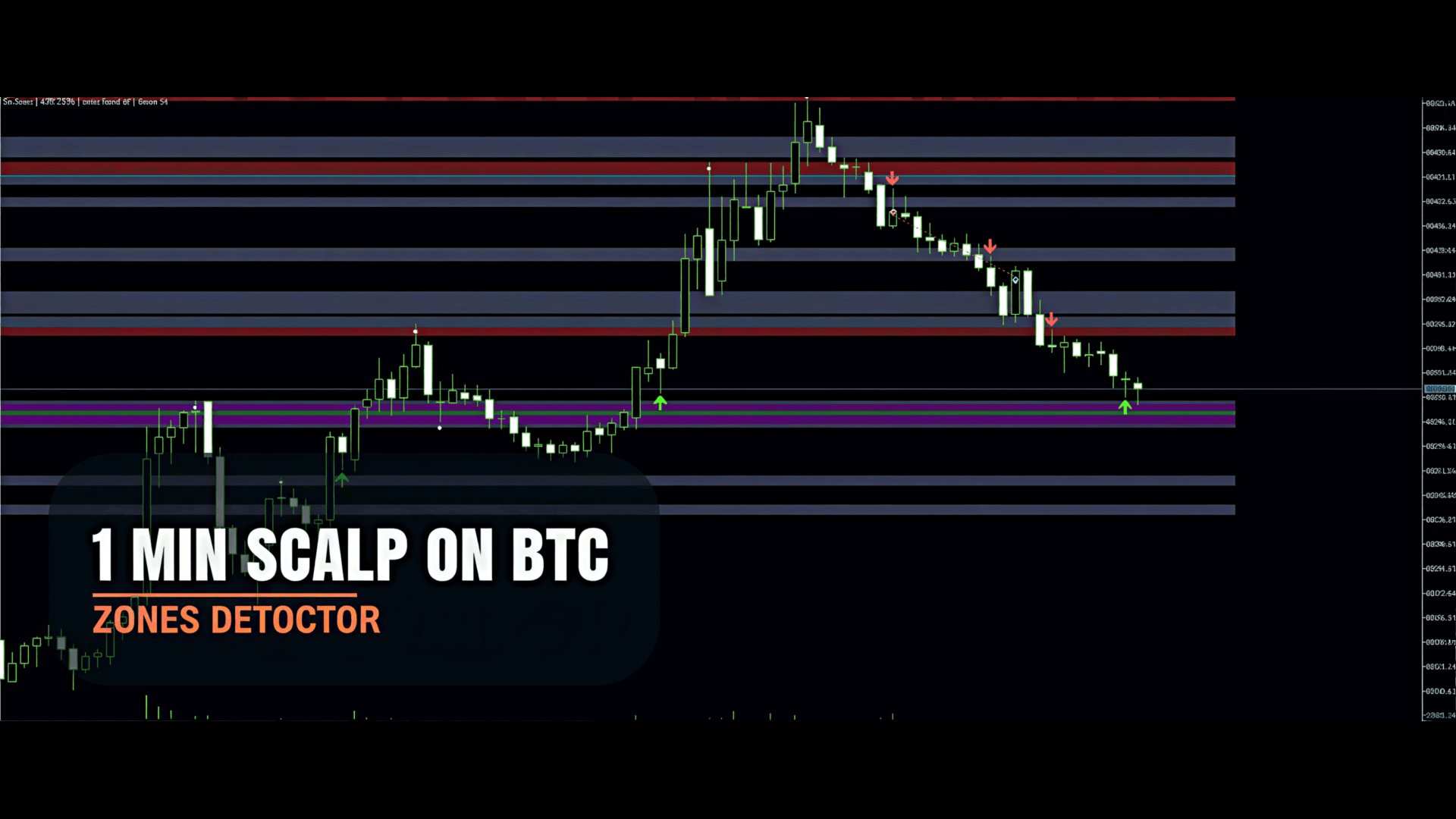
I USE IT FOR PROP FIRMS AND ITS AMAZING I CATCH SCALPS EASILY WITH A TIGHT SL AND IT WORKS PERFECT.
ON HIGHER TIME FRAMES YOU CAN SPOT BIG MOVES BEFORE IT HAPPENS (SWING TRADE) AND ON LOWER TIME FRAME YOU CAN SPOT A BEAUTIFUL MANY SCALPS A DAY.
ITS A MULTI CURRENCY INDICATOR YOU CAN USE IT ON ANY PAIR OR MARKET (I RECOMMEND USING IT FOR GOLD AND NASDAQ)
Full description
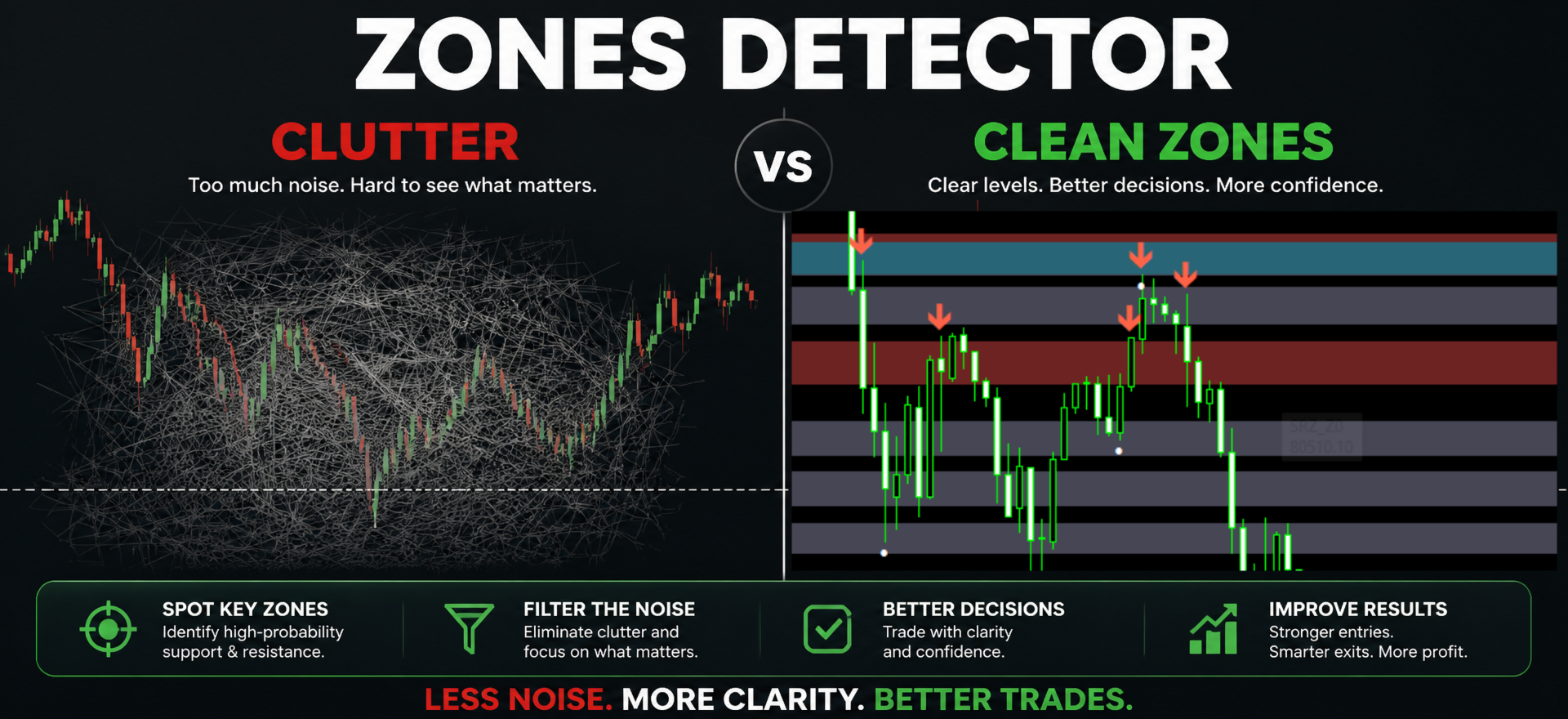
Zones Detector draws a clean, uncluttered Support & Resistance map on your chart. It does not draw every line of swing highs and lows. Instead it keeps only the levels where price actually reacted, and it merges those into thin zones that are practical to trade from.
The idea is simple: a pivot only matters if price moved away from it with conviction. The viewer measures that move in ATR units, so the same settings behave sensibly on gold, indices, FX and crypto.
How zones are built
- Pivot scan — every swing high/low confirmed by N bars on each side ( PivotStrength ).
- Reaction filter — the pivot only counts if price moved away from it by at least MinBounceATR (default 1.0 ATR) within BounceBars bars. No reaction, no zone.
- Clustering — pivots that sit within ClusterATR of each other are merged into one zone; overlapping wicks become one level instead of five.
- Quality gate — a zone is kept only if it has at least MinReactions reactions. The origin swing counts as reaction #1. With ShowCandidates enabled, weaker single-reaction zones are still shown as unfilled outlines, so you can see what was filtered out.
- HTF confluence — zones that line up with pivots from a higher timeframe (default H1) and with the previous three daily highs/lows are marked HTF and counted one reaction stronger.
- Break state machine — a zone is marked broken only when a candle closes beyond the far edge by BreakMarginATR and the candle body is at least BreakBodyPct % of its range. Broken zones turn grey and stay on the chart for BrokenLifeBars bars. If price closes back inside, the break is cancelled and counted as a failed break ( fb ), which is often the interesting part.
- Retest markers — after a confirmed break, the first returns to the flipped zone are marked with arrows: rejection from above (former resistance acting as support) and from below.
What you see on the chart
| Element | Meaning |
|---|---|
| Red filled band | Active resistance / supply zone |
| Green filled band | Active support / demand zone |
| Grey band | Broken (flipped) zone |
| Unfilled outline | Low-reaction candidate zone (optional) |
| Label R x3 HTF fb1 | Resistance, 3 reactions, higher-timeframe confluence, 1 failed break |
| White dots | Each counted reaction (the pivots that built the zone) |
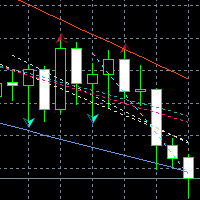
| Green / red arrows | Retest rejections after a break |
A compact chart comment shows the current ATR, the number of zones found and how many are actually plotted.
Why this instead of another S/R tool
- Thin, tradable bands. Zones are ATR-based, not "from this wick to the moon".
- Reaction quality, not just touch count. A level touched ten times without a bounce is noise; the viewer drops it.
- Break confirmation with a body filter. No broken zones from a single spike or a long wick.
- Failed breaks are visible. Reclaimed zones stay labelled, which is where many reversals start.
- Designed for scalp and intraday charts (M1–H1), fully usable on higher timeframes.
- Honest visualisation. It plots levels; it does not tell you to buy or sell.
Suggested use
Start with the defaults on M5–M15 and compare the drawn map with your own hand-marked zones. Once the zone count feels right for your instrument, tune InpMinBounceATR and InpClusterATR — those two control sensitivity more than anything else. On very low timeframes with a wide spread, raise InpMinHeightATR slightly to avoid zones thinner than the spread.
Technical notes
- MetaTrader 5 only. No DLLs, no external files, no network access.
- Works on any symbol and timeframe available in your terminal.
- Uses a private object prefix ( SRZ_ ); all objects are removed on removal of the indicator, and no other objects are touched.
- No trading logic of any kind. It cannot open, modify or close orders.
- Indicators are not evaluated in the Strategy Tester the way EAs are; use it visually on live or demo charts.
Limitations, described honestly
- The map is recalculated on each new bar. Zones formed by closed, confirmed pivots do not repaint, but the most recent swing needs PivotStrength bars on each side before it can be confirmed, so the newest zone can appear a few bars after the actual turn.
- Higher-timeframe confluence uses closed HTF bars; while an HTF candle is still forming, its level is not included.
- This is an analysis and visualisation tool. It is not a signal service, it does not predict the market, and it makes no claim about profitability. Past reactions do not guarantee future reactions.
Support
Questions, bug reports and setting suggestions are welcome through the product's Messages tab. Please include your symbol, timeframe and a screenshot with the chart settings visible.