GFX Velocity Trend Master Pro
- Experts
- Versão: 1.10
- Ativações: 5

GFX Velocity Trend Master EA — Intelligent Trend Trading for MetaTrader 5
💰 Live results: https://www.mql5.com/en/signals/
| 💰 Pricing Take advantage of our special introductory price of just $30/6months, available until December. After the promotion ends, the subscription price will increase to $35/month. The price will then gradually increase with each new sale until it reaches the standard rate of $50/month. |
Trade with the Trend. Manage Risk. Stay in Control.
GFX Velocity Trend Master EA is an automated trading Expert Advisor developed for MetaTrader 5. It combines trend detection, two-stage signal confirmation, intelligent position management, and customizable risk controls in one trading system.
Designed for traders who prefer structured, rule-based trading, the EA automatically analyzes market conditions, identifies potential BUY and SELL opportunities, and manages positions according to predefined trading rules.
Whether you prefer automated trading or greater control over your trading parameters, GFX Velocity Trend Master EA offers a flexible approach to trend-following strategies.
KEY FEATURES
1. Automated Trend-Based Trading
2. Two-Stage Signal Confirmation
This approach is designed to filter some weaker signals and support more consistent entry decisions.
3. Advanced Position Management
4. Partial Profit-Taking System
The EA can automatically close a specified percentage of an open position when the configured profit target is reached.
Partial closing is subject to broker volume restrictions.
5. Customizable Trailing Stop
Protect positions with adjustable trailing stop settings.
The trailing system is designed to adjust protective stops as favorable price movement develops.
6. Flexible Money Management
Choose between two position-sizing methods:
- Fixed Lot: Trade using a manually specified lot size.
- Automatic Lot: Calculate position volume based on account balance and configured sizing rules.
This flexibility allows traders to adapt their trading setup to different account sizes and risk preferences.
7. Trading Filters and Protection
These features help traders define when the EA may enter the market and limit trading activity under unwanted conditions.
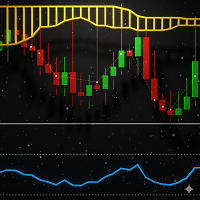
8. Visual Trend Display
GFX Velocity Trend Master EA includes a visual trend-following display for easier chart interpretation.
The visualization is separate from the trade execution logic and is intended to help traders monitor market direction.
HOW THE EA WORKS
Step 1 — Market Analysis
The EA evaluates market conditions when a new candle appears.
Step 2 — Trend Identification
The primary signal model determines whether the current market conditions indicate a bullish or bearish trading opportunity.
Step 3 — Entry Confirmation
The secondary confirmation model checks the entry conditions before a new position is opened.
Step 4 — Trade Execution
When the entry requirements and trading filters are satisfied, the EA automatically opens the appropriate BUY or SELL position.
Step 5 — Position Protection
The EA manages active positions using configured Stop Loss, Take Profit, partial closure, and trailing stop settings.
Step 6 — Trade Exit
Positions may close through Take Profit, Stop Loss, trailing stop, partial closure, or an enabled reverse-signal exit.
The EA then continues monitoring for new trading opportunities according to its configured rules.
ADVANTAGES OF GFX VELOCITY TREND MASTER EA
Structured Trading Decisions
Uses predefined entry and exit rules instead of discretionary execution.
Automated Trade Management
Handles entries, exits, partial profit-taking, and trailing protection without requiring constant manual intervention.
Customizable Risk Controls
Provides adjustable lot sizing, Stop Loss, Take Profit, spread restrictions, and position limits.
Visual Market Monitoring
Displays trend direction and candle colors to help traders understand the EA's current market interpretation.
Flexible Trading Configuration
Allows traders to customize trading schedules, risk parameters, and position management behavior.
Integrated Trading Solution
Combines signal analysis, execution, protection, and chart visualization in one Expert Advisor.
RECOMMENDED SETUP
Trading Platform: MetaTrader 5
Trading Instruments: Use symbols supported by your broker after testing their suitability for the strategy.
Timeframes: Select and evaluate timeframes using the MT5 Strategy Tester.
Account Type: Demo testing is recommended before live deployment.
VPS: Optional for traders who require uninterrupted operation.
Installation
1. Install GFX Velocity Trend Master EA through the MQL5 Market.
2. Open MetaTrader 5 and select your preferred trading instrument and timeframe.
3. Attach the Expert Advisor to the chart.
4. Enable algorithmic trading.
5. Configure the trading, risk management, and visualization settings.
6. Test the configuration using the MT5 Strategy Tester or a demo account.
7. Monitor performance and adjust settings according to your trading objectives.
IMPORTANT RISK DISCLOSURE
Forex, commodities, indices, and other leveraged financial instruments involve significant financial risk.
GFX Velocity Trend Master EA does not guarantee profits or eliminate trading losses. Trend-following systems can experience false signals, unfavorable market movements, and drawdowns, particularly during volatile or ranging conditions.
Actual trading results depend on market conditions, broker execution, spreads, commissions, slippage, account leverage, and parameter configuration.
Historical backtesting results do not guarantee future performance.
Always test the EA on a demo account and use appropriate risk management before trading with real funds.
---
GFX VELOCITY TREND MASTER EA
Follow the Trend. Automate the Process. Control Your Risk.
A comprehensive MetaTrader 5 Expert Advisor combining automated trend analysis, two-stage entry confirmation, flexible money management, partial profit-taking, trailing stop protection, and visual trend monitoring.