Alpha Lab Nasdaq
- Experts
- Versão: 1.3
- Ativações: 10

EXCLUSIVELY FOR US100 / NASDAQ 100
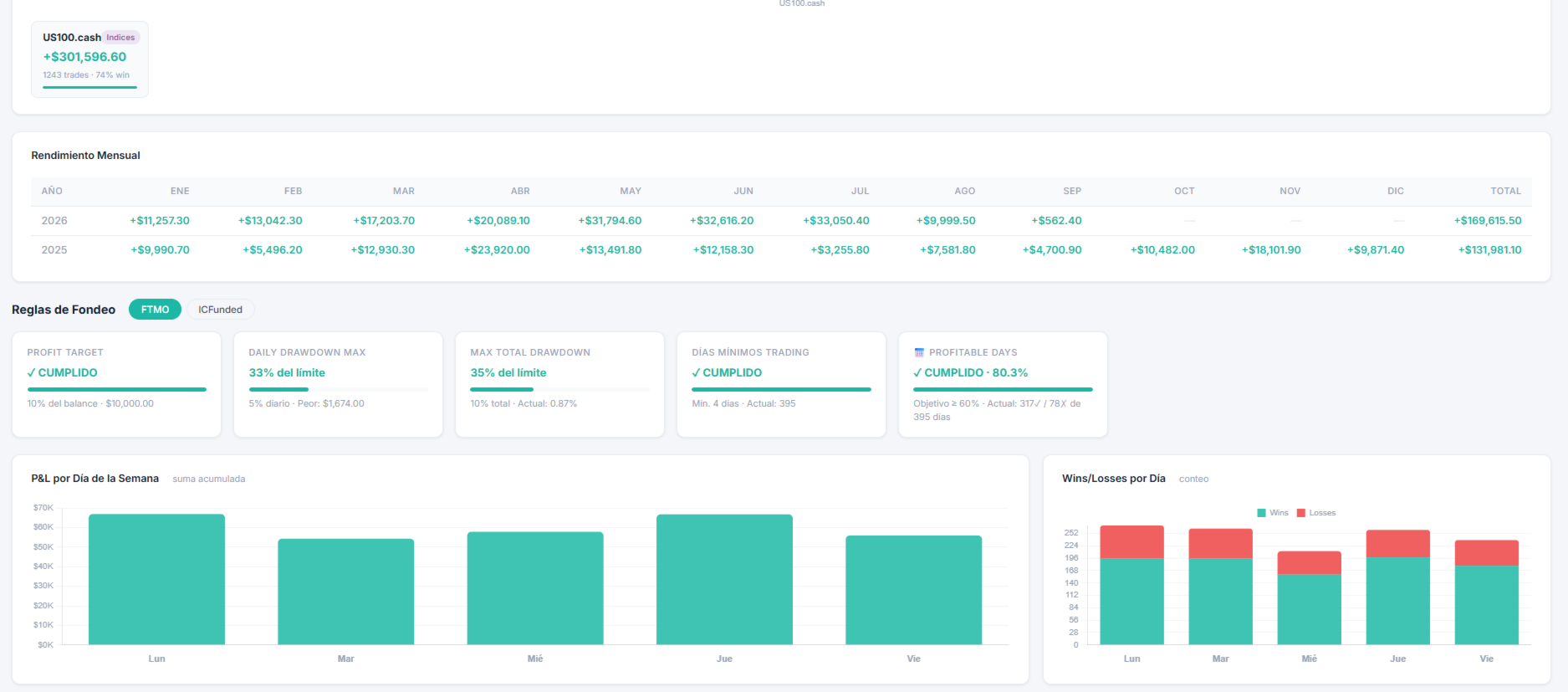
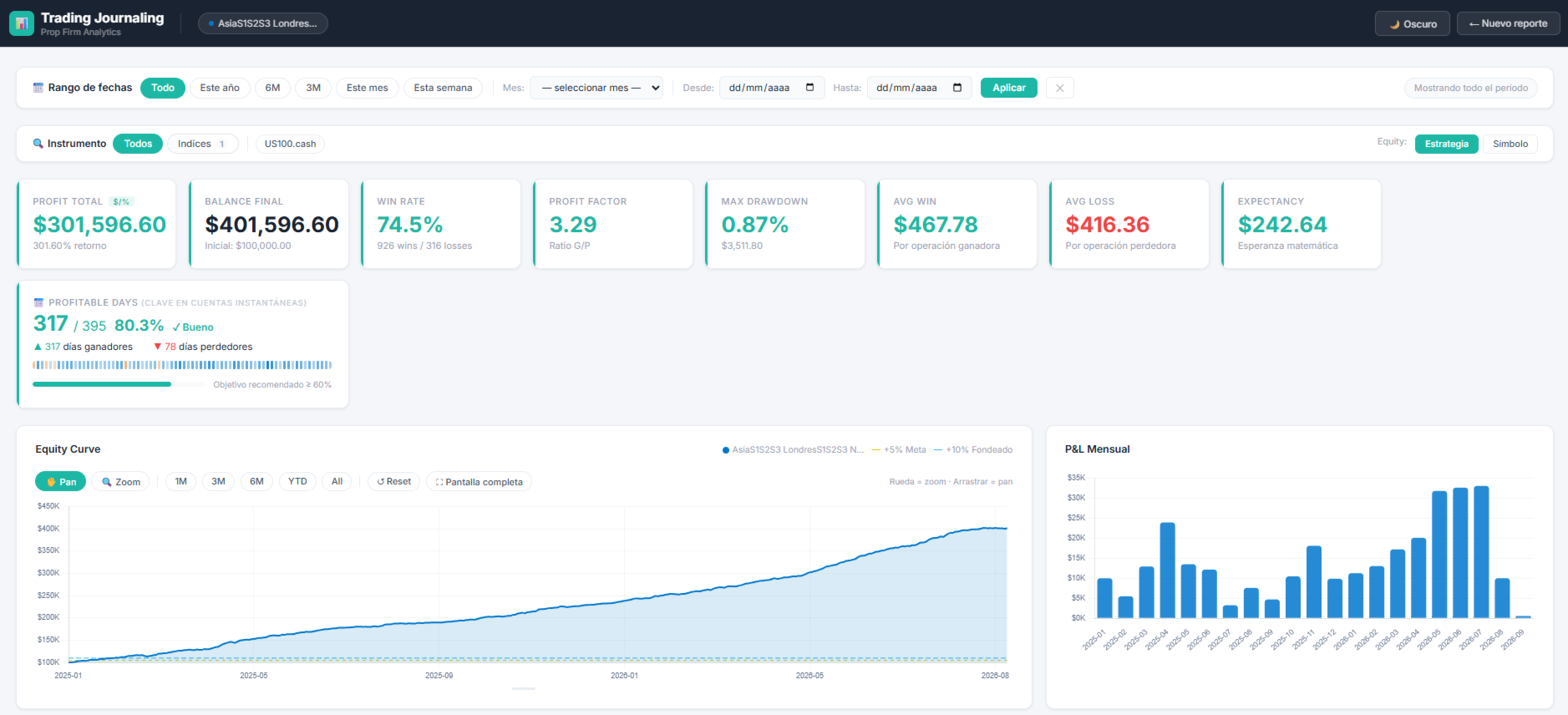
Alpha Lab US100 Matrix is an Expert Advisor for MetaTrader 5 created, calibrated and validated specifically for US100 / Nasdaq 100. It is not the USDJPY product, it is not the US30 product, and it is not marketed as a strategy for forex, gold or other markets.
It combines proprietary US100 trading windows, dynamic risk management and adaptation to the Nasdaq 100 symbol specifications provided by each broker.
Important: test the demo on a US100 symbol
The built-in profile is designed for US100. A backtest performed on EURUSD, USDJPY, gold, US30 or another instrument does not represent this product.
- Open the MetaTrader 5 Strategy Tester.
- Select Alpha Lab US100 Matrix.
- Select the US100 equivalent offered by your broker, such as US100, US100.cash, USTEC or NAS100.
- Select M1 and Every tick based on real ticks.
- Use a deposit representative of the account you intend to evaluate.
- Keep the default inputs and start the test.
The EA uses the symbol selected on the chart or in the tester. Symbol names, contract sizes, tick values, sessions, spreads, commissions and historical data vary between brokers and may produce different results.
Built-in US100 profile
The operational configuration is embedded in the compiled file. No set file is required. Schedules, weekdays, directions, expirations, distances and exit rules remain protected as internal parameters.
Users cannot modify the schedules, weekdays, entry seconds, direction, distances, expirations, targets, protection rules, magic numbers or the logic of the 45 slots. These 855 strategy variables are protected internal constants inside the EX5.
The interface exposes only three controls: risk profile, show or hide the panel, and display time shift. The display shift does not change the profile's operating time.
Dynamic risk management
Alpha Lab US100 Matrix does not simply increase a fixed lot. The EA calculates exposure using account balance, equity and the actual specifications of the active symbol.
The user can select one of three profiles:
- Low: reduced exposure for testing and conservative use;
- Balanced: reference exposure of the validated profile;
- High: increased exposure subject to safety and margin limits.
Volume is adjusted to the minimum, maximum and step allowed by the broker. Rounding is always performed downward. If the symbol's minimum volume exceeds the intended risk, the trade is skipped and the panel reports the reason.
The High profile involves greater exposure and does not guarantee better results.
Broker adaptation
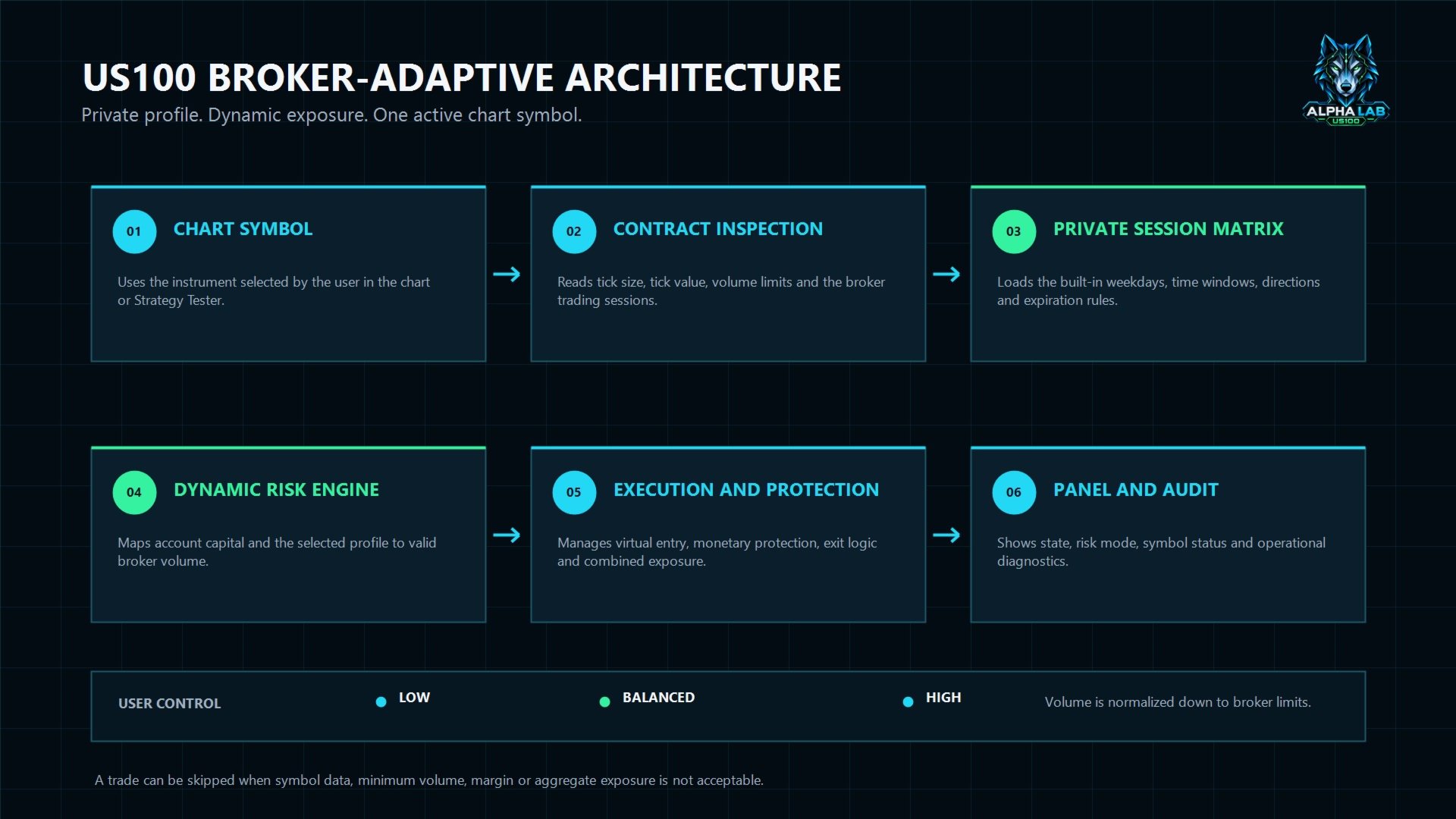
Index CFDs may use different names and contract specifications. Before calculating a trade, the engine reads the tick size, tick value, contract size and volume limits of the selected instrument.
This adaptation reduces dependence on a fixed name such as US100.cash. It does not mean that all brokers will produce identical execution or results. Every user should validate the symbol and account conditions in the Strategy Tester and on a demo account.
Operational architecture
Each internal configuration independently maintains:
- its weekday and entry window;
- direction and virtual-entry lifetime;
- monetary protection and virtual exit;
- magic number and scheduled close;
- operational state and panel monitoring.
The product also checks combined exposure before opening additional trades. A signal may be skipped when volume, margin or aggregate limits do not allow execution under the selected profile.
User controls
- Low, Balanced or High risk profile;
- show or hide the panel;
- a time shift used only for display.
Evaluation environments
The EA can be used as an execution tool on personal accounts or in evaluation environments. It is not affiliated with or endorsed by any broker, exchange or funding company.
Users must review all applicable rules concerning Expert Advisors, daily loss, maximum loss, news, overnight positions, weekends, consistency and maximum volume.
Evaluation completion, funding and profitability are not guaranteed.
Recommended use
Intended commercial use: only your broker's US100 / Nasdaq 100 equivalent. Any EURUSD, GBPUSD or XAUUSD trades produced by the automatic validator are technical compatibility checks; they are not recommended markets or promotional performance results.
- Run a backtest on your broker's US100 symbol.
- Review drawdown, simultaneous exposure, trade count and costs.
- Compare the Low and Balanced profiles before considering High.
- Run a forward test on a demo account.
- Confirm server time and account rules before live use.
Requirements and support
- MetaTrader 5 with automated trading enabled;
- a US100-equivalent symbol visible in Market Watch;
- sufficient history for the selected test period;
- an active terminal or VPS during the operational windows;
- available margin compatible with the selected profile.
Post-purchase support is provided through MQL5 comments and private messages. When requesting assistance, include the EA version, broker, exact symbol name, account currency, leverage, server time, selected profile, logs and Strategy Tester report. Never share passwords.
Risk
Leveraged trading involves substantial risk. Historical tests describe past conditions and do not guarantee future results. Differences in liquidity, spread, slippage, execution and contract specifications may change behavior. Trade only capital you can afford to lose.