Kiwi Trade Statistics Dashboard MT4
- Indicadores
-
- Nguyen Ngoc Diep
 KiwiBots — Expert Advisors, Indicators & Trading Utilities for MetaTrader 4 and MetaTrader 5.
We develop the KiwiBots collection with a focus on practical automated trading systems, trading tools, market analysis and risk management. - Versão: 1.2
Kiwi Trade Statistics Dashboard MT4 is a free account and EA performance analysis tool designed to turn your MetaTrader 4 trading history into a clear, easy-to-read dashboard.
Instead of manually reviewing hundreds of trades in the MT4 Account History tab, the dashboard automatically analyzes your closed trading history and displays the most important statistics directly on your chart.
It is designed for traders who want to understand which strategies, Expert Advisors, symbols and trading periods are actually performing well.
Interactive Report Period
Quickly change the period being analyzed directly from the dashboard:
- 1 Day
- 7 Days
- This Week
- This Month
- All History
- Custom X Days
This makes it easy to compare recent performance against longer-term results.
Key Trading Statistics
The dashboard calculates and displays important performance metrics including:
✓ Net Profit & Loss
✓ Win Rate
✓ Profit Factor
✓ Maximum Closed Drawdown
✓ Winning and Losing Trades
✓ Average Win
✓ Average Loss
✓ Best Trade
✓ Worst Trade
✓ Payoff Ratio
✓ Buy / Sell Trades
✓ Closed Lots
✓ Breakeven Trades
An Account Snapshot also displays:
✓ Balance
✓ Equity
✓ Floating P&L
✓ Gross Profit
✓ Gross Loss
Interactive Performance Breakdown
One of the most useful features is the ability to analyze trading performance from different perspectives.
Choose the breakdown you want to see:
SYMBOL — Compare performance between instruments such as EURUSD, GBPUSD, GOLD or other markets.
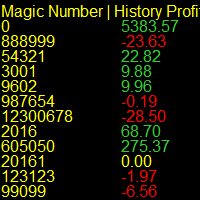
MAGIC — Analyze results by Magic Number. This is particularly useful when several Expert Advisors are running on the same account.
COMMENT — Group trades according to their order comments.
NONE — Hide the detailed breakdown when you only want the main account statistics.
The breakdown table can display information such as trade count, win rate, net P&L, lots and Profit Factor.
Useful for EA Traders
If you operate several Expert Advisors on one MT4 account, looking only at the total account balance does not tell the whole story.
One EA might be profitable while another strategy is producing most of the losses.
Using Magic Number, Symbol and Comment analysis can help identify:
- Which EA is performing best
- Which EA may require adjustment
- Which symbols are profitable
- Which markets are underperforming
- Changes in recent performance
- Strategy win rates
- Differences in Profit Factor
- Concentration of trading activity
This makes the dashboard especially useful for EA testing, portfolio monitoring and strategy research.
Flexible Filters
The dashboard also includes configurable filtering options.
You can analyze:
✓ All symbols
✓ Current chart symbol
✓ Selected symbols
✓ Specific Magic Number
✓ Manual trades included or excluded
This allows the same dashboard to be used for either broad account analysis or focused strategy research.
Safe Read-Only Design
Kiwi Trade Statistics Dashboard MT4 is an analytical tool only.
It does not:
- Open trades
- Close trades
- Modify positions
- Change Stop Loss
- Change Take Profit
- Alter EA trading decisions
The dashboard reads trading history and displays statistics.
Your trading remains under the control of you and your Expert Advisors.
Simple Workflow
1. Attach the dashboard to an MT4 chart.
2. Choose the report period and optional filters.
3. Analyze your account, EA or symbol statistics.
4. Use the information to identify strengths, weaknesses and areas that may require further investigation.
Who Is It For?
Kiwi Trade Statistics Dashboard MT4 can be useful for:
✓ Expert Advisor users
✓ Algorithmic traders
✓ Manual traders
✓ Multi-EA accounts
✓ Strategy researchers
✓ Forex traders
✓ Gold traders
✓ Portfolio monitoring
✓ Trading-system evaluation
Important Information
Historical trading statistics describe past account performance only.
They do not predict future results and should not be interpreted as trading signals or guarantees of profitability.
The dashboard is intended to make MT4 trading-history analysis faster, clearer and easier to understand.
Kiwi Trade Statistics Dashboard MT4
Analyze. Improve. Trade Smarter.