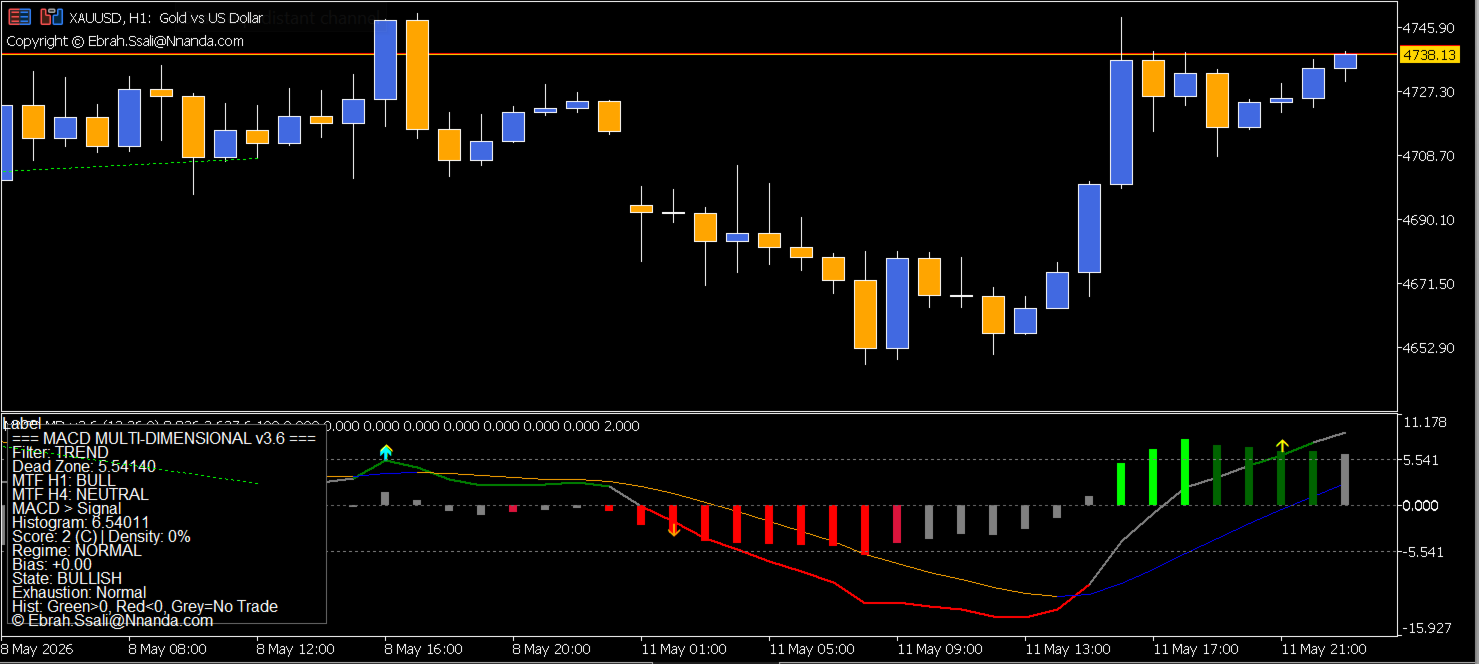
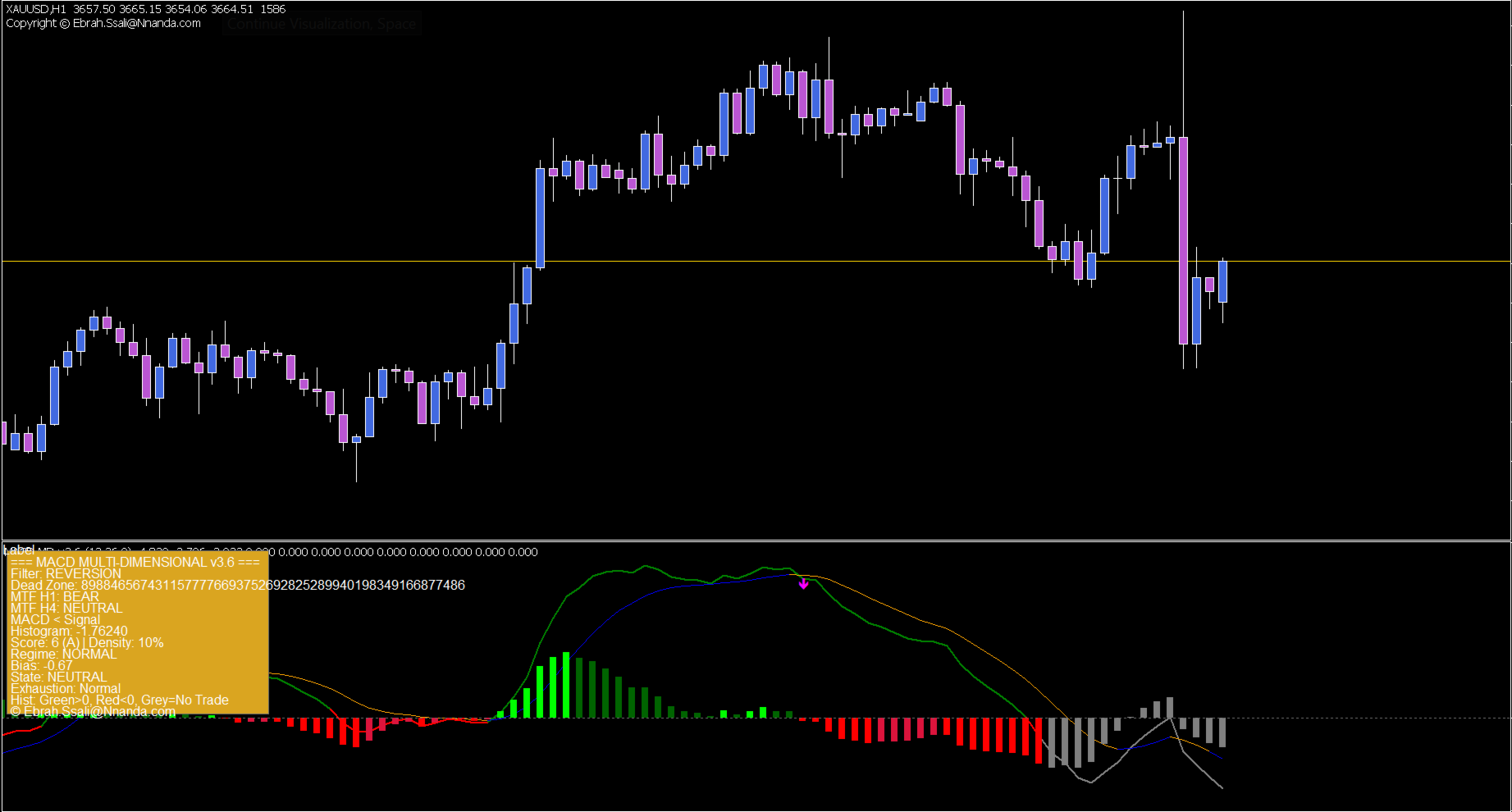
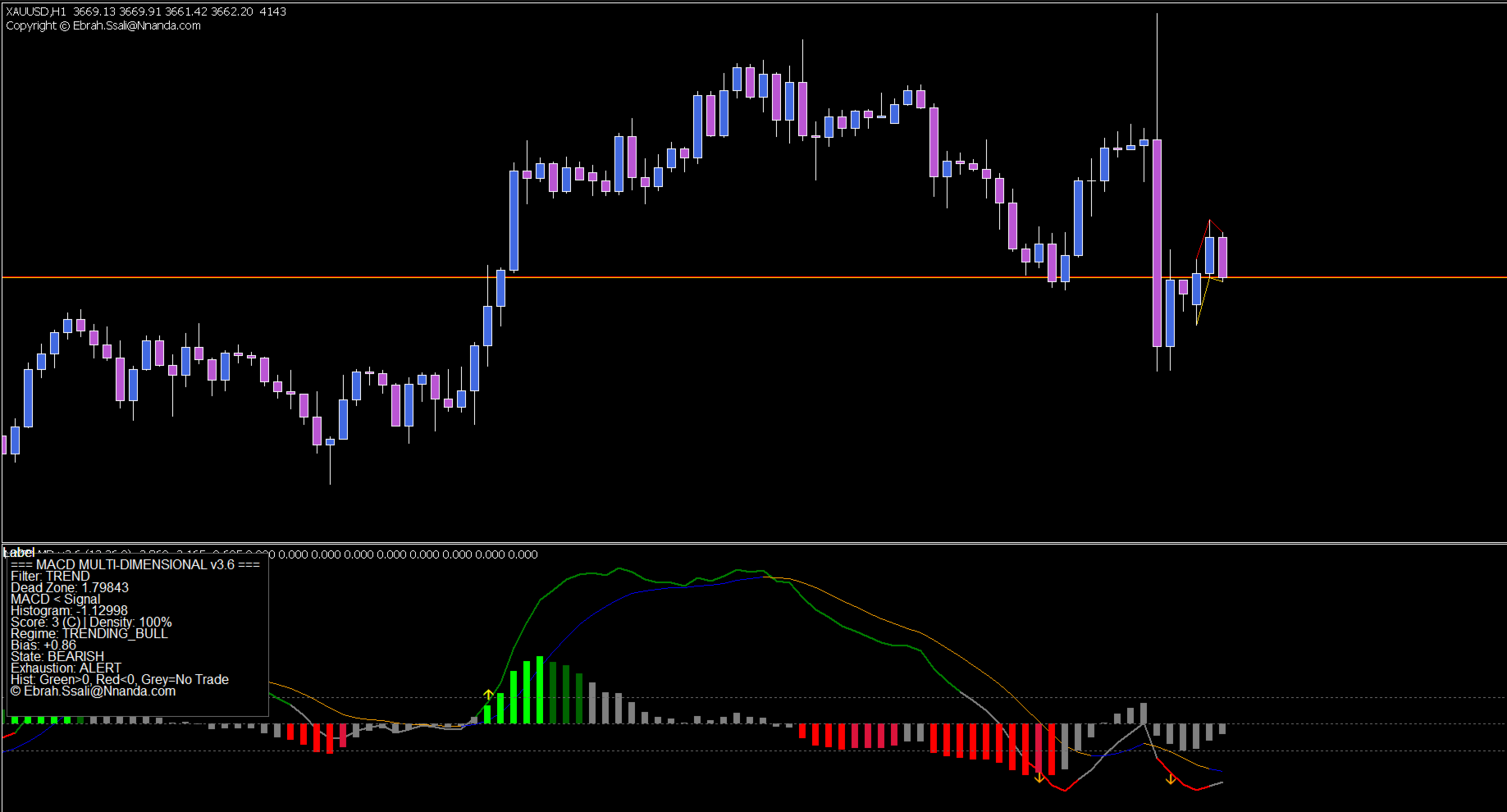
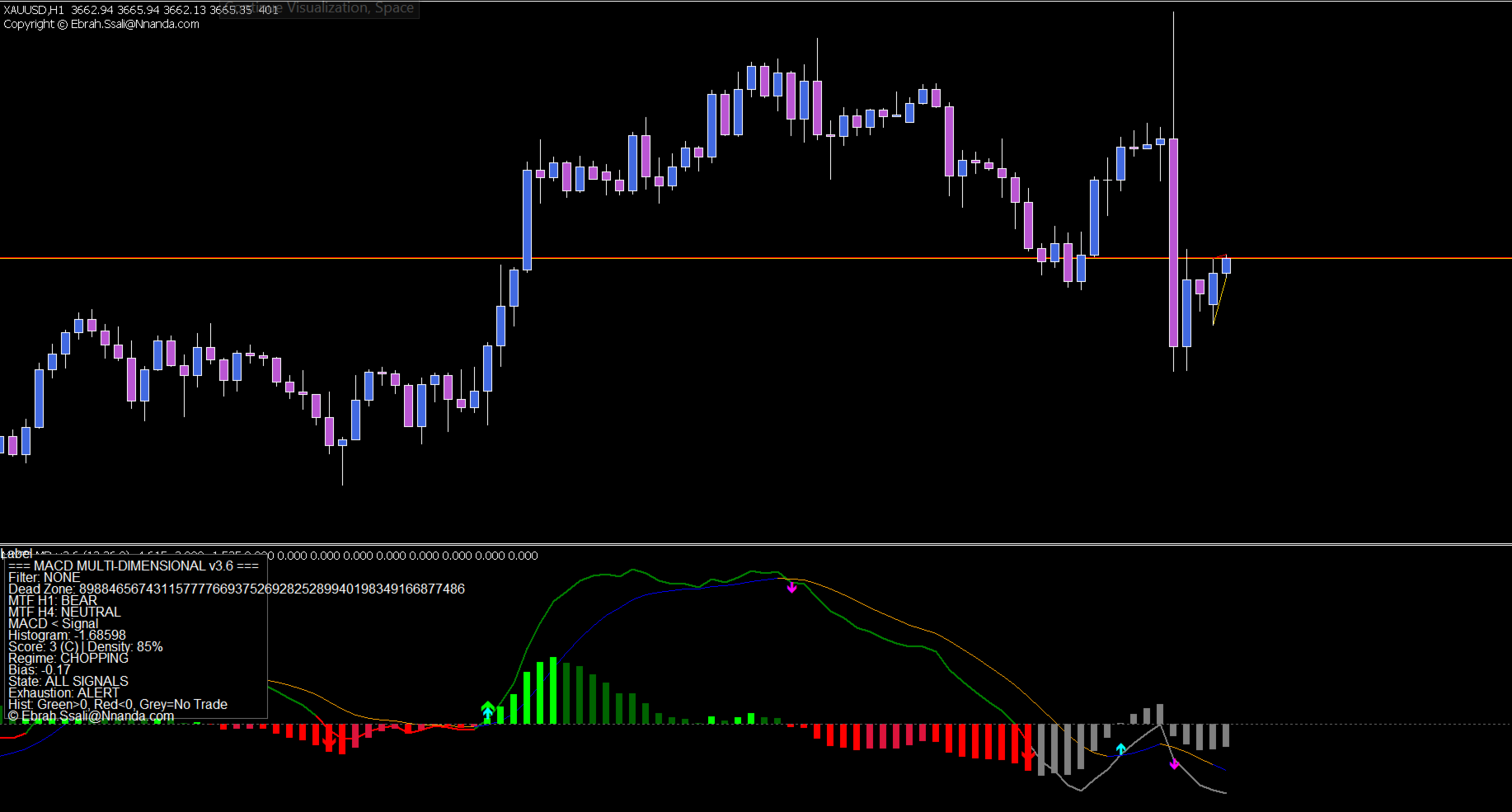
MACD intel MTF
- Indicadores
- Versão: 3.6
- Ativações: 5

Professional MACD Oscillator with Adaptive Noise Filtering, Divergence Detection & Multi-Timeframe Confirmation
The Problem MACD intel MTF Solves
| Trader Question | How MACD intel MTF Answers |
|---|---|
| "Is this crossover real or just market noise?" | Adaptive Dead Zone filters out false signals. Grey histogram = noise zone. Only decisive moves generate arrows. |
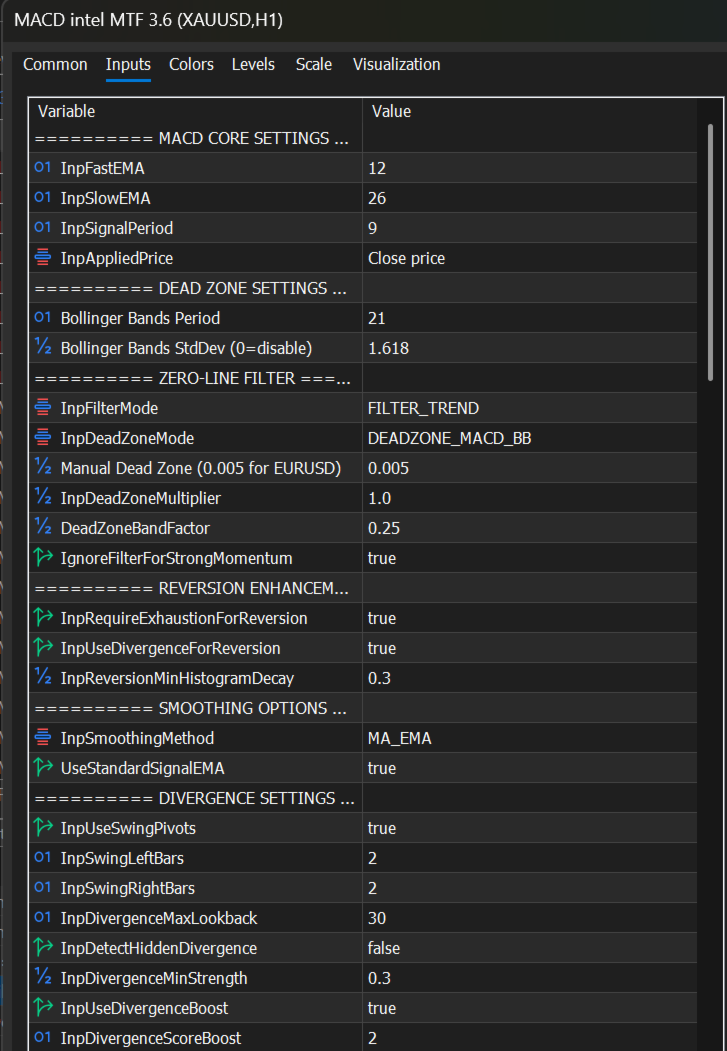
| "Should I follow the trend or fade the move?" | 3-Mode Zero-Line Filter lets you switch between TREND (follow momentum) and REVERSION (fade extremes). |
| "Does my higher timeframe agree with this trade?" | Multi-Timeframe Confirmation shows H1/H4 direction on dashboard. Penalises misalignment or blocks entirely. |
| "Why did MACD give a signal but price reversed?" | Divergence Detection catches reversals early. Solid lines = classical reversal, dotted = trend continuation. |
| "How reliable is this signal?" | Signal Scoring (A+ to C) grades every setup mathematically. Trade only when dashboard turns GOLDENROD. |
| "Is the market trending or chopping?" | Exhaustion Alert shows signal density. >20% = choppy market. Reduce size or switch to REVERSION mode. |
| "Where is momentum accelerating vs dying?" | 5-State Histogram shows acceleration (bright colours) vs deceleration (dark colours). |
| "When does momentum actually confirm?" | Acceleration Arrows fire when MACD breaks decisively out of the dead zone, validating the move. |
| "Can my EA trade these signals?" | 8 EA-Ready Buffers expose every arrow type for automated trading. |
Key Features
1. Zero-Line Filter (3 Modes)
| Mode | Logic | Best For |
|---|---|---|
| NONE | Classic mode; all crossovers generate signals | Scalping |
| TREND | Buy only above zero, sell only below zero | Trending markets |
| REVERSION | Buy below zero, sell above zero (fade extremes) | Ranging markets |
2. Adaptive Dead Zone
Filters market noise around the zero line. Grey histogram = "No Trade Zone."
-
MACD_BB Mode (Recommended): Uses Bollinger Bands on MACD itself to auto-adjust to volatility
-
MANUAL Mode: Fixed value (e.g., 0.005 for EURUSD, 0.05 for Gold)
-
Set StdDev = 0 to disable dead zone
3. 5-State Histogram Colouring
| Colour | Meaning |
|---|---|
| Bright Green | Above zero + accelerating (strong bullish) |
| Dark Green | Above zero + decelerating (weak bullish) |
| Bright Red | Below zero + accelerating (strong bearish) |
| Dark Red | Below zero + decelerating (weak bearish) |
| Grey | Inside dead zone or current forming candle (wait) |
4. Signal Line Colour (Continuous)
-
Blue = Signal below MACD (bullish bias)
-
Orange = Signal above MACD (bearish bias)
5. Divergence Detection
Finds Classical and Reverse divergences between price and MACD.
| Type | Line Style | Meaning |
|---|---|---|
| Classical | Solid | Potential reversal |
| Reverse | Dotted | Trend continuation |
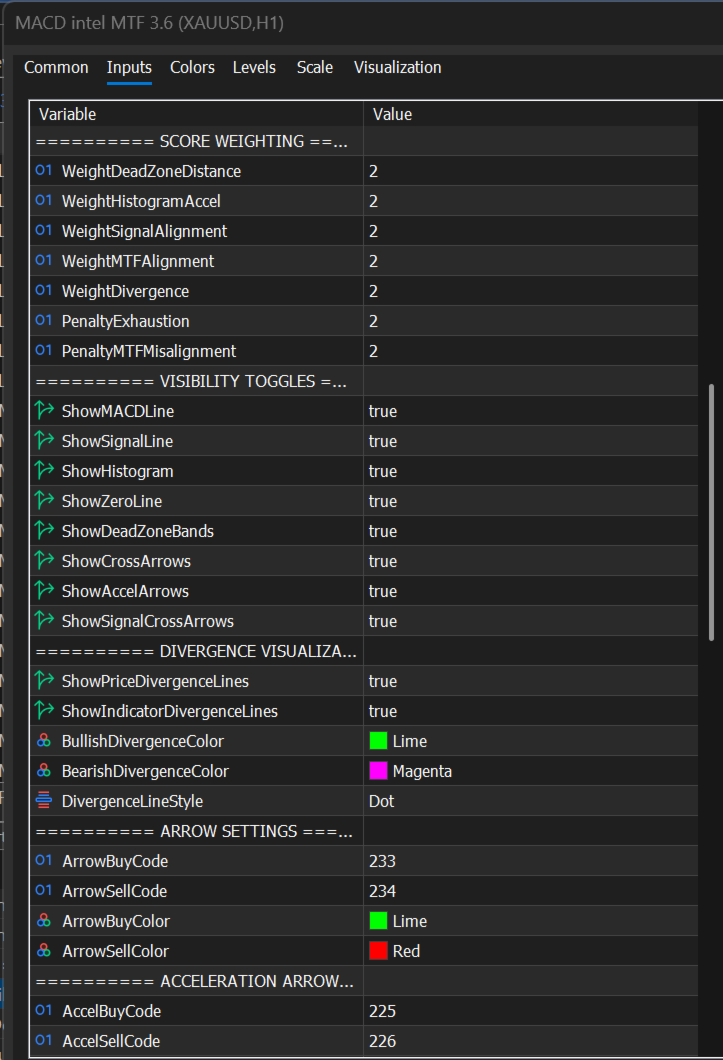
Visual Feedback: Lime arrows + green lines = bullish divergence. Magenta arrows + magenta lines = bearish divergence. Lines on BOTH price chart and indicator window.
6. Signal Scoring (A+ to C)
Graded on dead zone distance, histogram acceleration, signal alignment, and MTF confirmation.
| Grade | Score | Interpretation |
|---|---|---|
| A+ | 8-10 | High-conviction setup |
| A | 6-7 | Actionable trade |
| B | 4-5 | Weak signal - consider context |
| C | 0-3 | Avoid |
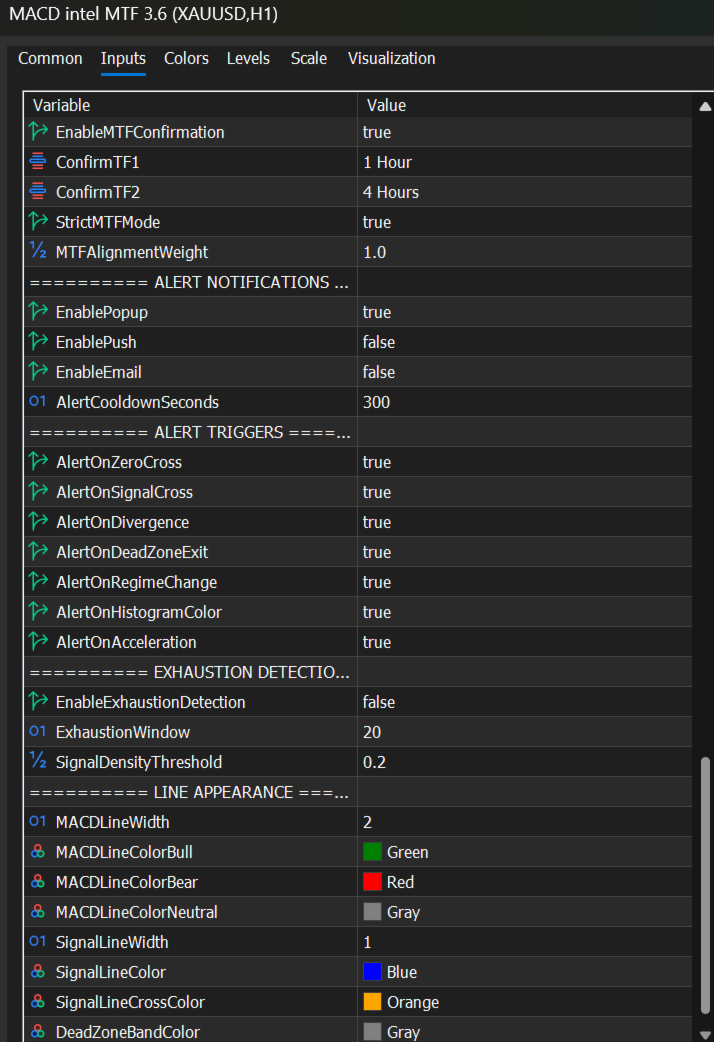
7. Multi-Timeframe Confirmation
| Feature | Description |
|---|---|
| Dual Timeframes | User-selectable (e.g., H1/H4 or M15/H1) |
| Hybrid Architecture | Manual MACD for primary (reliable) + iMACD for MTF (fast) |
| Scoring | Non-strict: misalignment penalised (-2 points) |
| Strict Mode | Blocks misaligned signals completely |
| Display | Shows "MTF H1: BULL" and "MTF H4: BEAR" |
8. Dashboard (Left Corner)
Shows: Filter mode, Dead zone, MTF directions, MACD vs Signal, Histogram, Score & Grade (Goldenrod for A/A+), State, Exhaustion Alert, Regime, Directional Bias.
9. Signal Arrows (EA Ready)
| Arrow | Buffer | Signal Type |
|---|---|---|
| Lime | 6 | Zero Cross BUY |
| Red | 7 | Zero Cross SELL |
| Cyan | 8 | Signal Cross BUY |
| Magenta | 9 | Signal Cross SELL |
| Yellow | 10 | Bullish Acceleration |
| Orange | 11 | Bearish Acceleration |
| Lime | 12 | Bullish Divergence |
| Magenta | 13 | Bearish Divergence |
How to Trade
Step 1: Match Market Regime
| Condition | Filter Mode |
|---|---|
| Trending | TREND - follow momentum |
| Ranging | REVERSION - fade extremes |
| Scalping | NONE - all crossovers |
Step 2: Set Dead Zone
Recommended: MACD_BB (auto-adapts). Alternative: MANUAL (0.005 for EURUSD). Set StdDev = 0 to disable.
Step 3: Enable MTF Confirmation (Optional)
Choose timeframes (e.g., H1 and H4). Non-strict = penalty only. Strict = block misaligned signals.
Step 4: Read Dashboard
Look for MTF alignment (e.g., "MTF H1: BULL"). Trade only when dashboard turns Goldenrod (A/A+ grade).
Step 5: Watch Exhaustion Alert
20% signal density = choppy market. Reduce size or switch to REVERSION mode.
Step 6: Look for Confluence
Highest probability: Divergence arrow + Zero cross arrow + Grade A/A+ + MTF alignment.
Step 7: Use Acceleration Arrows for Confirmation
Yellow/Orange arrows confirm genuine dead zone breakout, fewer false signals.
Pro Tips
-
Respect the grey area - no trades when histogram is grey.
-
Use MTF confirmation for higher probability entries.
-
Divergence + Grade A = high probability reversal setup.
-
Multiple arrows aligned = stronger signal.
-
Current candle always grey - wait for close (no repainting).
-
Signal line colour gives quick bias: blue = bullish, orange = bearish.
-
Manual dead zone: 0.001-0.005 for quiet instruments, increase BB StdDev for volatile ones.
Technical Specifications
| Specification | Details |
|---|---|
| Asset Classes | Forex, Stocks, Crypto, Indices |
| Timeframes | All (optimised for M15, H1, H4) |
| EA Ready | 8 signal buffers |
| Non-Repainting | Signals on closed bars only |
| Divergence Lines | Price chart + indicator window |
| MTF Confirmation | Dual timeframe, hybrid architecture |
| CPU Efficient | Smart calculation on new bars only |
© Copyright 2026, Ebrah