Caterpillar Matrix EA
- Experts
-
Domantas Juodenis
 Are you looking for a reliable and skilled EA developer who can bring your trading ideas to life with precision and performance?
 - Versão: 1.0
- Ativações: 20
Caterpillar Pro EA
A professional multi-timeframe trend-following system that enters the market in three controlled layers — mimicking how a caterpillar moves: slow, deliberate, and segment by segment. Built for traders who demand institutional-grade risk control with full visual transparency on the chart.
- 3
- Entry layers
- 9
- Protection checks
- H1+M15+M5
- Timeframe stack
- v1.00
- Current version
Overview
Caterpillar Pro is not a scalper or a martingale system. It is a structured trend-following EA that reads market structure (Higher Highs, Higher Lows, Lower Highs, Lower Lows), waits for a confirmed pullback to the fast EMA, and enters in up to three layered positions — each only opened when the previous layer is in profit. This controls exposure naturally while building a position into a trending move.
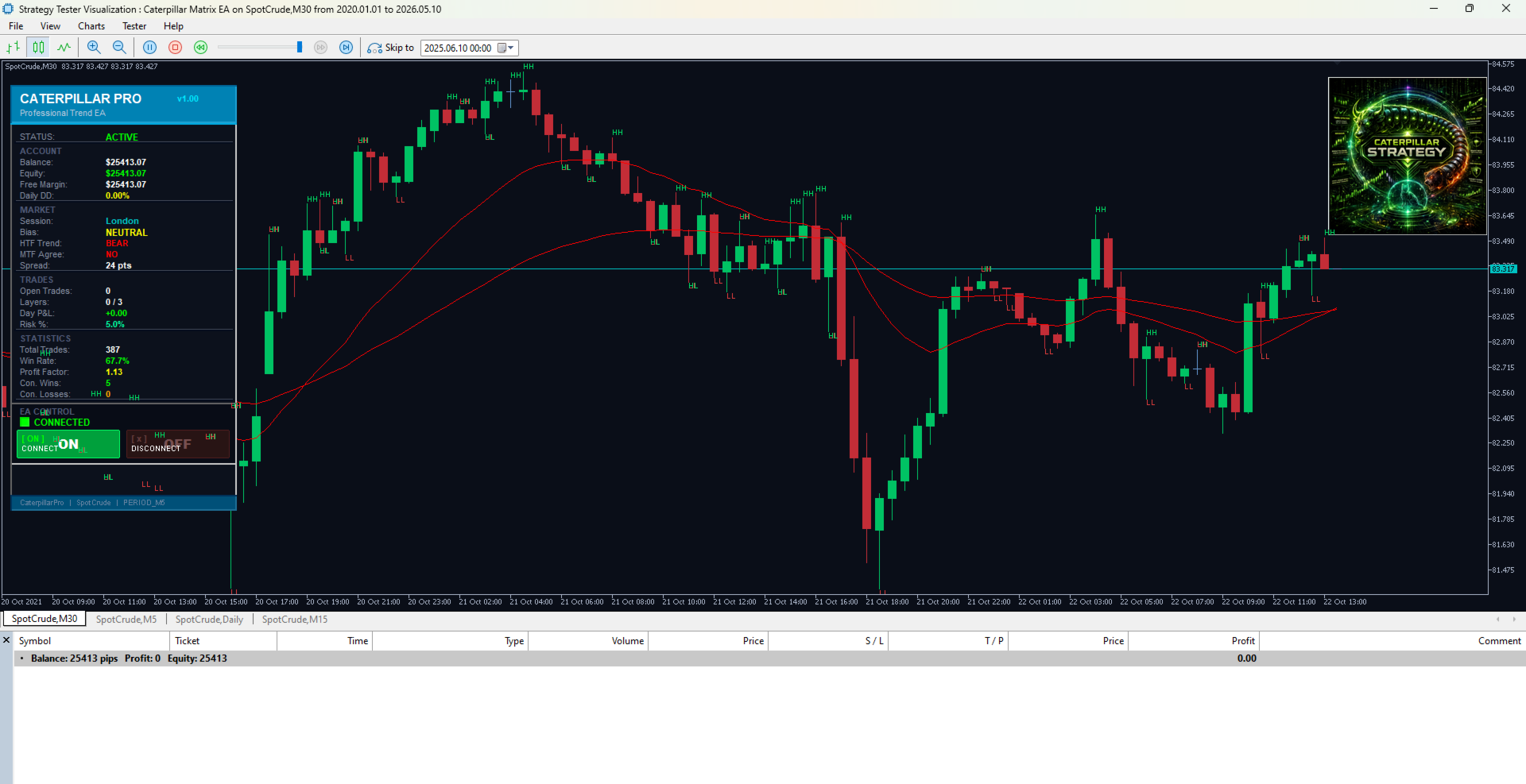
Every trade is sized by exact percentage risk using real tick value calculations. Stop losses are placed at validated swing structure points or ATR-based levels — never at a fixed pip distance. The EA draws everything it is doing directly on the chart: entry arrows, SL/TP lines, risk boxes, session zones, market structure labels, and Fair Value Gaps.
Signal engine
- HTF trend bias confirmed against LTF pullback detection. Both timeframes must agree before any entry is attempted.
- 3-layer entry
- Layers 2 and 3 only open when the prior layer is in profit. Each layer uses independent risk allocation and a cooldown period.
- Risk engine
- Percentage-based lot sizing using tick value. Enforces broker stop levels, freeze levels, volume limits, and margin headroom checks on every order.
- Trade manager
- Partial close at configurable RR, automatic breakeven, and ATR-based trailing stop — all with freeze-zone protection to prevent modification errors.
- Session manager
- Asian, London, and New York session filters using broker server time. Includes Friday-close and Sunday-open market detection for instruments like gold.
- Live dashboard
- Real-time panel showing balance, equity, daily drawdown, session, bias, spread, open trades, layers, win rate, profit factor, and consecutive trade counts.
- Market structure
- Automatic HH/HL/LH/LL labels drawn on the structure timeframe. Fair Value Gaps detected and shaded as bullish/bearish zones.
- Chart visuals
- Dark institutional theme applied on load. Session background zones, entry arrows, SL/TP dotted lines, risk rectangles, and entry labels all drawn automatically.
Protection layers
Nine independent protection checks run before any order is sent or modified:
- Daily drawdown % gate
- Total equity drawdown % gate
- Consecutive loss limiter
- Maximum spread filter
- Weekend and Friday-close market check
- Broker stop level enforcement (with buffer)
- Broker freeze level check on modifications
- Symbol volume limit check
- Free margin headroom check (20% buffer)
Key input parameters
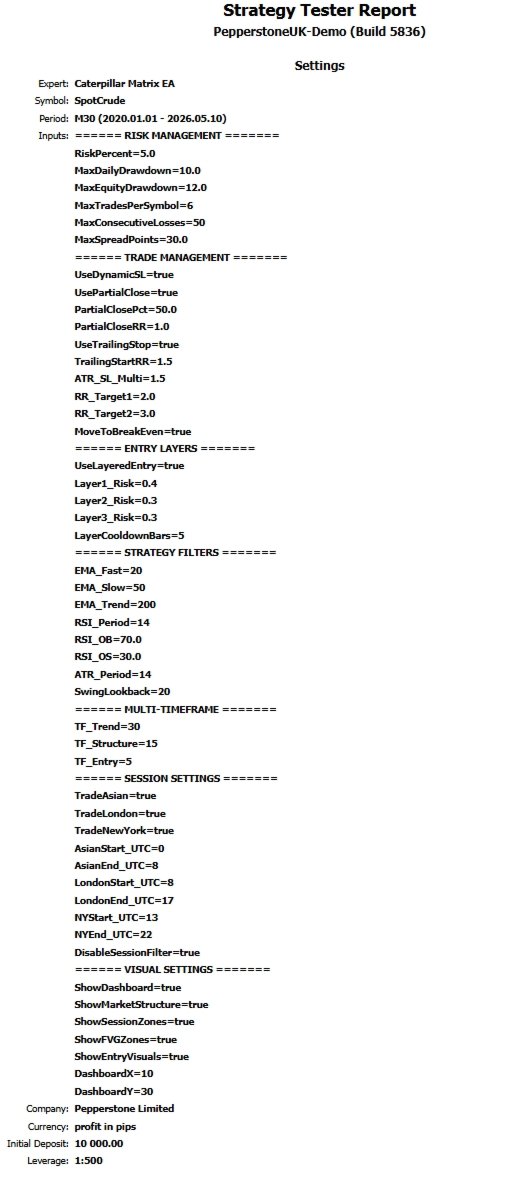
Parameter | Default | Description |
|---|---|---|
RiskPercent | 1.0 | Risk per trade as % of balance |
MaxDailyDrawdown | 5.0 | Stops trading if daily loss exceeds this % |
MaxEquityDrawdown | 8.0 | Stops trading if total equity drops this % |
UseLayeredEntry | true | Enable 3-layer caterpillar entry |
UsePartialClose | true | Close 50% of position at first RR target |
UseTrailingStop | true | Trail remaining position after 1.5R |
TF_Trend | H1 | Higher timeframe for trend bias |
TF_Entry | M5 | Lower timeframe for entries |
TradeLondon | true | Allow trading in London session |
TradeNewYork | true | Allow trading in New York session |
DisableSessionFilter | true | Set true for backtesting (trades all hours) |
ShowDashboard | true | Show the live control panel |
ShowFVGZones | true | Draw Fair Value Gap zones on chart |
Recommended symbols and timeframes
The EA is designed for major forex pairs and gold. Drag onto an M5 or M15 chart — the higher timeframe analysis runs internally via the TF_Trend input (default H1).
- EURUSD, GBPUSD, USDJPY, AUDUSD — any 5-digit forex major
- XAUUSD (gold) — works on D1 and H4 with DisableSessionFilter
- Chart timeframe: M5 or M15 recommended for entry precision