Opulence SnR
- Indicadores
- Versão: 1.0
- Ativações: 5

Opulence SnR — Support & Resistance Indicator
Automatically detect and display the most relevant support and resistance levels on your chart — no manual drawing, no repainting, no guesswork.
Opulence SnR uses confirmed swing point logic to identify where price has genuinely reacted in the past, then draws those levels cleanly on your chart. Every level is locked in only after the required candles have fully closed, so what you see on historical bars today is exactly what you would have seen at the time — guaranteed non-repainting.
Key Features
Non-Repainting Levels are confirmed strictly from closed candles. Once a level is drawn, its price never moves. You can trust your historical chart review as much as your live trading view.
Swing-Based Detection Support and resistance are derived from real market structure — confirmed swing highs and swing lows — not arbitrary pivot calculations or indicator crossovers. The indicator looks a defined number of bars to both the left and right of each candle to confirm a genuine turning point before creating a level.
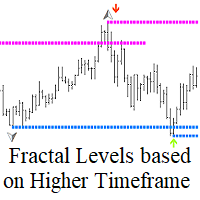
Multi-Timeframe Analysis Attach the indicator to any chart timeframe and analyse structure from a higher or different timeframe simultaneously. For example, display H1 support and resistance levels on an M15 chart without switching windows.
Automatic Level Management Levels are automatically tracked through their full lifecycle. Active levels are displayed clearly. When price closes through a level, it is marked as broken and optionally hidden or shown in a faded style. If Role Reversal is enabled, broken resistance becomes support and broken support becomes resistance after a confirmed retest.
Merge Filter Nearby levels of the same type are automatically merged to prevent chart clutter. Only the strongest or most relevant level in each price zone is displayed.
Strength Scoring Each level is scored based on the number of times price has reacted at it. Higher-scoring levels represent stronger areas of historical confluence. You can filter out weak levels and display only the most significant ones.
Three Display Modes Choose how levels appear on your chart: as a flat horizontal line starting from the origin bar, as a right-extended trend line, or as a shaded rectangle zone showing the full reaction area.
Configurable Break Logic Choose whether a level is considered broken by a candle close beyond it, a wick beyond it, or a close beyond it plus a buffer. This gives you full control over how aggressively the indicator invalidates levels.
Built-In Alerts Receive alerts when price touches a level, when a level breaks, or when a retest occurs. Alerts can be delivered as on-screen popups, sound notifications, push notifications to your mobile device, or email.
Clean Chart Performance Objects are only redrawn when a new bar closes on the analysis timeframe, not on every tick. All objects are named with a unique prefix so the indicator never interferes with other tools on your chart and cleans up completely when removed.
Input Parameters
Main Settings
| Parameter | Description |
|---|---|
| Analysis Timeframe | The timeframe used to detect swing points and calculate levels. Set to Current to match the chart, or select any higher timeframe for multi-timeframe analysis. |
| Pivot Length Left | Number of bars to the left of a swing point that must be lower (for highs) or higher (for lows) to confirm the swing. |
| Pivot Length Right | Number of bars to the right of a swing point that must be lower (for highs) or higher (for lows) to confirm the swing. Higher values produce fewer but more significant levels. |
| Max Levels To Display | Maximum number of support and resistance levels shown on the chart at one time. Levels are prioritised by strength score. |
| Show Support | Enable or disable display of all support levels. |
| Show Resistance | Enable or disable display of all resistance levels. |
| Show Historical Broken Levels | When enabled, levels that have been broken are kept on the chart in a faded style. When disabled, broken levels are removed automatically. |
Strength Filter
| Parameter | Description |
|---|---|
| Enable Strength Filter | Activates filtering of levels by their strength score. When enabled, only levels that meet the minimum score are displayed. |
| Minimum Strength Score | The minimum strength score a level must reach before it is shown. A score of 1 means any confirmed swing qualifies. Higher values require the level to have been tested multiple times. |
Level Source
| Parameter | Description |
|---|---|
| Support Price Source | Determines which price point on the swing candle is used as the support level. Wick Low uses the full low of the candle. Candle Body uses the open or close, whichever is lower. |
| Resistance Price Source | Determines which price point on the swing candle is used as the resistance level. Wick High uses the full high of the candle. Candle Body uses the open or close, whichever is higher. |
Merge & Filter
| Parameter | Description |
|---|---|
| Enable Merge Nearby Levels | When enabled, levels of the same type that fall within the merge distance of each other are combined into a single stronger level rather than creating duplicates. |
| Merge Distance (Points) | The maximum distance in points between two levels of the same type for them to be considered the same zone and merged. |
| Minimum Bounce Count | The minimum number of times price must have reacted at a level for it to qualify for display. |
| Break Confirmation Mode | Controls what constitutes a broken level. Close Beyond Level requires a candle to close past the level. Wick Beyond Level triggers on any wick penetration. Close Beyond Level + Buffer requires a close past the level by an additional buffer distance. |
| Break Buffer (Points) | The additional distance in points beyond the level price that a candle must close past when using the Close Beyond Level + Buffer break mode. |
| Enable Role Reversal | When enabled, a broken resistance that is subsequently retested from above becomes a support level, and a broken support retested from below becomes a resistance level. |
| Min Distance From Current Price (Points) | Levels closer to the current price than this distance are hidden. Set to zero to disable this filter. |
Display Settings
| Parameter | Description |
|---|---|
| Support Color | The colour used to draw active support levels. |
| Resistance Color | The colour used to draw active resistance levels. |
| Broken Level Color | The colour used to draw levels that have been broken, when historical display is enabled. |
| Line Style | The line style used for active levels — solid, dash, dot, and so on. |
| Broken Line Style | The line style used for broken levels when they are shown. |
| Line Width | The thickness of the level lines in pixels. |
| Show Labels | When enabled, a text label is shown beside each level on the chart. |
| Show Price In Label | Includes the exact price of the level in the label text. |
| Show Strength In Label | Includes the strength score of the level in the label text. |
| Display Mode | Controls how levels are drawn. Horizontal Line draws a flat line from the swing origin extending right. Trend Line draws a right-extended trend line from the confirmation bar. Rectangle Zone draws a shaded price area around the level extending to the right. |
Performance
| Parameter | Description |
|---|---|
| Max Bars To Scan | The maximum number of historical bars on the analysis timeframe that are scanned for swing points. Higher values detect older levels but increase processing time. |
| Refresh On Every Tick | When enabled, the indicator recalculates on every incoming tick. Disable for better performance on lower timeframes. |
| Update On New Bar Only | When enabled, the indicator only recalculates when a new bar opens on the analysis timeframe. Recommended for most use cases. |
Alerts
| Parameter | Description |
|---|---|
| Alert: Price Touches Level | Sends an alert when price comes within reaction distance of any active level. |
| Alert: Level Breaks | Sends an alert when a level is confirmed as broken according to the selected break mode. |
| Alert: Retest Occurs | Sends an alert when a broken level is retested and the role reversal condition is met. |
| Alert: Popup | Delivers alerts as a popup dialog on the MetaTrader terminal. |
| Alert: Sound | Plays an audio notification when an alert is triggered. |
| Alert: Push Notification | Sends a push notification to the MetaTrader mobile app linked to your account. |
| Alert: Email | Sends an email alert to the address configured in your MetaTrader terminal settings. |