Sidus EA
- Experts
- Versão: 1.0
- Ativações: 10

SIDUS EA is a fully automated Expert Advisor built around the classic SIDUS trading method, combining four moving averages to identify high-probability trend entries with precision. Designed for traders who want a robust, rules-based system with professional-grade risk management built in from the ground up.
How It Works
The EA uses two Exponential Moving Averages (EMA 18 and EMA 28) to define the trend "cloud," and two Weighted Moving Averages (WMA 5 and WMA 8) as fast signal lines. Entries are triggered when the WMA lines break decisively through the EMA cloud, confirming both momentum and trend alignment simultaneously.
Buy Signal: WMA 8 crosses above both EMAs, WMA 5 is also above the cloud, and WMA 5 is above WMA 8 — all three conditions must be true at once.
Sell Signal: WMA 8 crosses below both EMAs, WMA 5 confirms bearish alignment below the cloud, and WMA 5 is below WMA 8. An additional filter checks for a WMA 5 cloud cross to avoid entering mid-trend.
Exits are handled automatically when the WMA 5 and WMA 8 cross back against the trade direction — keeping you in winning trends and cutting losing trades early.
Key Features
Full Trade Safety Pipeline Every order passes through a complete validation sequence before being sent to the broker: lot size clamping and step-snapping to broker specifications, free margin verification, symbol volume limit checking, and stop/freeze level validation with automatic adjustment.
Trailing Stop System An intelligent trailing stop activates only after the trade has moved a configurable minimum profit distance (set via Minimum Profit to Activate Trail). Once active, it trails the market at a set distance (set via Trail Distance), locking in gains without cutting winners short prematurely.
Session Filter Restricts trading to a defined server-time window (configured via Session Start Hour and Session End Hour). Keeps the EA out of low-liquidity periods like the Asian overlap or late-night sessions.
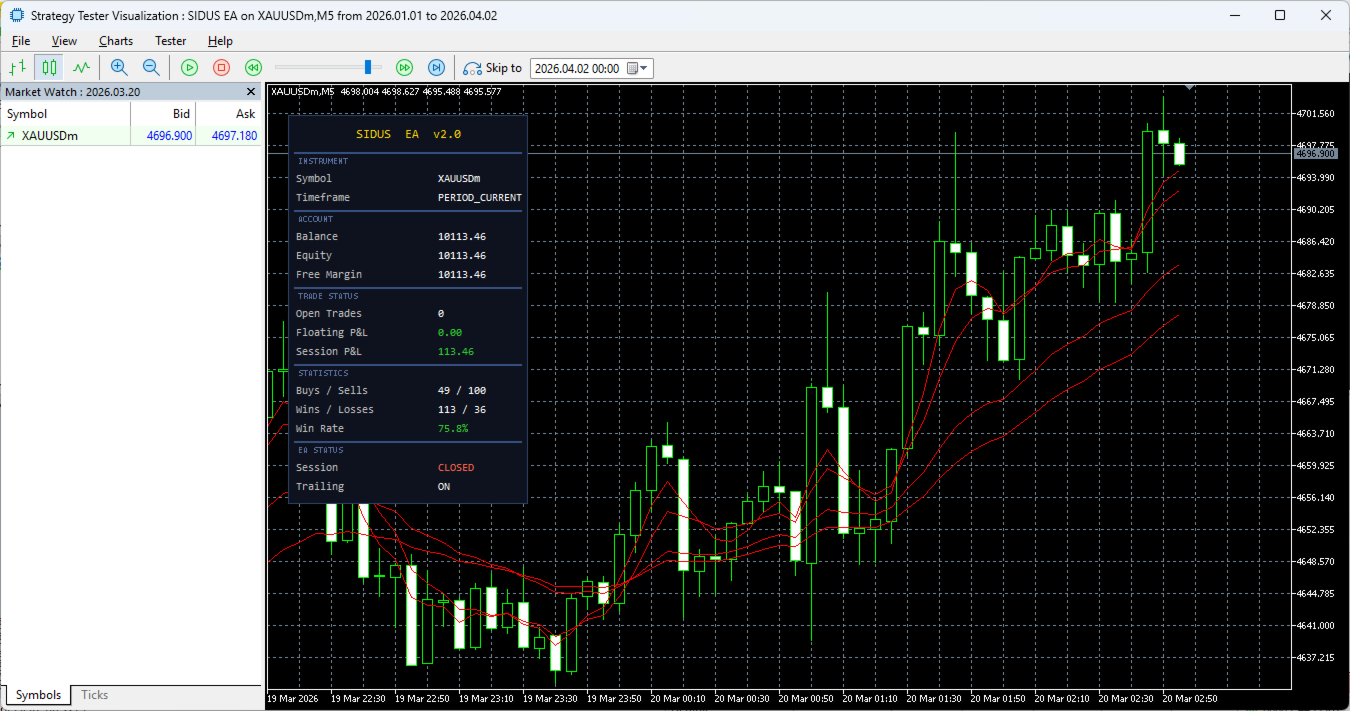
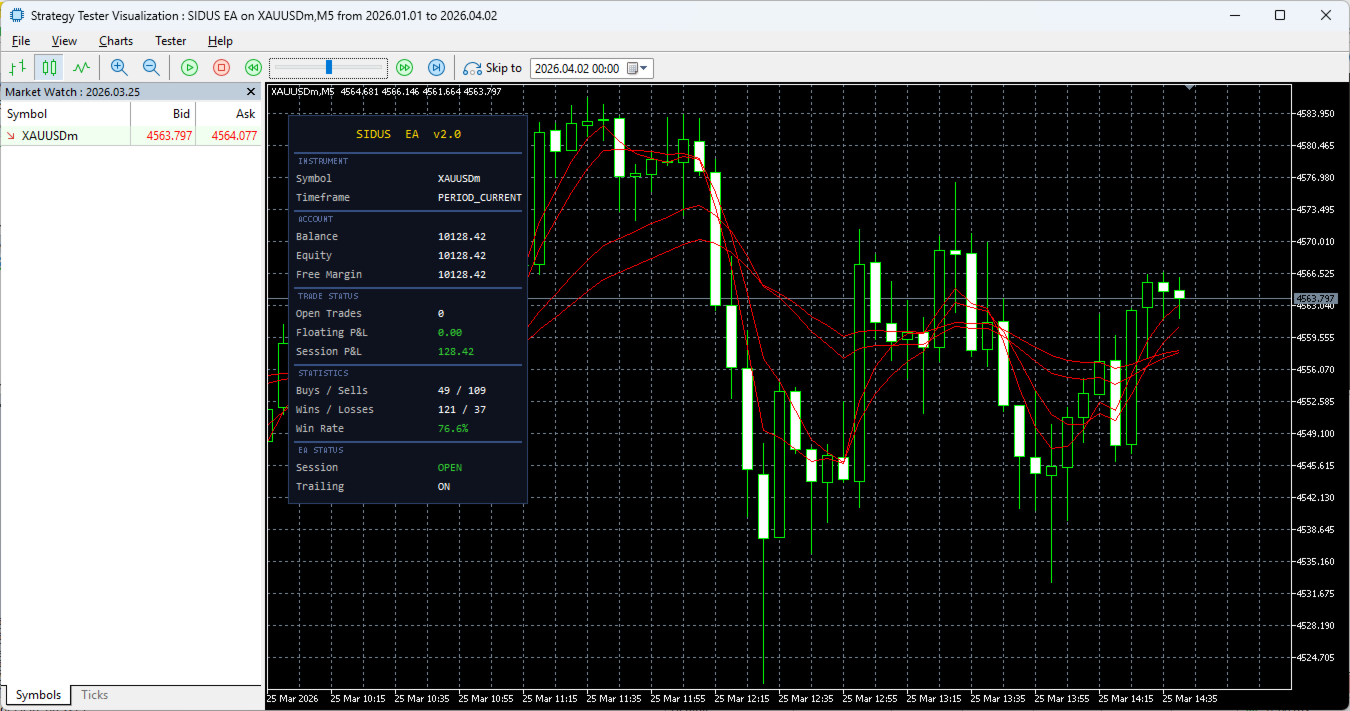
Live On-Chart Dashboard A clean, dark-themed panel displays real-time information across five sections: Instrument (symbol and timeframe), Account (balance, equity, free margin), Trade Status (open trades, floating P&L, session P&L), Statistics (buys/sells count, wins/losses, win rate with colour coding), and EA Status (session state, trailing stop toggle). The dashboard updates only when values change, keeping CPU overhead minimal.
Magic Number Isolation All position counting, management, and statistics are scoped strictly to the EA's own magic number, making it safe to run alongside other EAs on the same account or symbol.