 MetaTrader 5
 Experts
 Indicadores
 Bibliotecas
 Utilitários
 Widgets
 Regras
Conheça o Mercado MQL5 no YouTube, assista aos vídeos tutoriais
Como comprar um robô de negociação ou indicador?
Execute seu EA na
hospedagem virtual
hospedagem virtual
Teste indicadores/robôs de negociação antes de comprá-los
Quer ganhar dinheiro no Mercado?
Como apresentar um produto para o consumidor final?
Expert Advisors e Indicadores para MetaTrader 4 - 85
 Os robôs de negociação irão ajudá-lo a fazer transações nos mercados automaticamente, por outro lado, graças aos indicadores você poderá analisar melhor as cotações e prever seu comportamento.
Com ajuda desses aplicativos, você poderá realizar transações no MetaTrader 4 de forma mais informada e melhorar seu potencial.

Simple. Informative. Instantly Visible on Your Chart. Alwinson Active Trades Info (MT4 Version) is a lightweight indicator that displays a summary of currently open positions directly on the chart. It removes the need to switch to the Terminal window to check which symbols are active and what volume is involved. An MT5 version of this indicator is also available among my products.
Key Features: Lists all symbols that currently have open positions in the trading account. Shows the dominant pos
FREE

Telegram BrealOut Ichimoku Lite The Expert Advisor will help you forward all alert from MetaTrader 4 to Telegram channel
Parameters Channel Name - Name of your channel Token - create bot on Telegram and get token. AlertonTelegram - true to activate AlertonMobile - true to activate AlertonEmail - true to activate Customize moku Setting (Pro Version) Customize Comment (Pro Version) Add Customizable Signal Name(Pro Version)
Important Note
- You must allow WebRequest and add the https://a
FREE

Abiroid Multi Slope indicator allows you to calculate a Slope Histogram for any line of any indicator . Histogram is for 1 slope line only, but slope values can be calculated for 3 lines total. To have multiple histograms, add as many Slope indicators for custom indicators as you like on chart. You just need to provide the Indicator name, buffer value, slope's period and max number of bars back. By default it has slope calculation for TDI_v4.ex4 indicator. There is no way to specify parameters f
FREE

Signal Tester and Trader is an Expert Advisor that is capable to reading most indicators (except for indicator that has string as an input). Custom backtest the signal on a live chart and trade the signal on live account [Full Version Only] .
The expert has 2 modes: Backtest mode (custom backtest on current indicator and strategy settings) Trading mode (trade based on current indicator and strategy settings) [Full Version Only] Available Indicator types: Two cross indicator: indicator that gen
FREE

Core Positioning Advanced analytical tool designed specifically for MT4, providing in-depth analysis of trading history, uncovering data insights, optimizing strategies, and enhancing profitability. Core Usage Strategy Performance Evaluation: Analyzes profitability, stability, and risk to provide an objective rating from A+ to D.
Trading Pattern Discovery: Identifies high-quality assets, time periods, and profit-making habits suited to different market conditions.
Risk Management Optimization: C
FREE

The EA automatically opens the orders when price crossing/touching lines, which were drawn by the user. Two scenarios are possible. When you expect the price to stay in the channel. When you expect that the price will not remain in the channel after the break off it. If you want use first scenario - you must set in settings Trade mode = “False_Breaking_Channel”. If you want use second scenario - you must set in settings Trade mode = “Breaking_Channel”. When you run EA, you must draw two trend li
FREE

Dexter EA is a 100% automatic robot that executes random orders of simultaneous buys and sells. For each losing operation, a management with an increase in the lot will begin, better known as “martingale” that will cause the price to fall back to the area where it was established. the profit the robot closes in profit or breakeven, depends on its configuration. I catalog it as a utility even though it works totally automatic because EVERY TRADER'S WORK IS NEEDED to be able to make it work corre
FREE

Open Popup Notification Please leave a review about this product to help other users benefit from it. " Free " Script to turn on pop-up notifications to view past trading alert messages including displaying account information. This script is compatible with MetaTrader 4 The script is easy to install and use, making it suitable for traders of all experience levels. There's nothing to worry about, including a freezing screen and any kind of effects on other chart windows. Disclaimer: This script
FREE

Trade Space PRO Профессиональная торговая панель для MT4. Главное ПРЕИМУЩЕСТВО - все настройки выведены на график символа. Запоминаются автоматически для каждого символа отдельно. Трейдинг/риски/блок контроля новостей и тайминга/панель сигналов . Вся важная информация отображается на панелях. Вам нужно только открыть позицию одним щелчком мыши. Управление открытой позицией так же просто, насколько это возможно: вы можете легко настроить уровни Стоп Лосса (S/L) и Тейк Профита (T/P). В о
FREE
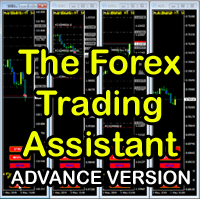
The Forex Trading Assistant is a trading utility that speeds up our execution of orders. The lot size is automatically computed based on the risk-on-balance you set in the input window. The pip value will be based on your risk-on-balance. Hence, the total stoploss is the actual risk computed based on your risk-on-balance per trade. Morever, you can drag your Order Line, Stoploss Line, and Takeprofit Line just like dragging a horizontal line on your chart. The following are the inputs. ( Click D
FREE
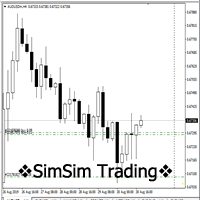
"SimSim Expert Assistant" утилита для сопровождению сделок трейдера в терминале МТ4. Утилита бесплатная, пользуйтесь. Кроме того, утилита открывает сделки по сигналам индикаторов SimSim Trading (через глобальные). Параметр индикатора "Signal shaping for SimSim Expert Assistan" указывает на это.
Как работать с утилитой. Expert Assistant работает в терминале МТ4 и устанавливается в папку Expert, в утилите нет ни одного параметра при старте. Все параметры находятся в списке глобальных переменных
FREE
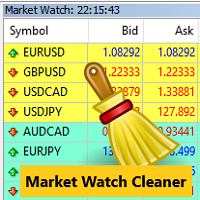
Clean up Market Watch from unused symbols.
If you use multiple advisors and terminals on the same account your Market Watch windows may get filled with unused symbols from orders and positions opened on other terminals. Every symbol in the Market Watch consumes cpu power and bandwidth to get constantly updated and if you are on a vps you want to minimize resources consumption. Market Watch Cleaner helps you with that by periodically cleaning your Market Watch window from unused symbols.
Param
FREE

We use Price Action and Japanese Candlesticks at important price zones and standard times to open positions and use Risk/Reward: 1/2 - 0.2%/trade. Recommended symbol: EURUSD, GBPUSD, AUDUSD, USDCAD, USDJPY, GBPJPY, EURJPY. Contact me: Gmail: fifund.cuscare@gmail.com, Facebook , Twitter , Instagram . Product: Metatrader4 , Metatrader5 . Broker references: Exness , ICMarket , FBS .
FREE

The Tick Data Record is a multi-symbol multi-timeframe Expert Advisor that records tick data for later graphical representation and analysis. General Description
The Tick Data Record offers a(n) alternative/complement to the online/offline price charts displayed through the MT4/MT5 platform. The Expert Advisor permits to write and save the current/history values of Time, Bid, Ask, Spread, Last and Volume to a text file (“.txt”). The idea is to copy/open the obtained register to/in a spr
FREE

ABCMarketsControldemo is a demo version of the ABCMarketsControl utility that manages already opened trades on any symbol by moving them to a breakeven when the price reaches a certain level. Besides, if the price goes further in favorable direction, the utility moves Stop Loss and Take Profit accordingly. You can check the utility operation in the strategy tester on any symbol on a period from January 1 to December 21, 2017 by setting the time_start_buy_demo and/or time_start_sell_demo paramete
FREE
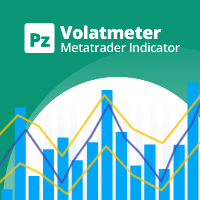
This indicator measures volatility in a multi-timeframe fashion aiming at identifying flat markets, volatility spikes and price movement cycles in the market. [ Installation Guide | Update Guide | Troubleshooting | FAQ | All Products | Get Help ] Trade when volatility is on your side Identify short-term volatility and price spikes Find volatility cycles at a glance The indicator is non-repainting The ingredients of the indicator are the following... The green histogram is the current bar v
FREE

A utility for automatically detecting the GMT offset of your broker To use the utility, place it in the Scripts folder of the terminal data directory, enable WebRequest in the terminal settings and add the address https://www.worldtimeserver.com/ to the list of allowed ones. Run the Check GMT script on the chart with any currency pair There is only one setting in the script: site = https://www.worldtimeserver.com/ just for your convenience. Copy this address from the script setti
FREE

EA TradingPanel X advanced is a based on our free product TradingPanel X free version : Integrated News Feature Dynamic Take Profit (Trail Step) Multiple Trade handling Extended Ordermanagement Profit & Lot Informations Market Informations The EA has integrated dynamic Take Profit (Trail), this means, if you reach your defined TP it gives you the chance to follow on the Trend by dynamic TP & SL and extend your profits. Also a News Filter function is integrated. The EA working with real TP & SL n
FREE
Jarfac Trades Extractor Description: Le "Jarfac Trades Extractor" est un script MQL4 conçu pour les traders qui souhaitent exporter et analyser leurs trades historiques. En un seul clic, le script génère un fichier CSV contenant des informations détaillées sur chaque trade exécuté pendant une période spécifiée. Caractéristiques principales : Filtrage par Période : Définissez une période personnalisée pour l'extraction. Possibilité de désactiver le filtrage par période. Filtrage par Commentaire :
FREE

Not everyone can write an indicator. But anyone can have an idea. The indicator Universal Separate Window Free , which takes as an input parameter the formula by which the indicator line will be drawn, will help to implement it. This indicator is intended for use in the separate chart window.
All indicators of the series Universal :
Main window Separate window Free MT4 Universal Main Window Free MT5 Universal Main Window Free MT5 MT4 Universal Separate Window Free MT5 Universal Separate Window
FREE

O indicador exibe no gráfico a hora atual do servidor e a hora até o fechamento da barra atual. A informação pode ser muito útil nos momentos de lançamento de notícias, quando os traders esperam o fechamento do candle para iniciar a sessão de negociação. O tamanho e a cor da fonte podem ser ajustados ao seu modelo gráfico.
Sintonização: Text color -a cor do texto de exibição Text size - Tamanho do texto exibido Adicione-me como amigo para não perder as atualizações e lançamentos de novos robôs
FREE

TRAILINATOR is a unique Solution to use different Trailing-Stop Variants and change your settings via Remotecontrol. You configure your Trailing-Stop for a specified Symbol only once. This setting will be used for all your Positions of the same Symbol. Currently we support these different Trailing-Stops: Standard : works like you use in Metatrader Terminal, starts trailing if your profit is greater than trailing stop Start after points : trailing stop will start after your defined points in p
FREE

Market Dashboard FREE Indicator gives you advanced information’s about your selected Symbols in MarketWatch
Features
Daily Price Movements (M1 – D1) RSI Values with Highlight Function for your current Timeframe & H1 & H4 Profit per Symbol and traded lots (buy & sell) EMA 5 – 100 based on selected period Swap Information (which direction is positive) FIBO Info & Tracking (highlighted FIBO Levels close to current price – based on selected period) One Click ChartOpen this Version is limited to 2
FREE

The Order Selective Delete is a multi-symbol multi-timeframe script used to delete simultaneously various pending orders. General Description
The Order Selective Delete possesses three operation modes (Intersection, Union and All) that control the way as three pending order features (symbol, magic number and type) are used. The modes, available through the Selection Mode input parameter, relate to the features, available through the “Select by Feature” and “Feature” input pa
FREE

The Position Selective Close is a multi-symbol multi-timeframe script used to close simultaneously various positions. General Description
The Position Selective Close possesses three operation modes (Intersection, Union and All) that control the way as four position features (symbol, magic number, type and profit) are used. The modes, available through the Selection Mode input parameter, relate to the features, available through the “Select by Feature” and “Feature” input pa
FREE

This simple free script will allow you to show your trade levels on the chart without disclosing their size. If the chart has no trade levels, the script will plot them using a white horizontal line for the order price, a red one for the stop loss and a blue one for the take profit. If the chart already shows trade levels, the script will delete them, this will allow avoiding doubling trade level indications. Every trade level line will contain in its description the ticket of the order.
Tip:
FREE
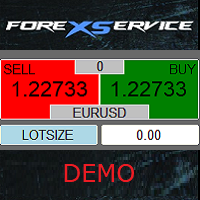
Important! Demo version will work only on EURGBP. One Click Trader is a tool designed for MetaTrader 4 platform, which enables you to take your trading to the next level. It enables you to open, manage and close your trades in simple an efficient way by just one click of your mouse button. Up arrow minimizes the OCT panel Down arrow maximizes the OCT panel Right arrow displays the next panel with additional features Left arrow hides the panel with additional features Red SELL button enables you
FREE

️ Prop Circuit Breaker MT4 Prop Circuit Breaker is an advanced, high-performance risk management utility designed exclusively for the MetaTrader 4 platform. This EA does not execute trades . Instead, it acts as an automated security shield, protecting your funded or challenge accounts from catastrophic losses and ensuring complete rule compliance. Whether you are manually trading or running a commercial EA that lacks built-in drawdown protection, Prop Circuit Breaker continuously monitors you
FREE

JVH Trading Information Panel v3.93 Professional Trading Dashboard for MetaTrader 4 The JVH Trading Information Panel is an advanced, real-time trading dashboard for MetaTrader 4 , designed to give traders a clear, structured overview of risk, performance and execution quality — all in one clean, dark-themed panel. Built for retail traders and prop-firm traders (FTMO, FundedNext, etc.) who require accurate, equity-based risk tracking and professional-level statistics. Key Advantages Liv
FREE
BB PullBreak Signal F r e e Version
Only Work on GBPUSD Pair. Consider Buy Paid Version for ALL Pair Use This is an EA that can provide notifications when a candle breaks or a pullback or retrace occurs. This makes it very easy for us, especially those who are used to trading using Bollinger Bands. Usually we often experience missing signals from Bollinger Bands if we trade manually without the help of tools. This tool can provide notifications via email, telegram or MT4 mobile. You just need
FREE
This demo EA only sends text messages to a predefined Telegram channel ( there is no need to confiure telegram ). The messages can be customized to show information about the trading activity. Also it shows the daily account PnL. Several instances of this EA can be used simultaneously from the same MT4 terminal but ensure that each one has different EA ID number (setting B16) I have tested this EA with forex symbols but it should work fine with any MT4 symbol (e.g. indexes, commodities, stocks,
FREE

Super Copier GG Free Super Copier GG Full Version Super Copier GG Full FREE
Super Copier G&G Free (Symbol USDCHF and EURAUD only, Max three order) Expert Advisor copies orders to several trading accounts (regardless of a broker) if their respective MetaTrader 4 terminals are opened on a single PC/VPS. The EA may copy from multiple (unlimited) initial accounts to a single target one or from a single initial account to multiple (unlimited) target ones. The work of other EAs and manual tradin
FREE

The script automatically downloads historical data for all instruments from the "Market Watch" window, on all timeframes from M1 to MN1. It is recommended to use the script before launching multi-symbol and multi-timeframe indicators that work simultaneously with many instruments. Features: To download quotes, the script uses the MQL API only. This is a necessary requirement for publishing programs on the MQL-Market. This method is fast enough, but effective in not all cases. A more reliable (bu
FREE

Powered by SVX Strategies Quant Team This indicator is part of our internal toolkit for institutional volatility analysis. We are releasing it for free to support the retail trading community. Looking for Automated Results?
Manual execution is prone to human error. If you prefer consistent results managed by our team, you can copy our official algorithms directly on MQL5: Copy "Friday Pulse" (Conservative/Stable) Copy "SVX AI Systems" (High Growth) ABOUT ADAPTIVE RSI BANDS
Unlike traditional R
FREE
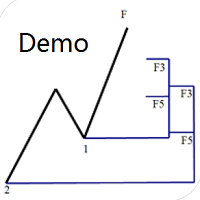
Dinapoli Levels Expansion and Retracement Demo An auxiliary tool written specifically for the DiNapoli point trading method. This is a trial version and there are no restrictions on the XAUUSD H4. Official version https://www.mql5.com/en/market/product/32213
The main function:
1. You can directly draw multiple sets of Fibonacci retracements, and the relationship between important return points is clear at a glance.
2. You can draw Fibonacci extensions, the ratio has three kinds of 0.618, 1, 1
FREE

Auto Close is an expert advisor that can assist you with your money and risk management rules. The EA can monitor your Balance, Equity, Margin, Global Profit and Global Loss and alert you in case any of these reaches a specified threshold. This Demo Version has Notification and Close features disabled, full version can be found https://www.mql5.com/en/market/product/29141
How does it work? Load the Auto Close EA in the chart and set the parameters you want to keep monitored. If any of the risk
FREE

This is a light version of OneClickWonder. It has a limitation of lotsize ( 0.01 ) and also the trade direction (only SELL ) and magic number is fiexd (magic number = 11 ) ------------------------------------ OneClickWonder manages open trades by Magic Number and Symbol , providing: · Individual or Basket Trailing Stop · Optional Averaging system (adds new trades automatically) · OneClickOrder buttons (BUY / SELL directly from chart) · Works
FREE
This Demo Version will only work with CHFJPY
For the full version :
For English go here: https://www.mql5.com/en/market/product/41117
For Spanish go here: https://www.mql5.com/en/market/product/41141
This EA does partial close to your positions every certain pips, and can move your Stop Loss to Break Even (Open Proce + 1 pip) when one of the partial close is made. The EA handles all trades of the chart symbol. It can be used with any pair or instrument on MT4. This EA will remember the sta
FREE

This is a free demo version for USDJPY only. Here is the link to full version: https://www.mql5.com/en/market/product/25912 This product has no input parameters. The product helps you to open and close orders faster, include instant and pending orders. It helps you to open order faster and easier, to make an order you simply click on the button.
Buttons List BUY/SELL: to open instant Buy or Sell orders. BUY STOP/BUY LIMIT/SELL STOP/SELL LIMIT: to open pending order. The distance to the current
FREE

BRiCK is a simple and versatile Utility.
By combining Experts, Indicators and utilities like the Lego block, various trading styles can be realized. "BetByTrade" is a utility to automatically add / close positions when trading. If you open the position in the trade pool, if the calculation result of the betting method exceeds the initial lot, the utility will order additional.
If you close the position in the trade pool, if the position that was additionally ordered by the utility remains, it w
FREE

Indicator Profitability Check Introduction: IPC means "Indicator Profitability Check". Some features will be locked in free version. Also you cannot check result more than 1 month. For paid version, please visit: https://www.mql5.com/en/market/product/45247 Here Indicator Profitability Check is a custom script which will check the profitability of a buy-sell arrow based custom indicator’s signal profitability. So traders who are very confusing for a buy-sell arrow based custom signal indicato
FREE

This Expert Advisor sends an email notification, generates an alert or outputs a message to the journal (depending on the settings) every time a new order is opened (buy, sell, limit, stop). It also sends a similar message about closure of orders. The EA can be useful for those who want to always be informed of which orders had been opened/closed on the account. Limitations: In this demo version, notifications are available only for the GBPCHF currency pair. To use notifications on all currency
FREE

️ This is a FREE version of the tool. Developed by a practicing trader with 12 years of live trading experience (verified tax records, 51 Finam certificates). Looking for professional trading solutions (Volume Profile, SMC, Risk Manager)? Author's full lineup of PRO indicators: https://www.mql5.com/en/users/musa1994/seller Official website and portfolio: https://developer-mql4-mql5.netlify.app/ SpreadMonitor is a professional indicator for MetaTrader 4 that color-codes candlesticks based
FREE

This is a Semi Automated OTE EA based on the free teachings of ICT. One of the biggest challenges in trading is related to executing and managing trades. After analyzing charts, draw an OTE Fibonacci and turn on the EA. It will automatically execute orders based on the Fibonacci level of your placement and protect any open positions when in profit. Please review the documentation that accompanies this product.
Auto Lot Calculation Based on Risk Percent
Auto SL and TP
Auto BE
Risk Per
FREE
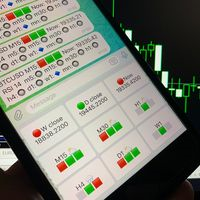
Telegram Candle Map Barometer. I wanted to create an informer that would show in the direction of the candle shadows where the price is moving. When I made the first timeframe, I realized that by combining several, I get an excellent breakout entry indicator. You need to create a Telegram bot for getting an API. Copy main ex4 file to Experts folder and use with settings. Download and enjoy, even receiving signals from MetaTrader, this is true when trading on any exchange. What we have inside: Mi
FREE

Simple Stats is utility for history management. Allowing you to clearly see trading performance for each symbol separately , and so it helps you to find the most and the worst profitable type of trades based on past results. History period depends on settings of your terminal, so if you want to get report for each month, you have to use custom period and run SIMPLE STATS for each. SS will distinguish reports with filename - each history report is named with account number and date of the oldest
FREE

Convenient and easy to use mini-panel, which displays the profitability from January to the current month .
This will help to quickly evaluate the results of transactions without resorting to monitoring the account.
Data is updated automatically
Each panel element can be configured with its own color and transparency .
There are English and Russian languages.
The panel can be run in the strategy tester and see how it is built.
Monthly profitability is calculated using the fo
FREE
TradingDesk Demo – Performance Analyse MT4 This is a Demo version of TradingDesk indicator which is limited to show only EURUSD. Full version can be found here: https://www.mql5.com/en/market/product/40189
TradingDesk analysed MetaTrader 4 historical data by Symbol, Magic Number, Trade or Comment. All these evaluations will be displayed in real time on your MetaTrader 4 chart window.
All this information will be displayed in the following dashboards: account info General information about the
FREE

Demo version of the paid product - Copy MT4 copier , limited to lot size of 0.01 Universal copier of deals from MetaTrader 4 to MetaTrader 4 ( MT5<->MT5 version is available ; with both versions, you can copy MetaTrader 5<->MetaTrader 4, MetaTrader 4<->MetaTrader 5, MetaTrader 5<->MetaTrader 5, MetaTrader 4<->MetaTrader 4). Spread filter. Select the best price (start copying positions with a profit or loss). Configure the lot size, fixed or ratio-based (provider signals can be copied with an inc
FREE
With Symbol Switch you can easily change the symbol of all open charts without losing your analysis or template. Easily monitor many symbols with only one monitor. Auto save\load analysis separately for each symbol (including all graphical analysis and attached indicators). The indicator shows the symbols which are visible in your MT4 "Market Watch" window. To add\remove a symbol just add\remove it from MT4 "Market Watch" window. Monitoring all symbols profit with the panel. Works with all broke
FREE
Price Alert EA for MT4 – Customizable Alert System with Intuitive Chart Interface The CFN Price Alerts EA is a powerful yet easy-to-use Expert Advisor designed for traders who want full control over price level alerts directly from their MT4 charts. No need to manually set alerts through MT4’s native system – this EA gives you an on-chart interface to quickly set, view, and remove price alerts with flexibility. Key Features: Set unlimited price alerts directly on your chart. Visual display
FREE

This is a free trial version of ScalTradeAssist Pro ( https://www.mql5.com/en/market/product/25920 ) You can use all functions of the tool without any restriction except the lot size. (fixed as 0.01)
I hope you'd like it and decide to purchase the professional version :)
Below is the explanation of the ScalTradeAssist Pro.
*If you see that the orders are not being placed, please check your spread setting, this tool watches it and never place orders if the spread is not matching.
ScalTradeAssis
FREE
R E F R E S H 28 C H A R T S For traders who use a tool like "Volatility Watcher" and "OBOS Watcher" that use the 28 pairs of 8 commonly traded currencies.
You can find "Volatility Watcher" here: https://www.mql5.com/en/market/product/46475 You can find "OBOS Watcher" here: https://www.mql5.com/en/market/product/47894 8 C O M M O N L Y T R A D E D C U R R E N C I E S EUR - Euro GBP - British Pound AUD - Australian Dollar NZD - New Zealand Dollar USD
FREE

GUI Graphic Library é uma biblioteca compilada para desenvolvedores MQL5 que cria janelas, painéis, controles e gráficos para os seus Expert Advisors e indicadores. Toda a interface é desenhada em um único objeto do gráfico e é controlada por 15 funções, então você pode adicionar um painel profissional ao seu programa com poucas linhas de código. Esta é uma biblioteca para programadores. Não é um Expert Advisor e não opera. Botões como Buy ou Close apenas enviam um evento ao seu programa, e é o

NHK Key Levels - The All in One Price Action Indicator ( MT5 version ) NHK Key Levels is a multi-timeframe technical analysis indicator for MetaTrader 5 and 4, combining essential market structure and price-action tools in one powerful chart interface. Key Features Swing High & Low Detection – Identify important market turning points. ZigZag Market Structure – Visualize market swings and structure. Fair Value Gaps (FVG) – Detect bullish and bearish price imbalances across two selectable timefra

Fibo(Fe)_CorrectionExpansion – An indicator for structural analysis and precise targets. This is a professional tool for the MT4 terminal that automatically marks market structure, identifies corrections (Fe0–Fe1), and builds precise targets using Fibonacci expansion (FE). The ZigZag algorithm (with adjustable Depth–Deviation–Backstep parameters) is the main feature of this indicator; it has continuous vertex numbering. The Fibo system of this indicator is built specifically on vertex numberin

Smart Range Filter: Know When to Trade and When to Stay Out Most losing trades happen in ranging markets. Smart Range Filter tells you, before you enter, whether the market is trending and worth trading or stuck in a range you should avoid. How It Works Instead of relying on a single tool, the indicator combines three proven measures into one score from 0 to 100: ADX (50% weight): measures trend strength. Choppiness Index (30% weight): detects noise and randomness. DI Dominance (20% weight): mea

Obtenha TODOS os meus robôs e indicadores MT4 e MT5 GRÁTIS — Veja como aqui Guia do usuário do EA — Todas as 6 partes Aprenda como os controles funcionam e use as configurações de referência da Parte 6 para construir seu próprio método de negociação. Parte 1: Instalação e controles de risco Parte 2: Gestão de operações — Grid e Hedging Parte 3: Filtros técnicos e de notícias Parte 4: Painéis de controle e testes Parte 5: Mensagens e solução de problemas Parte 6: Métodos de referência e exemplos

TRENDFORGE+ | 4H EUR/JPY SWING TRADING EA
Most Expert Advisors ask you to trust them. TrendForge+ asks you to check it. Three complete MetaTrader Strategy Tester reports are published in full, covering 26 years of market history and the conditions you will actually be trading in. Everything below is taken straight from those reports.
WHAT IT DOES TrendForge+ watches the 4-hour EUR/JPY chart, waits for a completed candle, and opens a swing trade when its rules are met. It then manages that posi

Multi Symbol Trend Dashboard for MT4 (Universal): Find the Strongest Trend Across Your Whole Market Watch in Seconds Works with any broker and any symbol: Forex, Gold, Indices, Crypto, Synthetic Indices and more. It reads your symbols automatically, with no renaming and no suffix setup. Stop flipping through dozens of charts. This real-time dashboard scans every symbol in your Market Watch (or a custom list) and shows which markets are in a clean, confirmed trend and which ones to skip. Key Fe

Várias das suas operações abertas somam, na verdade, uma única aposta maior? Correlation Matrix and Open Position Exposure MT4 responde a isso no seu gráfico do MetaTrader 4. Um único painel junta um mapa de calor de correlação de até 20 símbolos e uma verificação das suas ordens a mercado abertas: cada par de símbolos em carteira altamente correlacionado recebe a etiqueta "Same direction" (os riscos se acumulam) ou "Offsetting" (um tende a anular o outro). O indicador apenas exibe informações.

Algorex Market Board mostra os mercados que definem o tom do dia de negociação, num painel compacto no seu gráfico: Dow Jones, Nasdaq 100, S&P 500, Ouro, Petróleo WTI, Índice do Dólar e VIX. Para cada mercado
- Preço atual
- Variação de hoje
- Variação desde a abertura de Nova Iorque (09:30 hora de Nova Iorque)
- Amplitude de hoje como parte da amplitude diária média (ADR)
- Seta de tendência (fecho H1 face à EMA 20 de H1) A luz de risco
O painel compara ações, o dólar americano e o VIX.
- RIS
FREE

Algorex FVG Marker desenha os Fair Value Gaps (desequilíbrios de três velas) como zonas limpas e fáceis de ler. Gaps de alta e de baixa em cores separadas Um gap parcialmente preenchido encolhe até a parte ainda aberta e fica mais claro Um gap totalmente preenchido é removido do gráfico Linha de 50% opcional dentro de cada zona Tamanho mínimo do gap em ATR, para ignorar pequenos gaps de ruído As cores combinam com qualquer fundo de gráfico e se adaptam quando o tema é alterado Alerta opcional qu
FREE

Multi Timeframe Signal Workshop é um indicador para MetaTrader 4 que acompanha os sinais que você monta com indicadores de qualquer tempo gráfico e marca cada barra em que um deles dispara. Um sinal como "RSI do H4 sobrevendido enquanto o preço está acima da EMA 200 diária" é montado com cliques, sem código, e cada disparo é desenhado no gráfico com as zonas, linhas e valores de indicadores que ele leu. Ele vem com 36 sinais prontos e avisa você com um alerta quando surge um disparo novo. Preço

Painel de trading e gerenciador de ordens gratuito para MT4: cálculo automático do lote pelo risco do stop loss, linhas de entrada, stop loss e take profit arrastáveis no gráfico, saída no zero a zero (break-even) em um clique incluindo comissão e swap, e painel integrado de ordens e análise no gráfico. Nada é enviado até você pressionar o botão de ordem. Funciona no MetaTrader 4 para Windows e Mac / Wine.
Escolha uma direção e a entrada, o take profit e o stop loss aparecem como linhas de rasc
FREE

Algorex Theme Switcher coloca seis temas de cores cuidadosamente equilibrados e seis espaços para os seus próprios temas num painel compacto no canto do gráfico. Um clique muda as cores deste gráfico ou de todos os gráficos abertos. Ao contrário de carregar um modelo, só as cores mudam: Expert Advisors, indicadores e desenhos ficam no lugar. Temas incluídos Zurich Snow: tema claro com velas cor de ardósia Amber Terminal: fundo preto com velas âmbar Midnight: azul-marinho profundo com velas azuis
FREE

Algorex Candle Timer mostra num painel compacto no seu gráfico a informação que se consulta antes de cada entrada. Contagem decrescente até ao fecho da vela atual em dourado, que fica vermelha pouco antes do fecho (M1: últimos 10 s, M5: últimos 30 s, M15 ou superior: último minuto) Etiqueta da contagem junto à vela em curso Spread em pontos e pips Amplitude de hoje e quanto da amplitude diária média (ADR) já foi usado ATR do período do gráfico Hora de Nova Iorque, hora local e hora do servidor,
FREE

Supertrend Trend Fill with Change Alerts MT4 traz um Supertrend compatível com o TV para o MetaTrader 4. Se você também usa o TradingView, conhece o "Supertrend" integrado: uma linha verde abaixo do preço enquanto a tendência é de alta, uma linha vermelha acima do preço enquanto é de baixa e uma faixa de cor suave entre a linha e as velas. Este indicador para MT4 reproduz esse cálculo e essa aparência.
Para que serve: ver a direção atual da tendência e onde ela mudaria. O que não é: um sinal d
FREE

Short Description The indicator finds the H4 bar from which the strongest daily move most often begins. It displays a clear table with the hour, move size, and direction. Helps you trade only during the best hours of the day. Full Description Biggest Move H4 is a statistical indicator that answers an important question for traders: “At what time does the strongest move of the day most often begin?” The indicator analyzes the selected number of days (from 1 to 1000) and for each day finds the 4-h

Wave Reversal Toolkit is a reversal indicator for MetaTrader 4 with two jobs. It marks WaveTrend turns on the price chart, and it puts what you need to judge them right next to them: support and resistance channels, a golden pocket from the last H4 swing, a volume profile and a seven-timeframe trend table. The second job matters more, and the cover chart shows why. Between 22 and 30 October 2026 gold printed eight buy arrows on H1 while it fell from 4,023 to 3,876. The ninth arrow, at 18:00 on 3
O Mercado MetaTrader contém robôs de negociação e indicadores técnicos para traders, disponíveis diretamente no terminal.
O sistema de pagamento MQL5.community está disponível para todos os usuários registrados do site do MQL5.com para transações em todos os Serviços MetaTrader. Você pode depositar e sacar dinheiro usando WebMoney, PayPal ou um cartão de banco.

Você está perdendo oportunidades de negociação:
- Aplicativos de negociação gratuitos
- 8 000+ sinais para cópia
- Notícias econômicas para análise dos mercados financeiros
Registro
Login
Você concorda com a política do site e com os termos de uso
Se você não tem uma conta, por favor registre-se