PrimeHybrid
- Experts
- 버전: 1.0
- 활성화: 5

PrimeHybrid – Trend Grid with Two-Stage Hedge and Recovery for MT5
PrimeHybrid combines three layers into one basket system: a trend-following grid, a two-stage hedge that activates when the grid is under pressure, and a recovery grid that works the basket back toward profit. The whole basket is closed together with a profit trailing stop, and an emergency loss limit closes everything if losses go beyond the level you set.
Risk disclosure
PrimeHybrid uses grid, hedging and lot-multiplication (martingale-type) techniques. These methods can produce steady gains in ranging or retracing markets, but a long one-directional move can cause a large loss. Always set the emergency loss limit to an amount your account can afford, and test on a demo account before trading live. A hedging account is required.
How it works
1. Trend grid
- The trade direction comes from two EMAs (default 20 and 100 on H1). Fast above slow means buy; fast below slow means sell.
- The first order opens in the trend direction. If price moves against it, further orders are added at a set grid distance.
- The grid distance widens every few orders, so the grid spreads out as the move extends.
- By default the trend grid uses a fixed lot (multiplier 1.0). You can set a multiplier above 1.0 to increase lot size per order.
2. Two-stage hedge
- Stage 1: when the number of losing trend orders reaches the trigger (default 7), a hedge position opens against the losing side. More hedge orders can be added at the hedge grid distance, up to a set maximum.
- Stage 2: if the floating loss grows by a further set percentage (default 10%), an additional hedge brings the hedge volume up to the full basket volume.
- After Stage 2, no new trend or hedge orders are opened.
3. Recovery grid
- After Stage 2, the recovery grid follows breakouts from the basket's price range. It opens a buy when price rises above the highest open order by the recovery distance, and a sell when price falls below the lowest.
- Each new recovery order in the same direction is larger by the recovery multiplier (default 1.5), capped by the maximum lot.
4. Closing the basket
- Basket trailing: once total basket profit reaches the start level, the EA records the peak and closes all orders if profit falls back to the keep percentage of that peak (default 70%). The basket is only closed in profit.
- Single order: when only one order is open, it closes at a set profit in points (default 500).
- Trend change: if the EMA trend reverses while the basket is in profit, the whole basket is closed and a new cycle starts in the new direction.
- Emergency exit: if the combined loss of losing positions reaches your limit, all orders are closed immediately, even at a loss.
Chart panel
- On/off button: pauses new orders and basket management without removing the EA
- Balance and equity
- Number of open orders and basket profit
- Trend, hedge and recovery order counts and the current stage
- Trailing peak and locked profit
- Emergency exit level and current loss
Main inputs
- Starting lot, trend lot multiplier, maximum lot per order
- Grid distance, orders per grid level, extra distance per level
- Hedge trigger, Stage 2 loss increase, hedge grid distance, hedge lot, maximum hedge orders
- Recovery grid distance and recovery lot multiplier
- Basket trailing start, keep percentage, minimum profit to close, single-order take profit
- Emergency exit on/off and loss limit
- EMA timeframe and periods, magic number, maximum trend orders
Requirements and notes
- Hedging account required. The EA will not start on a netting account.
- Works on one symbol per chart. Use a different magic number for each chart.
- Orders have no individual stop loss. Risk is controlled by the basket close and the emergency exit.
- The EA restores its hedge and recovery stage after a terminal restart or timeframe change.
- Recommended: VPS, low-spread broker, and a deposit large enough for the grid to run its full depth at your chosen lot size.
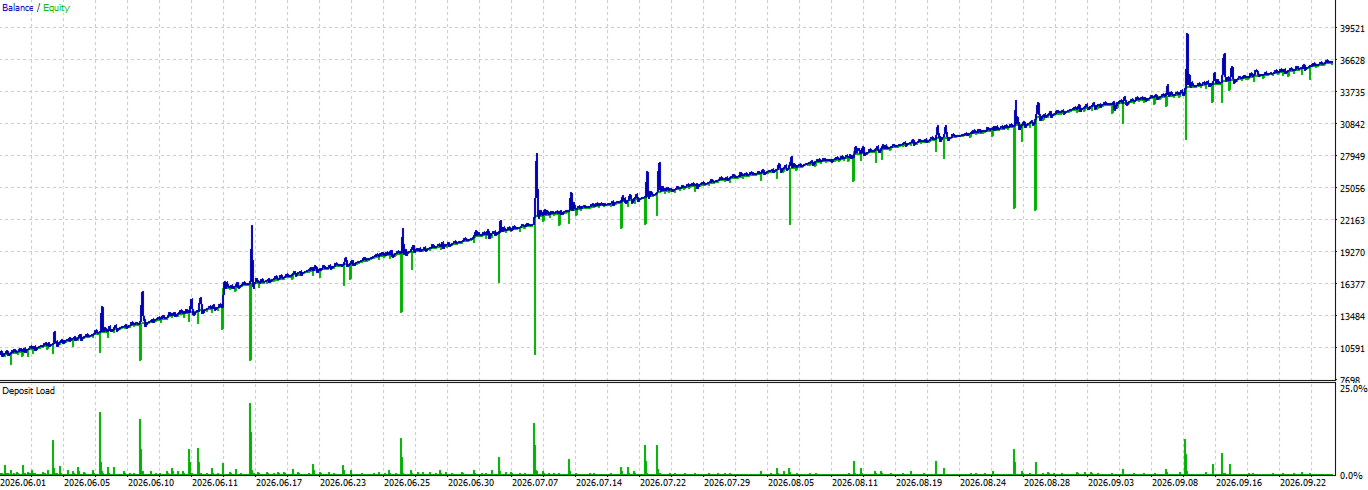
- Past results, including backtests, do not guarantee future performance.
Preset For 10K
========== General Settings ==========