Trade Command PRO MT4
- Experts
- 버전: 2.7
- 활성화: 5

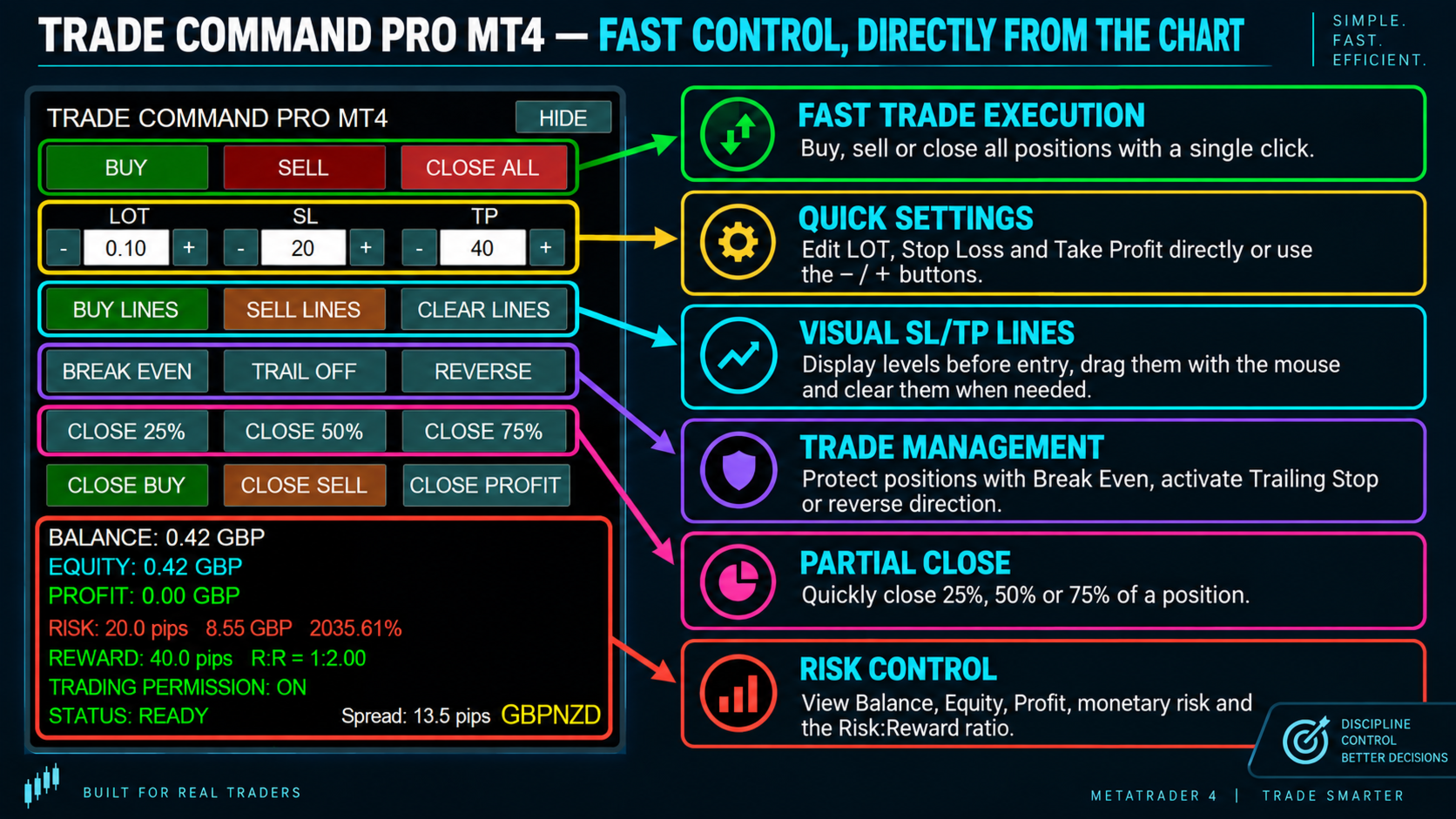
Trade Command PRO MT4 is a compact manual trading and position-management panel designed for fast and precise order execution directly from the chart.
The utility combines one-click trading, visual Stop Loss and Take Profit control, real-time monetary calculations and advanced position-management functions in a clean, movable interface.
Main Features
- Open BUY and SELL market orders with one click
- Close all open positions instantly
- Adjustable Lot, Stop Loss and Take Profit values
- Edit Lot, SL and TP directly from the panel
- Dedicated − / + buttons for fast value adjustment
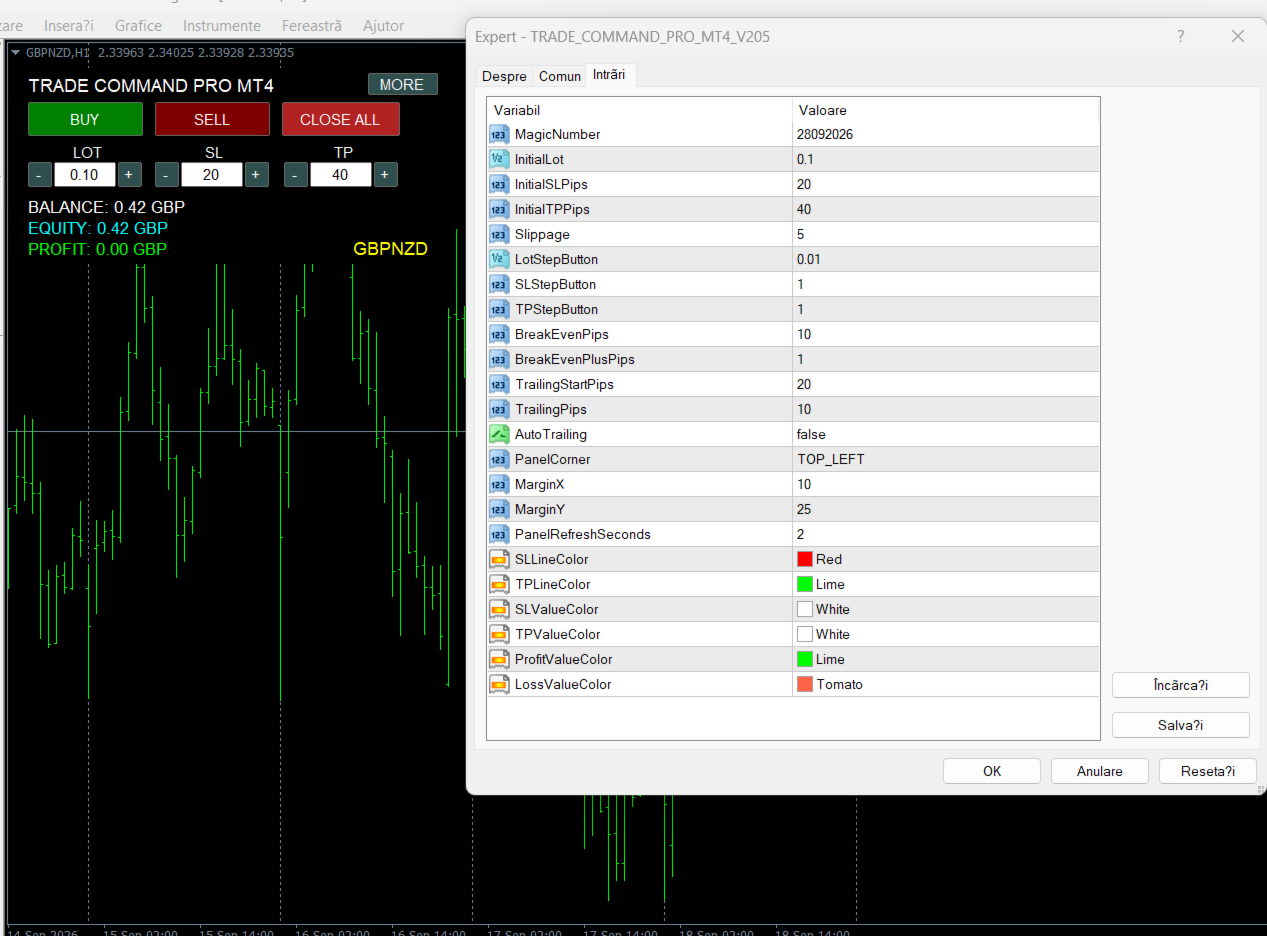
- Customizable adjustment steps for Lot, SL and TP
- Visual draggable Stop Loss and Take Profit lines
- Automatic modification of the real SL/TP when lines are moved
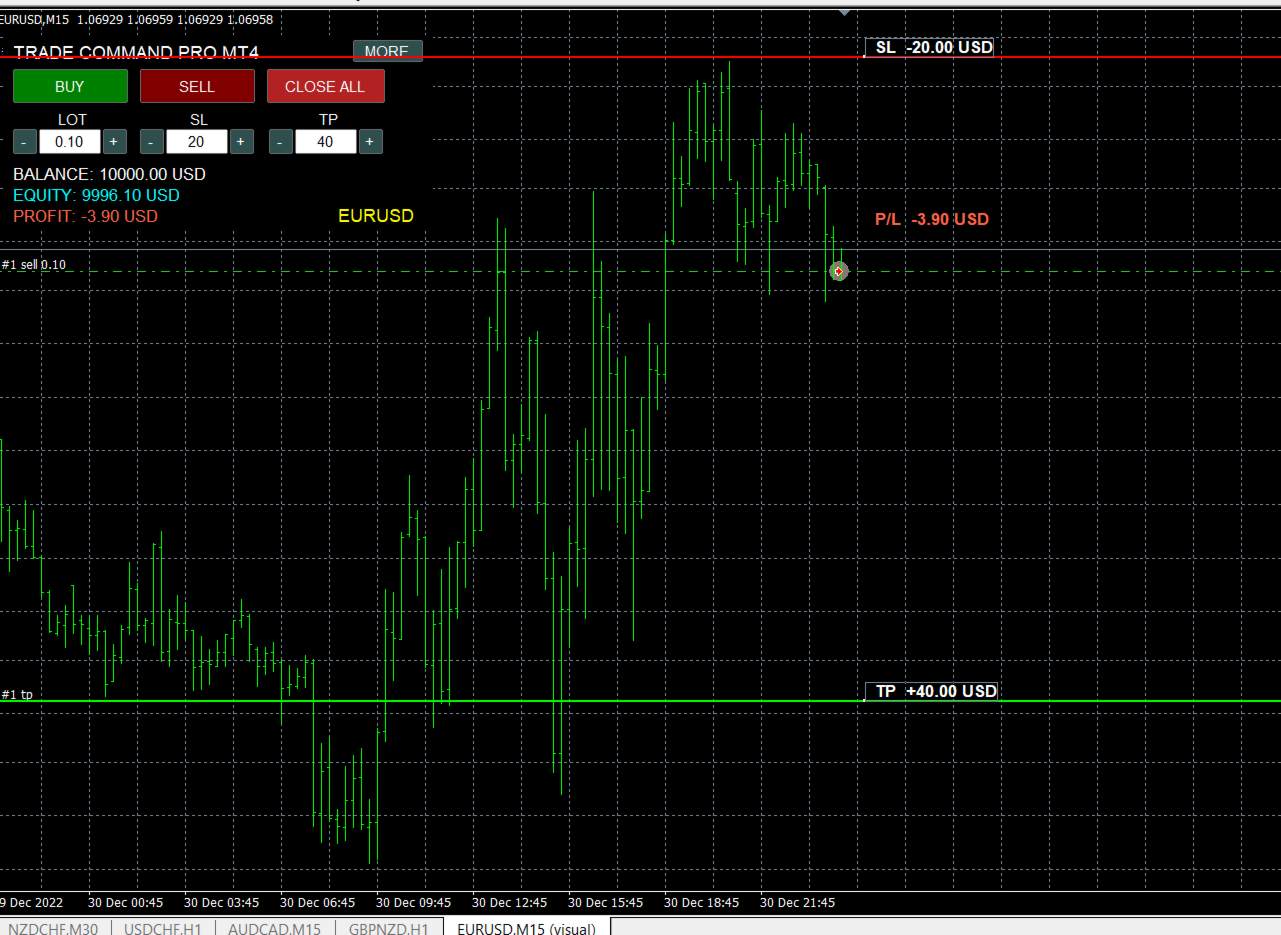
- Expected loss displayed at the Stop Loss line
- Expected profit displayed at the Take Profit line
- Live floating profit or loss displayed near the current price
- All monetary values displayed in the account currency
- Automatic removal of SL/TP lines after the position is closed
- Real-time Balance, Equity and Profit information
- Risk calculation in pips, account currency and percentage
- Reward calculation and Risk-to-Reward ratio
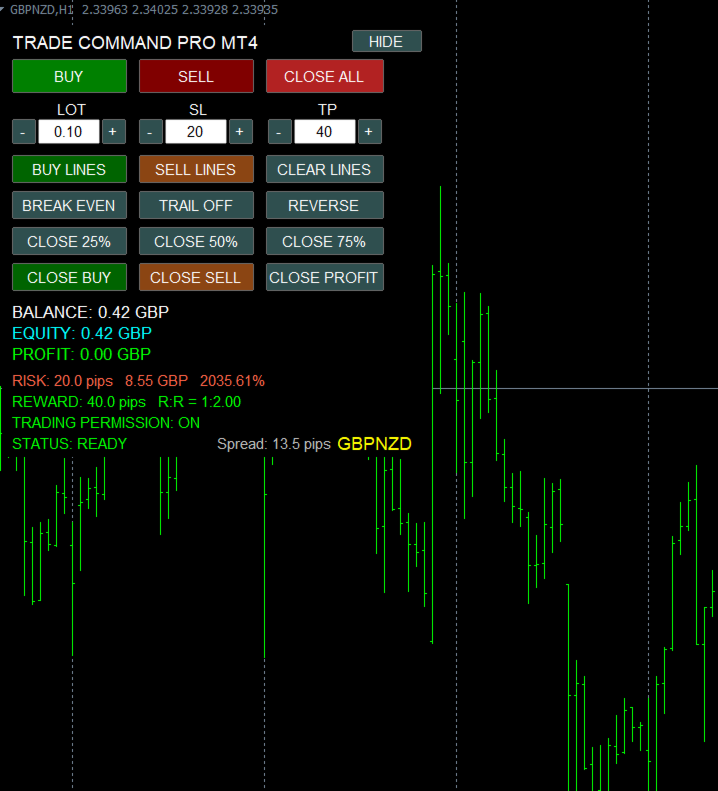
- Break Even function
- Trailing Stop management
- Reverse position function
- Partial close: 25%, 50% or 75%
- Close BUY positions
- Close SELL positions
- Close profitable positions
- Compact mode with expandable advanced controls
- Movable panel
- Selectable panel corner
- Customizable SL, TP and profit/loss colors
- Compatible with MetaTrader 4 Strategy Tester Visual Mode
Visual Trade Management
Stop Loss and Take Profit levels can be prepared before opening a trade and adjusted directly with the mouse.
After the order is opened, the visual lines become active management controls. Moving an SL or TP line automatically updates the corresponding level of the open position.
The panel displays:
- Maximum expected loss at Stop Loss
- Expected profit at Take Profit
- Current floating profit or loss near the market price
The calculations automatically take into account the selected lot size, symbol specifications and account currency.
Compact and Expandable Interface
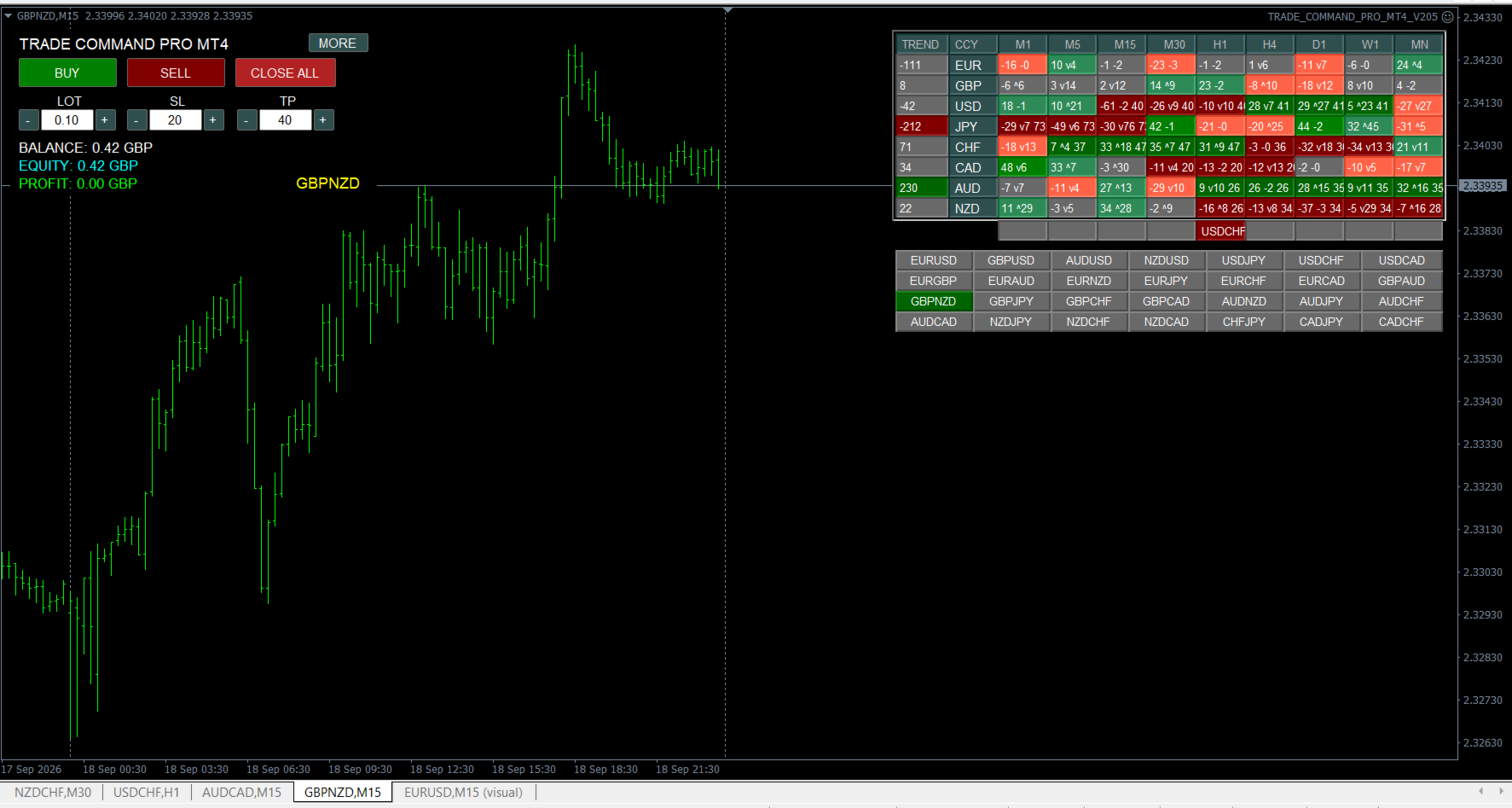
The main panel displays only the essential trading controls:
- BUY
- SELL
- CLOSE ALL
- LOT
- SL
- TP
- Balance
- Equity
- Current profit
- Trading symbol
Additional trade-management functions remain hidden and can be displayed using the MORE button.
The complete panel can be moved freely on the chart or positioned in a selected corner through the input settings.
How to Use
- Attach Trade Command PRO MT4 to a chart.
- Enable automated trading.
- Set the desired Lot, SL and TP values.
- Press BUY LINES or SELL LINES to preview the trade levels.
- Move the SL and TP lines with the mouse if necessary.
- Press BUY or SELL to open the position.
- Manage the active trade directly from the chart.
Lot, SL and TP can also be entered manually by clicking their numerical fields and pressing Enter.
Important Information
Trade Command PRO MT4 is a manual trading and position-management utility. It does not generate trading signals and does not guarantee profits.
Trading involves financial risk. Always test the utility on a demo account before using it on a live trading account.