Iron Entry
- 지표
- 버전: 1.0
- 활성화: 5

Iron Entry — Real-Time Signal Engine with Trend Filter & Momentum Candles
Why You Should Choose This Indicator
Most signal tools redraw their arrows after the fact, by the time you notice a "signal," it's already changed or vanished. Iron Entry doesn't do that.
This indicator locks in its pivots and signals the moment they close, and once printed, they never move, disappear, or repaint. What you see live is exactly what stays on your chart tomorrow, next week, and next year. That means you can trust every signal in your backtest is the exact same signal you'd have seen trading it live
How to use it, in one sentence: mark the zones you care about on your chart, then wait for Iron Entry to print one of its three signal types right there — you're not chasing candles, you're letting price come to you.
The Three Entry Models
Iron Entry doesn't give you a single signal type — it gives you three layers of confluence, ranked by risk and confidence, so you decide how aggressive or conservative you want to be at any given zone.
🎯 Entry Model 1 — Main Entry (Primary Signal)
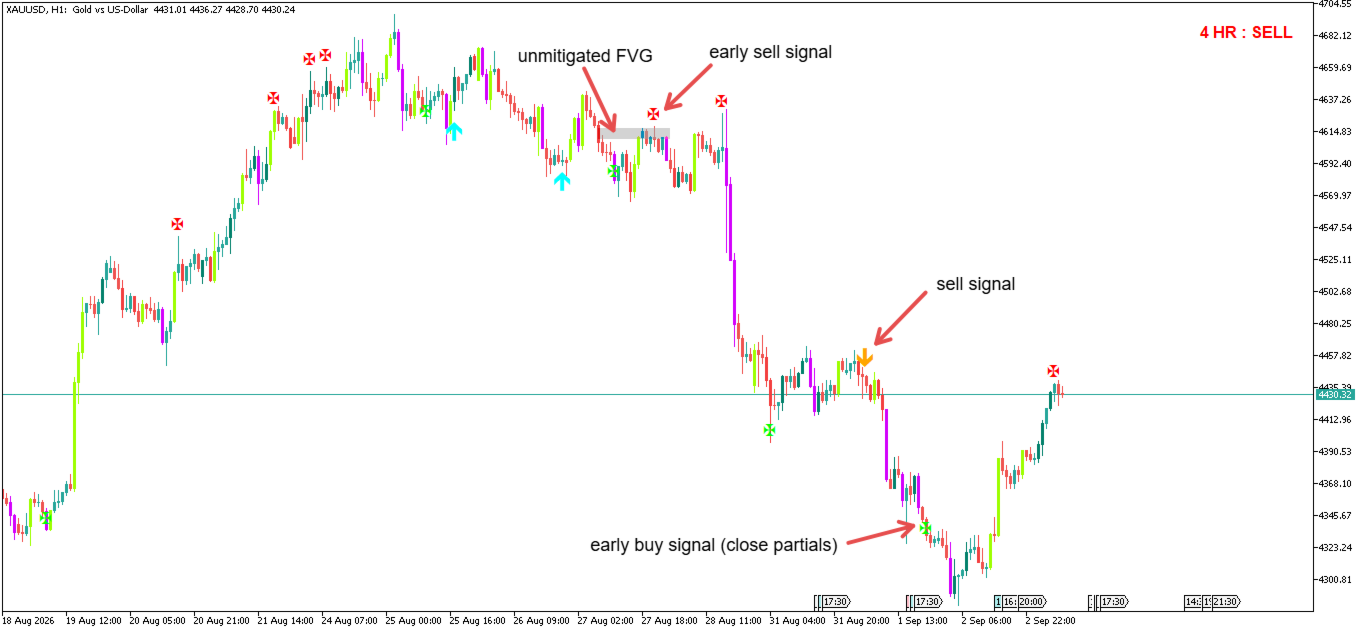
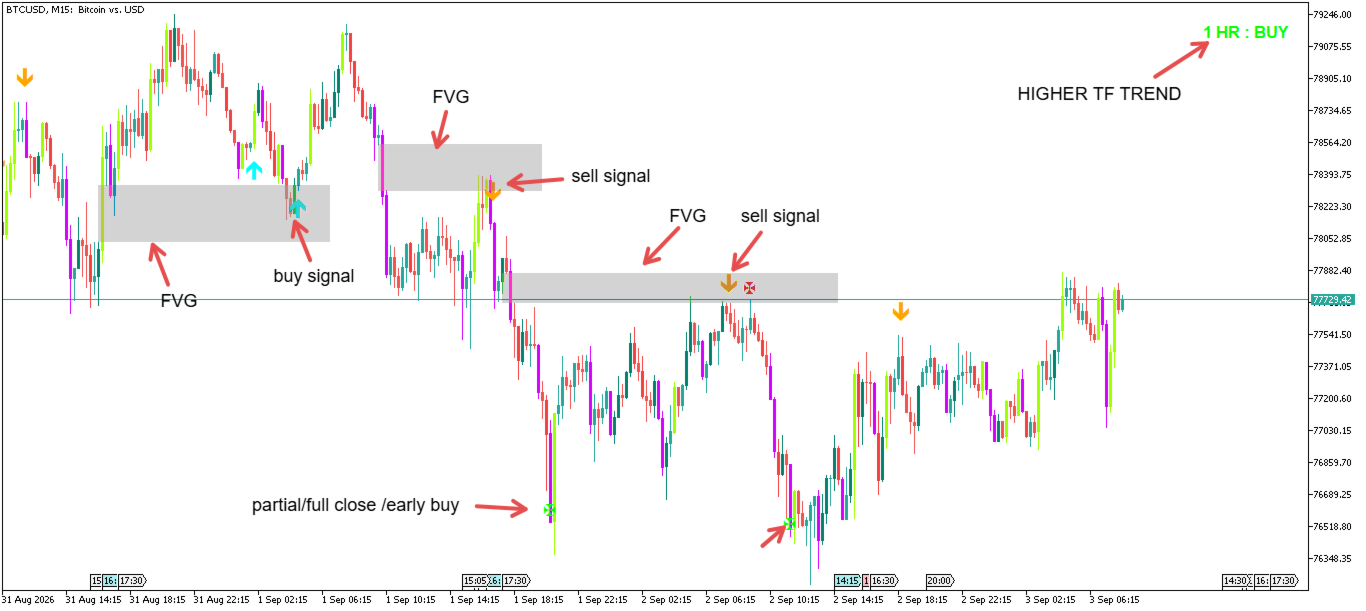
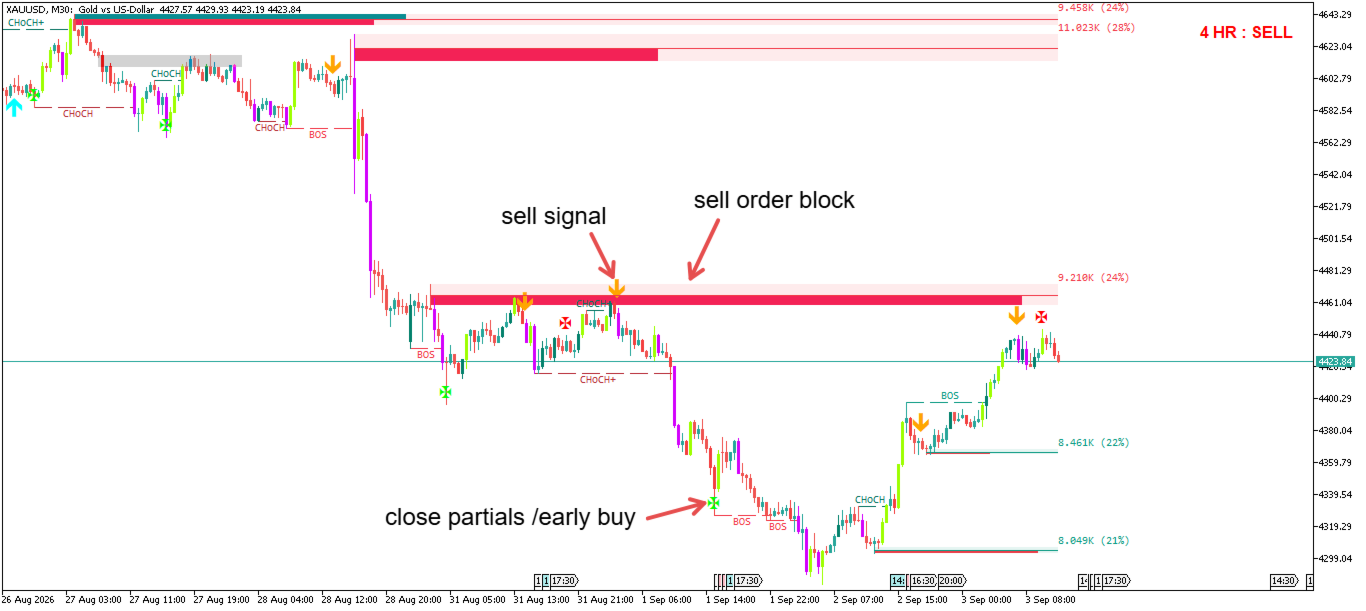
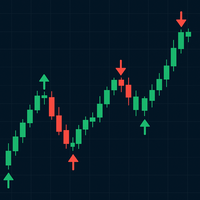
This is the core signal and the heart of the indicator — a clean arrow marking a confirmed entry. This is the signal built for full-size entries and is designed to fire only once price and momentum genuinely align. Treat this as your primary trigger.
⚡ Entry Model 2 — Early Entry (Partial Close / Advanced Use)
A leading "X" marker that can print ahead of a Main Entry signal, flagging early shifts in momentum before the main model confirms. Because it fires earlier, it's inherently a lower-probability, higher-risk signal.
How to use it: don't treat this as a standalone entry system. It works best as:
- A partial close / scale-out trigger on an existing position, or
- A small, reduced-size "starter" entry for advanced traders comfortable with the extra risk.
🔥 Entry Model 3 — Momentum Candles (Highest Risk)
Certain candles get automatically color-coded when they show unusually strong momentum in their body relative to recent price action:
- A purple candle printing inside your marked sell zone
- A lime green candle printing inside your marked buy zone
This is the riskiest of the three models — it's a raw momentum burst, not a confirmed setup, and can appear late in a move.
How to use it: this model shines best as a partial take-profit trigger — when you see a purple candle hit while you're in a buy, or a lime green candle hit while you're in a sell, it's a strong cue to lock in some profit rather than a signal to open a fresh full-size position.
Suggested framework: use Model 1 for your core entry, Model 2 to scale in early or partial-close, and Model 3 to partial-take-profit or add confluence — not as three separate strategies fired in isolation.
Trend Filter — Only See Signals That Match the Bigger Picture
Iron Entry includes a built-in trend filter so you're not taking signals against the dominant trend.
- Align With Trend (on/off): when enabled, only shows Buy signals during an uptrend and Sell signals during a downtrend.
- Trend Filter Timeframe Mode — Fixed or Dynamic:
- Fixed: pick any single timeframe for the trend filter, and it stays locked to that timeframe no matter what chart timeframe you're trading on. Full manual control.
- Dynamic: the trend filter timeframe automatically scales with whatever chart you're on:
| Your chart | Trend Filter Uses |
|---|---|
| M1 | M15 |
| M5 | M30 |
| M15 | 1H |
| 1H | 4H |
| 4H | 1D |
| 1D | 1W |
| 1W | 1MN |
This means you can flip between timeframes and always be checking the trend one logical step up, without touching a setting.
- Show Neutral Signals: when the trend filter reads "neutral" (no clear trend), choose whether to show both Buy and Sell signals, or hide everything until a trend re-establishes.
- Apply Trend Filter to Early Entry: decide whether Entry Model 2 (Early Entry) should also be restricted by the trend filter, or left free to fire in both directions regardless of trend — useful since Early Entry is often used for counter-trend scale-ins.
---
Direction Filter
- Buy Signals Only / Sell Signals Only: switch either on to strip the chart down to just the direction you're trading — useful if you only trade with the trend in one direction, or want a clean chart while scalping one side.
---
Full Settings Guide
Signal Engine
| Setting | What It Does |
|---|---|
| Delay | Adds a small confirmation delay (in bars) before a Main Entry signal is plotted |
| Alerts | Pop-up/sound alert the moment a new Main Entry signal fires |
| Show Early Entry Signals | Toggles Entry Model 2 markers on/off |
| Show Main Entry Signals | Toggles Entry Model 1 markers on/off |
Signal Direction
| Setting | What It Does |
|---|---|
| Buy Signals Only | Hides all sell-side signals |
| Sell Signals Only | Hides all buy-side signals |
Trend Filter
| Setting | What It Does |
|---|---|
| Align With Trend | Master on/off switch for trend filtering |
| Trend Filter TF Mode | Fixed (manual) or Dynamic (auto-scales with your chart) |
| Trend Filter Timeframe | The timeframe used when mode = Fixed |
| Show Neutral Signals | Show both directions (true) or hide all signals (false) when trend is neutral |
| Trend Filter Affects Early Entry | Whether Entry Model 2 is also restricted by trend |
| Trend Length / Damping / Rising-Falling Bars | Fine-tune how quickly the trend filter reacts |
| Show Trend Label | Displays a live trend-state label in the chart corner |
| Trend Label Colors | Customize the up/down/neutral label colors |
Momentum Candles (Entry Model 3)
| Setting | What It Does |
|---|---|
| Enable Colored Candles | Master on/off switch — turn off for completely normal, uncolored candles |
| Body Range Sensitivity | Adjusts how "strong" a candle's body needs to be to get flagged |
| Color Every Strong Candle | When on, also lightly shades above-average candles, not just the strongest ones |
| Show Body-Range Panel | Optional on-chart panel showing live body-strength context |
In short: mark your zone, let Iron Entry confirm it with a real, non-repainting signal, and use the three entry models together — Model 1 for your core entry, Model 2 for early scale-ins or partial closes, and Model 3 for partial take-profits — all filtered through a trend engine that adapts to whatever timeframe you trade.