
Neon Profile
- 지표
- 버전: 1.0

XBK Neon Profile MT5 Developed by XBK Systems.
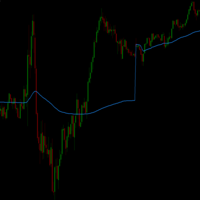
XBK Neon Profile is an advanced technical indicator for MetaTrader 5 that combines smoothed trend analysis and a dynamic volume profile within a single chart window. The indicator is designed to provide a clear view of market structure and significant volume levels without cluttering the screen.
Key Features
-
Smoothed Trend Bands (Neon Trend Bands)
-
Identifies the current trend direction using a custom smoothing algorithm designed to filter out market noise.
-
Displays color transitions to indicate bullish and bearish momentum.
-
Maintains visual stability against short-term price spikes and wicks.
-
Dynamic Volume Profile
-
Calculates and renders a horizontal volume histogram on the right side of the chart.
-
Auto-adjusts to chart zoom: the volume profile automatically recalculates based on the visible bars on the screen.
-
Point of Control (POC) Level: displays a highlighted horizontal line at the price level with the highest traded volume within the visible range.
-
Multi-Timeframe Dashboard (MTF Dashboard)
-
Scans trend states across timeframes from M5 up to D1.
-
Displays the overall market direction (Bullish, Bearish, or Range) based on multi-timeframe alignment.
-
Displays the current volume activity level (High / Low).
-
Chart Customization Options
-
Mute Chart Mode: dims native chart candle colors to highlight the indicator elements.
-
Performance Optimization: optimized code for minimal CPU usage and smooth real-time updates.
Input Parameters
-
Fast Period ( InpFastPeriod ): Period for the fast moving average used in the trend band.
-
Slow Period ( InpSlowPeriod ): Period for the slow moving average used in the trend band.
-
Volume Profile Bins ( InpVP_Bins ): Number of price bins for the volume profile distribution.
-
Minimum Width ( InpVP_MinWidthPx ): Minimum width in pixels for the volume profile.
-
Maximum Width ( InpMaxWidthPx ): Maximum width in pixels for the volume profile.
-
Show POC Line ( InpShowPOC ): Enables or disables the POC level line.
-
Show Dashboard ( InpShowPanel ): Enables or disables the multi-timeframe dashboard.
Usage Recommendations Test the indicator on a demo account prior to live trading to become familiar with its parameters and visual behavior across different assets and timeframes.
Risk Disclaimer Trading leveraged financial instruments carries a high level of risk to your capital and is not suitable for all investors. Past performance is no guarantee of future results. Never invest capital you cannot afford to lose. It is recommended to practice first on a demo account long enough to fully understand the system's performance before trading with real money, and to consult an independent financial advisor if you have any doubts regarding the suitability of this product for your personal situation. This document is for informational purposes regarding the technical operation of the product and does not constitute financial advice.











































사용자가 평가에 대한 코멘트를 남기지 않았습니다