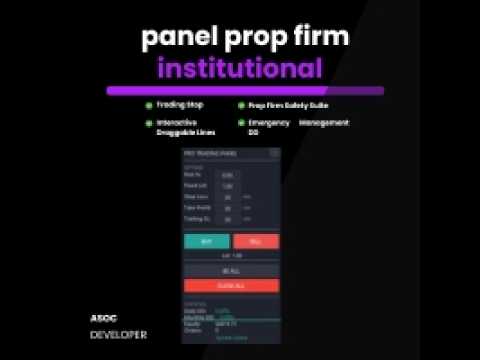
Pro Institutional Panel
- 유틸리티
- 버전: 4.0
- 활성화: 5

Executive Summary
The Pro Institutional Panel is an advanced trading console for MetaTrader 4, specifically engineered for traders handling Prop Firm accounts or institutional capital. Its primary goal is to automate risk management and safeguard the account against violating maximum loss rules (Drawdown).
1. Security System (Prop Firm Standard)
This is the panel's most critical feature. Unlike basic indicators that only track current balance, this panel utilizes a Static Balance Logic:
-
Real Historical Reference: At the start of the day (00:00 server time), the panel scans your trade history to determine exactly how much capital you started with. If you restart the platform, the EA won't lose track; it looks back to maintain an exact calculation.
-
Equity Monitoring: Drawdown is calculated based on floating equity. If your open trades reach a specific loss percentage (e.g., 5%), the panel reacts instantly.
-
Hard Stop (Emergency Lockdown): If the configured Daily Loss Limit is reached:
-
It automatically closes all open positions.
-
It locks the Buy/Sell buttons to prevent "revenge trading."
-
The panel background turns dark red as a high-priority visual alert.
-
2. Intelligent Risk Management
The panel eliminates the need for manual lot size calculations:
-
Automatic Lot Size Calculator: You only decide how much to risk (e.g., 1% of the account). The panel measures the distance from the current price to your visual Stop Loss line and calculates the exact lot size instantly.
-
Interactive Visual Lines: You can drag Stop Loss (SL) and Take Profit (TP) lines directly on the chart.
-
Real-Time Profit/Loss Labels: Above the lines, you will see exactly how much money you will gain or lose in dollars if the price hits those levels, even before opening the trade.
3. Execution and Management Tools
-
One-Click Trading: Optimized buttons for instant Buy and Sell execution using pre-configured parameters.
-
BE ALL Button (Breakeven): Moves the Stop Loss of all open orders to the entry price (plus a small protection offset) with a single click. Ideal for securing trades before news events.
-
CLOSE ALL Button (Panic Button): Closes all trades for the current symbol immediately.
-
Automated Trailing Stop: As the price moves in your favor, the panel automatically trails the Stop Loss at your specified distance, locking in profits dynamically.
4. Live Interface and Statistics
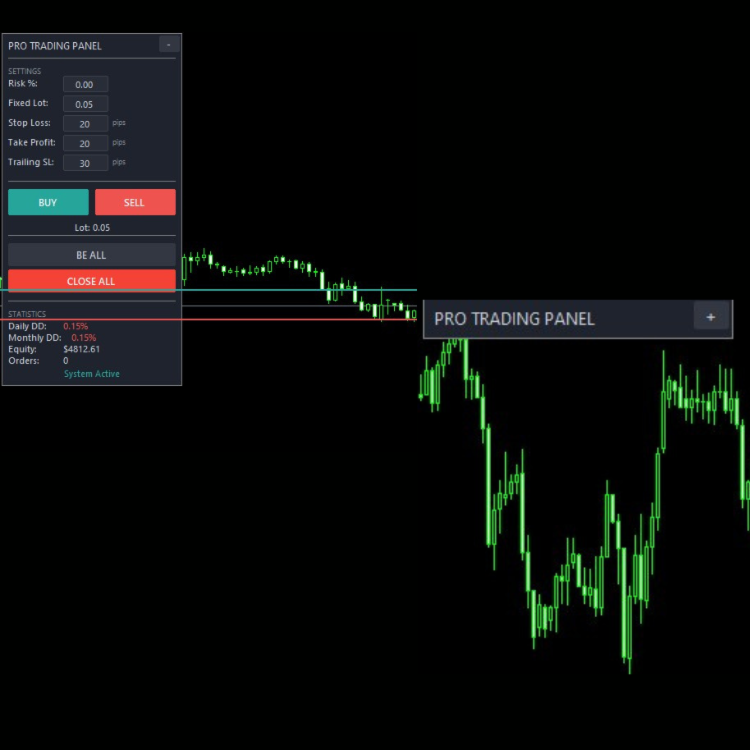
The panel features a real-time statistics section including:
-
Daily DD %: Floating daily loss relative to the starting balance.
-
Monthly DD %: Loss relative to the beginning of the month.
-
Equity: The real-time value of your account.
-
Orders: Number of currently open positions.
-
System Status: Clearly indicates if the system is active or blocked for security reasons.
5. Configuration Parameters (Inputs)
-
Risk Percent: Percentage of account balance to risk per trade.
-
Fixed Lot: Manual lot size if you prefer not to use automatic calculations.
-
Max Daily DD: The "Holy Grail" limit (e.g., 4.5% or 5%). This is the life insurance for your funded account.
-
Magic Number: Unique identifier so the panel only manages its own trades without interfering with other EAs on the same account.
Why "Pro"?
What makes this panel professional and highly marketable is that it thinks like a Prop Firm. While the trader focuses on the charts, the panel focuses on the numbers, ensuring that under no circumstances is a daily loss rule violated due to human error or sudden market spikes.
It is, essentially, an institutional security co-pilot.