Telegram to mt4 pro

  • 유틸리티
  • Janet Abu Khalil
    Janet Abu Khalil
    4.3 (6)
    Professional software engineer and trader with 5 years of experience in the financial markets. I am part of the AtlasLabs.uk Engineering Division, where I develop trading solutions, software tools, and technical systems. My background includes networking, system support, and troubleshooting, helping
  • 버전: 1.45
  • 업데이트됨: 5 5월 2026
  • 활성화: 10

Telegram to MT4 Pro란 무엇인가요?

Telegram to MT4 Pro는 비공개, 공개 및 제한된 Telegram 채널과 그룹의 신호를 사용자의 MetaTrader 4 계정으로 자동 복사합니다.

Telegram to MT4 Pro는 모든 Telegram 채널 또는 그룹의 트레이딩 신호를 사용자의 MetaTrader 4 계정으로 실시간 자동 복사하는 전문 신호 복사기이며, 각 거래를 완전히 제어할 수 있습니다.

이 시스템은 함께 작동하는 두 부분으로 구성됩니다:

  • 이 Expert Advisor — 거래 실행을 위해 MT4 차트에 설치됩니다
  • 보조 데스크톱 앱TelegramMT4Pro.exe — Telegram에 연결하고 신호를 EA로 전달합니다

여러 Telegram 제공자를 여러 MT4 계정에 동시에 연결할 수 있습니다. 모든 설정은 계정별, 제공자별로 구성할 수 있습니다.

참고: 시스템은 자동으로 작동합니다. MetaTrader 내부에서 수동 연결 설정이 필요하지 않습니다.

시스템 요구 사항

항목 요구 사항
운영 체제 Windows 10 이상
MetaTrader MetaTrader 4 (모든 브로커)
보조 앱 TelegramMT4Pro.exe — 같은 PC에서 실행되어야 합니다
Telegram 계정 채널/그룹 연결에 필요합니다

빠른 설정 — 4단계

1단계 — 보조 앱 실행
TelegramMT4Pro.exe를 실행하세요. Settings로 이동하여 Telegram API 자격 증명을 입력하세요:

Save → Connect를 클릭한 후 Telegram 앱으로 전송된 인증 코드를 입력하세요.

2단계 — MT4 계정 추가
앱에서 “+ Account”를 클릭하고 이름을 지정하세요.

3단계 — 신호 제공자 추가
앱의 Channels 페이지로 이동하세요. 계정 아래의 “+ Add Provider”를 클릭하세요. Telegram 채널 및 그룹 목록이 나타납니다. 복사하려는 신호 소스를 검색하여 선택하세요. 각 제공자는 위험, SL/TP, 필터 및 복사 규칙에 대한 자체 설정을 가집니다.

4단계 — 차트에 EA 부착
TelegramMT4Pro를 아무 차트에나 드래그하세요.

EA Inputs에서 다음을 설정하세요:

  • Magic Number — EA 주문을 식별하기 위한 고유 번호

연결이 성공하면 EA 패널에 STATUS: RUNNING이 표시됩니다.

다운로드 링크:
https://github.com/catlaboratories/telegramtomt4/releases/tag/v1.0

전체 기능 목록

신호 감지 및 파싱

  • 메시지 텍스트에서 BUY/SELL 방향을 자동 감지합니다
  • 진입 가격, 범위 진입 (More buy / More sell), SL 및 최대 7개의 TP 레벨을 파싱합니다
  • 제공자별 사용자 지정 buy/sell 키워드를 지원합니다
  • 브로커 접두사/접미사가 자동 적용되는 심볼 자동 감지
  • 사용자 지정 심볼 매핑 (예: GOLD → XAUUSD, BITCOIN → BTCUSD)
  • 다음을 감지합니다: New Trade, Modify Order, Close All, Partial Close, Break-Even, TP Hit 신호
  • 메시지 편집은 자동으로 Modify Order로 변환됩니다
  • 메시지 삭제는 일치하는 포지션을 자동으로 닫습니다

주문 실행 모드

  • 시장가 주문 — 현재 가격으로 즉시 실행됩니다
  • 대기 주문 — 현재 가격 대비 진입가를 기준으로 BUY LIMIT / SELL LIMIT / BUY STOP / SELL STOP 사용
  • 범위 주문 — 설정 가능한 간격으로 진입 범위 전체에 여러 주문 배치
  • 범위 + Multi-TP — 각 TP마다 하나씩, 정확히 N개의 주문을 범위 전체에 자동 배치하며 각각 고유한 TP를 가집니다
  • Multi-TP 모드 — 현재 가격에서 각 TP 레벨마다 하나의 주문
  • Per-entry 모드 — 각 명시적 진입 가격마다 하나의 주문과 순차적 TP
  • 최대 포지션 제한 — 제한에 도달하면 새 주문 배치를 중지합니다
  • 대기 주문 만료 — X분 후 대기 주문을 자동 취소합니다

Stop Loss 및 Take Profit

  • 신호의 SL — 신호에 있는 SL 가격을 사용합니다
  • 고정 SL — 고정 pip 값으로 덮어씁니다
  • 수동 SL 대체 — 신호에 SL이 없을 때 수동 pips 적용
  • SL 검사 — crypto, indices, forex를 포함하여 잘못 입력된 SL 값을 감지하고 안전하게 보정합니다
  • 신호에서 최대 7개의 TP 레벨을 파싱합니다
  • 고정 TP 덮어쓰기 — 신호 TP 대신 설정된 pip 값을 사용합니다

Trailing Stop 및 Break-Even

  • Trailing stop — N pips 수익 후 활성화되며 N pips 거리로 추적합니다
  • Break-even — N pips 수익 후 SL을 진입가 + 오프셋으로 이동합니다
  • TP1 도달 시 자동 break-even — 남은 포지션을 자동으로 본전으로 이동합니다
  • 빠른 반응을 위해 2초 타이머로 실행됩니다

부분 청산

  • 고정 부분 청산 — TP1 도달 시 모든 포지션의 X%를 청산합니다
  • TP별 부분 청산 — 각 TP 레벨마다 다른 % 적용
  • 어떤 TP든 도달하면 남은 대기 주문을 닫습니다
  • 심볼별 TP 카운터가 어떤 TP 레벨이 도달했는지 정확히 추적합니다

로트 크기 및 위험 관리

  • 고정 로트
  • 고정 금액
  • Balance의 %
  • Equity의 %
  • indices 및 crypto용 심볼 tick factor 보정
  • USD가 아닌 계정 기준 통화에 대한 currency factor 보정
  • 항상 사용 가능 증거금의 90%를 초과하지 않습니다
  • 계산된 로트가 0이면 최소 로트로 대체합니다

제공자별 복사 필터

  • Copy New Trades / Long / Short / Modify / Close / Partial / Break-Even — 각각 개별적으로 켜고 끌 수 있습니다
  • 불완전한 신호 무시 — SL도 없고 TP도 없는 신호는 건너뜁니다

Equity Guard

  • 일간 / 주간 / 월간 손실 한도 — 임계값을 초과하면 모든 거래를 중지합니다
  • 일간 / 주간 수익 목표 — 목표 도달 시 거래를 중지합니다
  • 모든 기간은 자동으로 재설정됩니다

거래 제한

  • 최대 오픈 거래 수
  • 분당 최대
  • 시간당 최대
  • 일당 최대
  • 주당 최대
  • 월당 최대
  • 카운터는 올바른 시간 경계에서 자동으로 재설정됩니다

시간 필터

  • 허용 거래일 — 7일 모두 개별 설정 가능
  • 차단 시간대 — 특정 시간대 거래 차단
  • 설정된 요일과 시간에 모든 포지션을 자동 청산합니다

뉴스 필터

  • Forex Factory 캘린더에서 예정된 뉴스를 가져옵니다
  • High, Medium, Low impact 이벤트 전후 분 단위 설정 가능
  • 통화별 필터링
  • Strategy Tester에서 자동 비활성화됩니다

알림

  • Telegram bot 알림 — 본인 Telegram 채팅으로 경고를 보냅니다
  • 모바일 앱 알림 — 사용자의 MQL5 ID를 이용해 MT4 모바일 앱을 통해 전송됩니다
  • 이메일 알림 — MetaTrader 이메일 설정을 통해 전송됩니다
  • 구성 가능한 이벤트: Trade Open, Close, Order Cancel, Order Modify
  • Test 버튼 — 거래 없이 Telegram bot을 즉시 확인합니다

EA 대시보드 패널

  • STATUS — 색상 상태: RUNNING, OFFLINE, LIMIT REACHED
  • POSITIONS — 수동 거래를 포함한 모든 오픈 포지션 수
  • P&L — 실시간 부동 손익
  • MAGIC number 표시
  • 내장 로고 — 외부 파일 필요 없음
  • 다크 차트 스타일 자동 적용
  • EA 제거 시 모든 차트 설정이 복원됩니다

앱의 실시간 계정 대시보드

  • Balance, Equity, Total Profit, Drawdown % — EA에서 실시간 제공
  • Profit Today / This Week / This Month
  • 오픈 거래 수, 계정 로그인, 유형, 레버리지, 브로커
  • 계정 잔고 이력 차트 — 몇 초마다 업데이트되는 live area chart

범위 주문 설명

신호 예시

BUY 70000 / More buy 69900 / TP 70500 / TP 70600 / TP 70700 / SL 69000

범위만, Multi-TP OFF

step = 50일 때: 69900, 69950, 70000에 주문 배치 — 모두 TP1 = 70500

범위 + Multi-TP, 권장

step을 무시합니다. 각 TP마다 정확히 하나의 주문을 범위 전체에 자동 배치합니다:

  • 주문 1 @ 69900 → TP1 = 70500
  • 주문 2 @ 69950 → TP2 = 70600
  • 주문 3 @ 70000 → TP3 = 70700

둘 다 활성화하세요: Split range entry into ladder orders + One order per TP level

EA 패널 상태 참조

상태 의미
RUNNING 연결되었고 정상 작동 중입니다
CONNECTING 앱의 첫 응답을 기다리는 중입니다
DAILY LIMIT Equity 또는 거래 한도 도달 — 거래 일시 중지

문제 해결

문제 해결 방법
신호는 받았지만 거래가 없음 MT4 Experts 탭 로그를 확인하세요. 일반적인 원인: symbol not found, 너무 가까운 SL, 최대 포지션 도달, 일일 한도, 활성화된 news filter.
invalid stops 오류 이 브로커에서는 SL 또는 TP가 진입가에 너무 가깝습니다. 신호의 SL 값을 확인하거나 Fixed SL Pips를 늘리세요.
설정이 적용되지 않음 앱에서 Save를 클릭하면 EA가 자동으로 설정을 다시 불러옵니다.
검색에서 채널을 찾을 수 없음 Telegram이 연결되어 있어야 합니다. 스크롤해 보세요 — 연결 시 모든 채팅이 로드됩니다.
잔고 차트가 비어 있음 EA를 부착한 후 앱이 첫 계정 업데이트를 받을 때까지 몇 초 기다리세요.

Telegram to MT4 Pro · AtlasLabs.uk · By Jeanette Abou Khalil · © 2026

추천 제품
Hot Zones
Innovicient Limited
This indicator simplifies your entry zones by displaying the areas where you can plan your entry that potentially could give you high risk/reward ratios. Other than picking the most optimal entry points, the Hot Zone indicator can act as your typical support/resistance indicator for pullbacks for all timeframes. You can use this indicator as the only trading indicator or use it with another indicator for reentry purposes.  Besides, when using Hot Zones, the risk/reward ratio should be well abov
Советник  представляет собой многофункциональную торговую систему BBMA Oma Ally с интеграцией Telegram для удаленного управления и получения уведомлений. Основная специализация - анализ паттернов ценового действия и автоматическое оповещение о торговых возможностях. Основные функции 1. Система оповещений через Telegram Управление командами: Отслеживание и выполнение команд из Telegram Уведомления: Мгновенные оповещения о торговых сигналах Удаленное управление: Возможность управления советнико
Automatic Fibonacci Pivots
Martin Alejandro Bamonte
Now free. The key Fibonacci pivot levels, drawn for you automatically every day, on any timeframe. Automatic Fibonacci Pivots calculates the daily support and resistance from the Fibonacci sequence and plots them clean on your chart: the daily pivot, S1/S2/S3 below and R1/R2/R3 above. These are the price zones where the market tends to react, bounce or break, and now you see them without drawing a single line. What it does: - Daily Fibonacci pivot levels (pivot, S1/S2/S3, R1/R2/R3), updated
FREE
Free automatic fibonacci
Tonny Obare
4.68 (50)
Free automatic Fibonacci is an indicator that automatically plots a Fibonacci retracement based on the number of bars you select on the BarsToScan setting in the indicator. The Fibonacci is automatically updated in real time as new highest and lowest values appears amongst the selected bars. You can select which level values to be displayed in the indicator settings. You can also select the color of the levels thus enabling the trader to be able to attach the indicator several times with differe
FREE
Basic tool Showing annual candle, range for Day, range for Week, range for Month, range for Year. Showing fibonacci for Day fibonacci for Week, fibonacci for Month, fibonacci for Year. Showing percent change for Day, percent change for Week, percent change for Month, percent change for Year. Showing distance of the current value the previous close for Day, Week, Month, Year.
Ultimate Partial Profit EA
BLAKE STEVEN RODGER
4.67 (3)
This EA Utility delivers a robust solution for managing an unlimited array of open orders, both manual and automated. It enables customizable partial profit levels utilizing metrics such as pips, ratios, ATR (Average True Range), and profit amounts for precise trade management. The utility features an advanced on-screen display, offering clear visualization of all orders and their profit levels to enhance strategic decision-making and control. To evaluate its performance and interface, the EA s
DailyHit
Elisabet Corrales Rodriguez
Read carefully, because I’m about to sell my strategy based on over 11 years of study: This indicator plots multiple levels: thick and dotted, taking the ATR into account. On 90% of trading days, it touches one thick level and one dotted level. Levels are updated daily. If the price touches a thick level and a dotted level in a single day, trading for that day is over—you wait for the next day to look for the same setup. If the price comes very close to a level but doesn’t reach it, it’s likely
IMD Fibo
Aleksei Chedaev
5 (3)
IMDFIbo는 MetaTrader 4 터미널용 지표로, 과거 데이터를 기반으로 피보나치 레벨 그리드를 자동으로 구축합니다. 이 도구는 가격 차트에서 잠재적인 지지 및 저항 구역을 시각화하도록 설계되었습니다. 작동 원리 이 지표는 지정된 기간 동안의 과거 최고가와 최저가를 분석하고 이를 기반으로 피보나치 레벨을 구축합니다. 이 도구의 특징은 그리드의 재귀적 구축에 있습니다: 각 레벨 사이의 구간은 동일한 원칙에 따라 더 작은 레벨로 추가로 분할될 수 있습니다. 구축은 세 단계로 수행됩니다: 1차 — 지정된 전체 기간의 과거 최고가부터 최저가까지 계산된 레벨. 2차 — 현재 가격이 위치하는 1차 구간 내에 구축된 레벨. 3차 — 현재 가격이 포함된 2차 구간 내에 구축된 레벨. 이러한 접근 방식은 현재 거래되는 차트 영역에서 가격 레벨을 세분화할 수 있게 해줍니다. 지표 설정 이 지표는 다음 매개변수 그룹을 가지고 있습니다: 패널 디자인. 차트에서 제어 패널의 너비와 높이를 설정할
FREE
FIBOChannels
Hafis Mohamed Yacine
Fibonacci Channel What is a Fibonacci Channel? The Fibonacci channel is a technical analysis tool that is used to estimate support and resistance levels based on the Fibonacci numbers. It is a variation of the Fibonacci retracement tool, except with the channel the lines run diagonally rather than horizontally. It can be applied to both short-term and long-term trends, as well as to uptrend and downtrends. Lines are drawn at 23.6, 38.2, 50, 61.8, 78.6, 100, 161.8, 200, 261.8, 361.8 and 423.6 p
Draw Horizontal Ray
JUAN LUIS CIENFUEGOS RUIZ
5 (1)
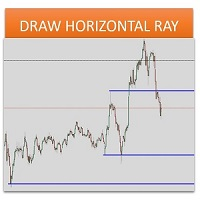
Sometimes we want to draw a horizontal ray from any given price based on a candlestick, and this tool solves that with just 1 key! In order to draw an horizontal ray you just need to drag and drop the indicator over any chart you want and then: 1) Click over ANY candle and then 2) Hit any of the following keys: O - It will draw an horizontal ray right at the OPEN price of the clicked candle H - It will draw an horizontal ray right at the HIGH price of the clicked candle L - It will draw an horiz
Fibonacci Pips MT4 Instant Fibonacci Levels, Prices and Pip Distances Fibonacci Pips MT4 is a practical Fibonacci measurement tool for MetaTrader 4. It displays each Fibonacci level together with its exact price and pip distance, helping traders plan pullbacks, profit targets and stop-loss levels without manual calculations. Instead of seeing only percentages such as 38.2%, 50.0% or 61.8%, traders can immediately understand: The Fibonacci level The exact market price The pip distance from the re
Leo Fibonacci
Dmitriy Zaytsev
The indicator is designed for determining Fibonacci levels. Does not repaint/redraw The blue level shows the zero Fibonacci value (it is also the Pivot level) Red levels show calculated Fibonacci levels (used as a rollback or reversal point) Automatic period detection (periods can be entered manually) Adjustable display calculation method. Settings BarsHistory - the number of bars to be used to display the indicator. Method - method of calculation. AutoPeriod - automated period calculation (true
Fibonacci SR Indicator
Martin Eshleman
5 (1)
Fibonacci SR Indicator This indicator creates support and resistance lines. This indicator is based on Fibonacci Retracement and Extension levels. It will consider many combinations of the Fibonacci levels and draw support/resistance lines based on these. This indicator uses tops and bottoms drawn by the ZigZag indicator in its calculations. The ZigZag can also be drawn on the chart, if necessary. The indicator considers many combinations of past reversal points and Fibonacci ratio levels, and w
FREE
MultiFiboDynamicMT4
Andrey Spiridonov
MultiFiboDynamicMT4 is a powerful, professional indicator for estimating the most important support and resistance levels. The main advantage is that it plots the Fibonacci levels at all timeframes simultaneously, which allows the trader to see the full picture of the possible price movement of the trading instrument! Advantages of the indicator The indicator is perfect for scalping and trading binary options. Suitable for beginners and experienced traders. Works on all timeframes. Works on any
FREE
FIBO Price Calculator  Brief Description 1. Automated Fibonacci Retracement Drawing This indicator automatically draws Fibonacci Retracement lines on the MT4 chart, assisting traders in quickly identifying potential support and resistance levels. 2. Customizable Fibonacci Sequence Users can customize the Fibonacci sequence values, and the indicator automatically converts them into corresponding price levels based on the current market price. 3. Adjustable Indicator Window Position The indicator
NAS100 Auto Sl And TP
Moustapha Boulouz
5 (2)
MT4용 NAS100 Auto SL 및 TP 메이커를 소개합니다: 메타트레이더 4에서 나스닥 100 시장을 탐색하는 트레이더에게 필수적인 보조 도구인 NAS100 Auto SL 및 TP 메이커로 손절 및 테이크프로핏 설정을 다시는 놓치지 마세요. 이 도구는 손절 및 테이크프로핏 레벨을 자동으로 관리할 수 있는 원활한 솔루션을 찾는 분들을 위해 설계되었습니다. 주요 특징: 손쉬운 자동화: 스톱로스 및/또는 테이크프로핏 없이 나스닥 100 거래를 자동으로 모니터링합니다. 사용자가 구성한 설정에 따라 레벨을 동적으로 조정합니다. 다양한 주문 유형: 나스닥 100의 시장가 주문과 지정가 주문 모두 호환됩니다. 메타트레이더 4에서 사용할 수 있는 다양한 주문 유형을 지원합니다. 맞춤형 구성: 사용자 친화적인 매개변수 설정으로 추적 기본 설정 및 손절/익절 수준을 사용자 지정할 수 있습니다. 유연한 범위: 실행되는 특정 NAS100 상품 또는 거래되는 모든 상품에 대해 손절 및 이익실현을 설
FREE
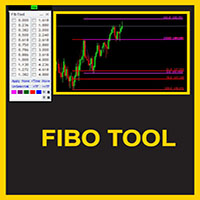
This indicator is a great utilities tools for Fibonacci Trader that draw their chart manually. This indicator do not draw any Fibonacci Retracement or Fibonacci Expansion. It is a utilities tool for modifying the Fibonacci level for Fibonacci object manually drawn on the chart. Just draw using the Fibonacci Retracement or other Fibonacci tool in MT4 as per normal. The select the Fibonacci you have just drawn. Make sure you have only 1 object selected. Then open up this Fibonacci Level Management
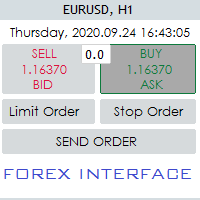
Hello Guys! I want to share with you a very useful tools. Anyone of us who has used MT4 for some time knows how impractical this platform can be for discretionary trading. That's why I created this graphical interface!  Interface is very simple, all the info that you need are in the video and in the screenshot. NB: Before to run the EA Interface, remember to copy the file in the comment in your MT4 folder "Controls". PATH: .../MQL4/INCLUDE/CONTROLS NB: unfortunately the interface can't be test
This multi symbol indicator has been designed to automatically identify when price reaches major psychological levels. Also known as round numbers, whole numbers or key levels. As a bonus it can also scan for pivot point level on one selected time frame. Combined with your own rules and techniques, this indicator will allow you to create (or enhance) your own powerful system. Features Can write the signals to a file which can be used by an Expert Advisor for auto trading. Can monitor all symbols
Candle EA MT4
Mansour Babasafary
3.68 (19)
This expert is based on patterns The main patterns of this specialist are candlestick patterns Detects trends with candlestick patterns It has a profit limit and a loss limit, so it has a low risk The best time frame to use this expert is M30 time frame The best currency pairs to use with this expert is the EURUSD, GBPUSD, AUDUSD, USDCAD currency pairs Attributes: Can be used in the EURUSD, GBPUSD, AUDUSD, USDCAD  currency pairs Can be used in M30, H1, H4 time frames Has profit limit and loss
Easy News
Maik Kemper
4.5 (4)
With Easy News, you can trade breakouts from a range at specific times. This is particularly lucrative for news and economic announcements because high risk/reward ratios are often present in these situations. This tool is suitable for all currencies and timeframes. It includes profit pyramiding. This means that when the first order is in profit by xx points (adjustable), another order is opened (depending on the set quantity). How does it work? At a specific time, the tool creates 2 stop orde
FREE
Andrews Pitchfork channels is a triple trend channel tool consisting of three lines. In the middle, there is a median trend line on both sides that has two parallel equidistant trend lines. These lines are usually drawn by selecting three points based on the heights moving from left to right on the response heights or graphs. As with the normal trend lines and channels, the outward trend lines mark potential support and resistance areas. Parameters Trend_period - the period setting to be calcu
Program Overview: This program is a trading tool designed to monitor and analyze the 7 major currency pairs. It is a variant of a similar program used for tracking stock indices, but this version focuses on the seven major currency pairs. The program helps in identifying and calculating significant price movements (gaps) between the high and low prices of these currency pairs over a specified time frame. It then provides insights through comments and alerts based on the calculated gaps. Major Cu
Advanced Trade Simulator It is an indicator you can attach to any chart and then buy and sell the given symbol virtually. No actual trading takes place.  You can attach it to multiple charts. Then you can buy multiple symbols. A more detailed description here:  https://www.mql5.com/en/blogs/post/750336 Features: - buy and sell immediately on the given time frame - market , limit and stop orders - generalized OCO, more than 2 orders can cancel each other. - OSO, one sends another.. - set lot ba
Naked chart MT4
Frederic Jacques Collomb
버튼 하나. 클릭 한 번. 깨끗한 차트. MT5 version 모든 것을 그렸습니다. 추세선, 피보나치, 사각형, 구역, 화살표… 차트는 현대 예술 작품처럼 보입니다. 아름답지만 — 가격이 보이지 않습니다. NAKED CHART 이 한 번의 클릭으로 해결합니다. 한 번 클릭 → 모든 드로잉이 즉시 사라집니다 다시 클릭 → 모든 것이 원래대로 돌아옵니다 지표는 영향 없음 — 드로잉만 숨겨집니다 드래그 가능한 버튼 — 차트 어디에나 배치 가능 설정 없음. 복잡함 없음. 모든 것을 바꾸는 버튼 하나.----------------- --------------------------------------------------------- 「때로는 가장 깨끗한 차트가 가장 강력하다.」 — SPARTACUS2026
FREE
Fibonacci calculator is used with Elliot Waves, it can generate remarkable results. A trader could use these levels or ratios to find high probability trades with very small stop loss. You may also use these ratios to find Elliott Waves extensions and to book profit near those levels. For Elliot Wave experts, Fibonacci calculator is a highly useful tool that can assist them in calculating Fibonacci extension and retracement levels for the market price. The indicator proves itself as a useful one
PZ Penta O MT4
PZ TRADING SLU
2.33 (3)
The Penta-O is a 6-point retracement harmonacci pattern which usually precedes big market movements. Penta-O patterns can expand and repaint quite a bit. To make things easier this indicator implements a twist: it waits for a donchian breakout in the right direction before signaling the trade. The end result is an otherwise repainting indicator with a very reliable trading signal. The donchian breakout period is entered as an input. [ Installation Guide | Update Guide | Troubleshooting | FAQ | A
FREE
Pin Bars
Yury Emeliyanov
4.83 (6)
주요 목적:"핀 바"는 금융 시장 차트에서 핀 바를 자동으로 감지하도록 설계되었습니다. 핀 바는 특징적인 몸체와 긴 꼬리를 가진 촛불로,추세 반전 또는 교정을 신호 할 수 있습니다. 작동 원리:표시기는 차트의 각 촛불을 분석하여 촛불의 몸,꼬리 및 코의 크기를 결정합니다. 미리 정의 된 매개 변수에 해당하는 핀 막대가 감지되면 표시기는 핀 막대의 방향(강세 또는 약세)에 따라 위 또는 아래 화살표로 차트에 표시합니다. 매개 변수: 꼬리의 길이와 핀 바의 몸체 크기 사이의 최소 비율을 정의합니다. "코"와 핀 바의 꼬리 사이의 최대 허용 비율을 설정합니다. 화살표 크기-표시된 핀 막대와 차트에서 핀 막대를 가리키는 화살표 사이의 거리를 정의합니다. 신청:"핀 바"표시기는 잠재적 인 추세 반전 지점을 식별하고 시장 또는 가까운 위치에 진입하기 위해 신호를 생성하는 데 사용할 수 있습니다. 올바르게 사용하고 다른 기술 지표 및 분석 방법과 결합하면이 지표는 거래 결과를 향상시킬 수
FREE
The   Pivot Point indicator   automatically calculates and displays the pivot point line and support and resistance levels. Pivot can be calculated according to the Classic, Floor, Fibonacci, Woodie, Camarilla or DeMark formula. It is also possible to select the period for calculating the indicator. A trader can choose from daily, weekly, monthly, or user-defined periods. Types of pivots Classic Floor Fibonacci Woodie Camarilla DeMark Main features The indicator shows the current and historic
FREE
This indicators automatically draws the Support and resistances levels for you once you've dropped it on a chart.  It reduces the hustle of drawing and redrawing these levels every time you analysis prices on a chart. With it, all you have to do is dropped it on a chart, adjust the settings to your liking and let the indicator do the rest.  But wait, it gets better; the indicator is absolutely free!  Get the new and improved version here:  https://youtu.be/rTxbPOBu3nY Parameters Time-frame  -> T
FREE
이 제품의 구매자들이 또한 구매함
Trade Manager EA에 오신 것을 환영합니다. 이 도구는 거래를 보다 직관적이고 정확하며 효율적으로 만들기 위해 설계된 궁극적인 리스크 관리 도구 입니다. 단순한 주문 실행 도구가 아닌, 원활한 거래 계획, 포지션 관리 및 리스크 제어를 위한 종합 솔루션입니다. 초보자부터 고급 트레이더, 빠른 실행이 필요한 스캘퍼에 이르기까지 Trade Manager EA는 외환, 지수, 상품, 암호화폐 등 다양한 시장에서 유연성을 제공합니다. Trade Manager EA를 사용하면 복잡한 계산은 이제 과거의 일이 됩니다. 시장을 분석하고 진입, 손절 및 익절 수준을 차트의 수평선으로 표시한 후 리스크를 설정하면, Trade Manager가 이상적인 포지션 크기를 즉시 계산하고 SL 및 TP 값을 실시간으로 표시합니다. 모든 거래가 간편하게 관리됩니다. 주요 기능: 포지션 크기 계산기 : 정의된 리스크에 따라 거래 크기를 즉시 결정합니다. 간단한 거래 계획 : 진입, 손절, 익절을 위한
거래하고자 하는 주요 영역을 파악한 후 자동으로 거래 지원 및 저항 또는 공급 및 수요 구역을 설정합니다. 이 EA를 사용하면 한 번의 클릭으로 매수 및 매도 구역을 그린 다음 가격이 바뀔 것으로 예상되는 정확한 위치에 배치할 수 있습니다. 그런 다음 EA는 해당 구역을 모니터링하고 구역에 대해 지정한 가격 액션에 따라 자동으로 거래를 수행합니다. 초기 거래가 수행되면 EA는 대상 구역이 되는 반대 구역에서 이익을 얻습니다. 그런 다음 거래를 종료하고 진입할 새 구역을 그리거나 이익을 얻고 즉시 반대 방향으로 거래를 역전하여 "항상 시장" 스타일 전략을 만드는 두 가지 선택이 있습니다. 입력 및 전략이 포함된 전체 매뉴얼은 여기에 있습니다: https://www.mql5.com/en/blogs/post/760256 이 EA는 시장에서 고정 또는 하드 스톱 로스를 사용하지 않는 포지션 트레이더 또는 달러 비용 평균 거래 전략을 위해 설계되었습니다. 대신, 다음에 가능한 지지 또는

News Filter EA: Advanced Algo Trading Assistant News Filter EA is an advanced algo trading assistant designed to enhance your trading experience. By using the   News Filter EA , you can integrate a Forex economic news filter into your existing expert advisor, even if you do not have access to its source code. In addition to the news filter, you can also specify   trading days   and   hours   for your expert. The News Filter EA also includes   risk management   and   equity protection   features
목표 수익 도달 시 자동 수익 실현 EquityTargetCloser   — 는 MetaTrader 5용 유틸리티 전문가 어드바이저(EA)로,   순자산(Equity)이 현재 잔고를 지정된 수익 금액만큼 초과하면 모든 시장 포지션을 청산하고 예약 주문을 삭제합니다. 모든 포지션을 청산한 후 목표는 자동으로 상향 조정됩니다. 새 임계값 = 새 잔고 + 지정된 수익. EA는 거래를 시작하지 않고 기존 포지션만 관리하여 수익을 확실하게 고정하고 축적된 자금을 보호합니다. MT5-version:  https://www.mql5.com/en/market/product/169839 작동 방식 전문가 어드바이저는   순자산(Equity)   을 동적 목표와 지속적으로 비교합니다. 목표 =   현재 잔고(Balance) + plusMoney   (미국 달러). 순자산이 이 금액 이상이 되면 보호 기능이 작동합니다.   모든 시장 포지션   (모든 심볼)을 청산합니다. 매개변수   Delete p
DrawDown Limiter MT4
Haidar Lionel Haj Ali
5 (8)
Drawdown Limiter EA You are in the right place if you were searching for Drawdown control, Drawdown limiter, Balance protection, Equity Protection or Daily Drawdown Limit related to Prop Firm, FTMO, or Funded account trading, or if you want to protect your trading account. Have you suffered from controlling your drawdown when trading funded accounts? This EA is meant for you. Prop firms usually set a rule called “Trader Daily Drawdown”, and if it is not respected, you are disqualified.  I am an
Telegram to MT4 Multi-Channel Copier 는 Telegram 채널의 트레이딩 신호를 자동으로 MetaTrader 4로 직접 복사합니다. 봇도, 브라우저 확장 프로그램도, 수동 복사도 필요 없습니다. Telegram에서 신호를 받으면 EA가 몇 초 안에 터미널에서 거래를 엽니다. 본 제품은 두 가지 구성 요소로 구성되어 있습니다: Telegram 채널을 감시하는 Windows 애플리케이션과 MT4 터미널에서 신호를 실행하는 이 Expert Advisor입니다. MT5 버전도 제공됩니다. 설정 가이드 및 애플리케이션 다운로드: https://www.mql5.com/en/blogs/post/768988 작동 방식 Windows 애플리케이션은 봇이 아닌 사용자 자신의 API 자격 증명을 사용하여 Telegram에 연결됩니다. 이는 프라이빗 및 VIP 채널을 포함하여 구독 중인 모든 채널, 그룹 또는 주제를 읽을 수 있음을 의미합니다. 신호를 감지하면 이를 파싱하여
TradePanel MT4
Alfiya Fazylova
4.84 (95)
Trade Panel은 다기능 거래 도우미입니다. 이 애플리케이션에는 50개 이상의 수동 거래 기능이 포함되어 있으며 대부분의 거래 작업을 자동화할 수 있습니다. 구매하기 전에 데모 계정에서 데모 버전을 테스트할 수 있습니다. 데모 계정용 애플리케이션 체험판 다운로드: https://www.mql5.com/en/blogs/post/750865 . 전체 지침 여기 . 거래. 한 번의 클릭으로 거래를 수행할 수 있습니다: 리스크 자동 계산과 함께 예약 주문 및 포지션 열기. 한 번의 클릭으로 여러 주문 및 포지션 열기. 주문 그리드 열기. 예약 주문 및 포지션을 그룹별로 닫기. 포지션 방향 전환 (Buy 닫기 > Sell 열기, Sell 닫기 > Buy 열기). 포지션 잠금 (부족한 포지션을 열어 Buy와 Sell 포지션의 수량을 동일하게 만들기). 모든 포지션 한 번의 클릭으로 부분적으로 닫기. 모든 포지션의 테이크 프로핏과 스톱로스를 같은 가격 수준에 설정. 모든 포지션의 스톱로스를
Strategy Builder offers an incredible amount of functionality. It combines a trade panel with configurable automation (covert indicators into an EA), real-time statistics (profit & draw down) plus automatic optimization of SL, TP/exit, trading hours, indicator inputs. Multiple indicators can be combined into an single alert/trade signal and can include custom indicators, even if just have ex4 file or purchased from Market. The system is easily configured via a CONFIG button and associated pop-up
The product will copy all telegram signal to MT4   ( which you are member  ) , also it can work as remote copier.  Easy to set up, copy order instant, can work with almost signal formats, image signal, s upport to translate other language to English Work with all type of channel or group, even channel have "Restrict Saving Content", work with  multi channel, multi MT5 Work as remote copier: with signal have ticket number, it will copy exactly via ticket number. Support to backtest signal. How to
PZ Trade Pad Pro MT4
PZ TRADING SLU
3.67 (3)
Effortlessly calculate lot sizes and manage trades to save time and avoid costly errors The Trade Pad Pro EA is a tool for the Metatrader Platform that aims to help traders manage their trades more efficiently and effectively. It has a user-friendly visual interface that allows users to easily place and manage an unlimited number of trades, helping to avoid human errors and enhance their trading activity. [ Installation Guide | Update Guide | Troubleshooting | FAQ | All Products ] One of the k
MT4 to Telegram Signal Provider 는 사용하기 쉽고 완전히 사용자 정의가 가능한 도구로, 텔레그램으로 신호를 보내어 계정을 신호 제공자로 변환할 수 있습니다. 메시지 형식은 완전히 사용자 정의가 가능합니다! 그러나 간단한 사용을 위해 미리 정의된 템플릿을 선택하고 메시지의 특정 부분을 활성화하거나 비활성화할 수도 있습니다. [ 데모 ]  [ 매뉴얼 ] [ MT5 버전 ] [ 디스코드 버전 ] [ 텔레그램 채널 ]  New: [ Telegram To MT5 ] 설정 단계별 사용자 가이드 가 제공됩니다. 텔레그램 API에 대한 지식이 필요 없으며, 개발자가 필요한 모든 것을 제공합니다. 주요 기능 구독자에게 보낸 주문 세부 정보를 사용자 정의할 수 있는 기능 예를 들어 브론즈, 실버, 골드와 같은 계층 구독 모델을 만들 수 있습니다. 골드 구독은 모든 신호 등을 받게 됩니다. ID, 심볼 또는 코멘트별 주문 필터링 주문이 실행된 차트의 스크린샷을 포함 보낸
수동 매매를 위한 전문가용 트레이딩 패널로, 정밀한 진입부터 계좌 보호까지 매매의 전 과정을 차트 위 하나의 창에 담았습니다. 정해진 리스크에 정확히 맞춰 모든 포지션의 거래량을 산정하고, RR Tool로 차트에 직접 라인을 그려 거래를 설계하며, Market 주문과 예약 주문은 물론 Grid와 OCO까지 사용할 수 있습니다. 포지션 관리는 패널이 대신 처리합니다. 최대 다섯 단계 부분 청산, 여섯 가지 트레일링 스탑, 브레이크이븐, Virtual SL/TP를 지원합니다. 일간·주간·월간 한도가 예치금을 지키며, 기준을 넘기는 즉시 자동으로 발동됩니다. 가이드와 무료 Live 데모 무료 Live 데모 버전은 여기에서 이용할 수 있습니다 ( Free Live Demo ). 제품 사용 가이드는 여기에서 확인할 수 있습니다 ( User Manual ). NT Trade Manager는 트레이더의 모든 작업 흐름을 차트 위 작고 간결한 패널 하나에 모아, 터미널 창을 오갈 필요도, 진입할
TradeMirror 은 MT4/MT5 플랫폼을 위해 특별히 설계된 현지화된 주문 복사 도구로, 실시간 거래 작업을 동기화합니다. 튜토리얼 더 많은 튜토리얼을 보려면 Trademirror 튜토리얼 링크를 클릭하세요. 제품 장점 금융 소프트웨어의 보안성, 안정성 및 개인정보 보호에 대한 높은 표준 요구사항을 기반으로, 우리는 세 가지 핵심 차원에서 심층 최적화를 수행했습니다: 직관적이고 간결한 그래픽 인터페이스로 누구나 쉽게 조작 가능 강화된 개인정보 보호 메커니즘으로 금융 환경의 민감한 데이터 격리 요구 충족 밀리초 단위의 주문 동기화로 신호 분배의 정확성과 지연 없음 보장 MT4/MT5 양 플랫폼과 완전히 호환되어 다양한 거래 환경에 원활하게 적용 지능형 시스템 모니터링과 이메일 알림을 결합하여 거래 안정성을 실시간으로 보장 핵심 기능 특성 제품은 다음과 같은 전문적인 복사 기능을 탑재하고 있습니다: 다중 계정 병렬 연결 이메일 실시간 푸시 맞춤형 로트 크기 조정 신호 필터링 메커
Trade Copier Global
Laszlo Tormasi
5 (15)
Trade Copier Global: The name speaks for itself. This copier allows you to copy orders between MT4 terminals even if they are not installed on the same computer. Features Copying trades between MT4 terminals around the world with a short delay. Automatically recognizes symbol prefixes. Can connect many Slaves to the same Master. Supports pending and market orders. Supports partial order close (with limitations, see below) Can send messages and notifications to the Slaves from the Master Several
복사기->편리하고 빠른 인터페이스 상호작용으로 사용자가 바로 사용 가능       ->>>> Windows 컴퓨터 또는 VPS Windows에서 사용하는 것이 좋습니다. 특징: 다양하고 개인화된 복사 거래 설정: 1. 다양한 신호 소스에 대해 다양한 로트 모드를 설정할 수 있습니다. 2. 다양한 신호 소스를 포워드 및 리버스 복사 거래에 대해 설정할 수 있습니다. 3. 신호는 주석으로 설정할 수 있습니다. 4. 계약 로트에 따라 로트를 교정할지 여부 다양하고 개인화된 복사 주문 설정 2: 1. 다양한 품종에 대해 다양한 로트 모드를 설정할 수 있습니다. 2. 정방향 및 역방향 복사 주문에 대해 다양한 품종을 설정할 수 있습니다. 3. 주석으로 신호를 설정할 수 있습니다. 4. 계약 로트에 따라 로트를 교정할지 여부 댓글 필터링, MAGIC 필터링, 시그널 로트 필터링, 로컬 제품 필터링 근무시간 설정 역동기화 SLAVE 닫힘 주문 바인딩 기능: 모든 주문은 설정된 신호 소스 주문
Простая в управлении Торговая панель обеспечит безопасную торговлю. Вычислит объём сделки от заданного уровня Stop Loss и величины убытка. Поможет рассчитать сейф, и в ноль закрыть неверную сделку. Интуитивно понятный интерфейс делает панель удобной в управлении, освобождая внимание трейдера для принятия решения о входе в сделку. Программа сделает все расчёты за вас. Поэтому работа с помощью панели Снайпер - оптимальное решение для торговли с соблюдением Мани-менеджмента. А это главный ключ к по
Auto Trade Copier
Vu Trung Kien
4.76 (85)
Auto Trade Copier is designed to copy trades to multiple MT4, MT5 and cTrader accounts/terminals with 100% accuracy. The provider and receiver accounts must be on the same PC/VPS. With this tool, you can copy trades to receiver accounts on the same PC/VPS. All trading actions will be copied from provider to receiver perfectly. This version can be used on MT4 accounts only. For MT5 accounts, you must use Auto Trade Copier for MT5 . Reference: - For MT4 receiver, please download Trade Receiver Fre
Trader Evolution MT4
Siarhei Vashchylka
5 (2)
" Trader Evolution " - A utility designed for traders who use wave and technical analysis in their work. One tab of the utility is capable of money management and opening orders, and the other can help in making Elliott wave and technical analysis. Manual (Be sure to read before purchasing) | Version for MT5 Advantages 1. Trading in a few clicks. Immediate and pending orders are available in the panel 2. Money management. The program automatically selects the appropriate lot size 3. Simplifies
Telegram to MT4 Coppy
Sergey Batudayev
4.09 (11)
Telegram에서 MT4로:   최고의 신호 복사 솔루션 최첨단 유틸리티인   Telegram to MT4를   사용하여 거래를 간소화하세요. DLL 없이도 Telegram 채널과 채팅에서 MetaTrader 4 플랫폼으로 거래 신호를 직접 복사할 수 있습니다. 이 강력한 솔루션은 탁월한 정밀도와 맞춤 설정 옵션을 통해 원활한 신호 실행을 보장하여 시간을 절약하고 효율성을 높여줍니다. [ Instructions and DEMO ] 주요 특징 직접 Telegram API 통합 전화번호와 보안 코드를 통해 인증하세요. 사용자 친화적인 EXE 브리지를 사용하여 채팅 ID를 손쉽게 가져오고 관리하세요. 여러 채널/채팅을 추가, 삭제, 새로 고침하여 동시에 신호를 복사합니다. 고급 필터를 사용한 신호 파싱 사용자 정의 예외 단어(예: "보고서", "요약")가 포함된 원치 않는 신호를 건너뜁니다. 유연한 SL 및 TP 형식을 지원합니다: 가격, 핍 또는 포인트. 신호가 가격 대신 지점을 지정
Custom Alerts AIO: 다중 시장을 동시에 모니터링 – 설정 없이 즉시 사용 가능 개요 Custom Alerts AIO 는 복잡한 설정 없이 즉시 사용할 수 있는 통합 시장 모니터링 도구입니다. FX Power, FX Volume, FX Dynamic, FX Levels, IX Power 등 필요한 모든 지표가 내장되어 있어 별도의 설치나 구성 없이 알림 기능을 바로 사용할 수 있습니다. 차트 그래픽 없이 작동하며, Forex, 금속, 지수, 암호화폐 등 주요 자산군을 모두 지원합니다. 주식(Symbols)은 별도로 입력하여 추가할 수 있으나, MetaTrader에서는 일반적으로 제한적으로만 사용됩니다. 1. 왜 Custom Alerts AIO를 선택해야 하나요? 추가 라이선스가 필요 없습니다 • 모든 Stein Investments 지표가 내장되어 있어 별도 구매가 필요 없습니다. • 즉시 알림 기능을 시작할 수 있어 빠르고 간편합니다. 모든 시장을 하나의 도구로
MACD Divergence Scanner is a multi-timeframe and multi-symbol dashboard and alert that checks all timeframes and symbols to find regular and hidden divergences between price chart and MACD indicator. This divergence scanner is integrated with support and resistance zones so you can check the MACD divergences in the most important areas of the chart to find trend reversals in the price chart. Download demo version   (works on M 1,M5,M30,W1   timeframes) Full description of scanner parameters ->  
The News Filter
Leolouiski Gan
5 (25)
이 제품은 뉴스 시간 동안 모든 전문가 어드바이저 및 수동 차트를 필터링하여 수동 거래 설정이나 다른 전문가 어드바이저가 입력한 거래가 파괴될 수 있는 급격한 가격 상승으로부터 걱정하지 않아도 됩니다. 이 제품은 또한 뉴스 발표 전에 열린 포지션과 대기 주문을 처리할 수 있는 완전한 주문 관리 시스템이 함께 제공됩니다. The News Filter  를 구매하면 더 이상 내장 뉴스 필터에 의존할 필요가 없으며 이제부터 모든 전문가 어드바이저를 여기서 필터링할 수 있습니다. 뉴스 선택 뉴스 소스는 Forex Factory의 경제 캘린더에서 얻어집니다. USD, EUR, GBP, JPY, AUD, CAD, CHF, NZD 및 CNY와 같은 어떤 통화 기준으로 선택할 수 있습니다. Non-Farm (NFP), FOMC, CPI 등과 같은 키워드 식별을 기준으로 선택할 수도 있습니다. 저, 중, 고 영향을 가지는 뉴스를 필터링할 수 있도록 선택할 수 있습니다. 차트와 관련된 뉴스만 선택하
EasyInsight AIO MT4
Alain Verleyen
4 (2)
EASY Insight AIO – 스마트하고 손쉬운 트레이딩을 위한 올인원 솔루션 개요 외환, 금, 암호화폐, 지수, 심지어 주식까지 — 전 시장을 몇 초 만에, 수동 차트 확인이나 복잡한 설치, 인디케이터 설정 없이 스캔할 수 있다고 상상해 보세요. EASY Insight AIO 는 AI 기반 트레이딩을 위한 궁극의 플러그 앤 플레이(Plug & Play) 데이터 내보내기 도구입니다. 단 하나의 깔끔한 CSV 파일로 전체 시장 스냅샷을 제공하며, ChatGPT, Claude, Gemini, Perplexity 등 다양한 AI 플랫폼에서 즉시 분석할 수 있습니다. 창 전환, 복잡함, 차트 오버레이는 더 이상 필요 없습니다. 자동으로 내보내지는 순수하고 구조화된 데이터 인사이트만으로, 반복적인 차트 감시 대신 데이터 기반의 스마트한 의사결정에 집중할 수 있습니다. 왜 EASY Insight AIO인가요? 진정한 올인원 • 별도의 설정, 인디케이터 설치, 차트 오버레이가 필요 없습
RSI Divergence Scanner is a multi-timeframe and multi-symbol dashboard and alert that checks all timeframes and symbols to find divergences between price chart and RSI indicator. This divergence scanner is integrated with support and resistance zones so you can check the RSI divergences in the most important areas of the chart to find trend reversals in the price chart. Download demo version   (works on M 1,M5,M30,W1 timeframes) Full description of scanner parameters ->   click here . How to get
Unlimited Trade Copier Pro is a tool to copy trade remotely to multiple MT4, MT5 and cTrader accounts at different computers/locations over internet. This is an ideal solution for you if you are a signal provider and want to copy your trades to other receivers globally on your own rules. One provider can copy trades to multiple receivers and one receiver can get trade from multiple providers as well. The provider can even set the subscription expiry for each receiver, so that receiver will not b
Coppy Master MT4
Sergey Batudayev
4 (3)
카피 마스터 MT4       MetaTrader 4 및 MetaTrader 5 터미널용 트레이딩 복사 도구입니다. 양방향 복사를 지원합니다. MT4에서 MT5로, MT5에서 MT4로, 그리고 동일 유형의 계정 간 MT4에서 MT4로. 올바르게 작동하려면 모든 터미널이 동일한 PC나 VPS에서 실행되어야 합니다. [ Instruction  and Demo ]  MetaTrader 4에 복사하려면 별도 버전이 필요합니다.       카피마스터 MT5       — 필수입니다. 주요 특징: 복사 모드 마스터 및 리시버 역할을 모두 지원합니다. 거래 송수신을 위한 유연한 설정이 가능합니다. 주문 관리 시장가 및 보류 주문을 복사합니다. 동기화 및 부분 마감, 매매 반전, 손절매/실현가 수정을 지원합니다. 심볼 처리 접두사와 접미사를 지원합니다. 특정 기호를 제외하거나 포함하고, 자산에 사용자 지정 이름을 지정할 수 있습니다. 위험 관리 및 한도 일일 거래 한도, 최대 손실 한도,
ManHedger MT4
Peter Mueller
5 (2)
THIS EA IS A SEMI-AUTO EA, IT NEEDS USER INPUT. Manual & Test Version Please TEST this product before   BUYING  and watch my video about it. Contact me for user support or bug reports, or if you want the MT5 version! MT5 Version I do not guarantee any profits or financial success using this EA. With this Expert Advisor, you can: Implement your own   Zone Recovery   strategy to capitalize on trending markets. Create   Grid   trading strategies, to profit from ranging markets. Place orders easil
Trade Manager MT4 DaneTrades
Levi Dane Benjamin
4.09 (11)
거래 관리자는 위험을 자동으로 계산하는 동시에 거래를 빠르게 시작하고 종료하는 데 도움을 줍니다. 과잉 거래, 복수 거래 및 감정 거래를 방지하는 데 도움이 되는 기능이 포함되어 있습니다. 거래를 자동으로 관리할 수 있으며 계정 성과 지표를 그래프로 시각화할 수 있습니다. 이러한 기능은 이 패널을 모든 수동 거래자에게 이상적으로 만들고 MetaTrader 4 플랫폼을 향상시키는 데 도움이 됩니다. 다중 언어 지원. MT5 버전  |  사용자 가이드 + 데모 트레이드 매니저는 전략 테스터에서 작동하지 않습니다. 데모를 보려면 사용자 가이드로 이동하세요. 위기 관리 % 또는 $를 기준으로 위험 자동 조정 고정 로트 크기 또는 거래량과 핍을 기반으로 한 자동 로트 크기 계산을 사용하는 옵션 RR, Pips 또는 Price를 사용한 손익분기점 손실 설정 추적 중지 손실 설정 목표 달성 시 모든 거래를 자동으로 마감하는 최대 일일 손실률(%)입니다. 과도한 손실로부터 계정을 보호하고 과도한
Close by percentage MT4
Konstantin Kulikov
5 (1)
Hello friends. I wrote this utility specifically for use in my profile with a large number of Expert Advisors and sets ("Joint_profiles_from_grid_sets" https://www.mql5.com/en/blogs/post/747929 ). Now, in order to limit losses on the account, there is no need to change the "Close_positions_at_percentage_of_loss" parameter on each chart. Just open one additional chart, attach this utility and set the desired percentage for closing all trades on the account. The utility has the following function
VirtualTradePad PRO SE MT4 — MetaTrader 4용 고급 트레이딩 패널 및 차트 워크스페이스 VirtualTradePad PRO SE 는 MetaTrader 4 용 전문 트레이딩 패널이자 거래 관리 워크스페이스입니다. 하나의 차트 기반 인터페이스에서 거래를 더 빠르게 열고, 관리하고, 보호하고, 닫고, 분석할 수 있도록 도와줍니다. 이 제품은 단순한 버튼 모음 이상의 기능이 필요한 적극적인 수동 트레이더를 위해 만들어졌습니다. PRO SE는 원클릭 실행, 예약 주문, 포지션 제어, 부분 청산, 바스켓 손익 로직, 평균가 레벨, ATM 규칙, 신호 모니터링, 시장 정보, 전략 테스터 워크플로, VPS 중심 준비를 하나의 구조화된 워크스페이스로 통합합니다. MT5 버전 | 전체 설명 및 스크린샷 | 구입 방법 | 설치 방법 | 로그 파일을 얻는 방법 | 테스트 및 최적화 방법 | Expforex의 모든 제품 일반 수동 트레이딩 대비 장점 여러 창 대신 하나의 워
제작자의 제품 더 보기
Poison Ivy
Janet Abu Khalil
Info: Working trading pairs :  XAUUSD, GOLD  Timeframe: H1 Min deposit: $100 Min leverage 1:20  Works with any broker, though an ECN broker is recommended Live signal :  https://www.mql5.com/en/signals/2383428 Features: No martingale No grid trading No averaging No dangerous money management techniques Hard stop loss and take profit for every trade Stable results since 1999 with 99.9% quality quotes Not sensitive to broker conditions Easy to install and use FTMO and Prop firm ready Complies wi
Telegram to mt5 pro
Janet Abu Khalil
4 (4)
Telegram to MT5 Pro — Advanced Telegram Signal Copier with Auto-Fix, Multi-TP, Risk Control and Full Trade Management Telegram to MT5 Pro — 전문 텔레그램 신호 복사기 Telegram to MT5 Pro는 텔레그램 신호를 MetaTrader 5 계정으로 자동으로 직접 실행하는 고성능 트레이드 복사기로, 리스크, 실행, 트레이드 관리에 대한 완전한 제어를 제공합니다. 이 시스템은 두 가지 구성 요소로 이루어져 있습니다: • MetaTrader 5 내부에서 실행되는 Expert Advisor (EA) • 텔레그램에 연결되어 신호를 로컬로 EA에 전송하는 데스크톱 브리지 애플리케이션 두 구성 요소는 동일한 컴퓨터에서 실행되어야 합니다. MQL5 플랫폼 제한으로 인해 EA는 텔레그램에 직접 연결할 수 없습니다. 브리지는 텔레그램을 처리하고 EA는 거래를 실행합니다. 지원 및 설치
Gold M1 Pro
Janet Abu Khalil
5 (1)
Gold M1 Pro Gold M1 Pro는 M1 시간대에서 XAUUSD를 거래하도록 개발된 자동화된 Expert Advisor입니다. 표준 골드 전략, 독립적인 AI 거래 엔진, 그리고 두 시스템을 동시에 작동시킬 수 있는 하이브리드 모드를 포함합니다. LIVE SIGNALS 표준 전략 https://www.mql5.com/en/signals/2381033 AI 거래 모드 https://www.mql5.com/en/signals/2382148 TRADING MODES 표준 모드 Gold M1 Pro의 기본 전략을 사용하며 포지션을 개설하기 전에 여러 내부 거래 조건을 통해 단기 골드 가격 움직임을 분석합니다. AI 모드 독립적인 AI 거래 엔진을 사용하며 로트 크기, 위험 수준, 손실 보호, 수익 관리 및 청산 설정을 개별적으로 제공합니다. 하이브리드 모드 표준 전략과 AI 엔진이 동시에 독립적으로 작동하도록 합니다. MAIN FUNCTIONS • 표준 전략과 AI 전략을 개별적
Royal Copier
Janet Abu Khalil
5 (1)
Royal Copier — 전문 MT5 트레이드 복사기 Royal Copier는 MetaTrader 5용 전문 로컬 실시간 트레이드 복사기입니다. 이제 두 기능이 하나의 MT5 Expert Advisor 안에 통합되었습니다. 입력값에서 EA를 Master 모드 로 실행할지 Client 모드 로 실행할지 선택하면 됩니다. 즉, 동일한 EA를 원본 계정과 수신 계정 모두에서 사용할 수 있으며, 기존 복사기의 동작 방식은 그대로 유지됩니다. Royal Copier는 다음과 같은 일반적인 계정 간 복사를 지원합니다. MT5에서 MT5 MT5에서 MT4 MT4에서 MT4 MT4에서 MT5 MT4와 복사하려면 MT4_Copier 를 사용하십시오. 작동 방식 Royal Copier는 동일한 Windows PC의 공유 파일을 통해 작동하는 로컬 복사기입니다. EA가 Master 모드 로 설정되면 원본 계정을 모니터링하고 모든 거래 활동을 공유 파일에 기록합니다. EA가 Client 모드 로 설정되
Martingale Super EA Venom Martingale는 독립적인 BUY 및 SELL 엔진, pips 기준 바스켓 청산, 유연한 그리드 진행 방식, 그리고 선택 가능한 고급 복구 로직을 갖춘 제어형 바스켓 트레이딩을 위해 설계된 전문 그리드형 Expert Advisor입니다. 이 EA는 BUY와 SELL의 독립적 운영, 각 방향별 개별 바스켓 관리, 선택 가능한 통합 바스켓 청산, 그리고 설정 가능한 그리드 구조를 지원합니다. 그리드 진행 방식은 Fixed Lot , Sum Grid , 또는 Custom Grid 모드로 설정할 수 있습니다. Custom Grid 모드에서는 사용자가 각 그리드 단계의 로트 크기와 거리를 정의할 수 있습니다. 바스켓 관리는 pips를 기준으로 합니다. EA는 BUY 바스켓만 따로 청산하거나, SELL 바스켓만 따로 청산하거나, 선택된 바스켓 목표에 도달했을 때 양쪽을 함께 청산할 수 있습니다. 이를 통해 트레이더는 바스켓 종료를 보다 정밀하게
FREE
Royal Copier — 전문 MT4 트레이드 복사기 Royal Copier는 MetaTrader 4용 전문 로컬 실시간 트레이드 복사기입니다. 이제 두 기능이 하나의 MT4 Expert Advisor 안에 통합되었습니다. 입력값에서 EA를 Master 모드 로 실행할지 Client 모드 로 실행할지 선택하면 됩니다. 즉, 동일한 EA를 원본 계정과 수신 계정 모두에서 사용할 수 있으며, 기존 복사기의 동작 방식은 그대로 유지됩니다. Royal Copier는 다음과 같은 일반적인 계정 간 복사를 지원합니다. MT4에서 MT4 MT4에서 MT5 MT5에서 MT4 MT5에서 MT5 MT5 복사를 위해서는 MT5_Copier 를 사용하십시오. 작동 방식 Royal Copier는 동일한 Windows PC의 공유 파일을 통해 작동하는 로컬 복사기입니다. EA가 Master 모드 로 설정되면 원본 계정을 모니터링하고 모든 거래 활동을 공유 파일에 기록합니다. EA가 Client 모드 로 설
MT4 to Telegram Pro is a complete MT4 to Telegram copier and publishing solution that transforms your MetaTrader 4 terminal into a real time Telegram signal, reporting, and notification system. It can copy market orders, pending orders, closed trades, partial closes, trade modifications, and news alerts directly from your MT4 account to your Telegram channel or group. One of its strongest advantages is flexibility. All messages are editable in plain text, so you are not locked into fixed wording
MT4 to Discord Pro는 당신의 거래 활동을 MT4에서 모든 Discord 채널로 실시간으로 직접 전송하는 전문적인 MetaTrader 4 to Discord 게시 및 알림 시스템입니다. 이 제품은 당신의 MetaTrader 4 터미널을 트레이더, 신호 제공자, 커뮤니티, 계정 관리자, 그리고 거래 활동을 깔끔하고 전문적인 형식으로 자동 게시하려는 모든 사람을 위한 완전한 Discord 알림 솔루션으로 바꿔줍니다. 이 EA는 신규 시장 주문, 대기 주문, 거래 종료, 부분 청산, Stop Loss 및 Take Profit 수정, 그리고 예약된 계정 히스토리 리포트에 대한 알림을 보낼 수 있습니다. 또한 신규 거래 알림에 차트 스크린샷을 첨부하고, 사용자 지정 가능한 메시지 템플릿을 사용하며, 통합된 Forex Factory 뉴스 캘린더 필터를 통해 경제 뉴스 이벤트를 모니터링할 수 있습니다. MT4 to Discord Pro의 가장 큰 장점 중 하나는 유연성입니다. 고정된
Discord to MT4 Pro Discord to MT4 Pro 는 Discord 채널의 트레이딩 메시지를 읽어 사용자의 MT4 계좌에서 자동으로 실행하는 MetaTrader 4용 전문 Expert Advisor입니다. 이 EA는 Discord를 통해 신호를 받고 MetaTrader 4 안에서 직접 실행하고자 하는 트레이더를 위해 설계되었으며, 시장가 주문, 보류 주문, 범위 진입, 래더 진입, TP마다 1개 주문 로직, 브레이크이븐, 트레일링 스톱, 부분 청산, 일일 보호 규칙, 그리고 완전히 사용자 정의 가능한 신호 문구를 유연하게 처리합니다. EA는 표준 신호 형식뿐 아니라 buy now , long now , I am buying , sell now , short now , close all , break even , partial close 등과 같은 사용자 정의 표현도 인식할 수 있습니다. 단일 진입 신호, 범위 진입, 오픈 TP 신호, 고정 또는 신호 기반 SL/TP
Discord to Telegram Pro란 무엇인가요? Discord to Telegram Pro 는 선택한 Discord 채널의 메시지를 자동으로 읽어서 Telegram 채널, 그룹 또는 개인 채팅으로 직접 전달하는 전문적인 MetaTrader 4 브리지입니다. 이 EA는 시그널 제공자, 비공개 커뮤니티, Discord 트레이딩 그룹, 그리고 수동 복사 없이 Discord 메시지를 Telegram으로 자동 전달하고 싶은 사용자를 위해 설계되었습니다. 이 시스템은 MetaTrader 4 안에서 브리지로 동작합니다: Discord Bot Token과 Channel ID를 사용하여 Discord에 연결합니다 몇 초마다 새 메시지가 있는지 채널을 확인합니다 시그널 및 관리 메시지를 감지합니다 BUY, SELL, CLOSE, BREAKEVEN, PARTIAL CLOSE, 진입 구간, stop loss, take profits, TP OPEN 등의 정보를 추출합니다 Telegram Bot
MT4용 Telegram to Discord Pro Telegram to Discord Pro 는 Telegram 봇 채팅, 채널 또는 그룹에서 트레이딩 신호와 거래 관리 메시지를 읽은 다음, 이를 깔끔하고 설정 가능한 형식으로 Discord 채널에 전달하는 MetaTrader 4용 브리지 Expert Advisor입니다. 이 EA는 Telegram의 트레이딩 메시지를 Discord로 실시간 전달하고 싶은 트레이더, 시그널 제공자, 비공개 커뮤니티, 자동화 사용자들을 위해 제작되었습니다. 이 EA는 Buy, Sell, Close, Breakeven, Partial Close와 같은 메시지를 감지하고 전달할 수 있습니다. 또한 심볼, 진입가, stop loss, take profit 수준, open TP 텍스트와 같은 신호 세부 정보를 읽어 Discord에 포맷된 형식 또는 원문 텍스트 형식으로 보낼 수 있습니다. 이 EA는 일반 Telegram 메시지와 Telegram 채널 게시물
Poison Ivy Pro
Janet Abu Khalil
Poison Ivy - 뉴스 필터 기능 트레이딩 EA Poison Ivy는 다중 심볼용 자동매매 전문가 어드바이저 GBPUSD,  H1 타임프레임에 최적화 최소 예치금: 0.01랏당 100 USD; 권장 0.01랏당 500 USD 실시간 시그널 뉴스 백테스트 기능 뉴스 필터 활성화로 전체 백테스트 지원 구매 후 과거 뉴스 CSV 파일 요청 2022-2025년 데이터 포함, 분기별 업데이트 듀얼 뉴스 소스: Forex Factory + DailyFX 입력 매개변수 - 특정 요일 거래 활성화/비활성화 - 거래 시작 및 종료 시간 설정 - 거래 식별용 매직 넘버 - 계좌 잔액 비율 기반 랏 크기 - USD 단위 정적 이익실현 및 손절매 - 총 이익이 정의된 비율에 도달하면 모든 거래 종료 - 구성 가능한 매개변수로 스마트 포지션 관리 - 높음/중간/낮음 영향 수준의 뉴스 필터 참고사항 - EA는 기본 설정으로 즉시 거래 시작 - 최적 성능을 위해 스크린샷의 SET 파일 사용 -
Bitcoin Sniper
Janet Abu Khalil
Bitcoin Sniper for MT5 Bitcoin Sniper는 MetaTrader 5의 BTCUSD 전용으로 개발된 완전 자동 Expert Advisor입니다. 차트에 적용하고 설정을 완료하면, 거래 세션 동안 수동 개입 없이 EA가 자동으로 거래를 관리합니다. 이 시스템은 위험 설정 제어, 거래 빈도 제한, 트레일링 관리, 일일 보호 옵션이 포함된 구조화된 BTCUSD 솔루션을 원하는 트레이더를 위해 설계되었습니다. 여기에서 제 Gold EA를 자유롭게 확인해 보세요: https://www.mql5.com/en/market/product/162022 필요에 맞는다면, 구매해 주시는 것은 제 작업을 지원하는 좋은 방법입니다. 시그널: https://www.mql5.com/en/signals/2345679 권장 설정 심볼: BTCUSD 시간대: M30 최소 입금액: $200 권장 로트 크기: 잔고 $500당 0.01 lot 브로커 조건: 브로커가 주말 비트코인 거래를 지원해야
Tokyo Crown
Janet Abu Khalil
Tokyo Crown   — GBPUSD 및   USDJPY용 세션 기반 전문가 조언자 Tokyo   Crown은 GBPUSD와 USDJPY에서의 통제된 거래를 위해 설계된 규율 있는 저빈도 전문가   조언자(Expert   Advisor)로, prop firm   스타일 계정에도 사용할   수 있습니다. 각 종목당 하루   평균 한 번의 고품질 진입 기회를 목표로 하며, 고정 스톱로스와 테이크프로핏을 사용하고, 숨겨진 마틴게일 없이   엄격한 에쿼티 보호   기능을 제공합니다. 전략 개요 Tokyo Crown은 아시아 세션과 런던 초반 세션의 구조를 분석하여, 정의된 변동성과 추세 조건   하에서 야간 박스(range)로부터의 깔끔한 돌파 또는   평균회귀 기회를 찾습니다. 시스템은 노이즈가 많은 시장을 필터링하여 과도한 매매를 피하고,   시그널마다 사전에   정의된 위험의 포지션을 한 건만 진입함으로써, 성과를   더 안정적으로 만들고 모니터링을 쉽게   합니다. 주요 특징 저
PropPass – Prop-Firm-Challenge EA Automatisierungssystem für Prop-Firm-Challenges und Risikomanagement Einführungsangebot Nur 5 Lizenzen sind zu diesem Preis verfügbar. Nachdem die ersten 5 Kopien verkauft wurden, wird der Preis erhöht. Hauptzweck Der Hauptzweck von PropPass besteht darin, das Trading so zu strukturieren, dass: • wenn die Challenge in irgendeiner Phase scheitert, die Wiederherstellungsseite des Real-Kontos helfen kann, die Kosten der Challenge zurückzugewinnen und dem Trader z
MT5 to Telegram Pro는 MetaTrader 5 터미널을 실시간 Telegram 신호, 보고서 및 알림 시스템으로 바꾸는 완전한 MT5 to Telegram 복사 및 게시 솔루션입니다. 시장가 주문, 대기 주문, 종료된 거래, 부분 청산, 거래 수정 및 뉴스 알림을 MT5 계좌에서 Telegram 채널 또는 그룹으로 직접 복사할 수 있습니다. 가장 큰 장점 중 하나는 유연성입니다. 모든 메시지는 일반 텍스트로 편집할 수 있으므로 고정된 문구에 제한되지 않습니다. 각 이벤트 유형마다 자신의 채널 이름, 브랜드 이름, 스타일, 레이아웃 및 사용자 정의 텍스트를 사용할 수 있어 Telegram 게시물이 자신의 브랜드와 표현 방식에 완전히 맞도록 만들 수 있습니다. MT5 to Telegram Pro는 중요한 뉴스 알림도 Telegram으로 직접 보낼 수 있으므로 단순한 거래 복사기를 넘어섭니다. 완전한 MT5 to Telegram 게시 및 알림 시스템이 됩니다. 이 EA는 캡
T5 to Discord Pro는 당신의 거래 활동을 MT5에서 모든 Discord 채널로 실시간으로 직접 전송하는 전문적인 MetaTrader 5 to Discord 게시 및 알림 시스템입니다. 이 제품은 당신의 MetaTrader 5 터미널을 트레이더, 신호 제공자, 커뮤니티, 계정 관리자, 그리고 거래 활동을 깔끔하고 전문적인 형식으로 자동 게시하려는 모든 사람을 위한 완전한 Discord 알림 솔루션으로 바꿔줍니다. 이 EA는 신규 시장 주문, 대기 주문, 거래 종료, 부분 청산, Stop Loss 및 Take Profit 수정, 그리고 예약된 계정 히스토리 리포트에 대한 알림을 보낼 수 있습니다. 또한 신규 거래 알림에 차트 스크린샷을 첨부하고, 사용자 지정 가능한 메시지 템플릿을 사용하며, 통합된 Forex Factory 뉴스 캘린더 필터를 통해 경제 뉴스 이벤트를 모니터링할 수 있습니다. MT5 to Discord Pro의 가장 큰 장점 중 하나는 유연성입니다. 고정된
Discord to MT5 Pro Discord to MT5 Pro ist ein professioneller Expert Advisor für MetaTrader 5, der Trading-Nachrichten aus einem Discord-Kanal liest und sie automatisch auf Ihrem MT5-Konto ausführt. Er wurde für Trader entwickelt, die Signale über Discord erhalten und eine direkte Ausführung innerhalb von MetaTrader 5 mit flexibler Verarbeitung von Market Orders, Pending Orders, Range-Einstiegen, Ladder-Einstiegen, einer Order pro TP, Break-even, Trailing Stop, Teil-Schließung, täglichen Schutzr
Discord to Telegram Pro란 무엇인가요? Discord to Telegram Pro 는 선택한 Discord 채널의 메시지를 자동으로 읽어서 Telegram 채널, 그룹 또는 개인 채팅으로 직접 전달하는 전문적인 MetaTrader 5 브리지입니다. 이 EA는 시그널 제공자, 비공개 커뮤니티, Discord 트레이딩 그룹, 그리고 수동 복사 없이 Discord 메시지를 Telegram으로 자동 전달하고 싶은 사용자를 위해 설계되었습니다. 이 시스템은 MetaTrader 5 안에서 브리지로 동작합니다: Discord Bot Token과 Channel ID를 사용하여 Discord에 연결합니다 몇 초마다 새 메시지가 있는지 채널을 확인합니다 시그널 및 관리 메시지를 감지합니다 BUY, SELL, CLOSE, BREAKEVEN, PARTIAL CLOSE, 진입 구간, stop loss, take profits, TP OPEN 등의 정보를 추출합니다 Telegram Bot
Telegram to Discord Pro für MT5 Telegram to Discord Pro ist ein Bridge Expert Advisor für MetaTrader 5, der Trading-Signale und Trade-Management-Nachrichten aus einem Telegram-Bot-Chat, Kanal oder einer Gruppe liest und sie anschließend in einem sauberen und konfigurierbaren Format an Ihren Discord-Kanal weiterleitet. Dieser EA wurde für Trader, Signalanbieter, private Communities und Automatisierungsnutzer entwickelt, die Trading-Nachrichten aus Telegram in Echtzeit nach Discord spiegeln möchte
필터:
리뷰 없음
리뷰 답변