Multi Chart Synchronizer MT5
- 지표
-
Tatsuya Ouchi
 T.C.HARTON | 10 years of MT5 EA/indicator development. Specializing in Gold (XAUUSD).
Currently developing and live-trading "AI Agent v8.0" — a Gold-dedicated EA powered by Triple-Brain Architecture:
- Brain1: Transformer (direction prediction) - 버전: 1.1
- 업데이트됨: 27 2월 2026
- 활성화: 10
Multi Chart Synchronizer: The Ultimate Multi-Chart Sync Tool
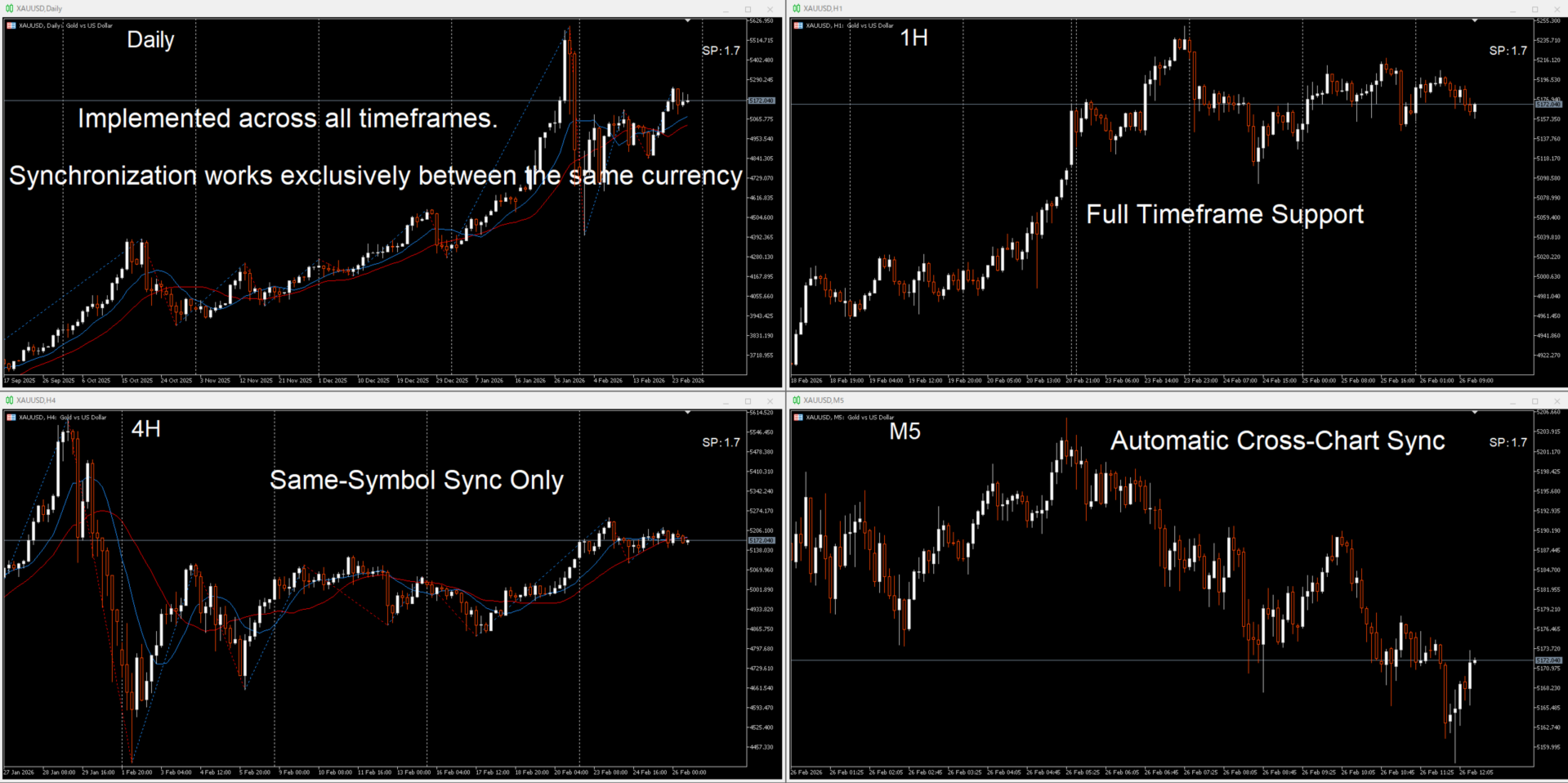
Multi Chart Synchronizer is a professional-grade synchronization utility designed to streamline multi-timeframe (MTF) analysis and historical backtesting. Eliminate the frustration of manual chart adjustments and stay focused on price action and strategic execution.
Key Benefits
-
Optimized for Historical Backtesting: Perfect for traders who rely on analyzing past market data to sharpen their competitive edge.
-
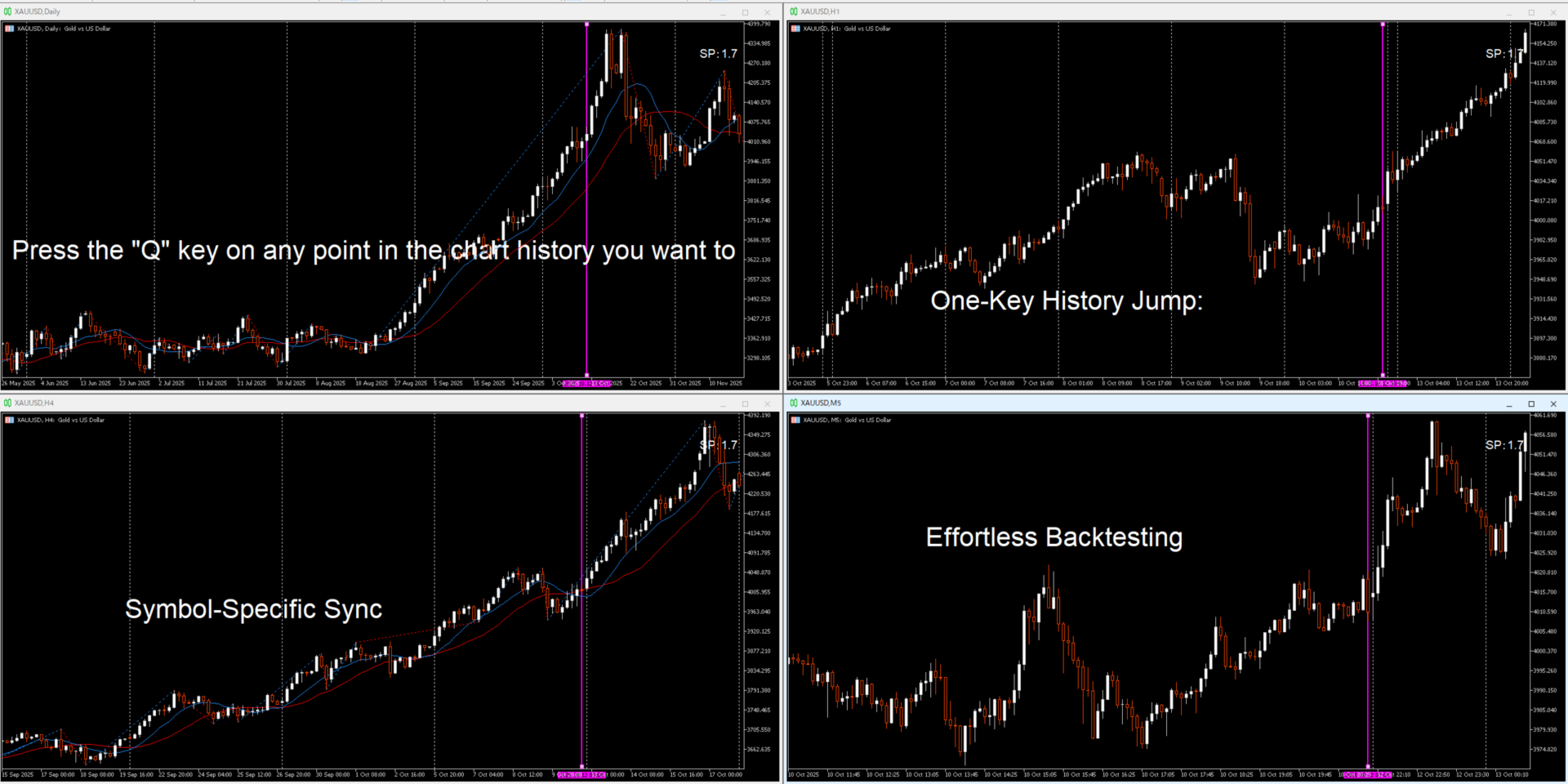
Seamless MTF Analysis: Instantly synchronize multiple charts of the same symbol. Once you identify a trend setup on a higher timeframe, a single keypress synchronizes all lower timeframe charts to that exact moment in time.
-
Versatile Application: An essential tool for both discretionary traders and EA developers who need to verify entry conditions across various timeframes.
Core Features
-
Instant Sync (Q-Key): Simply hover your mouse over any candle and press the "Q" key. Instantly, a vertical sync line appears across all open charts of the same symbol.
-
Smart Scroll Management: Upon synchronization, the tool automatically disables "Auto-Scroll" and "Chart Shift" on all target charts. This prevents MT5 from snapping back to current price, allowing for uninterrupted historical analysis.
-
Auto-Cleanup: Deleting a sync line on any chart automatically removes it from all others and restores your original auto-scroll/shift settings.
-
Drag-and-Sync: Move the vertical line on one chart, and all other charts update their position in real-time.
How to Use
-
Press [Q]: Create/move the sync line to your mouse cursor position.
-
Drag Line: Manually adjust the timeframe across all charts simultaneously.
-
Delete Line: Remove all sync lines and return chart scroll settings to default.
| Parameter | Description | Default Value |
| Line Name | Unique identifier for the sync line. | V_SYNC_LINE |
| Line Color | Color of the vertical sync line. | clrMagenta |
| Line Width | Thickness of the line for enhanced visibility. | 2 |
| Line Style | Visual style of the line (Solid, Dash, Dot). | STYLE_DOT |