PendingOrderActivator

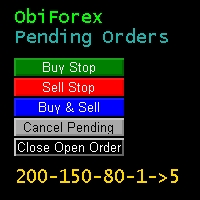
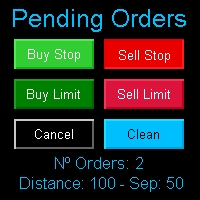
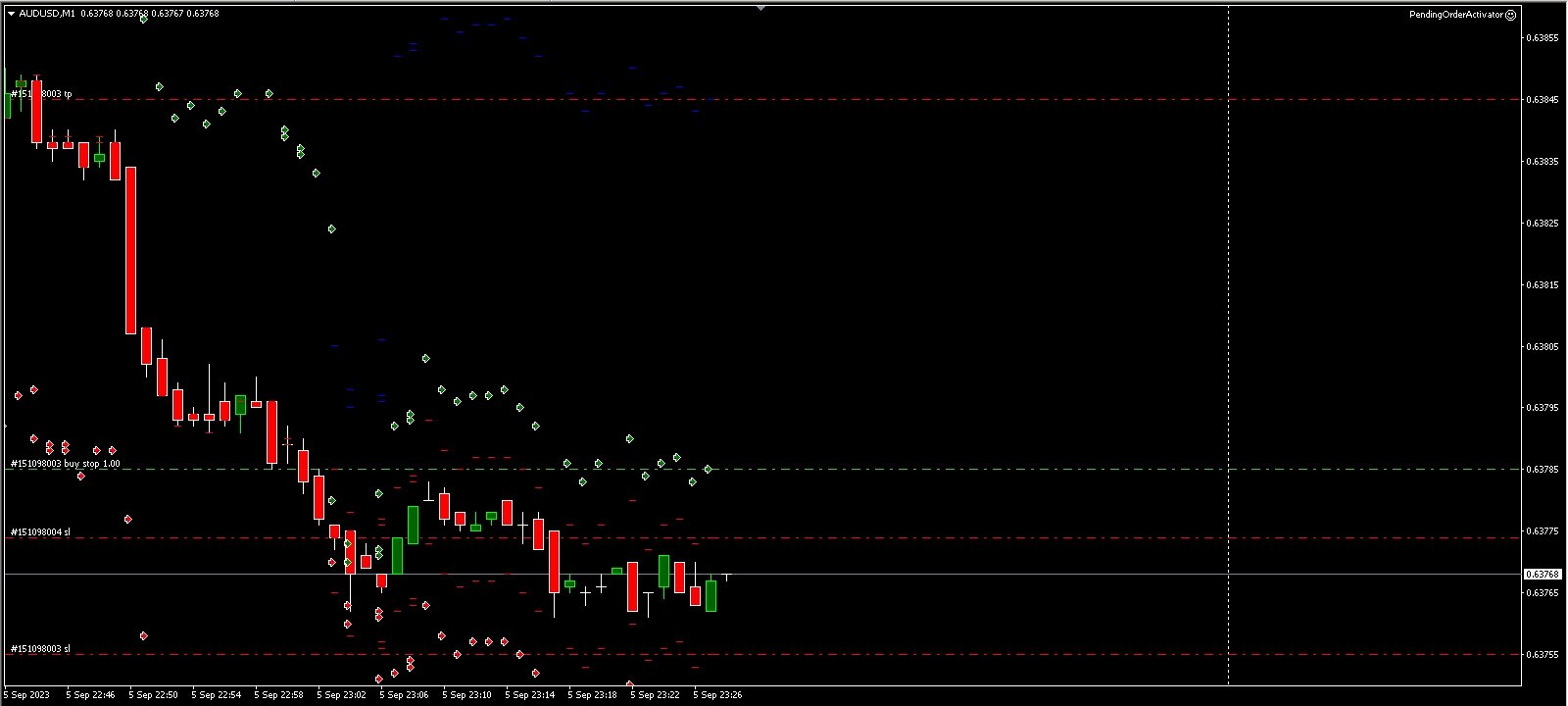
PendingOrderActivator manages pending orders in the forex market in a continuous cycle.
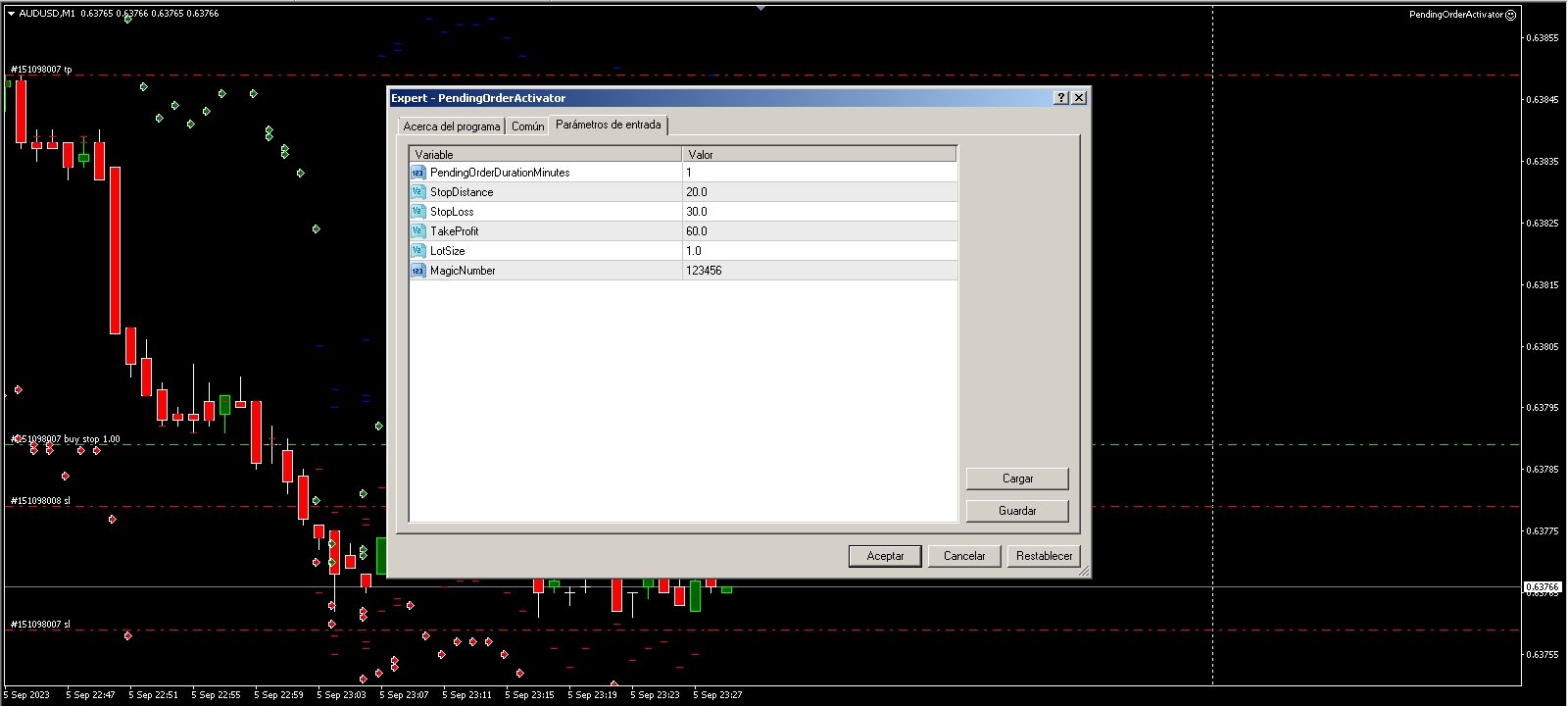
The user must configure the duration of the orders, stop loss levels, take profit levels, and the MagicNumber.
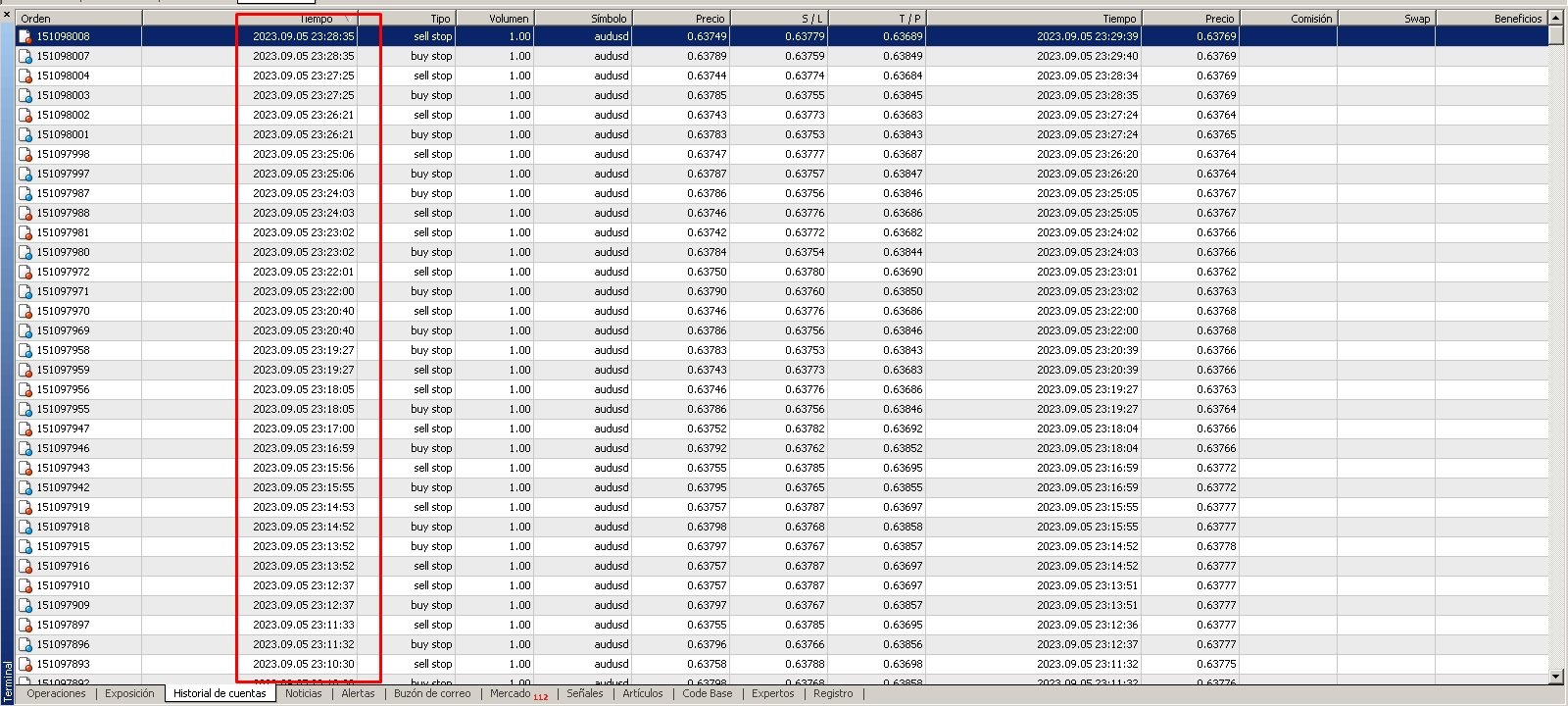
The expert advisor automatically places pending orders based on the distance from the current price and deletes them when the opposite order is triggered.
When an order is activated, the bot will take a break until the user reconfigures it or changes the timeframe, at which point the bot will reactivate.
If the pending orders (buy stop/sell stop) have not been activated during the specified period, they are automatically deleted, and the cycle restarts.
It is important to adjust the parameters correctly and perform testing before using it on a real account.

Please review my other free products: https://www.mql5.com/en/users/chinchano_1984/seller


추천 제품
GIA Calculate Order
Ruddy De Jesus Saavedra
각 작업의 위험을 쉽고 빠르게 제어하는 ​​데 도움이 됩니다. 혁신적인 인터페이스를 통해 랏 수와 위험/보상 비율을 즉시 계산할 수 있습니다. 원하는 위험 범위 내에서 작업을 유지하고 거래에서 나쁜 시간을 피하십시오. 선 기능 - 차트에 시작 선, 손절매, 이익실현을 표시합니다. 이 기능을 사용하면 다음 주문의 주요 특성과 가장 관련성이 높은 특성을 쉽게 알 수 있습니다.   위험 관리 - 위험 계산 기능은 설정된 위험과 손절매의 크기를 고려하여 다음 주문의 양을 계산합니다. - 손절매의 크기를 설정할 수 있습니다. - 이익실현을 계산하기 위해 위험/이익 관계를 설정할 수 있습니다. - 기본 금액을 기준으로 배치 크기를 계산할지 또는 배치 크기를 수동으로 입력할지 여부를 설정할 수 있습니다. - 백분율 위험을 설정할 수 있습니다. [위험 설정] 기준 금액: 계산에 대한 기준 금액 값을 설정합니다. 0이 설정되면 도구는 계정 잔액을 기본 금액으로 사용합니다. 최
Robi Auto
Yvan Musatov
Robi Auto Expert Advisor works using sharp tick movements. It goes through the entire history and all currency pairs with one single setting. The more latency your broker has in the amount of the Internet channel, the higher you need to set stop loss, take profit and trailing stop so that the server can process them at the desired price and the lower the trading frequency will be. The uniqueness of the Expert Advisor is that it can be run on any hourly period, on any currency pair and on the se
Fibo Eagle EA
Almaquio Ferreira De Souza Junior
Fibo Eagle EA for MT4 - Fibonacci-Based Grid Trading Expert Advisor Overview FiboEagleEA is a sophisticated Expert Advisor (EA) designed for traders who want an automated trading system powered by the Fibonacci sequence. This EA integrates grid trading principles with advanced money management tools, delivering a blend of precision, adaptability, and profitability potential. Whether you're new to trading or a seasoned professional, FiboEagleEA adjusts to various market conditions, making it a ve
This script is to be used with the Market Patroller indicator as a constructor for a specialized list of symbols based in all the available symbols listed in your MT4's Market Watch window. You can reduce the list depending upon several considerations: List only some symbols that have some instrument, for example, if your broker have 5 EUR pairs (EURXXX or XXXEUR). Exclude some symbols, for example, if you do not want to trade today GBP related pairs, this will avoid any GBPXXX or XXXGBP symbol
FREE
Most of brokers make slippage for your orders (stop orders or market orders). When you make limit orders (Buy or Sell), they don't make slippage for you. Because it is for your advantage. This EA will resolve limit slippage problem for you with any brokers. Slippage Problem Example: The price now is 1.31450, you put sell limit at 1.31500. If the price jumps to 1.31550. The Broker will execute your sell limit at 1.31500 NOT 1.31550. If you put buy stop, the Broker will execute it at 1.31550 (or m
This is a DEMO version of the Smarter Trade Manager Smarter Trade Manager  is an advanced trade management tool that can monitor and manage your manual and EA trades according to the settings you choose. It works as an Expert Advisor (EA), it does not open any trades but it closes trades as per the auto closing settings or when manually pressing any of the close buttons. FEATURES: Three-dimensional  interactive  view of your trades Trade Summary, P/L, Alerts, Closure by  Currency Trade Summary,
FREE
Trade Assistant Pro 36 in 1
Makarii Gubaydullin
4.76 (21)
다기능 거래 도구: 로트 계산기, 그리드 주문, 위험/보상 비율, 거래 관리자, 수급 구역, 가격 행동 분석 등 데모 버전   |   사용자 설명서 트레이딩 어시스턴트 는 전략 테스터에서 작동하지 않습니다: 이 유틸리티 를 테스트하려면 데모 버전을 여기서 다운로드하세요. 질문 /개선 아이디어/버그 발견 시 저에게 연락 하세요 MT5 버전이 필요하시면, 여기서 사용 가능합니다 거래 프로세스 를 단순화, 가속화, 자동화하세요. 이 대시보드 로 표준 터미널 기능을 확장합니다. 트레이딩 패널 은 모든 거래 상품에서 작동합니다: 외환, 주식, 지수, 암호화폐 등. 1. 새로운 거래 열기 : 로트/위험/위험보상비 계산: 수동 거래의 위험 관리 로트 계산기 (위험 크기 기반 거래량 계산) 위험 계산기 (로트 크기 기반 위험 금액) 위험 보상 비율 그리드 주문: + 동적 거리 옵션 및 분할 로트 옵션 주문 활성화 트리거, + Buy StopLimit/Sell StopLimit: Mt4에서도 가능
This is a technical indicator that works as a plug-in for "Control adora" - the Expert Advisor that helps you to calculate, place and control positions on the chart. When run on a chart with Control adora EA, this plug-in allows setting entry levels that send orders at contact, while you have StopCloseOnly (OCO in Comments) = 1 settled in Control adora (meaning that without this, the indicator will send the order only when the price Close crosses the arrow level). This indicator only works if yo
FREE
이 인디케이터는 세계 거래소의 운영 시간을 표시합니다. 현재 어떤 시장이 가장 활발한지 확인하는 데 도움이 됩니다 내  #1 Pro  Utility : 66+ 기능, 이 도구 포함  |   문의하기  궁금한 점이 있으면 현재 가장 변동성이 큰 종목을 선택하는 데 도움이 됩니다; 단기 트레이더에게 특히 유용합니다; 1) 1H 이하의 시간 프레임 에서 사용할 때: 선은 차트의 실제 바 위치에 해당하며 차트를 이동할 때 거래 세션의 선 이 차트와 함께 이동합니다 . 2) 4H 이상의 시간 프레임 에서 사용할 때: 거래 세션의 정적 차트 가 표시되며 수직선 은 하루 종일 이동하며 현재 어떤 시장이 활성화되어 있는지 나타냅니다. (스케일 때문에). 인디케이터를 설치한 후에는 그리드를 비활성화(CTRL+G)하고 객체 설명을 비활성화(F8>일반>객체 설명 표시)하는 것이 좋습니다. 입력 설정: 중요:   인디케이터가 올바르게 작동하려면 초기 설정에서   브로커 시간과 그리니치 표준시의 차이를
Fibo pending EA
Thanat Thitithammaphong
"Fibo Pending EA is an Expert Advisor that places pending limit orders based on Fibonacci levels. You can configure it to enter orders according to specific Fibonacci levels. For any level that you don't want to use, simply set its value to zero (0). Once the EA has placed all pending orders, please remove the Fibonacci object from the chart. The various 'Close' buttons on the chart will trigger a pop-up confirmation before closing orders. If you don't want these confirmation alerts, you can dis
Trailing Stop Forward EA locks trade profit once trade moves in profit by certain points(eg 100 points) by moving the Stop Loss in direction of trade. There are three inputs in EA to be provided by user to EA  TrailingStart  this input used as activator when trade moved 100 points towards profit, this EA will start shifting your stop loss towards profit. TrailingStop  input defines what should be the distance of stop loss from current market price once TrailingStart activated i.e   trade moved 1
Gold of the Incas
Dmitriq Evgenoeviz Ko
Gold of the Incas is a highly effective trading advisor created specifically for the MT4 platform and focused on the gold market and major currency pairs. Using complex algorithms, it analyzes market trends and price fluctuations in real time, ensuring maximum profit with minimal risk. the full list for your convenience is available https://www.mql5.com/ru/users/pants-dmi/seller The effectiveness of Gold of the Incas is confirmed by long testing periods, where it demonstrated outstanding res

Ready4grow Trading Panel
Kagathra Hirenkumar Kantibhai
Every time Trader opens a trade, he must know the profit and risk of the trade he made, so that he can determine the risk and profit opportunity he will get. Determining this calculation manually can be quite troublesome, especially if it has a lot of open trade to do. Ready4grow Trading Panel is a utility tool that really helps traders meet those needs. Opening a Market or pending trade, determining lots, pips, price positions, how much USD, and what percentage of risk can be set automatically
EasyTradePad
Sergey Batudayev
5 (5)
EasyTradePad – MetaTrader 4용 트레이딩 패널 EasyTradePad   는 수동 및 반자동 거래를 위한 도구입니다. 이 패널을 통해 주문 및 포지션을 빠르게 관리하고, 한 번의 클릭으로 위험 관리 계산을 수행할 수 있습니다. 패널 특징: 사전 정의된 위험(% 또는 예치 통화)으로 거래를 시작하고 마감합니다. SL 및 TP를 포인트, 백분율 또는 금전적 가치로 설정하세요 위험 대비 보상 비율을 자동으로 계산합니다 손절매를 손익분기점으로 이동 부분 포지션 마감 트레일링 스톱(포인트 또는 캔들 섀도우 기준) 위치 평균화 및 피라미딩 활성 거래의 매개변수 수정 [   데모   ] [   지침   ] 추가 기능: 피라미딩 가격이 이익실현을 향해 움직일 때마다 거래를 단계적으로 추가합니다. 각 새 거래의 위험을 줄일 수 있습니다. 추가되는 거래 수는 쉽게 설정할 수 있습니다. 평균화 차트에서 사용자 지정 수준으로 추가 주문을 할 수 있습니다. 포지션은 평균 진입 가
Move to Breakeven Limited
Abdulfattah Yahya Mohammed Alhazmi
The main purpose of this expert advisor is to protect your hardly gained profits. Once the market goes in your favor, with amount of specified pips [configured via EA inputs], the EA will do the following: Move the Stop-loss of the profitable positions to Breakeven. Lock in some profits, i.e put the SL above/below your entry with specified pips  Will close part of position, % of lots, once the EA was triggered.  By default, the "Move to Breakeven EA" will modify all opened positions on the termi
FREE
Smarter Trade Manager  is an advanced trade management tool that can monitor and manage your manual and EA trades according to the settings you choose. It works as an Expert Advisor (EA), it does not open any trades but it closes trades as per the auto closing settings or when manually pressing any of the close buttons. FEATURES: Three-dimensional interactive  view of your trades Trade Summary, P/L, Alerts, Closure by Currency Trade Summary, P/L, Alerts, Closure by Magic Number Profit and Loss
How to Use the Features       MT5 VERSION   TRADE COPIER Select Role: On the account sending trades, choose Sender (Master Account) . On the account receiving trades, choose Copier (Receiver Account) . Lot Size Mode: Same Lot Size as Master: Ignores multipliers, copies exactly what the Master has. Multiply Master Lot Size: Uses the "Lot Multiplier" field (e.g., Master 0.10, Multiplier 2.0 = Copier 0.20). Use Fixed Lot Size: Ignores Master's volume entirely, uses the "Fixed Lot Size" field for ev
Move To Breakeven
Abdulfattah Yahya Mohammed Alhazmi
The main purpose of this expert advisor is to protect your hardly gained profits. Once the market goes in your favor, with amount of specified pips [configured via EA inputs], the EA will do the following: Move the Stop-loss of the profitable positions to Breakeven. Lock in some profits, i.e put the SL above/below your entry with specified pips  Will close part of position, % of lots, once the EA was triggered.  By default, the "Move to Breakeven EA" will modify all opened positions on the termi
MT5 version here:  https://www.mql5.com/en/market/product/89113 Hello traders, I believe you all know that risk and money management along with psychology are the keys to success in trading. No matter how strong one’s strategy is, without these 3 criteria they will always face losses in the long run. I have created an EA to control our human behaviors. This EA will force us to be discipline exactly the way you will set. For examples, 1. If you set the   maximum trades in a day= 3. You won’t be
Stability Pro MT4
Profalgo Limited
5 (1)
출시 프로모션: 990$ 대신 단 34 9 $! 이 프로모션 가격으로 몇 장만 남았습니다! 저희 프로모션 블로그   에서 "   Ultimate EA 콤보 패키지 "   를 꼭 확인해 보세요   !   JOIN PUBLIC GROUP:   Click here 실시간 결과 위험도 낮음 실시간 결과 고위험 STABILITY PRO에 오신 것을 환영합니다   . 시장에서 가장 발전되고 안정적이며 위험이 낮은 그리드 시스템 중 하나입니다! 이 EA는 사용하는 외환쌍의 전체 사용 내역에 대해 스트레스 테스트를 거쳤습니다. 이러한 스트레스 테스트 동안 EA는 아래 스크린샷에서 볼 수 있듯이 2007년부터 오늘까지 매달 수익을 올렸습니다. EA는 고정된 거리에서 그리드 거래를 추가하지 않지만 시장 움직임을 분석하여 그리드 위치를 결정하는 고급 SVG 알고리즘(스마트 변수 그리드)을 사용합니다. 나는 이 EA에 대해 좋은 위험/보상 비율과 강력한 복구 요소를 얻기 위해 많은 노력을 기울였습
Robot Dream
Serhii Bernatskyi
Multicurrency Expert Advisor with 100% adaptation for any currency pair and timeframe. Based on the Smart Gread indicator. Very flexible setup allows you to get maximum profit. Profit from transactions is set manually in TakeProfit (standart 200 ). Lot size is set manually by Lot (standart = 1 lot). Each subsequent lot is increased by Kolen (standart 2 ). Maximum lot size MaxLot (standart 10 ). To disable the adviser, there are special functions: StopRightNow - all orders will close rig
SMC Trade Manager
Gustavo Jose Gonzalez Rubi
5 (2)
스마트 머니 컨셉츠 트레이드 매니저를 소개합니다. 이는 시장에서 전문적인 우위를 추구하는 트레이더들을 위해 디자인된 최고의 도구입니다. ICT/스마트 머니 컨셉츠/수동 트레이더이든 상관없이, 저희 소프트웨어는 거래를 쉽게 자동화하고 실시간으로 리스크를 관리할 수 있도록 특별히 제작되었습니다. 스마트 머니 컨셉츠 트레이드 매니저를 사용하면 자신감과 일관성을 가지고 스마트 머니 컨셉츠 또는 기관 거래 설정을 쉽게 실행할 수 있습니다. 저희 강력한 도구는 MetaTrader 4 플랫폼에서 실행되며 (MT5 버전도 현재 작업 중입니다), 고객의 독특한 거래 스타일과 목표에 맞춰 다양한 기능을 제공합니다. 스마트 머니 컨셉츠 트레이드 매니저는 프랙탈 대칭 전략을 사용하여 스탑 로스, 테이크 프로핏, 스케일 아웃 측정 등 핵심 매개변수 및 리스크 관리를 자동화하여 거래 경험을 단순화합니다. 고객은 설정을 사용자 정의하여 자신의 거래 및 리스크 프로필에 맞게 조정할 수 있으며, 알고리즘은 자동으
FREE
Expert Advisor for MT4 Useful utility MUST have for all traders.  With 1 click button, you're able to close all your open positions. Its come with a warning pop up notification when you click to close all your trades, to avoid an accident press the button. Just press 'Yes' to confirm or 'No' to cancel it. The expert will close all your open positions no matter what pairs you currently open or directions. Just attach the expert on 1 of your chart, and you're good to go.
Symbol Manager
Taras Slobodyanik
5 (4)
Symbol Manager or Grid Manager, designed to group orders into one position (by Symbol or by Magic Number). This utility will be useful to multi-currency traders (many EAs), who can have multiple orders on several pairs. You will be able to see the total number of lots, the total profit, and set virtual stop loss and virtual take profit. To set a real TP (or SL), you must first set the virtual value, and then enter the command in this cell: "set". If you want to set real TP/SL for all orders at
Ksm: Smart Solution for Automated Forex Trading Ksm is a tool designed for automating Forex trading, using modern methods of time-series data analysis to work with multiple currency pairs across different timeframes. Key Features and Benefits Multi-currency support : Ksm enables trading across multiple currency pairs, helping traders adapt their strategies to various market conditions. New currency pairs can be easily added. Time-series data analysis : Utilizing advanced algorithms, Ksm analyzes
TP SL Bot
Ruslan Brezovskiy
TP SL Bot is a utility that automatically sets Stop Loss and Take Profit for newly opened orders in several ways. There is also a function for calculating the volume that you need to open the trade to get the desired amount with the specified Stop Loss / Take Profit size in points. There are several options for calculating the size and setting parameters TP and SL: 1. Setting based on the amount specified by the user as a percentage of the current deposit balance. 2. Setting as the amount entere
Set TP & SL by Price – Auto Order Modifier for MT4 모든 주문에 정확한 TP 및 SL 가격 자동 설정 ️ 모든 심볼 및 EA와 호환되며, 심볼 또는 매직 넘버로 필터링 가능 이 EA는 EURUSD에서 1.12345 와 같은 정확한 가격값을 사용하여 TP 및 SL을 설정할 수 있게 해줍니다. 핍이나 포인트가 아닌 정확한 가격 기준으로 주문을 관리하며, 모든 주문 또는 필터링된 주문(차트 또는 매직 넘버)을 대상으로 적용할 수 있습니다. 주요 기능: 정확한 가격으로 TP 및 SL 즉시 설정 모든 주문, 현재 심볼 또는 특정 매직 넘버에 적용 가능 ️ TP 또는 SL을 제거하려면 0 사용 차트에 붙이기만 하면 자동으로 작동 모든 거래 상품과 호환 가능 이런 트레이더에게 추천: TP/SL을 빠르게 제어하고 싶은 수동 트레이더 출구 전략을 바꾸고 싶은 EA 사용자 다수의 주문을 동시에 관리하는 트
Smart Key Trade Manager
Stephen Sanjeeve Sahayam
대부분의 소매 거래자는 위험을 관리하고 과도한 위험을 감수하거나 과도한 거래로 계정을 날릴 수 없습니다. 이 도구는 드로다운 및 위험 관리를 완전히 자동화하여 트레이더가 항목에만 집중할 수 있도록 합니다. 가격이 거래에 반대할 때 부분 포지션을 자동으로 청산하는 Aggressive Risk Control 기능과 함께 가격 조치를 사용하는 최초이자 유일한 거래 관리자입니다. 이렇게 하면 손실이 항상 승리보다 작게 유지됩니다. 모든 입력 방법 및 거래 스타일과 함께 사용할 수 있습니다. 스캘핑, 일중 또는 스윙 거래. 특징: 모든 주문 유형에 사용하십시오. 시장가 주문, 중지 주문 및 지정가 주문. 경고가 있는 Aggressive Risk Control(ARC) - 가격이 거래에 반하는 경우 손실을 줄입니다. 당신이 취하는 거래의 수를 제한합니다 - 과잉 거래를 줄입니다. 자동 로트 크기 계산. 자동 또는 수동으로 손절매 및 여러 이익실현 수준을 설정합니다. 자동 또는 수동으로
This EA will make all the history trades appear on the chart,,  will make it easy to track each trade in history  separately , it will show each trade open price + time and closing price + time  simply download the EA to your MT4 platform, then apply it on any chart that belongs to any trades in mt4 history,  for example, if you have traded on GBPUSD in the history, open GBPUSD chart and apply the EA on it, it will automatically print all info on the chart about the trades ,, EA works per
FREE
Trading Board is a Tool That Help you execute Sell and Buy Operation very smoothly. General Description : This Tool has this functions: The function of Send Buy or Sell orders. The function to close all orders in the current chart. Choose the volume you need to trade. Calculate of Stop loss and Take Profit with the number of points. Draw the Fibonacci retracement.
FREE
이 제품의 구매자들이 또한 구매함
Trade Assistant MT4
Evgeniy Kravchenko
4.43 (194)
거래당 위험 계산, 라인을 사용한 손쉬운 신규 주문, 부분 청산 기능을 통한 주문 관리, 7가지 유형의 트레일링 스탑 및 기타 유용한 기능을 제공합니다. 추가 자료 및 지침 설치 지침 - 애플리케이션 지침 - 데모 계정용 애플리케이션 평가판 라인 기능       - 차트에 개시선, 손절매, 차익실현을 표시합니다. 이 기능을 사용하면 새로운 주문을 쉽게 하고 개봉 전에 추가 특성을 볼 수 있습니다. 위기 관리       -       위험 계산 기능은 설정된 위험과 손절매 주문의 크기를 고려하여 새 주문의 볼륨을 계산합니다. 이를 통해 손절매 크기를 설정하고 동시에 설정된 위험을 존중할 수 있습니다. 로트 계산 버튼 - 위험 계산을 활성화/비활성화합니다. 필요한 위험 값은 위험 필드에 0에서 100 사이의 백분율 또는 예금 통화로 설정됩니다. 설정 탭에서 위험 계산 옵션을 선택합니다. $ 통화, % 잔액, % 지분, % 자유 마진, % 사용자 정의, % AB 이전 일, % AB
Local Trade Copier EA MT4
Juvenille Emperor Limited
4.96 (109)
Local Trade Copier EA MT4 를 사용하여 매우 빠른 거래 복사 경험을 해보세요. 1분 안에 간편하게 설정할 수 있으며, 이 거래 복사기를 사용하면 Windows 컴퓨터 또는 Windows VPS에서 여러 개의 MetaTrader 터미널 간에 거래를 0.5초 미만의 초고속 복사 속도로 복사할 수 있습니다. 초보자든 전문가든 Local Trade Copier EA MT4 는 다양한 옵션을 제공하여 사용자의 특정 요구에 맞게 맞춤 설정할 수 있습니다. 이는 수익 잠재력을 높이려는 모든 사람을 위한 최고의 솔루션입니다. 지금 사용해보시고 이것이 왜 시장에서 가장 빠르고 쉬운 무역용 복사기인지 알아보세요! 팁: 여기 에서 데모 계정에서 Local Trade Copier EA MT4 데모 버전을 다운로드하여 사용해 볼 수 있습니다. 다운로드한 무료 데모 파일을 MT4 >> File >> Open Data Folder >> MQL4 >> Experts 폴더에 붙여넣고 터미널
Trade Manager EA에 오신 것을 환영합니다. 이 도구는 거래를 보다 직관적이고 정확하며 효율적으로 만들기 위해 설계된 궁극적인 리스크 관리 도구 입니다. 단순한 주문 실행 도구가 아닌, 원활한 거래 계획, 포지션 관리 및 리스크 제어를 위한 종합 솔루션입니다. 초보자부터 고급 트레이더, 빠른 실행이 필요한 스캘퍼에 이르기까지 Trade Manager EA는 외환, 지수, 상품, 암호화폐 등 다양한 시장에서 유연성을 제공합니다. Trade Manager EA를 사용하면 복잡한 계산은 이제 과거의 일이 됩니다. 시장을 분석하고 진입, 손절 및 익절 수준을 차트의 수평선으로 표시한 후 리스크를 설정하면, Trade Manager가 이상적인 포지션 크기를 즉시 계산하고 SL 및 TP 값을 실시간으로 표시합니다. 모든 거래가 간편하게 관리됩니다. 주요 기능: 포지션 크기 계산기 : 정의된 리스크에 따라 거래 크기를 즉시 결정합니다. 간단한 거래 계획 : 진입, 손절, 익절을 위한
Exp COPYLOT CLIENT for MT4
Vladislav Andruschenko
4.65 (66)
MetaTrader 4용 트레이드 복사기.       모든 계정의 외환 거래, 포지션, 주문을 복사합니다. 그것은 최고의 무역 복사기 중 하나입니다       MT4 - MT4, MT5 - MT4       위해       카피롯 MT4       버전(또는       MT4 -  MT5   MT5 - MT5       위해       카피롯 MT5       버전). MT5 버전 전체 설명   +DEMO +PDF 구입 방법 설치하는 방법     로그 파일을 얻는 방법     테스트 및 최적화 방법     Expforex의 모든 제품 복사기   버전         MetaTrader 5   터미널 (   МТ5 - МТ5, МТ4 - МТ5   ) -   Copylot Client MT5 고유한 복사 알고리즘은 마스터 계정에서 고객 계정으로 모든 거래를 정확하게 복사합니다. 이 제품은 또한 높은 작동 속도에서 높은 오류 처리로 유명합니다. 강력한 기능 세트. 프로그램은 여러 터
Trade copier MT4
Alfiya Fazylova
4.58 (33)
Trade Copier는 거래 계정 간의 거래를 복사하고 동기화하도록 설계된 전문 유틸리티입니다. 복사는 공급자의 계정/단말기에서 동일한 컴퓨터 또는 vps에 설치된 수신자의 계정/단말기로 발생합니다. 구매하기 전에 데모 계정에서 데모 버전을 테스트할 수 있습니다. 데모 버전 여기 . 전체 지침 여기 . 주요 기능 및 이점: 복사기는 "МТ4> МТ4", "МТ4> МТ5", "МТ5> МТ4" 복사를 지원합니다. 복사기는 데모 계정 > 실 계정, 실 계정 > 데모 계정, 데모 계정 > 데모 계정 및 실제 계정 > 실 계정 복사를 지원합니다. 복사기는 읽기 전용 암호가 적용된 투자자 계정에서 복사를 지원합니다. 하나의 공급자 터미널은 여러 수신 터미널로 트랜잭션을 보낼 수 있고 하나의 수신 터미널은 여러 공급자 터미널에서 트랜잭션을 수신할 수 있습니다. 복사기는 귀하 또는 귀하의 고문이 거래하는 동일한 터미널에서 작동할 수 있습니다. 높은 복사 속도(0.5초 미만). 복사기에는 간편
TradePanel MT4
Alfiya Fazylova
4.85 (93)
Trade Panel은 다기능 거래 도우미입니다. 이 애플리케이션에는 50개 이상의 수동 거래 기능이 포함되어 있으며 대부분의 거래 작업을 자동화할 수 있습니다. 주의! 할인은 시간 제한이 있으며, 매주 화요일마다 가격이 5달러씩 인상됩니다. (최대 90달러까지). 구매하기 전에 데모 계정에서 데모 버전을 테스트할 수 있습니다. 데모 계정용 애플리케이션 체험판 다운로드: https://www.mql5.com/en/blogs/post/750865 . 전체 지침 여기 . 거래. 한 번의 클릭으로 거래를 수행할 수 있습니다: 리스크 자동 계산과 함께 예약 주문 및 포지션 열기. 한 번의 클릭으로 여러 주문 및 포지션 열기. 주문 그리드 열기. 예약 주문 및 포지션을 그룹별로 닫기. 포지션 방향 전환 (Buy 닫기 > Sell 열기, Sell 닫기 > Buy 열기). 포지션 잠금 (부족한 포지션을 열어 Buy와 Sell 포지션의 수량을 동일하게 만들기). 모든 포지션 한 번의 클릭으로 부분
Trading History MT4
Siarhei Vashchylka
5 (9)
Trading History - A program for trading and money management on the history of quotes in stratagy tester. It can work with pending and immediate orders, and is equipped with trailing stop, breakeven and take profit functions. Very good for training and testing different strategies. Manual (Be sure to read before purchasing) Advantages 1. Allows you to test any trading strategy in the shortest possible time 2. An excellent simulator for trading training. You can gain months of trading experience
VirtualTradePad mt4 Extra
Vladislav Andruschenko
4.85 (61)
한 번의 클릭으로 거래할 수 있는 거래 패널.   위치 및 주문 작업!   차트 또는 키보드에서 거래. 거래 패널을 사용하면 차트에서 클릭 한 번으로 거래하고 표준 MetaTrader 컨트롤보다 30배 빠르게 거래 작업을 수행할 수 있습니다. 거래자의 삶을 더 쉽게 만들고 거래자가 훨씬 빠르고 편리하게 거래 활동을 수행할 수 있도록 도와주는 매개변수 및 기능의 자동 계산. 차트의 무역 거래에 대한 그래픽 팁 및 전체 정보. MT5 버전 전체 설명   +DEMO +PDF 구입 방법 설치하는 방법     로그 파일을 얻는 방법     테스트 및 최적화 방법     Expforex의 모든 제품 열기 및 닫기, 반전 및 잠금, 부분 닫기/오토로트. 가상/실제 손절매/이익 실현/후행 정지/손익분기점, 주문 그리드 .... MetaТrader 4   의 주요 요청 거래 제어판   : 구매, 판매, 구매 중지, 구매 제한, 판매 중지, 판매 제한, 닫기, 삭제, 수정, 후행 중지, 손절매,
The product will copy all telegram signal to MT4   ( which you are member  ) , also it can work as remote copier.  Easy to set up, copy order instant, can work with almost signal formats, image signal, s upport to translate other language to English Work with all type of channel or group, even channel have "Restrict Saving Content", work with  multi channel, multi MT5 Work as remote copier: with signal have ticket number, it will copy exactly via ticket number. Support to backtest signal. How to
Copy Cat More Trade Copier MT4 (복사 고양이 MT4) 는 단순한 로컬 트레이드 카피어가 아니라, 오늘날의 거래 환경을 위해 설계된 완전한 리스크 관리 및 실행 프레임워크입니다. Prop Firm 챌린지부터 개인 계좌 관리까지, 강력한 실행력, 자본 보호, 유연한 설정, 고급 거래 처리 기능을 통해 모든 상황에 적응합니다. 이 카피어는 Master(송신자) 와 Slave(수신자) 모드 모두에서 작동하며, 실시간으로 시장가/지정가 주문, 거래 수정, 부분 청산, Close By 작업을 동기화합니다. 데모 및 실계좌 모두 호환되며, 거래용 비밀번호 또는 투자자 비밀번호로도 사용할 수 있습니다. Persistent Trade Memory 기술을 통해 EA, 터미널, VPS가 재시작되더라도 거래가 복원됩니다. 여러 Master와 Slave를 동시에 관리할 수 있으며, 브로커 간 차이는 접두사/접미사 자동 감지 또는 심볼 매핑으로 처리됩니다. 매뉴얼/설정: Copy C
TradeMirror 은 MT4/MT5 플랫폼을 위해 특별히 설계된 현지화된 주문 복사 도구로, 실시간 거래 작업을 동기화합니다. 제품 장점 금융 소프트웨어의 보안성, 안정성 및 개인정보 보호에 대한 높은 표준 요구사항을 기반으로, 우리는 세 가지 핵심 차원에서 심층 최적화를 수행했습니다: 직관적이고 간결한 그래픽 인터페이스로 누구나 쉽게 조작 가능 강화된 개인정보 보호 메커니즘으로 금융 환경의 민감한 데이터 격리 요구 충족 밀리초 단위의 주문 동기화로 신호 분배의 정확성과 지연 없음 보장 MT4/MT5 양 플랫폼과 완전히 호환되어 다양한 거래 환경에 원활하게 적용 지능형 시스템 모니터링과 이메일 알림을 결합하여 거래 안정성을 실시간으로 보장 핵심 기능 특성 제품은 다음과 같은 전문적인 복사 기능을 탑재하고 있습니다: 다중 계정 병렬 연결 이메일 실시간 푸시 맞춤형 로트 크기 조정 신호 필터링 메커니즘 역방향 거래 모드 손절매/이익실현 재설정 무료 체험 절차 정식 구매 전, 다음 단
Grid Manual MT4
Alfiya Fazylova
4.71 (17)
"Grid Manual"은 주문 그리드 작업을 위한 거래 패널입니다. 이 유틸리티는 보편적이며 유연한 설정과 직관적인 인터페이스를 제공합니다. 그것은 손실을 평균화하는 방향뿐만 아니라 이익을 증가시키는 방향으로 주문 그리드와 함께 작동합니다. 거래자는 주문 그리드를 만들고 유지할 필요가 없으며 유틸리티에서 수행합니다. 거래자가 주문을 시작하는 것으로 충분하며 "Grid Manual"는 자동으로 그를 위한 주문 그리드를 생성하고 거래가 마감될 때까지 그와 동행할 것입니다. 전체 설명 및 데모 버전 여기 . 유틸리티의 주요 기능: 모바일 터미널을 포함하여 어떤 방식으로든 열린 주문과 함께 작동합니다. "제한" 및 "중지"의 두 가지 유형의 그리드와 함께 작동합니다. 고정 및 동적(ATR 표시기 기반)의 두 가지 유형의 그리드 간격 계산과 함께 작동합니다. 오픈 오더 그리드의 설정을 변경할 수 있습니다. 차트에서 각 주문 그리드의 손익분기점 수준을 표시합니다. 각 주문 그리드에 대한 이익
Complete Trade Panel for the No Nonsense Forex method: This panel encapsulates almost all things you will need to execute your own NNFX algorithm, helping you trade even faster and easier. It has 3 parts: Symbol Panel Switch to any symbol in your charts quickly by pressing its name. Additional information can be displayed in the panel: currently open trades , correlation of those trades with other symbols (except if their stop loss is in breakeven or positive) and upcoming news (next daily candl
경고: 이 EA는 테스터에서 작동하지 않습니다. 데모 또는 실제 계좌에서만 작동합니다. 데모를 시도하려면 저에게 연락하십시오. https://www.mql5.com/en/users/abudabi MT5 Version 키보드와 마우스로 MetaTrader 4에서 빠른 주문 보내기(배치하기): 원하는 가격 위로 커서를 이동하고 키를 누릅니다: 마켓에서 매수: E 리미트 매수: A 스탑 매수: Z 마켓에서 매도: Q 리미트 매도: D 스탑 매도: C (키 사용자 정의 가능) 주문이 보내졌을 때 Fast Keyboard Orders MT4는 주문 관리를 할 수 있습니다: 손절 주문 이익 주문 트레일링 스탑 손절 주문 손익분기점 주문 기능 또는 버그 수정을 제안하거나 질문이 있으면, 언제든지 https://www.mql5.com/ru/users/abudabi/에서 DM을 보내 주십시오. "Fast Keyboard Orders MT4"을 업데이트하겠습니다. 전체 매개변수: bool Lots
CloseIfProfitorLoss with Trailing
Vladislav Andruschenko
4.87 (31)
이익 추적 기능으로 총 이익/손실에 도달하면 MetaTrader 4에서 포지션을 청산합니다. 가상 정지 (별도 주문) 을 활성화할 수 있습니다. BUY 및 SELL 포지션을 별도로 계산하고 마감합니다 (BUY SELL 별도). 모든 심볼 또는 현재 심볼 만 닫고 계산합니다 (모든 심볼). 이익을 위해 후행 추적 을 활성화합니다 (후행 이익). 예금 통화, 포인트, 잔액의 %에 대한 총 손익을 마감합니다. 이 애플리케이션은 다른 EA와 함께 또는 수동 거래와 함께 모든 계정에서 사용하도록 설계되었습니다. MT5 버전 전체 설명 + DEMO + PDF 구입 방법 설치하는 방법 로그 파일을 얻는 방법 테스트 및 최적화 방법 Expforex의 모든 제품 일부 쌍 또는 모든 쌍의 총 거래 잔액이 설정에서 지정된 값보다 크거나 같으면 모든 포지션이 닫히고 주문이 삭제됩니다. 이 버전은 지정된 이익 수준에서 포지션을 마감할 수 있을 뿐만 아니라 더 나은 결과를 위해 이익을 추적할 수도 있습니다
Telegram to MT4 Coppy
Sergey Batudayev
3.75 (8)
Telegram에서 MT4로:   최고의 신호 복사 솔루션 최첨단 유틸리티인   Telegram to MT4를   사용하여 거래를 간소화하세요. DLL 없이도 Telegram 채널과 채팅에서 MetaTrader 4 플랫폼으로 거래 신호를 직접 복사할 수 있습니다. 이 강력한 솔루션은 탁월한 정밀도와 맞춤 설정 옵션을 통해 원활한 신호 실행을 보장하여 시간을 절약하고 효율성을 높여줍니다. [ Instructions and DEMO ] 주요 특징 직접 Telegram API 통합 전화번호와 보안 코드를 통해 인증하세요. 사용자 친화적인 EXE 브리지를 사용하여 채팅 ID를 손쉽게 가져오고 관리하세요. 여러 채널/채팅을 추가, 삭제, 새로 고침하여 동시에 신호를 복사합니다. 고급 필터를 사용한 신호 파싱 사용자 정의 예외 단어(예: "보고서", "요약")가 포함된 원치 않는 신호를 건너뜁니다. 유연한 SL 및 TP 형식을 지원합니다: 가격, 핍 또는 포인트. 신호가 가격 대신 지점을 지정
G Labs Trade Manager
Garry James Goodchild
G-Labs Trade Manager is a professional on-chart trading panel for MetaTrader 4. It helps you plan trades, size positions from risk, manage open trades, and stay informed — while you stay in control of every decision. It is a trading utility, not a black-box signal or automated strategy. WHO IT IS FOR • Traders who want one place to set stop loss, take profit, and risk before clicking buy or sell. • Anyone who trades manually or semi-manually and wants faster execution and clearer risk. • Users w
AW Workpad
AW Trading Software Limited
3.67 (3)
AW Workpad는 수동 및 반자동 거래를 위해 설계된 다기능 거래 컨트롤 패널입니다. 예약 주문, 시장 포지션을 관리하고 광범위한 통계 데이터를 제공하며 고전적인 지표 그룹의 다중 기간 분석을 제공합니다. 이 유틸리티는 5개의 탭으로 표시됩니다.   POSITIONS, PENDING, CLOSE, INDICATORS, INFO.  각 탭에는 현재 시장 상황에 대한 주문 또는 정보를 처리하기 위한 자체 기능 그룹이 있습니다. MT5 버전 ->       여기   / 문제 해결 ->   여기     기능 또는 이점: 이 유틸리티는 모든 시간대와 기호(통화, 지수, 석유, 금속, 주식)에서 작동합니다. 각 패널의 모든 요소에는 추가로 레이블이 지정되어 있어 요소 위로 마우스를 가져가기만 하면 됩니다. AW Workpad 거래 패널에는 유연한 설정과 직관적인 패널 인터페이스가 있습니다. 가장 필요한 모든 기능을 하나의 제품에 담았습니다. 트레이딩 패널 탭: . 위치 - 이 탭에서는 시장
Trade Dashboard MT4
Fatemeh Ameri
4.92 (53)
Tired of complex order placement and manual calculations? Trade Dashboard is your solution. With its user-friendly interface, placing orders becomes effortless, by a single click, you can open trades, set stop loss and take profit levels, manage trade lot size, and calculate risk to reward ratios, allowing you to only focus on your strategy. Say goodbye to manual calculations and streamline your trading experience with Trade Dashboard. Download  Demo Version  right now. You can find  Details of
The product will copy all  Discord  signal   to MT4   ( which you are member  ) , also it can work as remote copier.  Easy to set up. Work with almost signal formats, support to translate other language to English Work with multi channel, multi MT4. Work with Image signal. Copy order instant, auto detect symbol. Work as remote copier: with signal have ticket number, it will copy exactly via ticket number. How to setup and guide: Let read all details about setup and download Discord To MetaTrader
Virtual SL TP Trailing Pro for MT4 – Client-Side Stop Loss / Take Profit and Trade Management Looking for MetaTrader 5 version?  I t is available separately in the Market:   Virtual SL TP Trailing Pro MT5 Public channel:   CLICK HERE Virtual SL TP Trailing Pro for MT4 is a trade management utility that keeps Stop Loss (SL) and Take Profit (TP) levels on the client side instead of sending them to the trading server. It is designed to help you manage exits in a structured way using a clear on-cha
EchoTrade Telegram to MT4 Copier
Perpetual Chinemerem Vincent
5 (2)
EchoTrade Telegram to MT5 Copier Seamless, Instant, and Reliable Signal Copying - Direct from Telegram to MetaTrader 4! The product does not run in the strategy tester but you can get free trial version   here  for testing before purchase. Tired of manually executing trades from Telegram signals? EchoTrade automates the process, instantly copying trades from any Telegram channel or group directly into your MT5 account—accurately, efficiently, and without delay. Key Features: Universal Compatib
ManHedger MT4
Peter Mueller

5 (2)
THIS EA IS A SEMI-AUTO EA, IT NEEDS USER INPUT. Manual & Test Version Please TEST this product before   BUYING  and watch my video about it. Contact me for user support or bug reports, or if you want the MT5 version! MT5 Version I do not guarantee any profits or financial success using this EA. With this Expert Advisor, you can: Implement your own   Zone Recovery   strategy to capitalize on trending markets. Create   Grid   trading strategies, to profit from ranging markets. Place orders easil
Chart Button
Chantal Sala
3 (1)
Chart Button is a very useful indicator that allows you to navigate all charts with a simple click. This tool has been designed to work both vertically and horizontally. The particularity of this navigator is that you can change more charts simultaneously setting the input value. This tool will give you the ability to optimize your navigation and speed up all your analyzes. Input Values Direction (the direction of symbols buttons) Horizontal Vertical 32 SYMBOLS Forex_Suffix_Symbols (add Forex S
Automate Risk Management with Smart Trailing Stop Manager for MetaTrader 4 Looking for MetaTrader 5 version? I t is available separately in the Market:   Smart Trailing Stop Manager MT5 Full User Guide    –  Public channel:   CLICK HERE Struggling with manually adjusting stops and securing profits? Smart Trailing Stop Manager MT4 is an intelligent utility for MetaTrader 4 that automates trailing stops, break-even management, partial closes, and auto SL. Optimized specifically for MT4 users, it e
Easy Order PRO MT4
Yoshiki Takeuchi
3.86 (7)
MT4용입니다. MT5 버전은 다음 사이트를 참조하십시오. ・MT5    https://www.mql5.com/ja/market/product/72114 개요 라인을 이동하기만 하면 로트가 자동으로 로스컷 금액을 기입하여 계산됩니다. 다음 8가지 통화를 계산할 수 있습니다.( USD, EUR, GBP, JPY, AUD, NZD, CHF, NZD) 고정 금액 또는 잔액 비율을 선택할 수 있습니다. 위험 보상을 계산합니다. 시장가 주문, 지정가 주문, 스탑 주문이 자동으로 적용됩니다. FX, CFD 및 암호화 통화를 지원합니다. 노트 견적에서 정보를 얻으려면 견적의 모든 통화를 표시하십시오. 이 제품을 "Experts" 폴더에 넣으십시오. "Indicators" 폴더에서는 작동하지 않습니다. 공통설정의 "자동거래(MT4)","알고거래(MT5)" 권한과 "자동거래허용(MT4)", "알고거래허용"을 확인해주세요. 이 제품은 Windows용입니다. Linux 및 Mac은 작동하는 것으로
MT4 to Telegram Signal Provider 는 사용하기 쉽고 완전히 사용자 정의가 가능한 도구로, 텔레그램으로 신호를 보내어 계정을 신호 제공자로 변환할 수 있습니다. 메시지 형식은 완전히 사용자 정의가 가능합니다! 그러나 간단한 사용을 위해 미리 정의된 템플릿을 선택하고 메시지의 특정 부분을 활성화하거나 비활성화할 수도 있습니다. [ 데모 ]  [ 매뉴얼 ] [ MT5 버전 ] [ 디스코드 버전 ] [ 텔레그램 채널 ]  New: [ Telegram To MT5 ] 설정 단계별 사용자 가이드 가 제공됩니다. 텔레그램 API에 대한 지식이 필요 없으며, 개발자가 필요한 모든 것을 제공합니다. 주요 기능 구독자에게 보낸 주문 세부 정보를 사용자 정의할 수 있는 기능 예를 들어 브론즈, 실버, 골드와 같은 계층 구독 모델을 만들 수 있습니다. 골드 구독은 모든 신호 등을 받게 됩니다. ID, 심볼 또는 코멘트별 주문 필터링 주문이 실행된 차트의 스크린샷을 포함 보낸
Easy Lot Size Calculator  Stop calculating lot sizes manually and start trading visually. Automatic position lot size calculator for MT4 (MT5 also available) The Easy Lot Size Calculator is the ultimate trade management dashboard. It is designed for traders who need speed, precision, and strict risk management. Whether you are a scalper needing split-second execution or a swing trader demanding exact risk percentages, this EA handles the math so you can focus on the chart. Why Use This Calcu
Chart Notes = MULTI LINE TEXT INPUT ON CHART FOR MT4   is finally here! # sticky notes This indicator is a powerful text editor for placing notes on chart, similarly like the feature on Tradingview.  There are 2 types of messages: anchored (on screen ) and free (on chart).  1. Anchored = stays on the same place on screen (x point, y point) -this text can be   EDITED on click   (first line is for dragging the message around- this line is edited via right clicking- >properties) -move the message
특별 할인 – 40% 할인 고급 거래 관리자 – 더 빠르고, 더 스마트하고, 더 안전한 수동 거래를 위한 최고의 올인원 솔루션 차트엔드 거래 관리자 AI로 수동 거래를 혁신하세요. 즉각적인 주문 실행, 시각적인 거래 계획, 강력한 위험 관리 기능을 하나의 직관적인 도구에 통합한 전문가급 차트 패널입니다. 차트를 벗어나지 않고도 그 어느 때보다 빠르게 주문을 실행하고, 위험을 관리하고, 수익을 보호할 수 있습니다. 정확성과 효율성을 높이고자 하는 모든 트레이더에게 적합합니다. MT4 전략 테스터에서 위험 부담 없이 테스트해 보세요 데모 버전을 다운로드하여 모의 거래 기능을 사용해 보세요. 실제 거래에 들어가기 전에 안전한 시뮬레이션 환경에서 주문 실행 연습, 위험 관리 규칙 테스트, 전략 개선을 할 수 있습니다. 자세한 사용자 설명서 및 단계별 가이드는 다음 링크를 참조하세요. https://www.mql5.com/en/blogs/post/764217 주요 장점: 빠른 거래
제작자의 제품 더 보기
ObiForex Pending Orders
Luis Alberto Atuncar Sanchez
5 (1)
Obiforex - Pending Orders Specialized for trading during news events and at any other time in the market, Obiforex - Pending Orders is a program designed to enhance your trading experience. By utilizing pending orders, you can seize market opportunities with precision and efficiency. Buy Stop: Place a pending purchase order at a higher price ("stop" price) than the current price. The Buy Stop order will be executed if the sale price ("Ask") quoted on the platform is equal to or higher than the o
FREE
MetaTimer
Luis Alberto Atuncar Sanchez
5 (1)
The " Countdown Candle Timer " indicator is a visual tool for the MetaTrader 4 platform that displays an accurate countdown of the time remaining until the next candle on the chart. It provides real-time information about the remaining duration of the current candle, allowing traders to track time precisely and optimize their trading decision-making. The indicator can be customized in terms of color, font size, and position on the chart, providing flexibility and convenience to the user. You can
FREE
AutoSTPending
Luis Alberto Atuncar Sanchez
2 (1)
AutoSTPending - Expert Advisor for Automatic Stop Loss and Take Profit The AutoSTPending expert advisor automatically creates or modifies the Stop Loss and Take Profit levels configured in the properties. It is a user-friendly and easy-to-understand tool. With AutoSTPending, you can simplify and streamline your trading operations by allowing the expert advisor to automatically set and adjust your Stop Loss and Take Profit levels. This allows you to focus on other activities while maintaining ef
FREE
Multi Pending Orders
Luis Alberto Atuncar Sanchez
Multi Pending Orders The expert advisor "PendingOrders" is an automated trading program. This advisor manages multiple pending orders, setting entry levels, stop loss (loss limit), and take profit (profit limit) for each order. You can set various separation levels between each order. MagicNumber: It is a unique number used to identify orders related to this expert advisor. DistancePips: It is the distance in pips from the current price at which the pending orders will be placed. DistanceSeparat
FREE
Candle Size Indicator
Luis Alberto Atuncar Sanchez
4.75 (4)
Candle Size Indicator Explore the candle size using this convenient indicator. It works across various timeframes, providing valuable insights for technical analysis. Key Features: Display the size of the candle after configuring the indicator. Compatible with all timeframes. The size of the candle is a significant metric in technical analysis, offering insights into market strength and volatility. This indicator enables clear and accurate visualization of candle sizes on your chart. Utilize thi
FREE
Vertical Lines for hour
Luis Alberto Atuncar Sanchez
5 (2)
Vertical Lines for Hour - Time-Based Trading Indicator The Vertical Lines for Hour indicator allows you to mark up to 4 vertical lines at specific times on your chart. Simply enter the hour without considering the minutes, and you can also choose the color for each line. This indicator is useful for identifying session ranges or implementing custom trading strategies. It provides a straightforward solution for your trading needs. Key Features: Mark up to 4 vertical lines at specified times. Sele
FREE
Max LotSize
Luis Alberto Atuncar Sanchez
5 (2)
LotSize Indicator Discover the appropriate lot size to use in your trades based on the available margin. This indicator provides valuable information for risk management. If the indicator shows a value of 0, it means that your balance or available margin is insufficient for trading. It is important to maintain adequate margin levels for safe trading practices. This indicator is exclusively designed for the MT4 platform, a popular and reliable trading platform in the market. With the LotSize Indi
FREE
Obiforex Swaps
Luis Alberto Atuncar Sanchez
5 (3)
Obiforex Swaps Explore Obiforex Swaps, a robust tool that provides information on the swaps for both short (sell) and long (buy) positions. This indicator is particularly valuable when implementing the "triple swap" strategy, enhancing your trading capabilities. The program is specifically designed to support the first 75 currency pairs, offering a broad range of trading opportunities. We recommend using reputable brokers such as TITANFX and ICMARKETS for optimal performance. If your currency pa
FREE
Gaps size 75
Luis Alberto Atuncar Sanchez
2 (1)
Gaps Size 75 - Market Gap Indicator The Gaps Size 75 indicator reveals the gaps between the current day and the previous day, aiding your trading decisions. It is designed for the "END OF WEEK GAPS" strategy, allowing you to identify potential opportunities. This indicator supports up to 75 currency pairs, with additional pairs available upon request. The columns are color-coded for easy interpretation. For inquiries regarding the weekend gaps strategy, kindly send a private message. Gaps Size 7
FREE
ObiForex 75 Spreads
Luis Alberto Atuncar Sanchez
4 (1)
ObiForex 75 Spreads Discover a powerful indicator showcasing instant spreads for 75 currency pairs. Unlock valuable insights for informed trading decisions and optimize your strategies. The indicator features 3 columns, providing a comprehensive view of the spreads. Spread reading can be effectively used with macroeconomic news. Share your strategies! For optimal performance, install the indicator on the USDJPY currency pair. Experience the capabilities of ObiForex 75 Spreads and elevate your tr
FREE
Stochastic Oscillator Panel
Luis Alberto Atuncar Sanchez
Stochastic Oscillator Panel Introducing the Stochastic Oscillator Panel, a comprehensive representation of the stochastic oscillator for all currencies (up to 75 pairs). This powerful tool operates within the current time frame, utilizing the simple moving average and relying on the Low/High prices. The panel consists of three columns: Name of the currency MODE_MAIN (main line) MODE_SIGNAL (signal line) The Stochastic Oscillator Panel provides visual cues through color coding: Green color (overb
FREE
EA New Zealand Bank
Luis Alberto Atuncar Sanchez
EA New Zealand Bank - Automated Trading for NZDUSD Instructions: Compatible brokers: TICKMILL, TitanFX, IcMarkets, FXPig. Symbol: NZDUSD. Recommended account type: LOW SPREAD. Timeframe: 1 HOUR. Please note that I do not recommend using this expert advisor with any broker outside the list. It has been specifically developed and tested for optimal performance with the mentioned brokers and symbol. To get started, I recommend testing the strategy on a demo account. Conduct a thorough strategy test
FREE
Obiforex Gap Pro
Luis Alberto Atuncar Sanchez
Obiforex Gap Pro Functions: Assists in identifying potential trading opportunities associated with weekend market gaps. Facilitates risk management and order adjustments based on your configured settings. Trades exclusively on the first market opening day (Monday) and only with the specified currency pairs. Please note: Trading involves risks. The Obiforex Gap Pro expert advisor provides tools for analysis; however, results may vary. Use at your own discretion.
FREE
Percentage
Luis Alberto Atuncar Sanchez
Daily Percentage and Current Candle Would you like to know how much an asset has risen or fallen in a day or in the last candle? Do you want a numerical reference for the strength and direction of price movement? Then, the Daily Percentage and Current Candle indicator is the tool you need. The Daily Percentage and Current Candle indicator shows you the percentage increase or decrease of an asset in the current day or in the last candle, depending on the timeframe you choose. The indicator allows
FREE
OrderSend Time
Luis Alberto Atuncar Sanchez
OrderSend Time - Automated Trading at Specified Time OrderSend Time is a convenient utility that allows you to schedule trade executions at specific times. Simply set the desired hour, minute, lot size, and order type (buy or sell), and the utility will automatically execute the trade at the designated time. IMPORTANT! Please note that this utility operates based on the broker's time in the 24-hour format, not your computer's time. Key Features: Select the hour, minute, lot size, and order type.
FREE
Australia Bank
Luis Alberto Atuncar Sanchez
Australia Bank Functions: Navigates movements in the AUDUSD, a highly traded currency pair. Facilitates risk management and order adjustments based on your settings. Trades within specified hours with the AUDUSD pair, reducing noise. Please note: Trading involves risks. The Australia Bank expert advisor provides tools for analysis; however, results may vary. Use at your own discretion. The Australia Bank expert advisor is a user-friendly tool designed to assist you in your trading experience. Do
FREE
EA Germany 30
Luis Alberto Atuncar Sanchez
1 (1)
EA Germany 30 Functions: Detects and analyzes market gaps, providing insights into potential trend reversals or continuations. Facilitates risk management and order adjustments based on your configured settings. Trades exclusively from 10:00:00 (broker's time) onwards and solely on the Germany 30 (DE30) index. Please note: Trading involves risks. The EA Germany 30 expert advisor provides tools for analysis; however, results may vary. Use at your own discretion.
FREE
EA England Bnak
Luis Alberto Atuncar Sanchez
1 (1)
EA England Bank Functions: Exclusively trades the GBPUSD pair on the 1-hour timeframe. Relies on technical and fundamental analysis, combining indicators like "Gap size 75" and events such as Bank of England decisions. Automatically adjusts Stop Loss and Take Profit levels based on user-configured settings for risk management. Executes trades starting from 01:00:00 (broker's time) onwards and focuses solely on the GBPUSD pair.
FREE
필터:
리뷰 없음
리뷰 답변