AI Supertrend Multi Timeframe Indicator
- インディケータ
- バージョン: 1.0

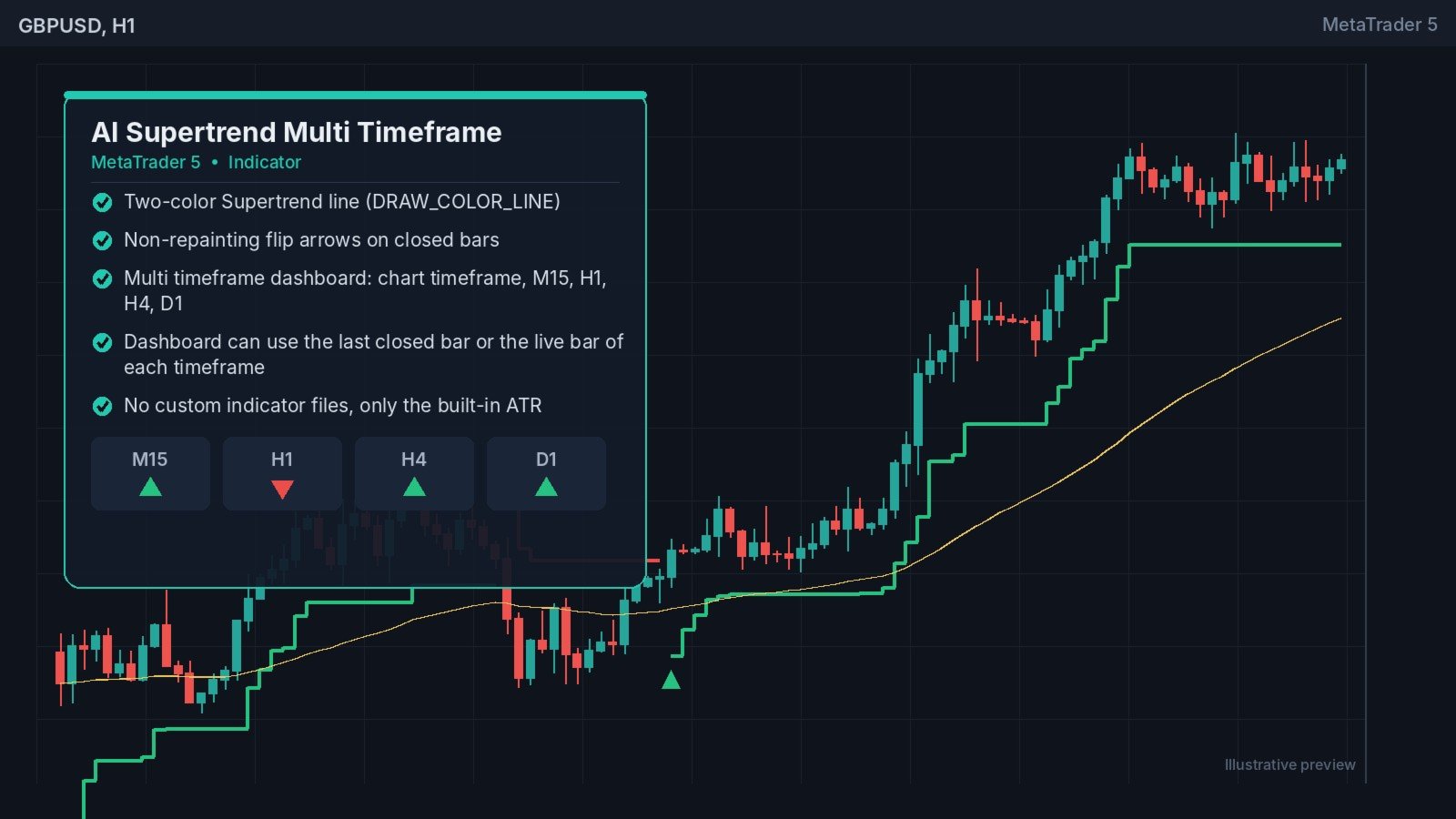
See the Supertrend direction on your chart and on four higher timeframes at once.
How it works
The indicator calculates Supertrend from ATR and a multiplier, using the standard final upper and lower band method. The line changes color when the trend changes: one color for up and one for down. An arrow marks every confirmed flip, and it appears only after the flip candle has closed.
A dashboard runs the same calculation internally on M15, H1, H4 and D1, using ATR and the high, low and close of each timeframe. It shows UP, DOWN or n/a when that timeframe's data is not available yet.
Key features
- Two-color Supertrend line (DRAW_COLOR_LINE)
- Non-repainting flip arrows on closed bars
- Multi timeframe dashboard: chart timeframe, M15, H1, H4, D1
- Dashboard can use the last closed bar or the live bar of each timeframe
- No custom indicator files, only the built-in ATR
- Buffers for EA use: 0 Supertrend value, 1 color index (0 up, 1 down), 2 up flip, 3 down flip
- Popup, push and sound alerts on new confirmed flips
- Limits history processing for fast loading
Recommended
Any symbol and timeframe. Many traders take entries on a lower timeframe in the direction shown by H1 or H4.
Inputs
ATR period, multiplier, up/down colors, show arrows, max bars to calculate, dashboard on/off, closed or live bar for the dashboard, bars per dashboard timeframe, dashboard corner and background, and alert options.
Note
Flip arrows are non-repainting on closed bars. The line on the current, still-forming bar is a live level and can change until that bar closes.