Quantum Synapse
- エキスパート
-
Rujipas Plangthaisong
 24 years of Forex programming expertise, AI-driven solutions, and dedicated support. The best Forex tools for serious traders.
 - バージョン: 3.0
- アップデート済み: 14 10月 2026
- アクティベーション: 12
Multi-Timeframe Breakout Engine for XAUUSD (MT5)
Quantum Synapse (QSnX v3.00) is a professional automated Expert Advisor engineered specifically for XAUUSD (Gold) on MetaTrader 5. Operating directly from an M1 chart setup, QSnX v3.00 internally analyzes and executes trades across 8 distinct timeframes (H3, H4, H6, H8, H12, D1, W1, and MN1) simultaneously to capture explosive breakout momentum while dynamically distributing risk across long-term market structures.
Built with strict risk preservation at its core, the system completely eliminates high-risk grid and Martingale strategies. Each position is protected by hard Stop Loss and Take Profit levels, backed by real-time fakeout detection and built-in account loss caps.
Key Highlights
-
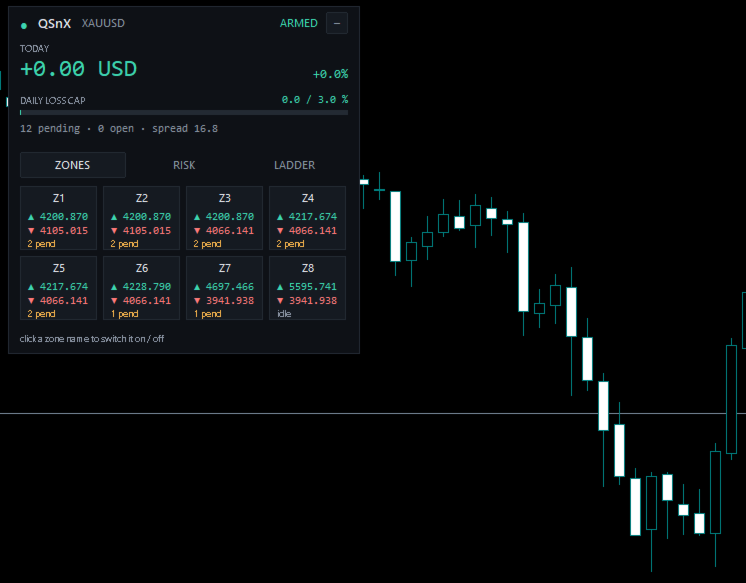
Multi-Zone Execution on M1: Simply attach the EA to an M1 XAUUSD chart—the system handles multi-timeframe analysis internally across 8 higher timeframes (H3 to MN1) for precision timing and structural breakout detection.
-
No Grid / No Martingale: Every trade is individual with hard Stop Loss and Take Profit levels assigned immediately upon execution.
-
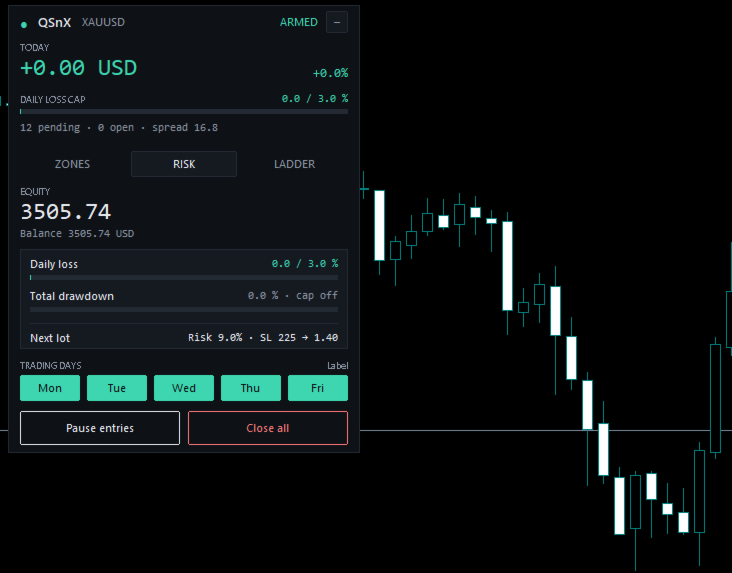
Advanced Account Protection: Built-in percentage caps for Max Daily Loss and Total Drawdown with automatic trade closure ( InpCloseOnHalt ) to keep accounts protected during extreme volatility.
-
Instant Fakeout Filter: Continuously monitors execution post-fill and liquidates trades if a breakout fails to sustain momentum within a specified time window.
-
Universal Account Compatibility: Fully compatible with both Hedging and Netting execution models across all major account types (Standard, RAW, ECN, Zero, Cent, and Premium).
-
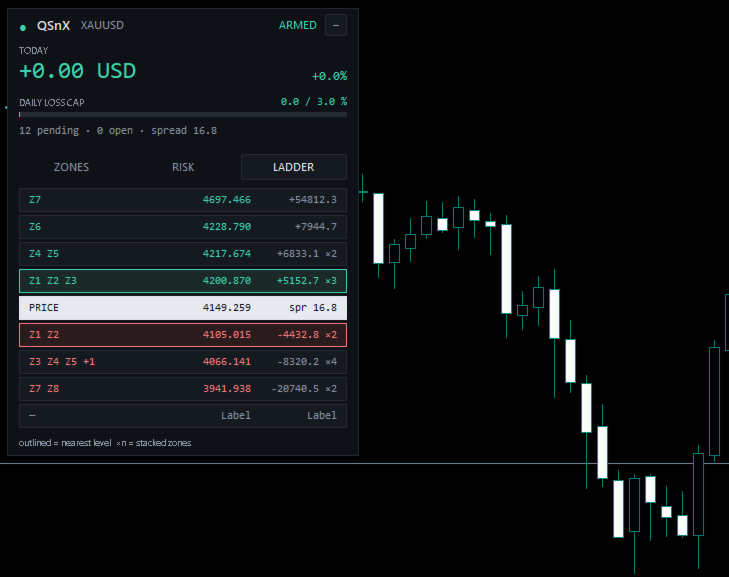
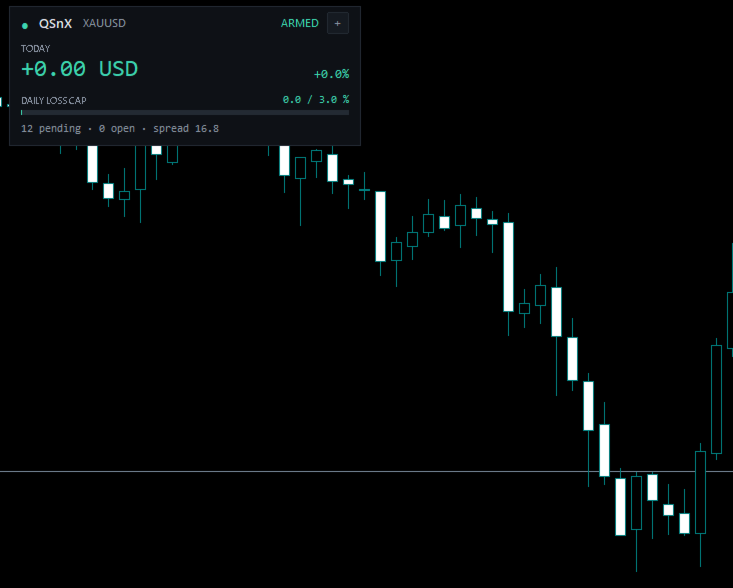
Interactive On-Chart Panel: Displays real-time status updates, risk metrics, customizable scaling (Hi-DPI support), and Light/Dark visual themes.
System Specifications
| Specification | Details |
| Trading Symbol | XAUUSD (Gold) |
| Chart Timeframe | M1 |
| Platform | MetaTrader 5 (MT5) |
| Minimum Deposit | $1,500 (or $15 for Cent accounts) |
| Leverage Range | 1:10 up to 1:2000 |
| Account Modes | Hedging & Netting |
| Supported Account Types | RAW, ECN, Zero, Standard, Cent, Premium |
Core Input Parameters
| Category | Input Parameter | Description |
| Lot Management | InpLotMode | Select between Fixed Lots, Risk % per SL, or $0.01 per$X. |
| InpRiskPct | Set trade risk percentage calculated dynamically based on SL distance. | |
| InpMaxLot | Cap the maximum single order lot size ($0 = \text{Broker Max}$). | |
| Account Protection | InpMaxDailyLossPct | Daily drawdown cap in % before auto-halting for the day ($0 = \text{Off}$). |
| InpMaxTotalDDPct | Total equity drawdown limit in % ($0 = \text{Off}$). | |
| InpCloseOnHalt | Automatically close all open positions when drawdown caps trigger. | |
| Strategy Zones | InpZ1On to InpZ8On | Enable/disable individual internal strategy zones (H3 to MN1). |
| Filters & Timing | InpMaxSpread | Maximum allowed spread threshold for order placement. |
| InpFakeout | Enables rapid exit logic if breakout fails right after entry. | |
| InpFriCutHour | Friday cutoff hour to cancel pending orders and prevent weekend gap risk. |
Installation & Setup Instructions
-
Open your MetaTrader 5 terminal and open a chart for XAUUSD.
-
Set the chart timeframe to M1.
-
Drag QSnX onto the chart.
-
In the Common tab, check Allow Algo Trading.
-
Adjust your risk settings in the Inputs tab according to your account size and preferred risk tolerance.
-
Click OK and verify that the interactive dashboard panel loads on the chart.