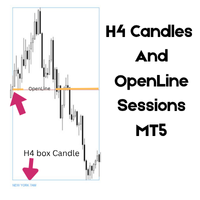
Trading Session Zones for MetaTrader 5
- インディケータ
-
Michael Angelo Ibarreta
 MQL5 developer specializing in Expert
Advisors and custom indicators for
MetaTrader 5. Fast delivery, clean code,
unlimited revisions. Experienced in trend
following systems, session filters, and
risk management tools. - バージョン: 3.20
Overview
Session Indicator is a professional MT5 indicator that displays the four major forex trading sessions (Sydney, Tokyo, London, New York) as colored horizontal bands on your chart. Never miss a trading session again!
Free Product | Works on Any Broker | Auto-Detects Timezone
Features
Auto-Detects Broker GMT Offset
- Works automatically on any MT5 broker (XM, IC Markets, FXCM, etc.)
- No manual timezone configuration needed
- Label shows detected GMT offset at top-left
Four Major Sessions
- Sydney (Orange) — 21:00–06:00 UTC
- Tokyo (Red-Orange) — 00:00–09:00 UTC
- London (Green) — 07:00–16:00 UTC
- New York (Blue) — 12:00–21:00 UTC
Clean Chart Display
- Thin colored bands at top of chart
- Price candles unobstructed below
- White bold session labels
- Transparent fills with solid borders
Customizable Settings
- Toggle each session on/off
- Adjust colors
- Control transparency
- Optional DST (Daylight Saving Time) detection
- Manual offset override if needed
Smart Features
- Sessions only show Monday–Friday (weekends skipped)
- Shows 10 days of history
- Lightweight and optimized
- Automatic redraw on new bars
How to Use
Installation
- Download SessionIndicator.mq5
- Open MT5 → File → Open Data Folder → MQL5 → Indicators
- Paste the file in the Indicators folder
- Restart MT5 or right-click → Refresh in Navigator
- Drag indicator onto any chart
Optimal Chart Setup
For best visualization:
- Grid: Disabled (Right-click chart → Properties → Grid → uncheck "Show grid")
- Period Separator: Enabled (Right-click chart → Properties → Grid → check "Show period separator")
Adjusting Settings
Right-click indicator → Edit to customize:
Sessions Group:
- Toggle Sydney, Tokyo, London, New York on/off
- Change colors to match your preference
Display Group:
- InpDaysBack: How many days of history to show (default: 10)
- InpTransparency: Band transparency 0–100 (default: 50)
- InpShowLabels: Toggle session name labels
- InpLabelSize: Adjust label font size
Adjustments Group:
- InpAutoDetectDST: Auto-detect Daylight Saving Time (default: FALSE)
- InpManualOffset: Manual timezone override (-1, 0, +1) for edge cases
Trading Sessions Reference
All times shown in UTC (broker converts automatically):
| Session | Open UTC | Close UTC | Duration |
|---|---|---|---|
| Sydney | 21:00 | 06:00* | 9 hours |
| Tokyo | 00:00 | 09:00 | 9 hours |
| London | 07:00 | 16:00 | 9 hours |
| New York | 12:00 | 21:00 | 9 hours |
*Next day
Key Overlaps:
- London + New York: 12:00–15:00 UTC (highest volatility)
- Sydney + Tokyo: 00:00–06:00 UTC
Troubleshooting
Sessions appear 1 hour off?
- Check if DST (Daylight Saving Time) is active (Mar–Nov Northern Hemisphere)
- Try: Settings → InpAutoDetectDST = true OR InpManualOffset = -1
Sessions not showing?
- Ensure indicator is attached: Navigator → Indicators → SessionIndicator → Attach
- Check InpDaysBack is not set to 0
- Verify each session toggle is enabled (InpSydneyShow, etc.)
Labels overlapping?
- Reduce InpLabelSize or disable InpShowLabels = false
Need support? Contact: forgealgo7@gmail.com
Disclaimer
This indicator is provided as-is for educational and informational purposes. It does not constitute financial advice. Always do your own research and consult with a financial advisor before making trading decisions.
Version: 3.20 | Compatibility: MT5 (All Brokers) | Author: ForgeAlgo | Email: forgealgo7@gmail.com | Last Updated: May 2026
What's Included
- SessionIndicator.mq5 — Ready to use indicator
- Auto-GMT detection
- DST support
- Full customization
- Email support
Start using Session Indicator today and never miss a major trading session again!
Download for FREE → Attach to any MT5 chart → Trade smarter!