N22 London Breakout
- エキスパート
- バージョン: 1.0
- アクティベーション: 5

LONDON BREAKOUT EA Automated Range Breakout Trading for MetaTrader 5
Overview
London Breakout EA is a fully automated Expert Advisor that trades the classic London session open strategy — one of the most consistently profitable setups in the forex market. The EA identifies the high and low range formed during a configurable pre-session window (default: 07:00–09:00 server time), then waits for a confirmed candle close outside the range before placing a limit order targeting a retest of the breakout level.
No indicators. No guesswork. Pure price action logic with institutional-grade risk management built in.
How It Works
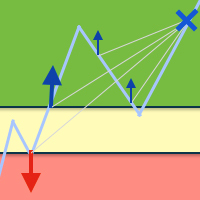
1. Range Detection The EA monitors price action during your defined session window and automatically marks the high and low with a visual box on the chart.
2. Breakout Confirmation After the session closes, the EA watches for a candle close (on your chosen timeframe) above the range high or below the range low — confirming directional momentum before any order is placed.
3. Retest Entry Rather than chasing the breakout, the EA places a limit order back at the breakout edge, targeting a retest entry with a tighter risk profile.
4. Automated Trade Management Once filled, the EA handles everything: stop loss, take profit, optional trailing stop, and One-Cancels-Other (OCO) logic to automatically remove the opposite pending order.
Key Features
- Visual session box drawn directly on the chart for full transparency
- Configurable breakout timeframe — confirm breakouts on M15, M30, H1, or any TF
- Flexible SL/TP — use fixed points or auto-calculate from the opposite box edge (1:1 RR by default)
- Risk-based position sizing — automatically calculates lot size from your account balance and risk percentage
- Trailing stop with configurable trigger and trail distance
- OCO logic — one direction fills, the other order cancels automatically
- Daily equity drawdown guard — pauses trading if losses reach a set % of opening balance
- Minimum balance protection — disables trading if account drops below a defined threshold
- Broker volume limit compliance — respects SYMBOL_VOLUME_LIMIT automatically
- Late-start catch-up logic — if the EA is attached after the session, it recalculates the range from history and checks for missed breakouts
- On-chart dashboard — live display of server time, current range, status, and daily drawdown
- Stop Level buffer — adds an extra safety margin above broker minimum stop distances
Input Parameters Explained
| Group | Parameter | Description |
|---|---|---|
| Session | SessionStart / SessionEnd | Range window in server time (HH:MM). Check your broker's server clock. |
| Session | OffsetPoints | Extra points above/below range for entry placement |
| Trade | BreakoutTF | Timeframe used for breakout candle confirmation |
| Trade | LotSize | Fixed lots (set to 0 to use risk-based sizing) |
| Trade | RiskPercent | % of balance risked per trade when LotSize = 0 |
| Trade | StopLoss | SL in points (0 = opposite box edge) |
| Trade | TakeProfit | TP in points (0 = equal to SL distance, 1:1 RR) |
| Trade | OCO | Cancel the opposite pending order when one side fills |
| Trailing | UseTrailing | Enable trailing stop |
| Trailing | TSTrigger | Points in profit before trailing activates |
| Trailing | TSPoints | Points to trail behind current price |
| Risk | MaxEquityRisk | Max daily drawdown % before all trades close and EA pauses |
| Risk | MinBalance | Hard floor — EA stops trading below this balance |
⚠️ Important: Default Settings Notice
Several default values were configured to pass MQL5's automated validation requirements and are not intended as recommended live trading settings. Please review and adjust the following before running on a live account:
- LotSize = 0.0 — This enables risk-based sizing. Set RiskPercent to match your personal risk tolerance (e.g. 0.5%–2% is typical).
- MinBalance = 10000.0 — Change this to reflect your actual account size. If your balance is lower, the EA will refuse to trade until adjusted.
- StopLoss = 0 and TakeProfit = 0 — These defaults use the opposite box edge for SL and a 1:1 ratio for TP. This is a valid setting, but review it against your strategy and the typical range size on your instrument.
- MagicNumber = 123456 — If running multiple EAs on the same account, assign a unique magic number to each one.
- Session times are in server time, not local time. Open your MT5 terminal, check the clock in the bottom bar, and set SessionStart / SessionEnd relative to that — not your local timezone.
Recommended Use
- Instruments: Major forex pairs (EURUSD, GBPUSD, USDJPY, etc.)
- Timeframe (chart): Any — the EA runs on tick data internally
- Breakout confirmation TF: M15 (default) or M30
- Session: Designed for the London open (07:00–09:00 broker time), but fully configurable for other sessions
Installation
- Copy the .ex5 file to MQL5/Experts/
- Attach to any chart of your chosen instrument
- Enable AutoTrading in MT5
- In the EA inputs, verify session times match your broker's server clock
- Adjust MinBalance , RiskPercent , and MagicNumber before going live
Always test on a demo account before deploying on live funds. Past performance on backtests does not guarantee future results.