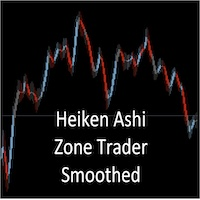
Heiken Ashi Zone trader Smoothed
- インディケータ
- バージョン: 1.0
- アクティベーション: 10

Smoothed Heiken Ashi with AC/AO Zones – Professional Trading Clarity
Transform your Heiken Ashi analysis with intelligent smoothing that eliminates noise while preserving actionable signals.
What Makes This Different?
This isn't just another Heiken Ashi indicator. We've engineered a sophisticated smoothing engine that works with the Accelerator (AC) and Awesome Oscillator (AO) zone logic to give you cleaner entries and exits without sacrificing responsiveness.
Four Smoothing Methods at Your Command:
- SMA – Reliable, steady smoothing for trend confirmation
- EMA – Reduced lag for faster signal detection
- SMMA – Ultra-smooth for filtering market noise
- LWMA – Responsive weighting for active traders
Fully Customizable Smoothing Period: Dial in your perfect balance between clarity and speed. Set it to 1 for raw signals or push it to 10+ for institutional-grade smoothing.
The Technical Edge:
Raw Heiken Ashi values are calculated first, then your selected smoothing algorithm is applied to Open, Close, High and Low independently. The proven AC/AO zone colouring system (Blue/Red/Grey) remains intact, giving you momentum context with every candle.
Recommended Settings:
Less Noise: Period 5-7, EMA method
Very Smooth: Period 10+, SMA method
Responsive Trading: Period 3-5, LWMA method
Quick Start: Begin with default settings (Period 5, SMA) and adjust based on your timeframe and trading style. Lower the period for faster signals, increase it for trend trading. Try EMA method for the sweet spot between smoothness and responsiveness.
Pro Tip: Run both the smoothed and original versions side-by-side to see exactly how the smoothing transforms your analysis.
Reduce false signals. Trade with confidence. Get the clarity you need.
Smoothing Parameters (adjustable inputs):
- SmoothingPeriod (default: 5) - Higher = smoother but more lag
- SmoothingMethod - Choose from 4 methods:
- 0 = SMA (Simple Moving Average)
- 1 = EMA (Exponential - less lag)
- 2 = SMMA (Smoothed)
- 3 = LWMA (Linear Weighted - responsive)
Quick tips for using it:
- Start with the default settings (Period 5, SMA) and adjust from there
- If it's too smooth and lagging, lower the period to 3-4
- If it's still too noisy, try EMA method or increase the period
- You can run both versions side-by-side on different charts to compare